Sales resume title card with ink-sketch accents

Sales Manager Resume Examples: From Quota Wins to Team Results

A sales manager resume earns interviews when it leads with team-level outcomes, quota attainment, revenue growth, retention, and presents them in a clean, ATS-friendly format. Use a simple file type (Word or PDF, never a graphic-heavy design) and concise, scannable headings. For candidates who want hands-on optimization rather than a DIY rewrite, Professional Resumes offers a direct path to a document built around those priorities.


TL;DR:

  • Resume emphasis should shift with seniority: new managers show coaching, midcareer leaders lead with team metrics, and executives connect revenue results to company goals.
  • Use three to five achievement bullets per role, ordered strongest first, and pair action, scope, a metric, and business outcome instead of listing duties.
  • For government applications, GC Jobs often strips formatting, so prepare a plain text copy and answer screening questions with individual statements rather than team phrasing.
  • Mirror each posting’s exact phrases for required tools, experience, and duties, then move the closest matching achievements to the top of each role.
  • If a sales figure is confidential, give a credible range with context and be prepared to explain how the number was calculated during an interview.

Professionalresumes
Make Your Sales Results Stand Out
Professional Resumes creates customized resumes tailored to your experience, with personalized consultations and revisions to help present your skills to employers.

Visit Professional Resumes

Table of Contents

Sales manager resume examples and annotated samples

The strongest sales manager resumes shift focus as seniority rises: individual quota at entry level, team metrics in the middle tiers, and organizational outcomes at the executive level. Reviewing a sample at each stage shows how the emphasis moves without losing the quantified, results-first structure hiring managers expect.

Entry-level to team lead transition
A candidate moving from account executive into a first management role should headline the shift with a single proof point, then support it with achievement bullets that show both individual and early coaching results.

  • Headline: “Account Executive promoted to Team Lead after exceeding quota in 6 of 8 quarters.”
  • Managed a book of 45 mid-market accounts using Salesforce and HubSpot for pipeline tracking.
  • Coached two junior reps on discovery calls, contributing to their combined 20% quarter-over-quarter pipeline growth.
  • Closed $1.1 million in net-new annual contract value across fiscal 2025.

The annotation here matters: a hiring manager scanning this resume wants proof of readiness to manage people, not just sell. The coaching bullet signals that readiness even before a formal title change.

Mid-level sales manager
At this stage, the resume should read almost entirely in team metrics. Individual performance history becomes a secondary detail.

  • Headline: “Regional Sales Manager leading a 9-person team to 118% average quota attainment over three fiscal years.”
  • Reduced new-hire ramp time from 5 months to 3 months by building a structured onboarding and CRM-training program.
  • Owned forecasting and pipeline reviews in Salesforce, improving forecast accuracy and reducing quarter-end surprises.
  • Cut voluntary rep turnover by restructuring territory assignments and commission disputes resolution.

Tools and platforms belong directly in the bullet, not in a separate buried list. Naming Salesforce, HubSpot or a specific CRM tells both a human reader and an applicant-tracking system that the candidate has used the systems the job posting requires.

Senior and enterprise sales manager
Enterprise roles call for language around cross-functional coordination and larger deal cycles.

  • Headline: “Senior Sales Manager, Enterprise Accounts, overseeing a $22 million book of business across 14 direct reports.”
  • Partnered with marketing and product teams to align account-based campaigns with a 16-month average enterprise sales cycle.
  • Negotiated multi-year contracts with Fortune 500 procurement teams, retaining 94% of renewals.
  • Implemented a new pipeline-health dashboard in Salesforce, giving leadership real-time visibility into stalled deals.

Executive: director or VP of sales
At the director or VP level, bullets should connect sales performance to company-wide outcomes: revenue strategy, market expansion, board reporting.

  • Headline: “VP of Sales driving organizational revenue strategy across a 40-person sales organization spanning three regions.”
  • Restructured the sales org into pod-based teams, aligning incentive structures with annual recurring revenue targets.
  • Presented quarterly pipeline and forecast reviews to the executive team and board.
  • Built the partnership channel from a founding team of two into a function contributing a meaningful share of new bookings.

Across every level, the pattern holds: metric first, context second, tool or method named explicitly. A resume that buries the headline metric in paragraph three loses the reader before they reach it.

Key elements of a sales manager resume: what to include and where

A sales manager resume follows a predictable structure, and each section has a specific job to do. Getting the order and content right matters as much as the writing itself.

  1. Professional summary, not an objective. A summary states who you are and what you deliver in three to four lines: “Sales manager with 8 years leading B2B teams, consistently exceeding quota and reducing rep turnover.” An objective statement, which describes what you want from the job, reads as outdated and wastes the top third of the page.
  2. Experience section, structured consistently. Each role needs a headline (title, company, dates), followed by three to five achievement bullets ordered from most to least impressive. Avoid listing responsibilities; list results.
  3. Skills, split by type. Hard skills: CRM platforms (Salesforce, HubSpot, Pipedrive), pipeline forecasting, territory planning, performance analytics. Soft skills: coaching, cross-functional negotiation, stakeholder communication. Listing both signals rounded management capability, and sales manager competency frameworks published by Job Bank confirm employers expect advanced proficiency in negotiation, financial resource management and coordination for this role.
  4. Education and certifications, placed after experience for anyone with more than three years in the field. Relevant certifications (Salesforce Administrator, Challenger Sale, Sandler Training) belong in their own short line.
  5. Formatting for applicant-tracking systems. Use a single-column layout, standard section headings (Experience, Skills, Education), and save as a Word document or a text-readable PDF. Avoid tables, text boxes and graphics, which many ATS platforms cannot parse.

One exception deserves its own note. When applying through GC Jobs, the online application system often strips bullets, bold and underlining, so candidates are advised to prepare an unformatted paste version of their resume and to answer screening questions directly, using “I” statements rather than “we,” since the system evaluates individual accomplishments against the stated criteria.

Writing achievement bullets that show leadership and sales impact

Every strong sales manager bullet follows the same underlying formula: action, context, metric, result. “Led,” “restructured” or “coached” starts the sentence; the context names the team or scope; the metric quantifies the change; the result ties it to a business outcome.

  • “Led a 6-person SMB sales team through a territory realignment, increasing average deal size by $4,200 and lifting quarterly bookings 19%.”
  • “Coached two underperforming reps to quota within two quarters, cutting team-wide quota miss rate in half.”
  • “Restructured onboarding for new account executives, shortening ramp time from 4 months to 10 weeks.”
  • “Managed a $15 million enterprise pipeline across 12 reps, closing fiscal year at 109% of team quota.”
  • “Negotiated renewal terms with top-20 accounts, improving retention and reducing churn-related revenue loss.”
  • “Built a weekly forecasting cadence in Salesforce, reducing forecast variance and improving leadership’s planning accuracy.”

Compare that structure against common weak statements and the difference is immediate:

  • Weak: “Responsible for managing a sales team.” Strong: “Managed an 8-person sales team to 112% quota attainment.”
  • Weak: “Worked with marketing on campaigns.” Strong: “Partnered with marketing to launch an account-based campaign that generated 30 qualified enterprise leads per quarter.”
  • Weak: “Helped improve customer retention.” Strong: “Reduced client churn by restructuring the renewal process, improving retention over two consecutive fiscal years.”

Calculating the metrics themselves is simpler than it looks. Quota attainment is actual sales divided by assigned quota, expressed as a percentage. Year-over-year growth is this year’s figure minus last year’s, divided by last year’s figure. Retention change is the difference between two periods’ retention rates, stated in percentage points. These calculations give a bullet its backbone even when the underlying numbers feel modest.

Pro Tip: When a figure is confidential, present a credible range with context, such as “contributed to team revenue growth in the low double digits,” and be ready to explain the reporting basis in an interview.

Retention and team-performance improvements carry particular weight for hiring managers evaluating management-level candidates, since reduced turnover and stronger team output are read as direct evidence of leadership capability rather than individual sales skill. Showing that kind of force-multiplication, proof that a candidate made an entire team better rather than just hitting a personal number, is the clearest signal of readiness to move from individual contributor to manager.

Individual results support stable team performance

Templates, downloads and formatting examples

The right template depends on where the resume is headed first: an applicant-tracking system or a recruiter’s inbox. A one-column, text-only template with standard headings parses cleanly through most ATS platforms and should be the default for any online application. A recruiter-focused design, with slightly more visual structure and a clear header, works well for direct submissions, referrals or LinkedIn outreach where a human opens the file first.

  • Name files clearly: “FirstName LastName Sales Manager Resume.pdf,” never “Resume Final v3.docx.”
  • Save as PDF for direct submissions to preserve formatting, or Word when a system requests an editable document.
  • Use 10 to 12 point standard, ATS-safe fonts such as Calibri, Arial or Garamond rather than decorative typefaces.
  • Keep margins between 0.5 and 1 inch, and avoid headers, footers or text boxes that some parsers skip entirely.

Readers who want a structured starting point rather than building from a blank page can review sales and business development resume samples for layout ideas, or compare formatting approaches for senior roles through this executive resume format guide. Before submitting anywhere, confirm the file opens correctly on a second device, the file size stays under typical upload limits, and every section heading matches standard naming so a parser recognizes it.

Tailoring your resume to the job posting and screening systems

A resume tailored to the specific posting consistently outperforms a single generic version sent everywhere, because both human recruiters and automated systems are matching language from the ad against language on the page.

  1. Parse the job posting line by line and note the specific phrases used for responsibilities and qualifications, not just the job title.
  2. Map those phrases directly into resume language. A posting asking for “quota ownership” should be mirrored with a bullet naming the actual team quota metric achieved, not a paraphrase like “sales responsibility.”
  3. Reorder bullets within each role so the achievements matching the posting’s stated priorities appear first, since both human skimmers and automated parsers weight early content more heavily.
  4. Recheck against the posting once more before submitting, confirming that required tools, certifications and years of experience are stated explicitly somewhere on the page.

Government and public-sector postings add a layer worth understanding separately. Canada’s applicant-tracking system for public service roles sorts and groups applications by priority status and order of consideration, which means keyword alignment with the posting’s exact wording carries real weight in how quickly a file surfaces for review. A typical corporate sales manager posting lists concrete duties such as leading teams, coordinating with marketing and planning strategic initiatives alongside a minimum years-of-experience threshold, and mirroring that exact phrasing back into the resume measurably improves alignment.

Before submitting, run a final check: does the resume contain the posting’s core keywords, does the top third lead with the metric most relevant to this specific role, and does the experience section reflect the years and tools the posting states as requirements.

How Professional Resumes helps sales managers get results

Sales manager resumes built by expert services follow the principle this guide suggests: lead with quantified team outcomes, then support them with the right keywords, structure and formatting for both human reviewers and applicant-tracking systems. This process typically starts with a consultation to understand your sales background, management scope and target roles, followed by a draft built around your strongest metrics, and revisions until the document reflects your experience accurately.

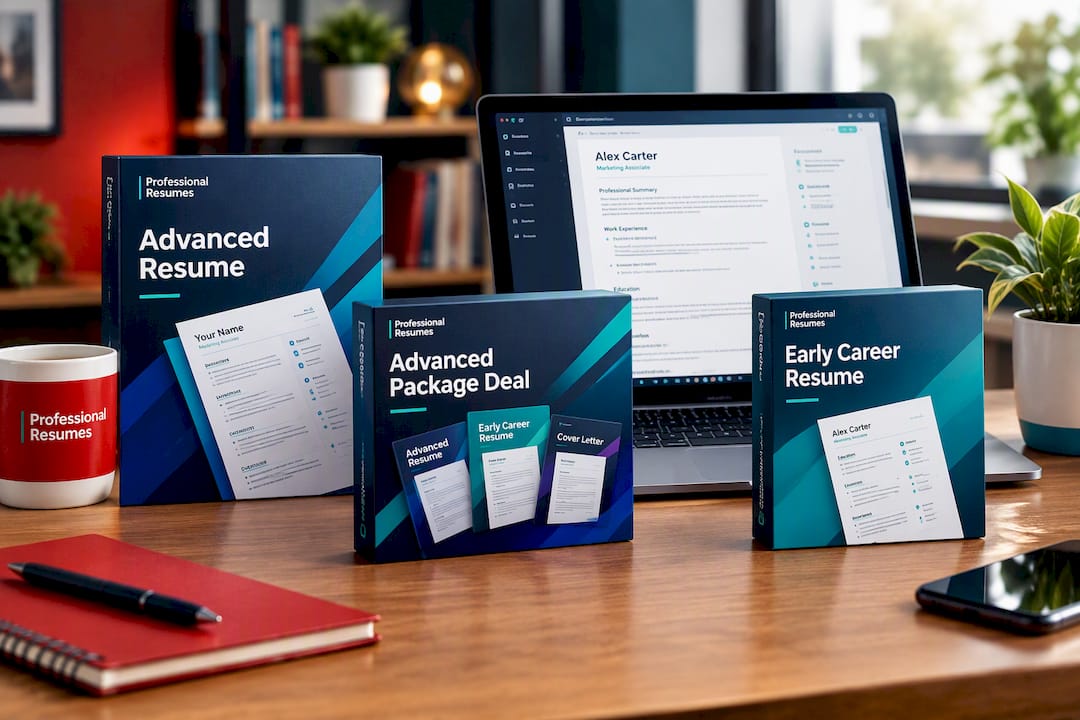
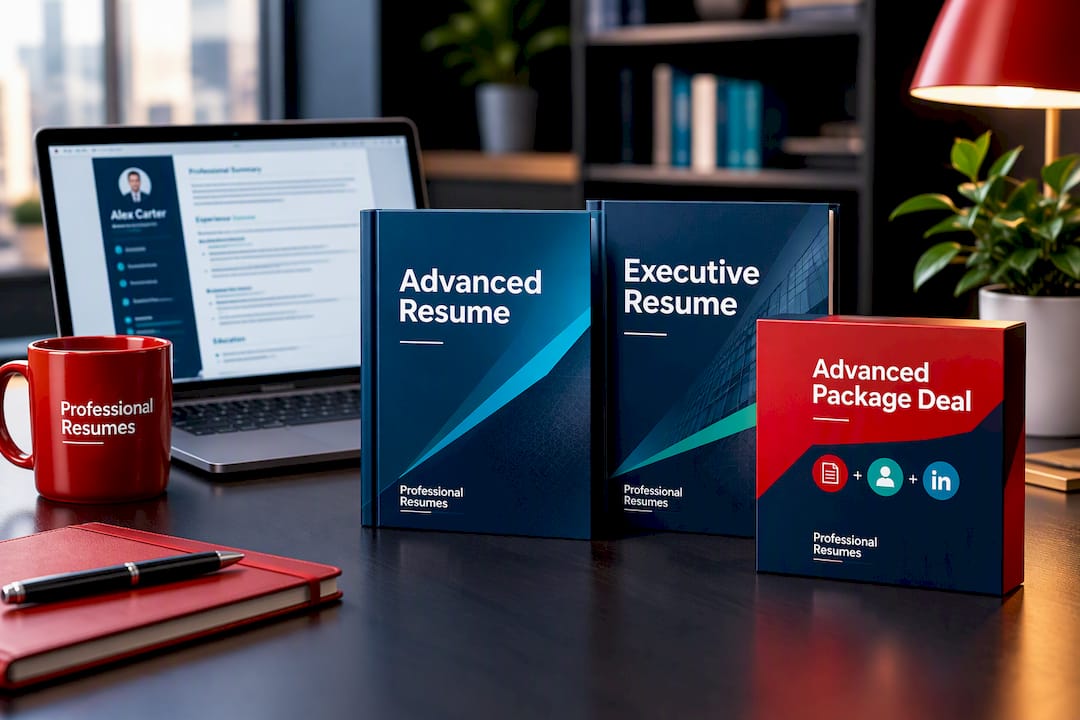
  • We offer an Advanced Resume for sales managers seeking a thorough rewrite with industry-specific positioning.
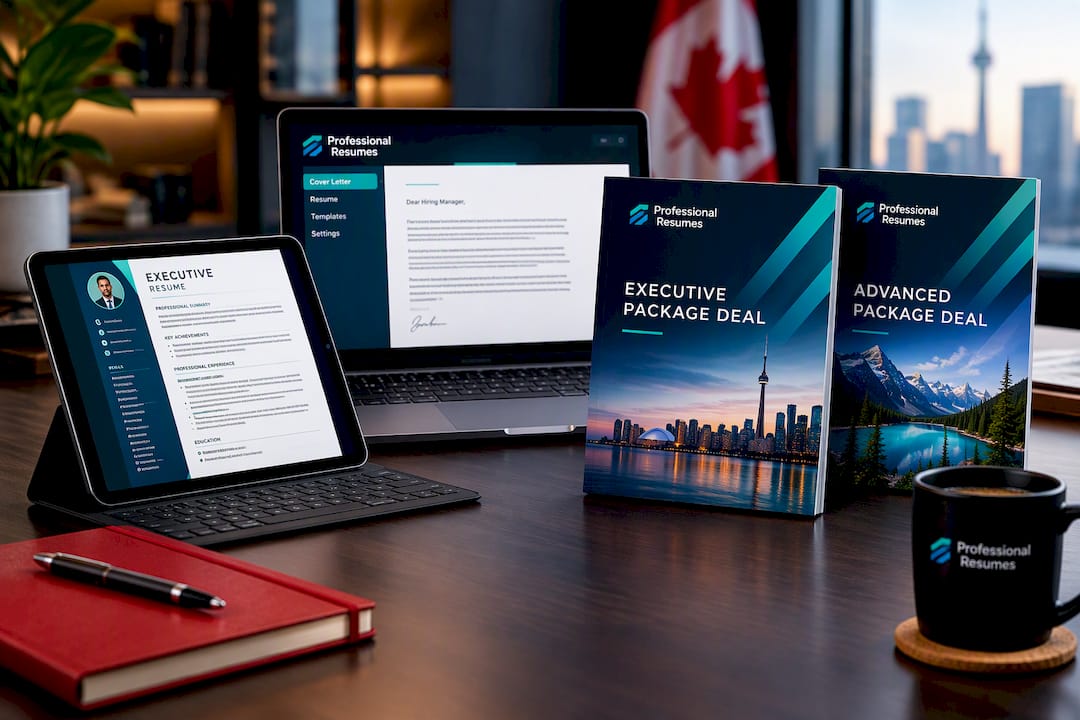
  • For candidates in a time-limited search, our Advanced Package Deal pairs the resume with complementary career documents.
  • We offer an Executive Resume for directors and VPs of sales who need board-level language and organizational framing.

Client testimonials and success stories often highlight stronger interview rates once achievements are presented with the right metrics and structure.

Prioritizing changes when you have limited time

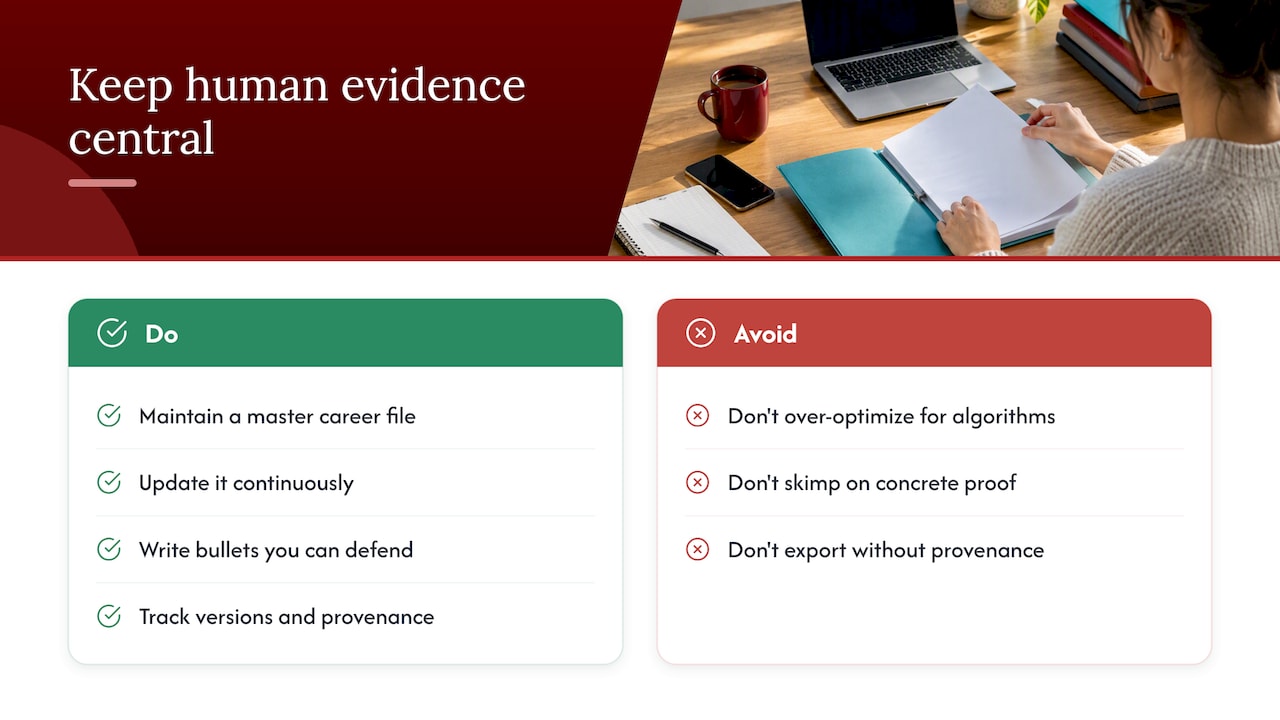
When time is short, fix three things first: the headline metric at the top of the resume, the top three bullets under your current role, and the professional summary. Everything else, fonts, margins, section order, matters far less than whether your biggest number is visible in the first ten seconds. Polish the formatting only after the substance is right.

— Professional

Ready-to-buy options: which package fits your situation

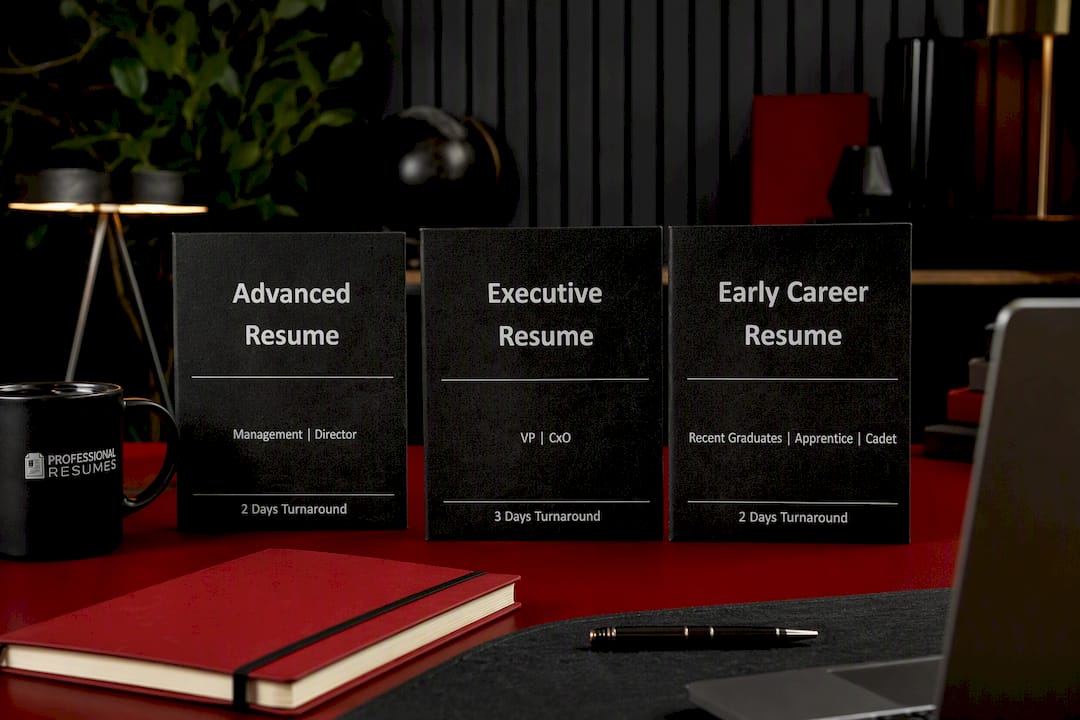
Most sales managers fall into one of three categories, and each points toward a different package. A manager early in their first leadership role, still building a track record, benefits most from a foundational rewrite. A mid-career manager juggling a live job search often needs more than a resume alone. A director or VP moving toward board-level conversations needs language built for that audience.

  • Early-career managers and individual contributors stepping into management can start from our full resume package lineup.
  • Mid-career sales managers preparing for an active search often choose the Advanced Resume or the Advanced Package Deal for a complete document set.
  • Directors and VPs targeting executive roles typically choose the Executive Resume for board-level positioning.
  • Any candidate can add our LinkedIn profile optimization service to align their online presence with the new resume.
Advanced Resume

Candidate situation Recommended package
Early-career or first-time manager Early Career Resume or Next Step Resume
Mid-career manager, active search Advanced Resume ($239)
Time-limited search needing multiple documents Advanced Package Deal
Director or VP targeting executive roles Executive Resume ($289)

Every package includes a consultation to review your sales history and target roles, followed by a draft and revisions until the document is ready to submit. Explore our full package lineup and find the option that matches where you are in your search.

FAQ

How do you describe sales skills on a resume?

Describe sales skills through results rather than duties: name the specific skill, such as pipeline management or contract negotiation, and attach it to a measurable outcome like quota attainment or retention improvement. Pairing a CRM platform name with a result, for example “managed forecasting in Salesforce, improving accuracy quarter over quarter,” reads as more credible than listing the skill alone.

What is the 7 second rule in resume?

An initial impression is the judgment a recruiter quickly forms on a resume, usually focused on the top third of the page. For a sales manager resume, that means the headline metric and professional summary need to carry the strongest proof point immediately, not several lines down.

What qualities make a good sales manager?

Strong sales managers combine coaching ability, accurate forecasting, and skill at coordinating across teams like marketing and product. Canada’s Job Bank competency data for corporate sales manager roles lists advanced proficiency expectations in negotiation, financial resource management and persuasion, which reflects what employers screen for at the resume stage.

What are 5 good skills to put on a resume?

For a sales manager resume, strong skills to include are CRM proficiency (such as Salesforce or HubSpot), pipeline forecasting, team coaching and development, contract negotiation, and cross-functional coordination with marketing or product teams. Pairing each skill with a quantified result from your experience section makes it more persuasive than listing it on its own.

Sources

Hand-drawn volunteer and résumé objects frame title

Volunteer Experience on a Resume: Make Unpaid Work Read Like Paid Work

Include volunteer experience on your resume whenever it demonstrates job-relevant skills, leadership or measurable impact. Place it inside your professional experience section when the responsibilities closely match the role you want; otherwise, give it a clearly labelled volunteer or community section. What matters most is specificity and quantified results, not the number of causes you have supported.


TL;DR:

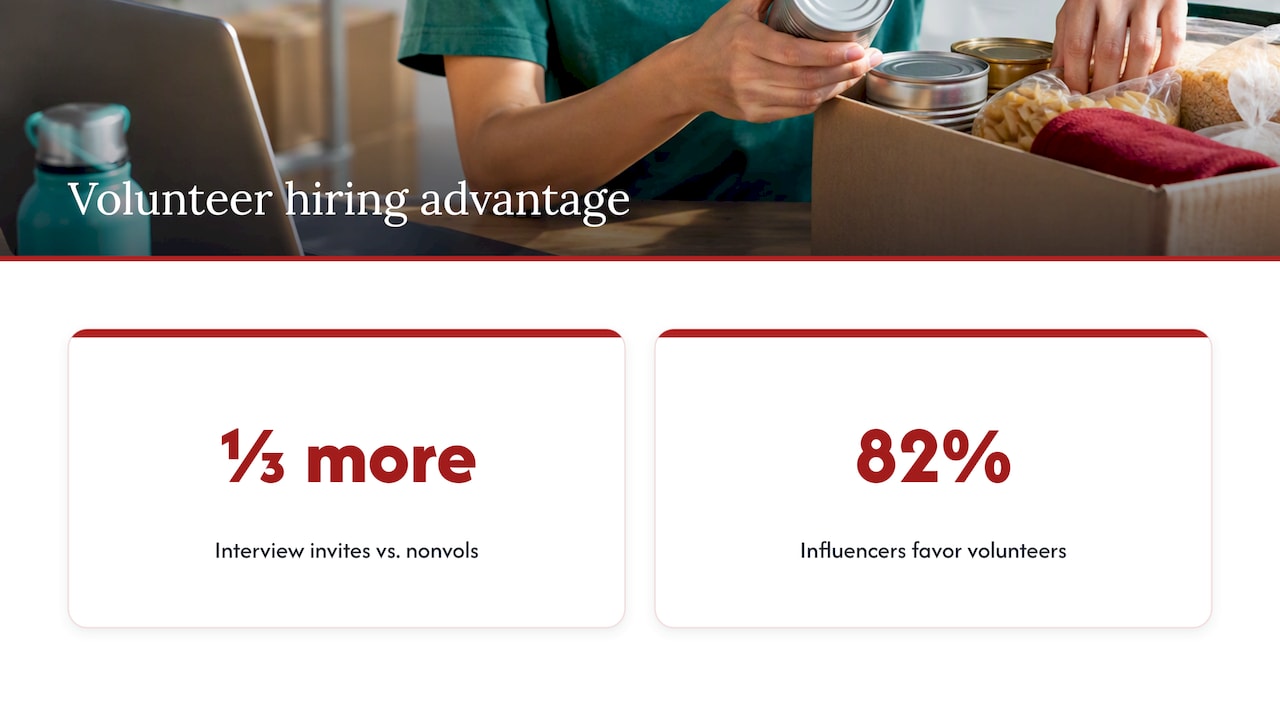
  • A hiring experiment found that applicants with volunteer experience received one third more interview invitations, with the effect appearing across sectors and stronger for women.
  • Roughly 82% of hiring influencers said they were more likely to choose candidates who volunteer, especially when the work showed relevant skills or leadership.
  • Use a role title, concrete duties, and a measurable result; recruiters rate volunteer work comparably to paid experience when entries receive similar professional detail.
  • Place sustained roles with matching duties in the main work history, but group brief or unrelated commitments under Additional Activities or omit them.
  • Mirror accurate job posting keywords, use month and year dates, and avoid tables or decorative symbols that can interfere with applicant tracking systems.

Professionalresumes
Make Volunteer Work Count on Your Resume
Professional Resumes creates customized resumes that highlight your skills and experience, with personalized consultations and revisions.

Explore resume services

Table of Contents

Why volunteer experience strengthens a job application

The evidence favours including it. A field experiment on hiring outcomes found that applicants with volunteer experience received one third more interview invitations than otherwise identical candidates without it, with the effect holding across sectors and appearing even stronger for female applicants. That is a meaningful advantage in a competitive hiring process, and it suggests recruiters read volunteering as a genuine signal rather than filler.

Roughly 82% of hiring influencers said they would be more likely to choose a candidate who volunteers, according to a Deloitte Impact Survey, which also found that many employers overlook minor resume flaws when volunteer work demonstrates leadership or relevant skills. The same survey noted that only a minority of resumes mention volunteering at all, which means most candidates leave this advantage on the table.

Employers tend to read volunteer work as evidence of leadership, initiative, teamwork and comfort stepping outside a defined job description. Recruiter-focused research found that when volunteer experience is presented with the same professional detail as paid work, recruiters rate it comparably to paid experience. This matters most for recent graduates with thin work histories, career changers bridging into a new field, and anyone with a gap who needs to show continuous skill-building.

Why volunteer experience strengthens a job application — overview diagram

Where to place volunteer experience on your resume

Placement depends on how closely the volunteer role mirrors paid work and how much responsibility you carried. Two clear patterns emerge from recruiter research and practical resume guidance.

  • Fold it into professional experience when your duties matched or exceeded those of a paid role, you held the position for a sustained period, or you led a team or budget.
  • Give it a separate section when you held several short, unrelated roles or when the involvement reflects background community commitment rather than a defined function.
  • In a chronological resume, integrated volunteer roles sit in the main timeline; a dedicated section usually follows paid work, before education.
  • In a functional or hybrid resume, volunteer achievements can anchor a skills-based grouping, with a brief chronological list underneath for context.
  • Date formatting should match your paid roles exactly (month and year), and ongoing commitments are noted as “Present” the same way you would for a current job.

A recruiter study suggests that a resume mixing relevant paid and volunteer experience often earns better ratings than one built on paid experience alone, particularly when a candidate’s work history is short. If you are unsure, default to a separate section labelled clearly: it never looks out of place, and it keeps your paid work history easy to scan.

Writing volunteer bullets that read like professional achievements

The CAR framework, which is Context, Action, Result (also known as STAR when you separate Situation and Task), turns a vague line into one that earns attention. A weak bullet like “Helped at a food bank” becomes “Coordinated weekly food bank distribution for 120 households, recruiting and scheduling 15 volunteers to cut wait times by half.” The second version states the setting, what you did, and what changed.

Career guidance on community service recommends dropping generic labels like “Volunteer” in favour of a role title, concrete duties and a number wherever one exists. A resume gets a 6 to 10 second scan, and numbers are what a recruiter’s eye catches first.

Group your action verbs by function so you are not repeating the same word across every bullet:

  1. Leadership: led, directed, coordinated, organized, mentored, supervised, recruited.
  2. Operations: managed, scheduled, streamlined, maintained, allocated, tracked, distributed.
  3. Communication: presented, facilitated, advocated, drafted, liaised, trained, campaigned.
  4. Technical: built, designed, analyzed, programmed, migrated, automated, documented.

Sample bullets across career stages:

  • Early career: “Tutored 8 high school students weekly in math, with 6 of 8 improving by one letter grade over a semester.”
  • Early career: “Organized campus clothing drive that collected over 400 items for a local shelter.”
  • Mid-career: “Managed a $15,000 annual budget for a community arts program serving 200 families.”
  • Mid-career: “Built and maintained a volunteer scheduling system for 40 staff, reducing shift gaps by a third.”
  • Leadership: “Directed a 12-person committee planning a fundraising gala that raised $85,000 for youth programs.”
  • Leadership: “Trained and onboarded 25 new volunteers per quarter, improving retention over two seasons.”

Pro Tip: Write down the scope, the people involved and the outcome within a day or two of finishing a volunteer shift or project, since those details fade faster than you expect and are what make a bullet credible later.

Formatting volunteer entries so they read like paid roles

The heading you choose signals how central the experience is. “Relevant volunteer experience” works when the role maps directly to the job you want. “Community leadership” fits sustained, responsibility-heavy involvement. “Additional activities” suits shorter or more tangential commitments that still deserve a mention.

  • List the organization name, your role title, location and dates in the same format you use for paid positions.
  • Note unpaid status only if the role title alone would be confusing, and keep it brief, such as “(volunteer position)” rather than a qualifier that undersells the work.
  • Mirror keywords from the job posting; a role described as “program coordinator” in a posting should appear that way in your bullet if it fits your actual duties, which also helps you pass ATS parsing.
  • Use plain month-year dates and avoid decorative bullets, icons or tables, since non-standard characters can break applicant tracking systems.

Handling unrelated, short-term or informal volunteer roles

Not every volunteer commitment earns its own bullet, and padding a resume with minor roles dilutes the stronger ones. A single afternoon of event help or a one-off donation drive rarely justifies a dedicated line.

  • Omit roles with no measurable contribution and no connection to the job you are targeting.
  • Condense several small, unrelated roles into one “Additional activities” line with a single impact phrase, such as “Volunteered with three local nonprofits on event logistics and fundraising, 2023 to 2025.”
  • Keep anything that shows a skill gap filled, even briefly, since a short data-entry stint can matter for an administrative role.
  • Prepare a 30 to 60 second verbal version of your strongest volunteer bullet using the CAR structure, since interviewers often ask candidates to expand on a resume line they found interesting.

How Professional Resumes approaches volunteer experience

Our writers treat a volunteer role the same way we treat a paid one: a set of responsibilities and outcomes that deserve precise, ATS-ready language. During consultation, we ask targeted questions about scope, team size and results so vague activity becomes a quantified achievement, the approach we also use in our IT resume case study, which shows volunteer technical projects reframed into interview-ready bullets. For recent graduates, our early career resume guidance leans on volunteer work to offset a thin paid history.

When our team edits a volunteer entry, we check for:

  • A role title that reads clearly against the target job description.
  • At least one quantified outcome, whether that is people served, funds raised or hours saved.
  • Keyword alignment with the posting, without forcing language that misrepresents the work.

A priority rule worth remembering

After years of reviewing resumes, the pattern that stands out is simple: relevance beats quantity, and quantity beats length. One well-measured volunteer bullet tied to the job description outperforms a crowded list of causes with no detail behind them. Save your best stories and specific numbers for the interview, where a recruiter can ask follow-up questions and the full impact of the work comes through.

— Professional

Turn your volunteer work into a stronger resume

Most job seekers undersell their volunteer experience because they are too close to it to see what counts as an achievement. We close that gap through direct consultation, pulling out the scope and results you would otherwise leave off the page. Our Early Career Resume service is built for recent graduates who need their volunteer work to carry real weight alongside limited paid experience. For mid-career and leadership candidates with more complex volunteer histories, our Advanced Resume service applies the same consultation-driven, ATS-friendly rewriting to board positions, committee leadership and sustained community roles.

Advanced Resume

Every package includes direct work with your writer through consultation and revisions, so volunteer achievements get the same measurable-impact framing we apply to paid roles. If you also want your LinkedIn profile to reflect that same story, our LinkedIn profile optimization service extends the work beyond the resume. Browse our full range of resume packages to find the fit for your career stage.

FAQ

How do you describe a volunteer experience on your resume?

Use a clear role title instead of the word “Volunteer,” then list concrete responsibilities and at least one measurable outcome, the same way you would describe a paid position. Career guidance on community service recommends this approach specifically because vague labels make a recruiter skim past the entry.

What are examples of volunteer experience?

Common examples include tutoring, food bank coordination, event fundraising, committee leadership, mentoring programs and nonprofit board service. The strongest resume examples name a specific scope, such as people served or funds raised, rather than describing the cause alone.

Is it worth putting volunteer experience on a resume?

Yes: a field experiment found that volunteers received one third more interview invitations than non-volunteers, and a Deloitte survey found that roughly 82% of hiring influencers favour candidates who volunteer.

Can I put volunteer experience as work experience?

Yes, when the responsibilities and time commitment match a paid role, folding it directly into your professional experience section is appropriate. Recruiter research suggests that resumes blending relevant paid and volunteer experience often receive stronger overall ratings than paid experience alone.

Sources

Sketch title card for marketing manager resume examples

Marketing Manager Resume: Before/After Examples Across Career Levels

A strong marketing manager resume leads with a one-line summary naming your level, your specialty, and one measurable result, then backs it with achievement bullets built on action, scope, and metrics, clear digital and analytical skills, and clean ATS-friendly formatting. The examples and steps below show how to build each piece, matched to your experience level.


TL;DR:

  • Entry level candidates should foreground one or two owned projects, while senior applicants should link team and budget scope to pipeline, revenue, or market share.
  • Choose a hybrid layout with reverse chronological experience, standard headings and fonts, and no tables, columns, graphics, headers, or footers that parsers may miss.
  • Build experience bullets around an action, scope, metric, and timeframe, then choose KPIs that fit your specialty, such as conversion or market share.
  • Match your strongest evidence to each posting’s essential qualifications and wording; government applicants should also prepare an unformatted copy because GC Jobs does not autosave.

Professionalresumes
professionalresumes.ca
Make Your Marketing Impact Clear
Professional Resumes creates personalized resumes tailored to your experience and career goals, with revisions to help your achievements speak to employers.

Explore resume services

Table of Contents

Marketing manager resume examples by experience level

The right example depends on where you sit in your career, since an entry-level summary and an executive summary carry entirely different weight. Each level below shows what belongs in the summary and how a plain responsibility line becomes an achievement.

An entry-level marketing coordinator moving into a manager title should lead with a summary like: “Marketing coordinator with three years in demand generation, skilled in campaign execution and reporting.” The resume should favour a tight skills section and one or two owned projects over a long job history.

  • Before: “Responsible for social media posting and email campaigns.”
  • After: “Grew email list by 22% over eight months by rebuilding the welcome sequence and testing subject lines weekly.”

A mid-level marketing manager summary should name the function and scale: “Marketing manager with six years leading brand and digital campaigns for a $5 million product line.” At this stage, bullets should show ownership of a channel or team, not just tasks.

  • Before: “Managed paid social budget and agency relationships.”
  • After: “Directed a $400,000 paid social budget across three agencies, cutting cost per acquisition by 18% in one year.”

Senior marketing managers should state scope and business impact in the summary: “Senior marketing manager overseeing a 12-person team and $3 million budget across brand, growth, and content.” Bullets at this level connect marketing activity to revenue or pipeline, not just channel performance.

  • Before: “Oversaw marketing team and reported to VP of marketing.”
  • After: “Led a 12-person marketing team that contributed to a 31% increase in qualified pipeline over two fiscal years.”

An executive-level resume (VP or CMO track) should open with strategic framing: “Marketing executive with 15 years driving category growth and leading cross-functional teams through two product launches and a brand repositioning.” Bullets here should show board-level outcomes: market share shifts, M&A support, or multi-year revenue contribution, with language that matches strong technological skills increasingly expected at senior levels.

Resume templates and ATS-friendly formats

A hybrid format, which pairs a short skills summary with reverse-chronological experience, works best for most marketing manager resumes because it shows both capability and career progression without forcing a reviewer to search for either. A purely functional format tends to bury the achievement data that recruiters scan for first, and a strictly chronological one without a summary wastes the top third of the page.

ATS-friendly formatting follows a few firm rules:

  • Use standard fonts such as Calibri, Arial, or Georgia at 10 to 12 point size.
  • Save and submit as a .docx or PDF unless an application system specifies otherwise.
  • Use standard section headings (Summary, Experience, Skills, Education) rather than creative labels.
  • Avoid tables, text boxes, columns, and graphics, which many parsers misread or skip entirely.
  • Skip headers and footers for contact information, since some systems drop that content.

A simple scaffold to copy: contact information, a three-line summary, a skills section of eight to twelve items, experience in reverse chronological order with three to five achievement bullets per role, then education and certifications. Our guidance on ATS-friendly resumes covers the formatting details in more depth, and a quick parseability check, the kind described in RecrutFlo’s guide to resume parsing, can confirm a file reads cleanly before you submit it.

How to write each resume section with real metrics

Each section of a marketing manager resume earns its place by proving one thing: that you drove a measurable result, not just that you held a title.

Advanced Resume

Summary. State your level, your specialty, and one defensible result in a single sentence. “Brand manager with eight years in CPG, known for a packaging redesign that lifted category share by 4 points” tells a recruiter more in one line than a paragraph of duties would.

Experience bullets. Rewrite every responsibility line using this structure: action verb, scope of the work, the metric, and the timeframe or context that makes it credible.

  1. Start with a strong verb: led, built, cut, grew, launched.
  2. Name the scope: budget size, team size, channel, or market.
  3. Attach a metric: percentage change, dollar figure, or volume.
  4. Add context: timeframe, baseline, or the mechanism behind the result.

A bullet like “increased qualified leads by 38% year over year while reducing cost per acquisition from $42 to $28 over a six-month paid-social optimization” works because it names the starting point, the endpoint, and the channel, not just the outcome.

Skills and KPIs by specialty. Different marketing disciplines reward different proof points, so match your metrics to your function rather than listing every KPI you have ever touched.

  • Brand management: share of market, brand awareness lift, campaign recall.
  • Growth marketing: conversion rate, CAC, activation rate, retention curves.
  • Demand generation: MQL to SQL conversion, pipeline contribution, cost per lead.
  • Product marketing: adoption rate, time to launch, sales enablement usage.
  • DTC and e-commerce: ROAS, average order value, repeat purchase rate.

Marketing management increasingly requires strategic judgement alongside execution, and the Job Bank’s occupational outlook notes the field drew 53,300 workers in 2023, a scale that makes differentiation on results, not platform familiarity, the deciding factor in a competitive applicant pool.

Tools and technical skills. List platforms in a way that shows decision-making rather than button-pushing. The Job Bank’s advertising and marketing managers profile lists SEO, analytics, and brand management among the technical skills most commonly sought, and flags that AI-driven tools are reshaping what employers expect candidates to know.

Education and professional development. List your degree, relevant certifications (Google Analytics, HubSpot, a marketing MBA), and any recent training in a short block after experience. Keep it factual and current rather than padded with coursework from a decade ago.

Pro Tip: List one certification or course from the past two years if you have one. It signals that your skills are current, not just credentialed.

Optimizing your resume for job postings and screening questions

Tailoring a resume to a specific posting starts with mapping your own experience and metrics directly against the qualifications listed, not against a generic marketing manager job description.

  • Read the posting for essential qualifications first, then match your strongest bullets to each one explicitly.
  • Mirror the employer’s own terminology for skills and tools rather than substituting synonyms, since many ATS systems match on exact phrasing.
  • For government positions, prepare an unformatted version of your resume for online systems and answer screening questions with concrete examples rather than general statements.
  • Save your application materials outside the application portal as you go, since GC Jobs does not autosave your work.
  • Before submitting anywhere, run a final check for consistent formatting, correct file type, and keyword alignment with the posting.

Shared Services Canada’s own hiring guidance makes the same point for public-sector roles: match your résumé to the essential qualifications listed and back every claim with a concrete example, since naming a task without evidence behind it falls flat with a screening panel.

A one-sentence takeaway worth remembering: keeping a master resume with every achievement you have, then trimming it down for each posting, is faster than rewriting from scratch and keeps your strongest metrics ready to deploy.

How Professional Resumes applies these principles

Our process for a marketing manager resume follows several steps to enhance metrics, rewrite around achievement bullets, apply ATS formatting, and revise after candidate review.

In practice, the consultation step often helps candidates improve their resume bullets to better highlight measurable results and metrics.

  • Discovery conversation to surface metrics, scope, and context the candidate has not written down.
  • Rewrite pass that restructures bullets into action, scope, metric, and timeframe.
  • ATS formatting check to confirm the file parses cleanly across common systems.
  • Revision round so the candidate can refine language before submission.

The result described most often is a higher rate of interview requests when achievements, not just job titles, are visible on the page.

What matters most on a marketing manager resume

The single habit that separates a strong marketing manager resume from an average one is this: every bullet should answer “so what happened” rather than “what did you do.” A candidate who writes “led paid media strategy” has described a task. A candidate who writes “led paid media strategy that cut CAC by 18% over two quarters” has described a result, and results are what a hiring manager remembers.

The most common mistake is over-indexing on platform lists and under-indexing on outcomes. Knowing a dozen tools says little if the resume never shows what you did with them. Start your next rewrite by picking your three strongest bullets and checking each one for a real metric before you add anything else.

— Professional

How we can help you build your marketing manager resume

Advanced Resume

We offer three paid options built for exactly this stage of a marketing career. Our Advanced Resume suits a mid-to-senior marketing manager who needs achievement-driven bullets, ATS formatting, and a revision round built around their own metrics. Our Executive Resume is designed for VP and CMO-track candidates who need board-level framing, strategic language, and a document that holds up under scrutiny from a search committee. Our Advanced Package Deal pairs a resume rewrite with LinkedIn profile work, a practical choice for a candidate running an active search on both fronts.

  • Advanced Resume: achievement-focused bullets, ATS formatting, and a revision round for mid to senior managers.
  • Executive Resume: strategic framing and board-level language for VP and CMO-track candidates.
  • Advanced Package Deal: a resume rewrite bundled with LinkedIn optimization for an active job search.

Every package starts with a consultation, so the document reflects the metrics only you know. Browse the full resume packages to compare options and find the one that matches where you are in your search.

FAQ

What is the role of a marketing manager in a business?

A marketing manager plans and oversees campaigns, budgets, and teams to drive measurable business outcomes such as leads, revenue, or brand awareness. The role increasingly combines strategic planning with strong technological and analytical skills, rather than campaign execution alone.

What is a good short summary for a resume?

A good summary names your level, your specialty, and one measurable result in a single sentence, such as “Growth marketing manager with five years driving a 30% lift in conversion rate.” It should sit at the top of the resume, before your work history, so a recruiter sees your strongest claim first.

What are top 6 skills for a resume?

For a marketing manager, the strongest skills to list are campaign strategy, data analytics, brand management, budget management, SEO and digital advertising, and cross-functional leadership. The Job Bank’s occupational profile lists SEO, analytics, and brand management among the competencies most commonly sought for these roles.

How to make a good marketing resume?

A good marketing resume opens with a results-focused summary, uses achievement bullets built on action, scope, and metrics, and lists skills that match the specialty you are applying for, whether that is brand, growth, or product marketing. It should also use ATS-friendly formatting: standard fonts, standard section headings, and no tables or graphics that a parser might misread.

How should I tailor my resume for a specific marketing manager job posting?

Read the posting for its essential qualifications, then match your strongest achievement bullets to each one using the employer’s own terminology. For government or large public-sector postings, prepare an unformatted resume version for online systems and answer screening questions with concrete examples rather than general claims.

Sources

Sketch accents frame the article title

Resume Photos in Canada: 2 Risks, Public Hiring, and When to Add One

Most job seekers in North America should leave the photo off their resume unless an employer specifically requests one or the role calls for a visual assessment, such as acting or modelling. The main reasons are bias risk in screening and formatting problems in applicant tracking systems. Instead, direct recruiters to your LinkedIn profile, where a professional photo is standard and expected.


TL;DR:

  • Follow the job posting or application portal: provide a photo when requested, and research local expectations before applying outside North America.
  • Anonymized screening may request a photo only after the first review, so submit it at that stage rather than undermining the process upfront.
  • After embedding a requested image, keep the PDF text selectable and copy its contents into a blank document to catch missing or garbled text.
  • Choose a current, naturally lit headshot with a neutral background and suitable clothing; refresh it with your resume, or every two to three years.
  • Confirm in writing that a photographer’s agreement permits employment use, and get consent from anyone else visible before submitting the image.

Professionalresumes
Make Your Resume Stand Out
Professional Resumes creates customized resumes and LinkedIn profiles tailored to your experience and the roles you want to pursue.

Explore resume services

Table of Contents

When a photo may be appropriate on a resume

A handful of roles genuinely call for a photo as part of the application. Acting, modelling, and certain on-camera media positions require employers to assess appearance alongside experience, so a headshot belongs in the package from the outset. Some customer-facing or hospitality roles ask for one too, though this varies by employer rather than by industry as a whole.

The clearest rule is to follow the job ad. If an application form includes an upload field for a photo, or the posting explicitly asks for one, supply it rather than guessing at convention. Omitting a requested photo can read as not following instructions, which matters more than any general preference against including one.

Geography matters as well. While Canada, the US, and the UK generally omit photos unless requested, some European and Asian markets still expect them as a matter of course. If you are applying to a role based outside North America, research the local norm before you build your application package rather than defaulting to the Canadian standard.

When none of these conditions apply and you are still unsure, the safer path is straightforward:

  • Check the job posting and application portal for explicit instructions on a photo.
  • When uncertain, contact HR directly rather than guessing.
  • Default to omitting the photo and listing your LinkedIn URL instead.
  • Research destination-country norms before applying internationally.

Why recruiters often advise against photos: bias, equity and ATS issues

The case against resume photos rests on two separate problems: how humans screen applications and how software reads them.

On the human side, a photo introduces cues about race, gender, and age before a reviewer has read a single line about your qualifications. Public-sector guidance in Canada promotes removing identifying information from assessment stages specifically to mitigate this kind of bias, and the Public Service Commission provides tools for evaluating where assessment methods introduce barriers. The logic transfers directly to resume photos: once a reviewer has seen your face, it becomes harder to evaluate the rest of the document on skills alone.

Anonymized résumé trials show that removing identifying details such as names, photos, and dates can improve callback rates for some groups, based on employment-equity research from Employment and Social Development Canada, which points toward fairer shortlisting when identifying information stays out of the first pass.

On the technical side, images embedded in a resume can break the parsing that applicant tracking systems rely on, since most ATS tools are built to extract text, not interpret graphics. A photo that sits in the wrong layer of a PDF, or that the software mistakes for body content, can cause fields to come through blank or garbled.

Two practical points follow from this:

  • Leaving the photo off supports fairer human assessment and smoother automated screening at the same time.
  • A resume kept fully text-based, as described in our guide to ATS-friendly resumes, avoids the parsing failures that images can trigger.

How to create a professional resume photo when one is required

When a role genuinely calls for a photo, treat it as a deliverable worth getting right rather than a quick selfie crop.

  1. Frame the shot head-and-shoulders, with your eyes positioned in the upper third of the image and your face centred.
  2. Keep your expression natural and approachable rather than stiff or overly posed.
  3. Choose a neutral, uncluttered background so attention stays on you.
  4. Dress exactly as you would for the interview itself, in solid colours that photograph cleanly.
  5. Shoot at high resolution, then export a compressed, small-file-size version for the resume.
  6. Embed the image inside a text-based PDF rather than saving the entire page as a flattened image.

A single well-lit session can cover more than one need. Career advisers recommend investing in one high-quality headshot session and cropping variations for different uses rather than arranging separate shoots for a resume and a LinkedIn profile. Crop one portrait-orientation version for the resume and a square version for LinkedIn from the same source image.

A smartphone photo taken near a window with natural light can work for a casual application. For a role where appearance is part of the assessment, such as on-camera work, a professional photographer is worth the cost.

Pro Tip: Before you submit, copy and paste the text from your finished PDF into a blank document; if any words come through garbled or missing, the file needs reformatting before it reaches an ATS.

Design and template guidance if you decide to include a photo

Placement matters as much as the photo itself once you have decided to include one. A small headshot in the top corner of the page, beside your name and contact details, keeps the layout clean without crowding the content that actually gets you shortlisted. Some industries that still expect photos, particularly in certain European markets, use a separate cover sheet in front of the resume rather than embedding the image in the header.

Whatever placement you choose, the file has to remain machine-readable:

  • Keep all text selectable; never flatten the page into a single image file.
  • Export as a text-based PDF rather than a scanned or rasterized document.
  • Test the finished file in an ATS preview tool, or ask a recruiter to confirm the fields parse correctly.
  • Keep the photo modest in size; a large image competes with your qualifications for attention.
  • Reserve a larger, more prominent image only for industries where visual presentation is itself part of the job requirement.

If you are starting from a template that includes a photo placeholder, check that the placeholder sits in a text box or frame your word processor can still read as text around it, not as a merged graphic. Templates built for design software sometimes convert the whole header into an image during export, which defeats the purpose of keeping the rest of the document ATS-friendly.

How Professional Resumes advises clients about photos and professional image

Across the consultations we run, our consistent recommendation is to put a polished photo on LinkedIn and to leave it off the resume itself unless a client’s target role or application form specifically calls for one. This keeps the resume focused on achievements and keeps the ATS formatting clean, while LinkedIn carries the visual, personal-branding element recruiters expect to find there.

Our writers work directly with each client through extensive consultation and revisions, applying ATS-aware formatting so that the document itself never becomes the obstacle between a strong candidate and an interview. Where an industry or target role calls for a photo, we factor that into the layout from the start rather than bolting an image onto a finished draft. The goal throughout is a resume and a LinkedIn profile that work together: one text-first and built to pass screening, the other carrying the professional image employers look for once they click through.

A photo is personal information, and using one in a job application carries a basic expectation of consent, even when the applicant is the subject of the photo.

If you are using a shot taken by a professional photographer, confirm in writing that you hold the right to use the image for employment purposes, since some photography contracts restrict commercial or promotional use. If a photo includes anyone other than you, even in the background, you need their agreement before submitting it as part of a public-facing application.

Some employers pair a photo request with anonymized shortlisting, where the initial screen is done without identifying details and the photo is only requested once you reach a later stage. In that case, the safer approach is to supply the photo only where and when the employer asks for it, rather than attaching it to the initial application and inadvertently reintroducing the bias that the anonymized process was designed to remove.

If you update or reuse a photo across multiple platforms, it is worth confirming the original usage terms still apply, particularly for professional headshots taken through an employer-sponsored program at a previous job, since those images sometimes belong to the organization that commissioned them rather than to you personally.

Impact of resume photos on first impressions and recruiter psychology

A photo changes the order in which a reviewer processes information. Instead of reading your summary or top achievement first, a recruiter’s attention goes to the image, and whatever impression forms there, consciously or not, colours the reading that follows.

This is the core of the recruiter caution around photos: images on résumés can shift focus from qualifications to appearance, and that shift works against the applicant even when the photo itself is perfectly professional. A reviewer who has seen your face before reading your experience is, whether or not they intend to, already forming judgments based on factors that have nothing to do with your ability to do the job.

The inverse is also true. A resume without a photo keeps the reviewer’s first contact point on your summary line, your most recent title, or your strongest achievement, which is exactly where you want their attention in the first ten seconds of a scan. That is the practical argument for sending recruiters to LinkedIn for the visual impression and keeping the resume itself photo-free: you get the benefit of a professional image without letting it compete with your qualifications for the recruiter’s first read.

Guidelines for photo updates with career changes or aging

Wherever you do use a professional photo, most often on LinkedIn, it needs to represent how you look now, not how you looked at your last job search.

A photo that is five or six years out of date creates an awkward moment at the interview stage, when the person who shows up doesn’t quite match the image a recruiter has been picturing. Beyond the mismatch, an outdated photo can also undercut the rest of your application if your resume reflects a recent promotion, a career pivot, or added credentials; the image should feel consistent with the level of seniority and polish the document conveys.

A reasonable rule of thumb is to refresh the photo whenever you refresh your resume for a new job search, or at minimum every two to three years. A career change is a natural trigger point: moving from a technical role into management, or pivoting industries entirely, often comes with a shift in how you present yourself, and the photo should move with it. The same goes for significant changes in appearance, whether that is a new professional wardrobe, a different hairstyle, or simply enough time passing that the old photo no longer looks like a quick, obvious match.

Treat the photo the same way you treat the rest of your professional materials: current, accurate, and reviewed each time you re-enter the job market.

Examples of effective versus ineffective resume photos

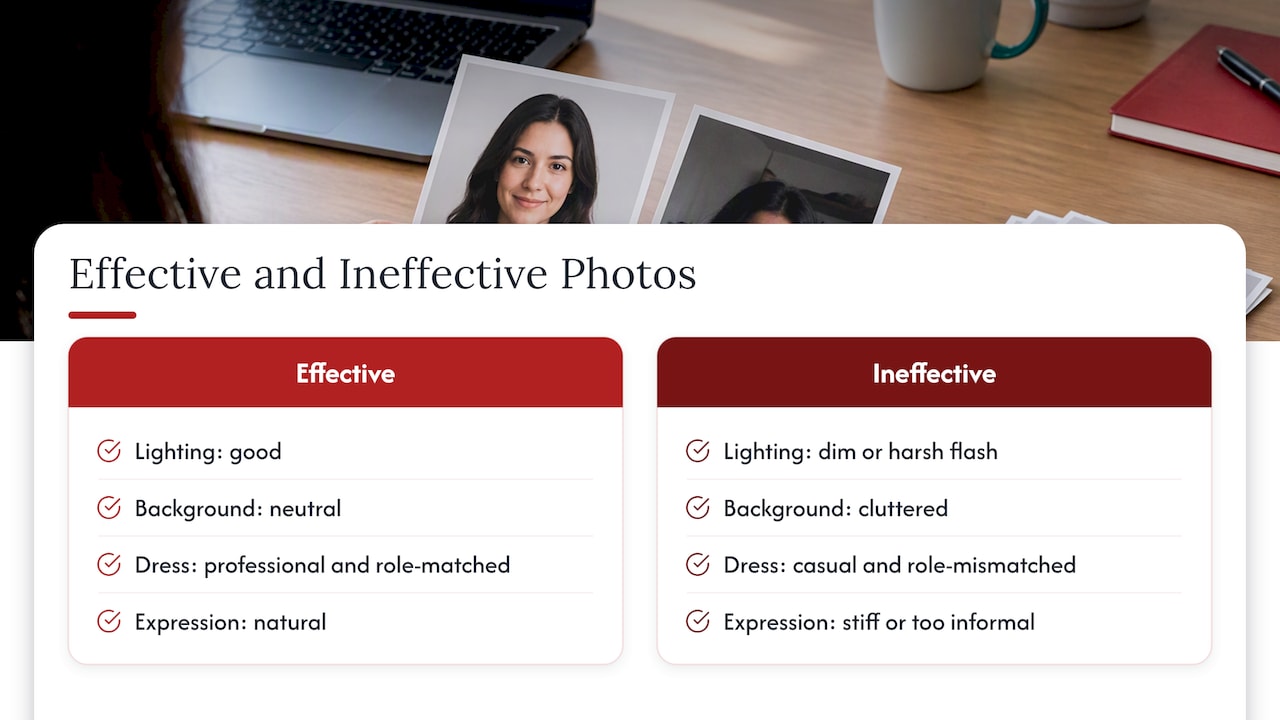
An effective headshot is simple to describe: good lighting, a neutral background, professional dress consistent with the role, a natural expression, and a crop that shows head and shoulders with the face centred and eyes in the upper third of the frame. Nothing in the image competes for attention with your face, and nothing about it looks rushed.

Ineffective photos tend to share a few recurring problems. A photo cropped awkwardly out of a group shot, with another person’s arm or shoulder still visible, signals a lack of attention to detail before a reviewer has read a single line of your resume. Poor lighting, such as a dim indoor shot with heavy shadows or a harsh direct flash, works against you the same way. Casual attire that doesn’t match the role, a cluttered or busy background, or an expression that reads as overly stiff or, at the other extreme, too informal, all undercut the professionalism the rest of the document is trying to convey.

The technical side matters just as much as the visual one. A photo saved as part of a flattened, image-only PDF page defeats the purpose of an otherwise well-formatted resume, since it can prevent an ATS from reading any of the surrounding text. An effective photo, when one is needed, is a small, well-lit, properly cropped image embedded cleanly in a text-based document, never a scanned page or a screenshot.

Examples of effective versus ineffective resume photos — overview diagram

How to handle resume photos in digital versus printed resumes

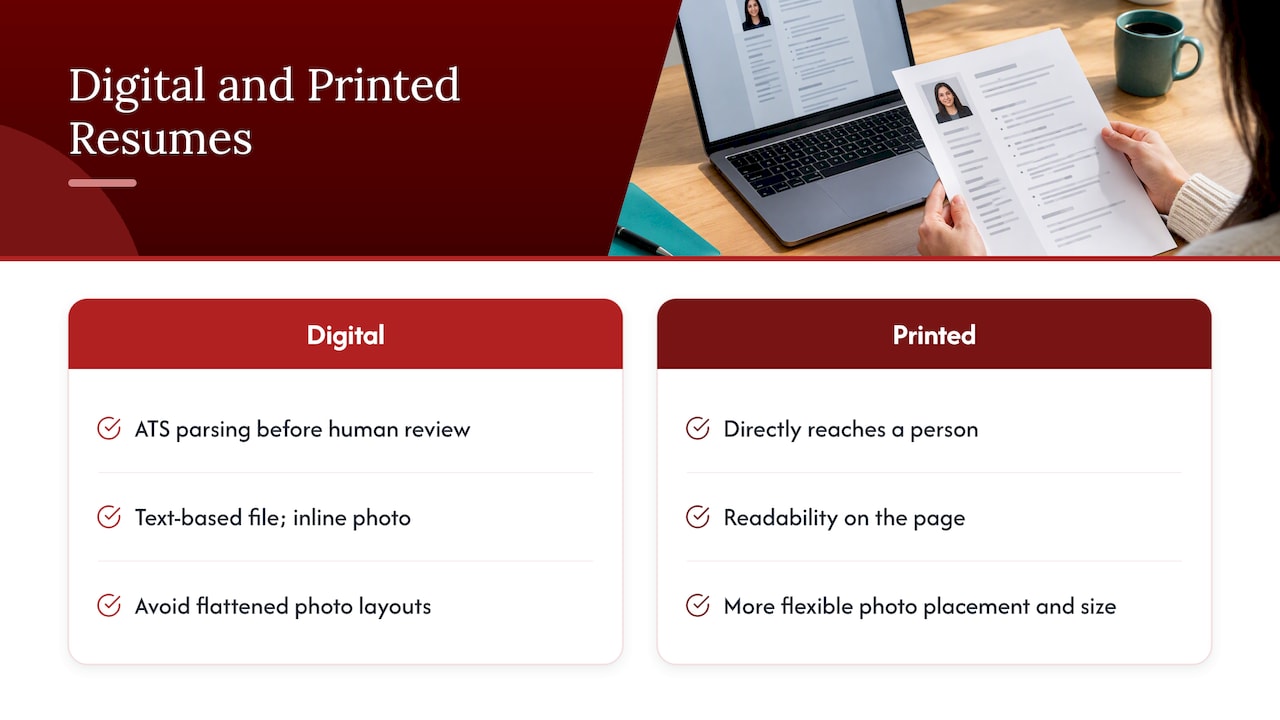
Digital resumes face the ATS test that printed ones never do. A PDF or Word document uploaded to an online application portal passes through parsing software before a person ever sees it, which means every formatting choice, including whether and how a photo is embedded, affects whether the content reaches a human reviewer at all. For digital submissions, the priority is a text-based file with the photo, if included, embedded as a proper inline image rather than part of a flattened layout.

Digital and printed resume review paths

A printed resume, handed over at a career fair or brought to an in-person interview, faces no such software gatekeeper. Formatting choices there are purely about visual presentation and readability on the page, which gives slightly more flexibility for placement and size if a photo is appropriate for the context.

The safest approach for most job seekers is to build one clean, text-based digital version that works everywhere a resume might end up, whether emailed, uploaded, or printed at the last minute before an interview. If you are in one of the few circumstances where a printed version with a different layout genuinely helps, such as a design portfolio piece or a role in a visually driven field, keep that as a clearly separate supplementary document rather than your primary application file.

Author perspective: balancing fairness and personal branding

My view, after seeing how both screening software and human reviewers actually behave, is that the case for leaving photos off resumes is stronger than most job seekers assume, and the exceptions are narrower than career folklore suggests. Bias risk and ATS fragility are real, measurable costs for a cosmetic benefit that LinkedIn already delivers better.

Where I coach clients differently is in redirecting the instinct to look polished: put that effort into a current, well-lit LinkedIn photo, and let the resume carry the achievements. If you need both a defensible headshot and a document built to pass ATS screening, that is worth getting professional help on rather than guessing.

— Professional

Services that help with photos, ATS formatting and LinkedIn profiles

If you want the visual and written sides of your application handled together, that is exactly where services like ours fit. Each engagement should start with a consultation, include formatting, and revisions, so the document works with screening software while your LinkedIn profile carries the professional image recruiters expect.

Advanced Resume

  • Advanced Resume ($239 one-off): a tailored, ATS-friendly resume built through direct consultation for candidates past entry level.
  • Executive Resume ($289 one-off): senior-level resume writing suited to leadership roles and board-level audiences.
  • Executive Package Deal: a bundled offering pairing resume writing with LinkedIn optimization for a complete, consistent application.
  • LinkedIn profile optimization: the service to pair with any resume order so your professional photo lands where it works best.

Browse the full lineup, including Early Career Resume and Next Step Resume, and start with the service that matches where you are in your career.

FAQ

Is it appropriate to put your photo on your resume?

In Canada and most of North America, it is generally not appropriate unless an employer specifically requests one or the role requires visual assessment, such as acting or modelling. Standard practice is to omit the photo and direct recruiters to LinkedIn instead.

What is an appropriate resume photo?

An appropriate photo is a head-and-shoulders shot with a neutral background, professional attire matching the role, good lighting, and a natural expression. It should be embedded in a text-based PDF at high resolution with a small file size, never saved as part of a flattened, image-only page.

Does a resume need a 2×2 picture?

No, a standard resume in Canada does not require a specific photo size such as 2×2; that format applies to certain government or visa documents, not job applications. When a photo is requested, follow the employer’s or portal’s exact specifications rather than a generic standard.

How important is a photo on a resume?

For most roles, a photo has little bearing on hiring outcomes and can introduce bias risk or ATS parsing problems, so leaving it off is usually the safer choice. LinkedIn profiles with photos receive more engagement, which makes it the better place to invest in a professional image.

Can a photo on LinkedIn replace a resume photo?

Yes, a current LinkedIn photo is the industry-standard place for your professional image, and including your LinkedIn URL on your resume lets recruiters see it without the risks that come with embedding an image directly in the document. If you are actively searching, our guide on researching listings through LinkedIn tools can also help you track down roles worth applying to.

Sources

Sketch-framed title card for federal resumes

Federal Resumes in Canada: Polished Formatting Breaks in GC Jobs

Passing federal screening starts with eligibility: confirm you fall within the area of selection, then build a résumé that explicitly demonstrates every essential qualification listed in the poster, using concrete, dated examples. Prepare an unformatted version for GC Jobs paste-in boxes, and make sure every date lines up with your security screening forms. Screening officers do not infer skills: you write to the checklist, or you get screened out before anyone reads further.


TL;DR:

  • Check the poster’s area of selection first, then give every essential qualification a labeled, specific example using the poster’s wording; screeners do not infer skills.
  • Prepare a plain text copy with dates in day, month, year format, remove formatting and special characters, and review the pasted result before submitting.
  • Secret clearance requires ten continuous years of employment and residence; fill gaps with schooling or unemployment, and match dates and supervisors across forms.
  • Maintain one master plain text résumé and reusable STAR answers, then track each submitted version and its dates to prevent later security screening discrepancies.

Professionalresumes
Make Your Federal Résumé Clear
Professional Resumes creates customized résumés tailored to your experience, helping you present your skills clearly to potential employers.

Explore résumé services

Table of Contents

What to include in a federal résumé: required fields and formatting details

Federal résumés are structured documents built for verification, not persuasion. The Priority Administration résumé template sets out the required fields, and most departments expect the same baseline regardless of the hiring process.

Your work history needs a level of precision general résumés skip. Each entry should carry a job title, employer name, directorate or branch where relevant, city and province or country, start and end dates in day, month, year order, and a supervisor or contact field when the template calls for it. Education entries follow the same chronological logic, with institution, credential, and completion date.

  • List address, education, and full work history with month and year for every start and end date, following the chronological order the template specifies.
  • Spell out your job title and organization exactly as they appeared, since screeners cross-reference these against security forms later.
  • State your official language proficiency level for each language where the poster requires it, rather than leaving it implied.
  • Add volunteer or unpaid experience as a separate section only when it demonstrates an essential or asset qualification the paid roles do not cover.

Dates matter more here than in a private-sector résumé because they will be checked against your security screening package. A résumé that says “2019 to present” without a specific start date creates a gap a screening officer has to chase down, and that delay works against you, not for you.

GC Jobs and Priority Portal: paste-in and text-box best practices

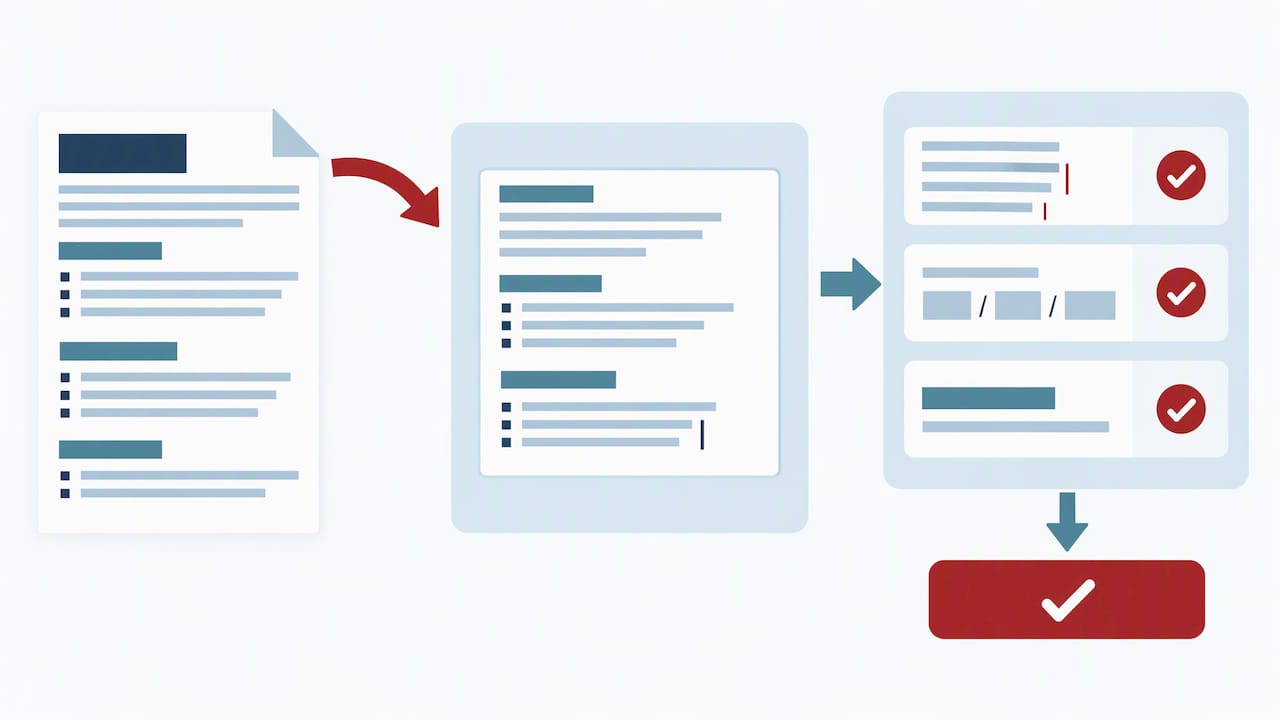
GC Jobs and the Priority Portal strip almost all formatting when you paste a résumé into their text boxes, which means the polished document you built in Word will arrive as a wall of broken characters unless you prepare a separate plain-text version first. The official guidance recommends building an unformatted résumé specifically for this purpose.

  1. Strip bullets, bold, underlines, and symbols from a copy of your résumé, replacing bullet points with simple line breaks or dashes typed as plain hyphens.
  2. Convert every date to day, month, year format (dd/mm/yyyy) so the entries match what security screening forms will later ask for.
  3. Remove special characters and tabs that word processors insert automatically, since these often render as question marks or boxes once pasted.
  4. Paste into a plain-text editor first to catch leftover formatting before you copy the clean version into the application portal.
  5. Save your screening question answers in a separate document before submitting, since text boxes can have limits up to 10,000 characters per field, and refreshing the page can erase unsaved work.

Pro Tip: Keep a master plain-text résumé file on hand at all times so you are never formatting under deadline pressure the night an application closes.

Once pasted, read the text box exactly as the system will submit it. Check that line breaks landed where you expect, dates display correctly, and no stray characters crept in near job titles or dates, since those are the fields screeners check first.

Résumé text checked in a job application field

Mapping experience to merit: how to prove essential and asset qualifications

Essential qualifications are pass or fail. Asset qualifications are not. The Public Service Commission’s guidance on the Public Service Employment Act confirms that essential criteria, including education, experience, and official language proficiency, form a mandatory threshold, while assets are used only to narrow a field that already meets the bar.

This distinction should shape how you read every poster. Each essential qualification needs its own clearly labelled example in your résumé or screening answers, built around where you did the work, when it happened, and how you did it.

  • Pull exact keywords from the qualification statement and use them in your answer, since screeners are often matching language, not interpreting intent.
  • Address every element when a question uses “and” rather than answering only the part that is easiest to prove.
  • Provide at least one matching example when a question uses “or”, choosing the experience you can document most specifically.
  • Quantify outcomes where the role calls for it, such as team size managed, budget overseen, or files processed per month.

The most common cause of screen-out is failing to demonstrate an essential qualification explicitly, according to official application guidance, which notes that hiring managers will not infer skills from job titles alone.

A compact example: for “experience leading a team through organizational change,” a strong answer names the team size, states the eighteen-month window, and describes the specific change managed, closing with the measurable result, rather than describing leadership in general terms.

Security screening and continuity: what to show in your résumé and questionnaire

Security screening runs on continuity, and your résumé needs to support it rather than contradict it. Guidance on completing the security clearance form confirms that secret-level clearance requires a continuous ten-year employment and residence history, with reliability-status timelines differing by clearance level.

Treat the security form as a second résumé that must match your application exactly, since any discrepancy between dates becomes a practical source of delay rather than a minor inconsistency.

  • List schooling as a line item when it fills a gap, since unemployment or study periods still need to appear on a continuous timeline.
  • Use “unemployed” with specific dates where applicable, rather than leaving the period blank or folding it into an adjacent job.
  • Match supervisor names and contact details between your résumé and your security forms, since mismatches trigger follow-up requests.
  • Gather supporting documents for foreign employment or travel, such as police clearances or references, before you are asked for them.

If you have worked or lived outside Canada for extended periods, expect that portion of screening to take longer, since verifying foreign residence and employment typically adds processing time on top of the standard review. Building your security clearance résumé with this continuity in mind from the start avoids a second round of corrections later.

Common mistakes that get applicants screened out and a pre-submit checklist

Most rejections happen before a human ever evaluates your qualifications, and they share a small number of causes. Applying outside the stated area of selection is one of the most common, since external advertised processes typically require a specific geographic, organizational, or occupational eligibility that rejects ineligible applications automatically, before qualifications are ever reviewed.

Beyond eligibility, the recurring failures are formatting losses from skipping the plain-text conversion, vague dates that create unexplained gaps, and screening answers that describe general experience instead of addressing the exact qualification wording.

  1. Confirm you meet the area of selection stated in the poster before you invest time on the rest of the application.
  2. Reread each essential qualification and confirm your résumé or screening answers name a specific example for every one.
  3. Check that every date uses day, month, year format and matches across your résumé, screening answers, and security forms.
  4. Paste your final résumé into a plain-text editor to catch leftover bullets, symbols, or broken characters.
  5. Save a copy of your screening answers externally before you submit, in case the portal times out or refreshes.

How Professional Resumes’ services help prepare a GC Jobs-ready federal application

We build federal résumés following a checklist: eligibility first, essential qualifications mapped explicitly, and a plain-text version ready for paste-in. Our Government & Public Sector Resumes service works through a consultation to identify your essential and asset qualifications, drafts a tailored résumé around them, and carries you through revisions before delivering a GC Jobs-ready export.

Product fit depends on career stage and complexity. Our Executive Resume suits senior leaders presenting P&L ownership or transformation-led mandates against demanding merit criteria, while our Advanced Resume fits mid-career applicants consolidating several roles into a single, screening-ready history. The Executive Package Deal combines résumé, cover letter, and LinkedIn optimization for high-stakes senior searches where every document needs to carry the same evidence.

  • A consultation establishes your essential qualifications before any drafting begins, so nothing gets missed.
  • Tailored drafting maps each qualification to a specific example, written the way screeners expect to see it.
  • Plain-text export removes the formatting risk that causes paste-in errors on GC Jobs.

Pro Tip: If you want to build your first federal résumé yourself, our ATS-friendly résumé guide and general résumé writing guide are worth reading before you book a consultation.

How to prioritize effort when applying to many federal postings

The instinct to rewrite your entire résumé for every posting wastes the hours you need for screening answers, which is where most rejections actually happen. A stronger workflow keeps one master plain-text résumé on file and builds a growing library of STAR-formatted answers organized by qualification type, so each new application becomes an exercise in selection rather than creation.

Consistency across submissions matters as much as the content itself. Track which version of your résumé and which dates you submitted for each posting, since a mismatch between your application and your eventual security screening forms creates exactly the kind of delay a tailored rewrite was supposed to avoid.

— Professional

Professional Resumes packages to prepare your federal application

A federal résumé succeeds or fails on whether it proves each essential qualification in language the screener can match, and that mapping work is where most applicants lose the most time. We handle that mapping directly: a consultation identifies your qualifications, drafting builds the evidence around them, and revisions sharpen the language before you ever touch a GC Jobs text box.

Executive Resume

Our Advanced Resume suits mid-career applicants consolidating a complex work history into a screening-ready document, while our Executive Resume is built for senior leaders facing board-level scrutiny over their qualifications. For a senior search where your résumé, cover letter, and LinkedIn profile all need to tell the same story, the Executive Package Deal covers all three. Browse the full range, including our Early Career and Next Step Resumes, or start with a consultation to find the right fit for your application.

FAQ

How do you build a resume for a federal job?

Start by confirming your eligibility under the posting’s area of selection, then build your résumé around explicit evidence for every essential qualification, matching the exact wording from the posting. Prepare a plain-text version for GC Jobs paste-in, with dates in day, month, year format and no bullets or special characters.

Is it hard to get a federal government job in Canada?

Federal hiring runs on a strict merit-based process, so applications that miss the area of selection or fail to demonstrate an essential qualification are screened out before a human reviews them, regardless of overall experience. Meeting the published eligibility rules and mapping every qualification to a specific example are the decisive factors, according to Public Service Commission guidance.

What are three don’ts in resume writing for federal jobs?

Don’t leave an essential qualification unaddressed, since hiring managers will not infer skills from a job title alone. Don’t paste a formatted résumé directly into GC Jobs text boxes, since formatting breaks and creates errors. Don’t leave vague or missing dates, since these create gaps that complicate both screening and the security clearance process.

What is the best resume format for a federal job application?

The best format is a plain-text résumé built from the fields in the Priority Administration template, with no bullets, bold, or underlines, and dates written as day, month, year. This format survives the paste-in process into GC Jobs and the Priority Portal without losing structure.

How far back does federal security screening go?

Secret-level security clearance generally requires a continuous ten-year employment and residence history, with reliability-status timelines differing by clearance level, according to official guidance on the security clearance form. Gaps should be filled with schooling or clearly labelled unemployment periods rather than left blank.

Sketch-style resume title card

Get Shortlisted by the OPS: Tailor Your Resume Within Five Pages

Tailor your resume to the exact OPS job ad, follow OPS formatting and page limits, and you substantially improve your chance of passing screening. A combined cover letter and résumé should not exceed five pages, and every mandatory qualification needs clear, written evidence. Before you submit, confirm the Job ID appears on your application and that your file matches the posting’s accepted format.


TL;DR:

  • Keep the résumé at two to three pages and the cover letter plus résumé under five pages; use font size 11 or larger and avoid graphics.
  • List every mandatory qualification separately, echo the posting’s wording, and answer it with a specific example; asset qualifications do not determine initial screening.
  • Use past tense for previous roles and present tense for current work; build accomplishment bullets around actions, context, results, and available metrics.
  • Match the Job ID in the cover letter and application, use the required file format, and request disability accommodations at least a week before closing.

Professionalresumes
professionalresumes.ca
Make Your OPS Experience Clear
Professional Resumes creates tailored resumes and cover letters that connect your skills and experience to the roles you are pursuing.

Explore resume services

Table of Contents

Resume essentials: OPS length, formatting and ATS-friendly rules

The Ontario Public Service screens applications against a fixed rubric, and formatting errors cost points before a reviewer even reaches your experience. Hiring guidance sets a combined cover letter and résumé limit of five pages, with a résumé typically running two to three pages on its own. Go longer and a screener may stop reading before reaching your strongest qualification.

Five-page limit and typical résumé range

Font choice matters more than most applicants expect. The OPS cover letter and résumé guide recommends standard fonts such as Arial, Times New Roman or Calibri, set at a minimum size of 11. Graphics, text boxes, shading, italics and underlining are discouraged because they interfere with both human readability and automated parsing.

Before you submit, run through this check:

  • Confirm your résumé sits within two to three pages and the combined package stays under five.
  • Use a plain font at size 11 or larger, with no text boxes, tables of contents or decorative elements.
  • Save in the file type the specific job posting requests, since requirements vary by competition.
  • Remove headers, footers and embedded images that could break on upload.

A clean, text-based file gives both the automated system and the human reviewer the same clear read.

Tailor to the job ad: map mandatory qualifications and match wording

Every OPS posting separates mandatory qualifications from asset qualifications, and only the mandatory list determines whether you pass initial screening. Treat the job ad as an answer key rather than a general description. According to OPS hiring guidance, applications are screened directly against the qualifications listed in the advertisement, and candidates must show clearly how they meet each one.

Work through the ad methodically:

  1. Copy each mandatory qualification into a separate line and treat it as a heading you must answer.
  2. Identify the exact phrasing used, since OPS hiring is procedural and score-based: screeners credit what is written, not what is implied.
  3. Mirror that language in your summary, your accomplishment bullets and a skills section, without inventing experience you do not have.
  4. Place your strongest match in the first third of the résumé, where a scanning reviewer looks first.

A posting asking for “experience coordinating multi-stakeholder consultations” should not be answered with “worked with various teams.” Write instead: “Coordinated consultations across three ministry branches and two external stakeholder groups, compiling input into a single policy recommendation.” The phrase repeats the ad’s language and gives a reviewer something concrete to score. Talent acquisition guidance within the OPS notes that one-size-fits-all resumes underperform, and that top applicants research the ministry before tailoring every line.

STAR-based accomplishment bullets: templates and OPS-specific examples

A resume bullet does not need the full STAR structure spelled out. Compress it into action, context and result, with a metric wherever one exists. OPS interview guidance recommends STAR-style evidence for interviews, and building that same evidence into your resume means your written claims and your spoken answers will already line up.

A few adaptable examples across common OPS work types:

  • Administrative support: “Managed scheduling and correspondence for a 12-person branch, reducing meeting-booking turnaround from three days to one.”
  • Policy and analysis: “Analyzed program data across four regions to recommend a funding adjustment, which informed a ministry-wide policy update.”
  • Program delivery: “Delivered a client intake process redesign that cut average processing time and improved file accuracy for a provincial program.”
  • IT and support: “Resolved an average of 25 help desk tickets per shift while maintaining compliance with service-level targets.”

Write bullets in past tense for prior roles and present tense only for your current position. Open with a strong action verb, not a noun phrase, and favour quantification over adjectives: a number of years does more work than “significant improvement” ever will.

Pro Tip: When a bullet has a strong number, lead with it rather than burying it at the end: a reviewer scanning quickly catches the figure first.

Cover letter and submission technicals: Job ID, file names, formats and accommodations

Your cover letter carries weight beyond introduction. OPS guidance recommends one to two pages, used to connect your background directly to the posting rather than repeating the résumé.

A few submission details that affect whether your application is even considered:

  • State your fit plainly: “I am applying for [Job Title], Job ID [number], and bring three years of experience directly matching the mandatory qualifications listed.”
  • Include the Job ID and competition reference exactly as written in the posting; mismatched or missing IDs can delay or disqualify processing.
  • Save files in the format the posting specifies. Accepted formats commonly include .pdf, .doc, .docx, .rtf and .txt, but the student application tip sheet notes that technical constraints vary by posting, so always confirm before submitting.
  • If you require a disability-related accommodation, contact the representative listed on the posting at least one week before the closing date.

Publisher examples, templates and proof points

We build every OPS-targeted resume around the same screening logic covered above: a consultation to identify your strongest mandatory-qualification matches, followed by ATS-friendly formatting and accomplishment rewrites that mirror the job ad’s own language.

Two summary statements you can adapt directly:

  • “Program coordinator with five years in provincial service delivery, experienced in stakeholder consultation and policy implementation across multi-branch teams.”
  • “Analyst with a track record of translating program data into funding and policy recommendations adopted at the ministry level.”

Two bullet templates built on the same structure:

  • “[Action verb] [specific task] for [scope/team size], resulting in [quantified outcome].”
  • “[Action verb] [process or program] by [method], improving [measurable result] by [amount or percentage].”

For a deeper walkthrough of structuring a full application inside the five-page limit, our guide to beating OPS screening covers additional examples, and our Government & Public Sector Resumes page outlines how this approach applies across ministries.

Pre-submit checklist and top red flags to fix now

Run this list before you click submit:

  1. Confirm page limits: résumé at two to three pages, combined package under five.
  2. Check the Job ID appears correctly in both the cover letter and the application form.
  3. Verify the file format matches what the specific posting requests.
  4. Reread for consistent tense and at least one quantified result per role.
  5. Have references ready to provide, since some competitions request them on short notice.

The most common red flags are embedded images or text boxes that break parsing, a Job ID that does not match the posting, a mandatory qualification left unaddressed, and a résumé that runs past the recommended length. Each one is fixable in minutes: strip formatting, recheck the ID, and cut any paragraph that does not map to a listed qualification.

How we approach OPS-targeted applications

Applicants benefit from mapping every mandatory qualification to a specific, evidence-based bullet and formatting for both automated and human screening. Those who tailor their resumes line by line to the job ad tend to feel more prepared for screening. Tailoring is a central part of the application process here.

— Professional

How Professional Resumes can help you apply

A tailored OPS application takes real time to build correctly, and we shorten that process without cutting the tailoring that scoring depends on. Our Early Career Package Deal suits candidates applying to entry-level or student OPS postings, our Advanced Resume fits mid-career applicants with several qualifications to map, and our Executive Resume is built for senior and leadership-level competitions.

Advanced Resume

Each service includes a consultation to identify your strongest matches against the job ad, rewritten accomplishment bullets built on quantified results, and formatting checked against ATS parsing rules. Browse the full resume product lineup or pair your resume with our LinkedIn profile optimization service to keep your professional profile consistent with your application.

  • Early Career Package Deal: for students and entry-level OPS postings.
  • Advanced Resume: for mid-career candidates with multiple qualifications to evidence.
  • Executive Resume: for senior and leadership competitions requiring board-level framing.

FAQ

How do I write a resume that lands a job?

Map every mandatory qualification from the job ad to a specific, quantified bullet in your resume, and format it according to the posting’s guidance on length and file type. A resume that mirrors the ad’s own language scores more clearly than one written in general terms.

The OPS recommends a two to three page résumé using a standard font such as Arial, Times New Roman or Calibri at size 11 or larger, according to the OPS guide. Avoid graphics, text boxes and decorative formatting, since they can interfere with automated screening.

What are three mistakes to avoid in resume writing?

Avoid exceeding the page limit, since a combined cover letter and résumé should stay under five pages per OPS guidance. Avoid leaving a mandatory qualification unaddressed, and avoid embedding images or graphics that can break formatting during screening.

How do I build a resume for a government job?

Start from the job ad itself: list each mandatory qualification, then write a bullet that directly answers it using specific, quantified evidence. Confirm your Job ID, file format and page count match what the specific posting requests before you submit, since technical requirements vary by competition.

Sources

Official OPS pages and PDFs to consult

Decorative resume trends title card

Canada: 10 Resume Trends for 2026 That Pass AI, ATS, and Interviews

In 2026, resumes succeed or fail on two factors: whether AI-enabled screening can parse and verify them, and whether the content proves measurable outcomes. Two moves matter right now: map your resume against a specific job description and add two quantified results, and build one master career file you can export and tailor on demand.


TL;DR:

  • Resumes must incorporate quantified achievements and structured formats to ensure accurate extraction by AI screening tools.
  • Use natural language with specific project details and verifiable evidence to stand out during automated and human review.
  • Maintain a consistent, ATS-friendly layout with single-column design, standard fonts, and explicit dates for reliable parsing on any device.
  • Keep a master file in a structured format like ResumeJSON or OCF to produce tailored, traceable resume exports efficiently.
  • Disclose AI assistance when appropriate and back claims with primary evidence to build trust and prevent decision fatigue.

Professionalresumes
Make Your Resume Work Harder
Professional Resumes creates customized, ATS-friendly resumes that showcase your experience for today’s competitive job market.

Visit Professional Resumes

Table of Contents

The resumes that clear screening and land interviews in 2026 share a common thread: they are built for both algorithmic review and human judgment. We see ten shifts worth acting on immediately.

  1. Reverse-chronological structure with a targeted summary. Recruiters and parsing tools both still favour clear chronology, paired with a two-line summary tuned to the specific role.
  2. Contextual keyword strategy over keyword stuffing. Modern parsing reads for meaning, not frequency, so phrases need to sit inside real sentences about your work, following the tailoring guidance in Coursera’s resume tips.
  3. Quantified achievements as the default, not the exception. Every major bullet carries a number, a percentage, or a comparable outcome.
  4. AI-aware phrasing with optional disclosure. Language that reads as genuinely yours, with provenance available if asked.
  5. Early use of structured resume formats. ResumeJSON and OpenCareerFormat give you one source file for every export.
  6. Mobile-first, parsable layout rules. Single columns, standard fonts, no tables that break on a phone screen.
  7. Short evidence lines with portfolio links. A bullet that points to a live artifact outperforms one that only claims a result.
  8. Accessibility and recruiter-friendly visual choices. Clean hierarchy beats decorative design nearly every time.
  9. LinkedIn as a canonical extension, not a duplicate. Your public profile and resume should align, as covered in our guidance on LinkedIn profile optimization.
  10. A master-file workflow with versioned exports. One current file, several tailored outputs, each traceable back to the source.

What ties these together is simple:

  • Your resume is read by software before it is read by a person.
  • The software is getting better at understanding context, not just matching words.
  • The best defence against both bad parsing and recruiter skepticism is verifiable, specific evidence.

2. How modern ATS and AI screening evaluate resumes in 2026

Applicant tracking systems stopped relying purely on exact keyword matches some time ago. Current screening tools increasingly parse resumes contextually, extracting structured fields such as job titles, employment dates, and named skills as discrete data points rather than scanning for strings. That shift rewards resumes written in clear, natural sentences with explicit dates and titles, and penalizes dense keyword lists stapled to the bottom of a page.

AI-assisted screening layers add another dimension: many tools now watch for uniform, over-optimized phrasing that signals mass-produced or AI-generated text with no human edit pass. A resume that reads identically to a thousand others, structurally and tonally, draws more scrutiny, not less.

  • Use natural, specific language tied to your actual projects, not generic competency statements.
  • Include verifiable evidence (a metric, a link, a named outcome) wherever you make a claim.
  • Keep structured fields, dates, titles, and skills, clean and consistently formatted so parsers extract them correctly.

Pro Tip: Run your resume through a plain-text copy and paste before submitting. If the structure collapses into a jumble, so will the parser’s read of it.

Nearly universal adoption now shapes this landscape: employer use of AI across the hiring workflow is widespread, and candidate AI use is similarly common, according to the 2026 Global AI in Hiring Report. That means your resume is likely assessed by automated triage first, then handed to a human reviewer who expects the content to hold up under closer reading, so optimize for accurate extraction first and persuasive framing second.

3. Structured resumes and portability: ResumeJSON and OCF explained

A PDF is a snapshot. A structured resume file is closer to a database entry you can reuse indefinitely. ResumeJSON is a structured data format built on JSON-LD and Schema.org vocabulary, defining typed blocks for work experience, skills, and education so machines can read your history reliably rather than guessing at layout. OpenCareerFormat (OCF) takes a similar idea further: a candidate-owned, portable master career file designed to hold everything once, so you export tailored versions as needed.

The practical benefit is fewer rewrites and a cleaner mapping to ATS fields. Adoption takes some care, though:

  • Keep one master file and generate dated, descriptively named exports from it.
  • Preserve provenance notes (what changed, when, and why) with each export.
  • Treat OCF as promising but early: the project sits at version 0.3, pre-1.0, so pair it with a stable PDF or DOCX export rather than relying on it exclusively.

4. Converting duties into evidence: metrics, templates and examples

Vague duty statements lose to specific outcomes every time. The simplest fix is a context, action, result formula: what situation you faced, what you did, and what changed because of it.

A few worked examples: “Inherited a backlog of 40 unresolved support tickets, restructured the triage process, and cleared the queue within three weeks.” Or: “Led a five-person team through a system migration, reducing average page load time by 35%.” Use absolute numbers when the scale itself is the story (dollars managed, team size); use percentages when the improvement matters more than the baseline.

  • Link to a portfolio, a published report, or a public repository wherever your work has a visible artifact.
  • Note the scope: dates, stakeholders involved, and the boundary of what you owned, so the claim survives a follow-up question.

Pro Tip: If a bullet can’t survive the question “how do you know?”, rewrite it until it can.

5. Design, accessibility and recruiter fatigue: layout that helps parsing and reading

A resume that looks sharp but confuses a parser or a tired recruiter fails at its one job. Single-column layouts remain the safest default, with clear, consistently styled headings and no graphics that force text into unpredictable reading order.

  • Keep fonts standard and sizes consistent, avoiding text boxes and embedded images that parsers skip entirely.
  • Test your PDF on a phone screen before sending it anywhere.
  • Skip heavily graphical resumes for most roles, and keep a plain text or simple DOCX version ready as a fallback for systems that reject styled files.

Our guidance on ATS-friendly formatting covers the specific formatting choices that tend to survive parsing intact.

6. AI assistance: how to use it responsibly and avoid being flagged

AI tools are useful for a first draft, a weak sentence, or a stuck moment. The risk comes from leaving that draft untouched. A workable process: draft with AI, edit heavily in your own voice, and attach verifiable links or artifacts that only you could produce.

Disclosure is situational rather than mandatory. A short line such as “drafted with AI assistance, fact-checked and finalized by me” works where a role or employer explicitly asks. Overreliance on opaque AI tools, on either side of hiring, risks what the Harvard Business Review describes as a kind of decision fatigue that erodes trust, which is part of why explainable, evidence-backed resumes read better than polished but hollow ones.

  • Keep a folder of primary evidence (screenshots, reports, code, writing samples) a recruiter could actually inspect.
  • Favour specific, checkable claims over smooth but generic AI-style phrasing.

Pro Tip: If you can’t explain a sentence in your own words in an interview, remove it from the resume now.

7. Professional Resumes: how our services map to 2026 resume needs

We build resumes tailored to various industries with ATS-friendly formatting at the core of every draft. Each service tier matches a career stage:

  • Our Early Career Resume suits graduates and first-time job seekers who need structure and credibility more than density.
  • Our Advanced Resume fits mid-career professionals consolidating a track record into evidence-based bullets.
  • Our Executive Resume addresses senior candidates facing board-level scrutiny, where positioning and outcome language carry the most weight.

Every engagement includes consultation and revision rounds, producing a master document you can adapt across applications.

8. Keep human evidence central as the technology shifts

8. Keep human evidence central as the technology shifts — overview diagram

The temptation in any AI-driven hiring cycle is to over-optimize for the algorithm and under-invest in the proof. That trade-off backfires: screening tools are improving at spotting generic, over-polished text, and recruiters are the final judge regardless of what clears the first filter.

Own a master career file, update it continuously, and treat every bullet as a claim you could defend in an interview. Hire a professional writer when you need an outside eye on positioning or when the stakes (an executive search, a career pivot) justify it. Either way, track your versions and keep the provenance behind every exported file.

— Professional

Services that help you adapt now

We built our resume services around the same priorities covered above: ATS-ready formatting, quantified evidence, and documents that hold up under both automated and human review.

Advanced Resume

  • Early-career candidates start with our Early Career Resume at $139 one-off.
  • Mid-career professionals typically choose our Advanced Resume at $239 one-off.
  • Senior leaders facing board-level scrutiny use our Executive Resume at $289 one-off.
  • Every tier, along with our Next Step Resume option, is listed in our full shop.
  • We also offer a LinkedIn profile optimization service to align your public profile with your resume exports.

A consultation starts the process: we review your current material, discuss your target roles, and produce a tailored draft with revision rounds built in, backed by client testimonials and documented placement outcomes.

FAQ

What do most resumes look like in 2026?

Most strong resumes in 2026 follow a reverse-chronological structure with a short, role-specific summary, quantified bullets, and clean single-column formatting built for both ATS parsing and human review, as outlined in Coursera’s resume guidance. Decorative templates and dense keyword lists are falling out of favour.

What is the best format for a resume in 2026?

A single-column, reverse-chronological PDF with consistent headings remains the safest default for ATS compatibility. Some job seekers are also maintaining a structured master file, such as one built on the ResumeJSON specification, to generate tailored exports more reliably.

What format should a resume use for the most reliable parsing?

A clean, single-column layout with standard fonts and explicit dates and titles parses most reliably across applicant tracking systems, as detailed in our ATS-friendly formatting guidance. Keeping a plain text backup version avoids issues when a system rejects styled files entirely.

What are the 5 P’s of a resume?

Definitions of the “5 P’s” vary across career coaching sources, so there is no single agreed version. A common framing covers purpose, precision, proof, presentation, and proofreading, each pointing to a clear goal, specific language, quantified evidence, clean layout, and careful editing before submission.

Sources

Decorative executive cover letter title card

10–15 Years: Executive Cover Letter That Gets Canadian Leaders Shortlisted

An executive cover letter should act as a one-page strategic executive summary that ties two or three concrete, recent outcomes to the employer’s top priorities. The ideal shape is three to four short paragraphs with two or three evidence lines, never a restatement of your résumé. Below, we walk through each component, then give a template and an annotated example you can adapt directly.


TL;DR:

  • Executive cover letters should focus on two to three recent, quantifiable outcomes from the last 10 to 15 years, aligned with the employer’s priorities.
  • Each achievement must include scope and measurable results without repeating résumé content or overly tactical details.
  • The letter should be one page long, structured into three to four paragraphs, and open with the employer’s key challenge rather than personal enthusiasm.
  • Tailoring the letter involves mapping past leadership experiences to the organization’s current stage and known challenges, using the language of accountability and problem solving.
  • Common mistakes like self-focused framing or generic openings can be fixed by emphasizing impact, recent outcomes, and directly addressing the employer’s strategic needs.

Professionalresumes
Position Your Executive Experience Clearly
Professional Resumes creates customized cover letters that connect your leadership experience with employer priorities and support a stronger executive application.

Visit Professional Resumes

Table of Contents

What an executive cover letter must include

Every line earns its place by connecting your experience to the employer’s problem. A header, a sharp opening, one evidence paragraph, a fit paragraph, and a close are the full architecture: nothing more belongs on the page.

Header and greeting. Use your full name, phone number, email, LinkedIn URL, and city. Address a named executive, board chair, or search partner whenever the posting or search firm makes that possible. A generic “To Whom It May Concern” signals you didn’t research the mandate.

Opening paragraph. State the role, then immediately pivot to a value proposition framed around what the employer needs, not what you want. “You are seeking a CFO to lead a capital raise and rebuild investor confidence. I led two raises totalling comparable scope in the last five years” lands harder than “I am excited to apply.”

Evidence paragraph. Select two or three outcomes from your last 10 to 15 years, the window government guidance for executives recommends prioritizing because it reflects the scale and currency of leadership hiring committees assess. Phrase each as scope plus outcome: budget or P&L size, headcount or stakeholder count, and the measurable result. Never repeat a line that already appears verbatim on your résumé; reframe it with context the résumé bullet couldn’t carry.

Fit paragraph. Connect your governance experience and leadership style to the organization’s stage and culture: turnaround, growth, or stabilization. Name a board committee, a regulatory environment, or a transformation mandate you’ve navigated that mirrors theirs.

Closing. Request a conversation, reference availability and confidentiality where relevant, and sign off formally.

  • Keep the greeting personal: a named recipient outperforms a generic salutation.
  • Open with the employer’s need, not your enthusiasm.
  • Choose evidence from the last decade or so, not your entire career.
  • Close with a specific, low-friction next step.

Pro Tip: Read your draft aloud and cut any sentence that could appear in another candidate’s letter unchanged.

A ready-to-use template and annotated example

A template works best as a skeleton you fill with your own scope, metric, and timeline rather than generic adjectives.

  1. Opening line: “[Company] is seeking a [title] to [strategic priority]. In my current role as [title] at [organization], I [specific outcome tied to that priority] over [timeframe].”
  2. Evidence paragraph: “I led [initiative] across [scope: budget, team size, geography], delivering [metric] within [timeframe], while managing [stakeholder group].”
  3. Fit paragraph: “My experience with [governance structure, regulatory environment, or transformation type] aligns with [company]’s current stage, particularly [specific challenge mentioned in the posting].”
  4. Closing: “I welcome the opportunity to discuss how this experience applies to [company]’s priorities. I can be reached at [phone/email] and am glad to accommodate a confidential conversation.”

Here is a condensed example under 350 words, annotated in brackets for intent:

“Dear Ms. Carter, [Named recipient, signals research.] Meridian Health is searching for a Chief Operating Officer to consolidate three regional networks into a single operating model. [Mirrors the posting’s stated priority.] As COO of a comparable multi-site health system, I led that exact consolidation across 14 facilities and 2,200 staff, reducing duplicate administrative spend while maintaining patient care ratings. [Scope plus outcome, no résumé repetition.] I managed the integration steering committee and reported directly to the board’s operations subcommittee throughout the eighteen-month transition. [Governance detail mirrors fit paragraph expectations.] Meridian’s current expansion into ambulatory care mirrors the service-line diversification I oversaw in my prior mandate, and I understand the staffing and compliance tensions that come with rapid scale. [Direct tie to employer’s next challenge.] I would welcome a confidential conversation about how this experience applies to Meridian’s integration timeline. Sincerely, [Name].”

Two opening variants work well: lead with the employer’s stated priority, or lead with a single compressed outcome statement. Three evidence formats cover most cases: a standalone metric (“reduced operating costs by a defined percentage over two years”), a narrative plus metric (“rebuilt a disengaged leadership team, then delivered against targets”), or a scope plus outcome statement (“oversaw a nine-figure budget and a multi-year compliance program to completion”).

How to tailor your letter to an employer’s strategic priorities

Mapping your experience to what the employer actually needs, rather than what you’re proud of, is what separates a letter that gets read from one that gets skimmed. Government guidance for senior roles recommends anchoring your pitch in the last 10 to 15 years of accountable leadership, with particular attention to financial management, people leadership, and change delivery.

Leadership evidence mapped to employer priorities

The key leadership competency profile from Treasury Board offers useful shorthand for the language hiring panels expect: problem solving, accountability, and sound judgment under complexity. Mirroring that vocabulary, without copying it wholesale, signals fluency in how senior roles get evaluated.

A simple mapping exercise keeps the letter sharp:

  • Employer priority: cost discipline during a downturn. Your result: a margin improvement delivered over a defined period. Business impact: preserved capital for reinvestment.
  • Employer priority: cultural rebuild after leadership turnover. Your result: retention and engagement gains under your tenure. Business impact: stabilized delivery capability.

Government guidance for executive applicants recommends focusing on achievements from the last 10 to 15 years and specifying experience managing financial and human resources, a standard worth applying directly to your evidence paragraph, per Canada.ca’s executive CV guidance.

Common mistakes and quick fixes

Most executive letters fail for the same handful of reasons, and each has a straightforward correction.

  • Self-focused framing: fix by rewriting every “I want” sentence as an employer-impact sentence.
  • Résumé repetition: fix by adding context, not duplicating bullet points verbatim.
  • Overly tactical detail: fix by raising the altitude to board-level language and outcomes.
  • Excessive length: fix by cutting to one page and three to four paragraphs.
  • Weak opening: fix by leading with the employer’s priority, not a generic introduction.

Common errors noted in career guidance include weak openings and résumé repetition, both of which cost attention in the first ten seconds of a read.

Before and after examples:

“I am passionate about operational excellence” becomes “Operational discipline under my leadership reduced cycle time across a multi-site network.”

“I have 20 years of experience in finance” becomes “I managed a nine-figure capital budget through two audit cycles without a material finding.”

“I led a team through change” becomes “I restructured a 40-person division during a merger, retaining key talent through the transition.”

Pro Tip: If a sentence would sound natural in a board memo, keep it. If it sounds like a LinkedIn bio, cut it.

Final checklist before you send it

A short routine catches most of the errors that cost interviews.

  1. Confirm the letter is one page, three to four paragraphs, with no more than three evidence points.
  2. Save the file as a PDF with a filename that includes your name and the target role.
  3. Check that every achievement falls within the last 10 to 15 years and names a stakeholder count or budget scope.
  4. Read the letter once for tone: it should sound board-level, not conversational.
  5. Confirm the sign-off is formal and includes your direct contact details.

Career guidance commonly points to one page as the practical ceiling for a cover letter, with roughly 350 words cited as a useful upper bound for executive versions.

Why tailored executive letters still matter

We’ve reviewed enough executive applications to know that the letters which get read twice are the ones that make the employer’s problem the subject of the first sentence, not the candidate’s biography. Precision beats polish, and recency beats comprehensiveness.

We help executive clients distill their career materials into the key points hiring committees need, through personalized consultation rather than a template exchange.

— Professional

How we help you write and position your executive letter

A cover letter is only as strong as the evidence behind it, and selecting the right two or three outcomes from a long career is where most executives get stuck working alone. Our Executive Package Deal pairs a tailored cover letter with a matching resume and a LinkedIn profile update, built through a direct consultation so the metrics and language match how your target employers actually evaluate leadership.

Executive Package Deal

  • A working session to identify your strongest 10 to 15 year track record and translate it into employer-facing language.
  • A cover letter mapped to the specific priorities in your target role, not a generic leadership narrative.
  • Coordinated resume and LinkedIn updates through our Executive Resume service, so every document tells the same story.

For executives who want broader coverage across multiple documents and formats, our Advanced Package Deal extends the same consultation model further. Readers earlier in their careers can review our full range of resume services, including the Early Career Resume, Next Step Resume, Advanced Resume and Executive Resume, to find the right starting point. If you’re weighing a structured executive education program alongside your search, the Metapilot Executive Academy mentor community is a useful place to explore mentoring and industry-led projects. Book a confidential consultation to start your letter today.

FAQ

What are the three golden rules in writing the cover letter?

Lead with the employer’s priority, back every claim with a specific and recent outcome, and keep the letter to one page. These three disciplines apply at every seniority level but matter most for executive roles, where hiring committees read dozens of letters quickly.

What 5 things should a cover letter include?

An executive letter needs a personalized header and greeting, an employer-focused opening, two or three evidence points from recent leadership experience, a fit paragraph connecting your background to the organization’s stage, and a formal closing with a clear next step. Each component should earn its place rather than restate your resume.

How long should an executive cover letter be?

An executive cover letter should run to one page, structured as three to four short paragraphs. Career guidance often cites roughly 350 words as a practical ceiling for this length.

What are 5 common cover letter mistakes?

The most frequent errors are self-focused framing, repeating résumé content verbatim, writing in overly tactical rather than board-level language, running too long, and opening with a generic introduction instead of the employer’s priority. Each is fixable with a rewrite that puts the employer’s need first.

Sources

Hand-drawn internal resume title card

Internal Resume for Promotion: Map STAR Wins, Prep Plain Text

For internal job applications, submit a tailored internal resume that maps multiple STAR-formatted accomplishments to the role’s essential qualifications. Three priorities come first: match the posting’s own language, show measurable outcomes rather than duties, and prepare a plain-text version for application portals. This guide walks through the full process, with examples and a submission checklist.


TL;DR:

  • Tailor your internal resume to match the posting’s language, highlighting measurable outcomes and relevant accomplishments instead of listing duties.
  • Use specific company terminology, projects, and systems to demonstrate immediate fit, and focus on outcomes that show growth or scope.
  • Prepare a plain-text version of your resume and screening answers in advance to ensure compatibility with application portals and ATS systems.
  • Focus on recent, relevant STAR-formatted achievements that prove your readiness for the new role, emphasizing impact on efficiency, revenue, or risk reduction.
  • Follow organizational policies, verify all details are consistent with official records, and craft a concise letter of interest that explicitly connects your experience to the role’s core qualifications.

Professionalresumes
Present Your Promotion Case Clearly
Professional Resumes creates customized resumes and cover letters that connect your achievements, skills, and aspirations to your next career move.

Visit Professional Resumes

Table of Contents

What an internal resume is and why it matters

An internal resume is a resume submitted by an employee already working within an organization, written specifically to apply for a different role, a promotion or a lateral move inside that same company. It differs from a general resume in one essential way: the reader already has context on you, your conduct and your reputation, so the document carries a different burden. It must make a focused case for readiness rather than introduce you from scratch.

That focus pays off. A tailored internal resume demonstrates to the hiring manager that you understand the target role’s demands and have already produced comparable outcomes. It can also reduce the perceived onboarding period, since you bring institutional knowledge, existing relationships and familiarity with internal systems that an external candidate would need months to acquire. A large-scale study of career mobility found that moving into a new occupation within the same firm produces a stronger positive effect on upward mobility than either lateral internal moves or moves to a new employer, which makes the case for treating an internal application with the same rigour as an external one, not less, since intra-firm occupational change carries real weight for advancement.

Many employees assume that because HR or a hiring manager already has their file on record, updating the resume is optional. It is not. The file on record likely reflects the role you currently hold, not the one you want next, and it was never written to answer this posting’s specific qualifications. A stale resume signals, however unintentionally, that you have not thought carefully about the move. Treat the update as a deliberate act of positioning, not paperwork.

What an internal resume is and why it matters — overview diagram

How internal resumes differ from external resumes

An internal resume speaks in the company’s own language. Where an external candidate must explain acronyms, internal projects and team structures from scratch, you can name them directly: the system you administered, the initiative you led, the department you partnered with. That specificity does real work. It shows immediate fit and lets the reader picture you performing the new role without a translation step.

The structure shifts too. External resumes often carry a longer career narrative, since the reader needs the full arc to judge trajectory. An internal resume can compress that narrative and devote more space to mapped outcomes: what you did, under what constraints, with what measurable result, directly against the posting’s qualifications. Career experts frame this well, describing the internal resume as a focused case for promotion rather than a full life story.

Cross-functional or stakeholder-facing examples deserve a place when the target role involves influence beyond your current team. If you are moving from an individual contributor position into one with broader scope, show at least one example where you worked across departments or represented your team to leadership. That single data point often matters more to a hiring panel than several examples confined to your current reporting line.

Step-by-step process to write and tailor an internal resume

Start by parsing the job posting itself before writing a word. Pull out the essential qualifications verbatim, and pay close attention to connecting words: a posting that says “experience in budgeting and vendor management” expects evidence of both, while “experience in budgeting or vendor management” allows either. Mark every phrase that looks like it comes from a formal competency framework, since screening systems and panels often reuse that exact language.

  1. Highlight every essential qualification and note whether it requires “and” (both) or “or” (either).
  2. Rewrite your opening statement to position you as the internal solution to this specific posting, not a general summary of your career.
  3. Select several accomplishments that map most directly to the posting’s qualifications, prioritizing relevance over chronology.
  4. Choose format and length based on where the resume lands: a hiring-manager-only process can support more design, while a portal submission needs a clean, plain-text-ready structure.
  5. Prepare a plain-text copy and draft answers to any screening questions before the application window opens.

Your opening statement carries more weight on an internal resume than people expect. Instead of a generic summary of your background, write two or three sentences that state your current role, your years of relevant internal experience and the specific value you bring to the target position. A line like “Currently leads scheduling for the east region team; seeking to apply four years of process-improvement work to the Operations Manager role” does more work than a paragraph of soft skills.

When selecting your several accomplishments, resist the urge to include everything you are proud of. Choose the examples that answer the posting’s qualifications most directly, even if that means leaving out strong work from earlier in your tenure. A hiring panel reading dozens of applications will reward precision over volume.

Formatting choices depend entirely on the submission path. A resume reviewed directly by a hiring manager you already know can carry some visual structure: bolded headers, light use of colour, a clean one-page layout. A resume submitted through an application portal needs to survive text parsing, which brings us to the plain-text copy. Build it early rather than scrambling at the deadline, and test it by pasting it into a plain text editor to confirm nothing breaks.

Pro Tip: Keep a master version of your resume in a simple table of accomplishments, each tagged with the qualifications it proves, so you can rebuild a tailored version for any posting in under an hour.

Screening questions deserve the same preparation as the resume. Many internal postings, particularly in larger organizations, ask applicants to answer specific questions about each essential qualification before a resume is ever reviewed. Draft these answers alongside your resume, not after, since the strongest accomplishment statements often serve double duty in both places.

  • Pull exact qualification language from the posting before drafting anything.
  • Build four to eight STAR-based accomplishments mapped to that language.
  • Draft a plain-text version and screening-question answers in the same sitting.

How to write accomplishment statements: STAR and measurable results

The STAR method, which stands for Situation, Task, Action, Result, turns a vague duty into verifiable proof. For an internal application, STAR statements work best when they isolate your individual contribution rather than describing what “the team” accomplished, since a hiring panel is evaluating you specifically.

Choosing the right metric matters as much as the structure. Internal stakeholders tend to respond to efficiency gains, revenue or cost impact, risk reduction and adoption or uptake of a process you introduced, since these map directly to what a manager has to defend to their own leadership. A plain-text research summary on internal mobility notes that career outcomes tied to internal moves are well studied, which supports treating a clear, quantified accomplishment as a credible signal rather than a nice-to-have.

Three paired examples show the shift from duty to proof:

  • Duty: Managed customer complaint intake. STAR achievement: Redesigned the complaint routing process (Situation and Task), built a triage checklist and trained three colleagues on it (Action), cutting average response time and reducing repeat complaints within the quarter (Result).
  • Duty: Assisted with budget tracking. STAR achievement: Identified a recurring reconciliation error across two cost centres (Situation and Task), built a cross-check spreadsheet and flagged discrepancies weekly (Action), preventing a repeat of the prior year’s year-end adjustment (Result).
  • Duty: Supported the onboarding process for new hires. STAR achievement: Noticed new hires were taking longer than expected to reach full productivity (Situation and Task), created a structured 30-60-90 day onboarding guide (Action), shortening ramp-up time for the next three cohorts (Result).

Internal mobility research shows that moving to a new occupation within the same firm has a measurably stronger link to upward progression than a lateral internal shift, which is one more reason to frame your statements around growth and scope, not just task completion, per this 2026 study.

Formatting rules, ATS and internal portal quirks, and public-sector application notes

Large organizations, and public-sector employers in particular, often route applications through portals that strip bolding, columns and special characters before a human ever sees the resume. Preparing a plain-text version in advance means you are never reformatting under deadline pressure. Draft your resume normally, then paste it into a plain text editor and clean up any line breaks, bullets or spacing that do not survive.

Government of Canada guidance for GC Jobs recommends creating an unformatted resume for portal submission and tailoring your screening answers using the STAR method to demonstrate each essential qualification. Shared Services Canada’s own application tips echo this, advising a simple resume kept current, with every required qualification addressed explicitly when a question uses “and.”

  • Use the exact keywords from the posting, not synonyms, since screening questions are often scored against specific phrases.
  • Write screening answers in first person (“I led,” “I reduced”), never “we,” so your individual contribution is unambiguous.
  • When a question lists two or more requirements joined by “and,” answer each one by name rather than assuming one example covers both.

Pro Tip: Save your plain-text resume and screening answers as a single reference document, since many internal postings reopen similar competitions within the same year.

Our ATS-friendly resume guidance covers formatting considerations that apply equally well to internal portal submissions, particularly around keyword matching and file structure.

Common mistakes to avoid and red flags for internal applicants

The most frequent mistake is assuming the hiring panel will read your personnel file or remember your past work. They will not, and the fix is straightforward: tailor the resume to this posting and foreground outcomes from the last 12 to 18 months rather than relying on reputation.

Vague team language is the second common trap. Phrases like “our team improved” leaves your personal contribution invisible. Replace them with first-person, concrete actions and specific results, the same discipline the STAR method demands.

Over-formatting for a portal submission causes otherwise strong resumes to arrive garbled or unreadable. Prepare the plain-text version early and test it, and draft direct answers to screening questions rather than relying on the panel to infer them from your resume.

  • Missing or inconsistent employment dates across internal documents can raise unnecessary questions during screening.
  • Inconsistent job titles between your resume and your official personnel record can slow or stall your candidacy.
  • Ignoring your organization’s manager-notification policy before applying can damage trust, even when the policy is informal.

Final checklist: what to send and what to check before you submit

Before you submit, confirm the fundamentals are in place rather than relying on memory.

  1. Confirm your opening statement names the target role and your most relevant internal experience directly.
  2. Verify you have multiple STAR-formatted accomplishments mapped to the posting’s essential qualifications.
  3. Check that keywords from the posting appear in your resume and screening answers using the same phrasing.
  4. Verify every date, title and team name is accurate and consistent with your official record.
  5. Prepare a plain-text copy and save your files with a clear naming convention, such as your name and the position title.
  6. Confirm whether your organization’s policy requires notifying your current manager before you apply.
  7. Attach a concise letter of interest that reinforces your fit without repeating the resume line by line.

Why professional help can help with internal applications

A second set of experienced eyes catches what familiarity hides, and that is often the real value of a professional rewrite for an internal candidate. Working directly with a writer who understands how to structure STAR accomplishments and align them to a posting’s essential qualifications can turn a serviceable resume into a genuinely competitive one, particularly when the stakes involve a meaningful step up in scope or compensation.

Our product lines are built around exactly this kind of situation; for those in regulated professions, you can find guidance to get your licence after LLQP in Canada to advance your career. The Advanced Resume suits employees applying for a significant step up in responsibility, while the Executive Resume is built for leadership-level internal moves where board-level or senior-stakeholder scrutiny is likely. The Advanced Package Deal bundles resume and complementary documents for candidates who want a complete, consistent application package.

Each service includes consultation, drafting, and revision processes to ensure the final document aligns with the target role and your experience, reflecting both the posting’s language and your personal voice.

Guidance on addressing potential concerns about changing roles within the same company

Hiring panels reviewing an internal candidate often carry questions that an external candidate would never face: will this move leave a gap on your current team, is this a lateral sidestep rather than genuine growth, and does your manager support the move. Address these directly rather than hoping they go unasked.

In your letter of interest, briefly acknowledge the transition and frame it in terms of growth and organizational benefit rather than dissatisfaction with your current role. A line that connects your current team’s needs to a reasonable transition timeline shows you have thought beyond your own interests.

If your organization has a policy on notifying your manager before applying, follow it before you submit, not after. Skipping this step is one of the fastest ways to damage trust, even when the policy is informal rather than written. When a move represents a lateral shift rather than a promotion, use your resume and letter to make the growth case explicit: new skills, broader scope or exposure to a function that supports a longer-term trajectory you can describe concretely.

Author perspective: practical, internal-mobility minded advice

The strongest internal resumes make a case for readiness, not a recap of history. Panels already know your past; they need proof you can do the next job. Seek a rewrite or coaching when the stakes are high enough that a generic update feels thin, and always respect your organization’s notification policies and the relationships that got you this far.

— Professional

How Professional Resumes can help

We build internal and promotion-focused resumes around the same discipline this guide describes: STAR-based accomplishments mapped directly to a posting’s essential qualifications, in language your hiring panel already recognizes. Working directly with your writer through a consultation and revision process means the final document reflects your actual contributions, not a generic template.

Advanced Resume

  • The Advanced Resume suits employees targeting a meaningful step up in scope or responsibility.
  • The Executive Resume is built for leadership-level internal moves facing senior-stakeholder scrutiny.
  • The Advanced Package Deal bundles your resume with complementary documents for a consistent application.

Browse our full range of resume packages to find the option that matches the scope of your next move, or get in touch to start a consultation.

FAQ

What should I put on my resume for an internal position?

Lead with an opening statement naming the target role and your relevant internal experience, then include multiple STAR-formatted accomplishments mapped to the posting’s essential qualifications. Use internal project names, systems and acronyms where they show immediate fit, and keep a plain-text version ready for portal submission.

What are four common resume mistakes to avoid?

Common mistakes include assuming the panel already knows your work instead of tailoring your resume, using vague team language like “we” instead of specific first-person actions, over-formatting a document meant for a text-stripping portal, and leaving dates or job titles inconsistent with your official record.

How do I write a strong letter of interest for an internal position?

A strong letter of interest names the specific role, briefly addresses why you are seeking the move, and connects one or two of your strongest accomplishments to the position’s core requirements. Keep it concise, acknowledge the transition from your current team constructively, and avoid repeating your resume line by line.

What are the five P’s of a resume?

Definitions of the “five P’s” vary by source and are not a standardized industry framework, so treat any specific list with some caution. A practical substitute for internal applicants is to prioritize purpose, relevant proof points, precise language matched to the posting, polish in formatting, and a plain-text version ready for portal submission.

Sources

Internal references carry particular weight because the person reading your application may already know or be able to reach the people you name. Choose references deliberately: a manager or senior colleague who can speak directly to the specific qualifications the new role requires will do more for your case than someone simply senior in title.

Where appropriate, weave a brief, specific endorsement into your letter of interest rather than your resume itself, since resume space is better spent on your own accomplishments. A short line such as noting that a cross-functional partner has already relied on your analysis for a recurring decision tells the reader your reputation is already established in a relevant area.

Always confirm with a reference before naming them, and tell them which role you are applying for so their account lines up with the qualifications you are trying to prove. An internal reference who is caught off guard, or who gives a generic answer, can undercut an otherwise strong application. If your organization has a formal endorsement or sponsorship process for internal moves, follow it precisely, since skipping a required step can raise a flag unrelated to your actual qualifications.

Decorative LinkedIn headline title card

Edit Ready LinkedIn Headlines With Quick Tests for Job Seekers

The highest-performing LinkedIn headline follows a simple structure: target role, two or three key skills, and the value or outcome you deliver, separated by vertical bars. This format gives recruiters a clear match for search terms while stating your worth in one glance, which drives stronger profile growth than a role-only line. The examples below show exactly how to adapt it.


TL;DR:

  • Using a targeted headline that includes your role, key skills, and measurable results increases visibility and relevance in recruiter searches.
  • Prioritize clarity by explicitly stating your role, mirror exact keywords from job postings, and highlight specific impact rather than generic duties.
  • Choose headline formulas based on your career stage and goal, such as role plus impact for mid-level professionals or transferables for career changers.
  • Avoid generic phrases, keyword stuffing, emojis, and listing job-seeking status directly in the headline; instead, leverage LinkedIn’s “Open to Work” feature.
  • Regularly test and refine your headline by changing one element at a time and monitoring profile views and recruiter responses.

Professionalresumes
professionalresumes.ca
Strengthen Your LinkedIn Presence
Professional Resumes tailors LinkedIn profiles to your aspirations, with personalized consultations and revisions that clarify your value to employers.

Explore LinkedIn profile services

Table of Contents

What makes a great LinkedIn headline

A headline earns its place at the top of your profile by doing three jobs at once: naming who you are, signalling what you know, and proving what you deliver. Recruiters scan dozens of profiles in a short window, and a headline that reads like a job title alone gives them nothing to act on.

The strongest headlines share a few traits. Clarity matters first: state your role or the audience you serve in plain terms, not internal jargon. Keywords matter next: mirror the exact phrasing used in job postings for the role you want, since that phrasing is what recruiter search strings are built on. Value matters most: name a result, not just a function, so the reader understands what changes when they hire you.

Tone and placement finish the job:

  • Keep the voice professional and specific rather than stacking adjectives or hashtags.
  • Put your most important words first, since LinkedIn search and mobile previews often truncate the rest.
  • Avoid comma-separated keyword piles; a short phrase in context reads better to both people and search algorithms.
  • Match the headline to one target role rather than trying to cover several unrelated ones at once.

Headline formulas and templates you can adapt

Most effective headlines follow one of a handful of repeatable patterns. Pick the one that fits your situation, then plug in your own role, skills, and outcome.

  1. Role | Skill stack | Value: “Senior Financial Analyst | FP&A, Forecasting, Power BI | Cutting reporting cycles from weeks to days.” This works when your title alone carries weight and you want to add proof of impact.
  2. I help X do Y: “I help early-stage startups build hiring processes that scale.” This pattern, highlighted as especially effective for freelancers and consultants, answers who you serve and what changes for them in one breath.
  3. Role, specialising in X for Y: “Marketing Manager, specialising in demand generation for B2B SaaS.” Use this when your niche, not your title, is what sets you apart.
  4. Career changer: target role + transferable skill + outcome: “Aspiring Product Manager | Former teacher, 8 years leading cross-functional teams | Building products people actually use.” This reframes past experience as proof you already have the core skill.
  5. Student or new grad: degree + skill + direction: “Computer Science Grad | Python, SQL, Machine Learning | Seeking entry-level data roles.”

Pro Tip: Lead with role when your title is in-demand and well recognized, lead with value when your title is vague or undervalued, and lead with skills when you are pivoting into a field where your title does not yet match your target.

Practical headline examples by role and situation

Illustration of headline examples branching by role

These are ready to copy and adjust. Swap in your own skills, industry, and numbers where they apply.

Mid-level professionals

  • “Project Manager | Agile, Stakeholder Management, Budget Oversight | Delivering projects on time and under budget.” Follows the Role | Skills | Value formula, with the outcome doing the heavy lifting.
  • “HR Business Partner | Talent Strategy, Employee Relations | Reducing turnover through better onboarding.” Names a specific, measurable-sounding result rather than a generic duty.

Senior and executive professionals

  • “VP of Operations | Supply Chain, P&L Ownership, Transformation Led | Scaling operations across three continents.” Works because executive searches reward specificity about scope and ownership, a point worth weighing alongside personal branding strategies for senior leaders.
  • “Chief Marketing Officer | Brand Strategy, Demand Gen, Board Reporting | Growing revenue through data-led campaigns.” Signals board-level fluency without listing every responsibility.

Students and recent graduates

  • “Marketing Student | Social Media, Content Strategy, Analytics | Seeking internship opportunities in consumer brands.” Compensates for limited experience with clear direction.
  • “Engineering Graduate | CAD, Thermodynamics, Project Design | Ready to contribute to sustainable infrastructure projects.” States interest area, which narrows recruiter search relevance.

Career changers

  • “Transitioning to UX Design | Former Nurse, 10 Years Patient-Centred Problem Solving | Designing with empathy.” Reframes an unrelated background as a direct asset, a technique covered further in guidance on refreshing a resume for a mid-career shift.
  • “Aspiring Data Analyst | Excel, SQL, Former Retail Manager | Turning operational experience into data-driven decisions.”

Freelancers and consultants

  • “I help small businesses fix cash flow problems before they become crises.” Pure I-help-X-do-Y, no title required.
  • “Freelance Copywriter | E-commerce, Email Marketing | Writing copy that converts browsers into buyers.”

Technical roles

  • “Backend Developer | Python, Django, AWS | Building scalable APIs for fintech products.” Technical keyword precision matters here, an approach detailed in resume tips for software industry roles.
  • “DevOps Engineer | CI/CD, Kubernetes, Terraform | Cutting deployment time from days to hours.”

Creative roles

  • “Graphic Designer | Branding, Illustration, Adobe Creative Suite | Helping startups build visual identities that stick.”

Managers

  • “Operations Manager | Process Improvement, Team Leadership | Reducing waste and improving on-time delivery.”

What to avoid: headline mistakes that reduce visibility or credibility

A headline that just says “Seeking new opportunities” wastes the most valuable text on your profile and tells recruiters nothing about what you offer. A value-led line outperforms it every time.

  • Fix a generic job title (such as plain “Manager”) by naming your specialty and the outcome you drive, since competitive roles need differentiation, not a label.
  • Fix keyword piles (“Leadership, Sales, Marketing, Finance, Strategy”) by rewriting them into a phrase with context, since disconnected buzzword stacks read worse to both people and search matching than a readable sentence fragment.
  • Fix emoji clutter by removing it entirely in professional and corporate fields, where it undercuts credibility.
  • Fix “Seeking Work” text by switching to LinkedIn’s official “Open to Work” profile feature instead, which signals availability without spending headline characters.

Checklist and quick testing routine

Treat your headline as a living element you test, not a line you set once and forget.

  1. Pick one target role and write it in the exact words used in job postings.
  2. Pull three to five keywords from three active job ads for that role.
  3. Apply one formula from the templates above and place the strongest words first.
  4. Use LinkedIn’s “Open to Work” feature rather than spelling out your job search in the headline itself.
  5. Publish, then track profile views and recruiter messages for a few weeks before changing anything else.
Step Action What to measure
1 Draft headline using a formula None yet, this is set up
2 Publish and wait Baseline profile views
3 Monitor for 2 to 4 weeks Profile views, recruiter messages
4 Swap one variable (role, skill, or value phrase) Change in views and messages versus baseline

For readers who want a second set of eyes on keyword choices and message alignment, our LinkedIn profile optimization service and packages such as the Executive Resume and Advanced Resume build this testing logic into the writing process from the start.

When to hire a professional vs DIY

A DIY headline works well for most early and mid-career searches. Consider bringing in outside help when strong experience is not converting into interviews, when you are navigating a complex pivot across industries, or when you are running an executive-level search where board-level scrutiny raises the stakes on every word. Professional input adds structured keyword research and messaging precision that is hard to self-assess.

— Professional

Our LinkedIn profile optimization service

We build LinkedIn headlines and full profiles around the same keyword research and messaging alignment we use in resume writing, so your headline, resume, and summary tell one consistent story to recruiters. For executive searches, our Executive Resume and Executive Package Deal pair resume strategy with LinkedIn messaging built for board-level scrutiny, while our Advanced Resume supports professionals targeting competitive mid-to-senior roles.

Executive Resume

Working directly with your writer, we extract keywords from the postings you are targeting and translate them into a headline that reads naturally rather than like a list. If you want a faster first draft to work from, tools like the LinkedIn Profile Generator from AmmarAI can help you sketch options before refining them with us. Browse our full range of resume packages on our shop page or start with a LinkedIn profile optimization review today.

FAQ

What is a good headline for LinkedIn?

A good headline names your target role, includes two or three keywords that match the job postings you want to appear in, and states a clear outcome or value you deliver. The format [target role] | [skills] | [value] covers all three in one line.

What is an example of a profile headline?

“Senior Financial Analyst | FP&A, Forecasting, Power BI | Cutting reporting cycles from weeks to days” is one working example. It names the role, lists relevant skills, and closes with a measurable-sounding result.

What are some headline examples?

Examples include “I help small businesses fix cash flow problems before they become crises” for consultants, “Backend Developer | Python, Django, AWS | Building scalable APIs for fintech products” for technical roles, and “Transitioning to UX Design | Former Nurse, 10 Years Patient-Centred Problem Solving | Designing with empathy” for career changers.

What should I avoid in my LinkedIn headline?

Avoid generic phrases like “Seeking new opportunities,” long comma-separated keyword piles, and emojis in professional fields, since all three reduce clarity and credibility. Use LinkedIn’s official “Open to Work” feature instead of writing your job search status directly into the headline text.

Useful sources and further reading

See the Forbes piece on headline formats below, plus our own LinkedIn optimization and resume pages for direct help.