
Turn on Open to Work. For most job seekers, defaulting to “Recruiters only” is the smarter first move, since LinkedIn’s own data shows enabling the feature doubles the odds of a recruiter message, and the public green frame can lift InMail volume by up to 40%. None of that matters, though, if the profile underneath the badge is thin. And recruiter-only visibility limits exposure to your current employer, not eliminates it.
TL;DR:
- Using the recruiters-only setting keeps your profile visible only within LinkedIn Recruiter tools, reducing the chance of current employers seeing your job search signals.
- To generate interviews, enhance your profile with a targeted headline, quantified achievements, specific skills, and active engagement, alongside steady outreach.
- Keeping the public badge visible for about two weeks maximizes exposure without signaling desperation, then switching to recruiters-only keeps your search discreet.
- The badge alone is insufficient; a well-optimized profile, tailored resume, and strategic timing greatly improve chances of converting recruiter interest into interviews.
Table of Contents
- How do you turn on LinkedIn open to work?
- What’s the difference between the two visibility settings?
- Does the open to work badge actually work?
- How do you make Open to Work actually generate interviews?
- How long should you keep the public Open to Work badge up?
- Why the badge gets more credit, and more blame, than it deserves
- Turn recruiter attention into interview offers
- Sources
How do you turn on LinkedIn open to work?
The setup takes about two minutes on desktop or mobile, and LinkedIn’s own help documentation lays out the exact menu path and visibility options. Here is the sequence:
- Open your profile and click the “Open to” button directly beneath your name and headline.
- Select “Finding a new job” from the dropdown that appears.
- Enter up to five desired job titles, your preferred locations, and the work type you want (on site, hybrid, or remote).
- Choose your visibility setting: “All LinkedIn members” displays the recognizable green photo frame publicly, while “Recruiters only” keeps the signal visible solely to recruiters using LinkedIn Recruiter tools.
- Click “Add to profile” to confirm.
Removing the setting is just as quick. Click the same “Open to” button, select “Finding a new job” again, and choose “Remove this from profile.” Removal clears both the public badge and the recruiter-only flag at once. There is no way to keep one active while dropping the other. On mobile, the flow sits in the same spot, just beneath your profile photo in the LinkedIn app, and a LinkedIn Learning walkthrough shows the tap sequence if you want a visual reference.
What’s the difference between the two visibility settings?
“All LinkedIn members” puts a green ring around your profile photo that anyone browsing LinkedIn can see, including coworkers, clients, and your current manager if they happen to look. “Recruiters only” keeps that ring hidden and surfaces your candidacy only inside the search and filtering tools recruiters use through LinkedIn Recruiter.
The limits matter here. Recruiters-only visibility does not guarantee your employer will never find out. In-house recruiters at your own company often have the same Recruiter seat access as external agency recruiters, and shared connections can occasionally surface signals indirectly through mutual networks. Before flipping the switch, run through this checklist:
- Check who can see your full activity feed under Settings and set it to a smaller audience if needed.
- Turn off “Notify network” so likes, comments, and profile edits do not ping your connections.
- Review your connections’ visibility so casual contacts and colleagues cannot cross-reference your activity easily.
- Confirm your current employer is not listed prominently if you are searching confidentially.
If you are unemployed, a student, or an early-career candidate who needs maximum reach, the public badge is worth the exposure. If you are currently employed and searching quietly, recruiters-only is the safer default. Pro Tip: Before enabling anything, search your own name in an incognito browser window to see exactly what a stranger, or your boss, would find.
Does the open to work badge actually work?
LinkedIn’s reported figures back the feature up: enabling Open to Work doubles the likelihood of a recruiter message, and candidates who add the public green frame see recruiter InMail volume climb by as much as 40% compared with profiles without it.
LinkedIn data indicates the public green frame drives up to a 40% increase in recruiter outreach on top of the baseline doubling effect from enabling Open to Work.
Recruiters interviewed on the topic aren’t uniformly enthusiastic, though. Several caution that the public badge can read as a signal of desperation for senior or executive candidates, where confidential searches are the norm and a visible “looking” flag can undercut leverage in negotiations. The practical takeaway: entry-level and mid-career candidates tend to benefit most from public visibility, while executives generally do better staying quiet or relying on recruiters-only. Either way, the badge amplifies a profile. It does not fix one that is vague or outdated.
How do you make Open to Work actually generate interviews?
The badge gets you found. What happens after that depends entirely on what a recruiter sees when they click through, and profile completeness has an outsized effect. Guides tracking profile optimisation consistently point out that profiles with a photo and complete work history draw far more views than sparse ones.
- Rewrite your headline to include your target job title and two or three keywords a recruiter would actually search, not a vague phrase like “seeking opportunities.”
- Update your summary to lead with a quantified accomplishment, mirroring the approach in writing a career summary that impresses recruiters.
- Add specific skills tied to your target roles so LinkedIn’s search algorithm surfaces you for the right queries.
- When a recruiter messages you, respond within a day or two, mention one specific reason their role interests you, and attach a resume tailored to that posting.
- Post occasionally about a project, a certification, or an industry observation, since activity signals engagement rather than passivity.
Pro Tip: Skip generic “open to opportunities” posts. A short post breaking down a real project result gets more recruiter attention than any announcement that you’re job hunting. Pair the badge with steady outreach and a resume that matches each posting’s language, and the combination does far more work than the badge alone.
How long should you keep the public Open to Work badge up?
Recruitment advisors generally recommend keeping the public green badge visible for about two weeks, then switching to recruiters-only. A badge that lingers for months starts to look stagnant, as though nobody is biting, which undercuts the exact impression you want to create.
Watch for a few signals that it’s time to adjust:
- Recruiter messages have slowed to a trickle after the first couple of weeks.
- You’ve landed interviews and want to reduce visibility to your wider network.
- LinkedIn has quietly disabled the flag, which it sometimes does when it detects inactivity or unanswered recruiter outreach.
A short monthly check keeps the signal useful: respond to any pending messages, confirm your job title and location preferences are still accurate, and refresh a keyword or two in your summary so search relevance doesn’t go stale.
Why the badge gets more credit, and more blame, than it deserves
Job seekers tend to treat Open to Work as either a magic switch or a career liability, and both reactions miss the point. The badge is a distribution mechanic. It puts your name in front of more recruiters, which is genuinely useful, especially for candidates without a deep referral network. But distribution without substance just means more people glance at a weak profile and move on.
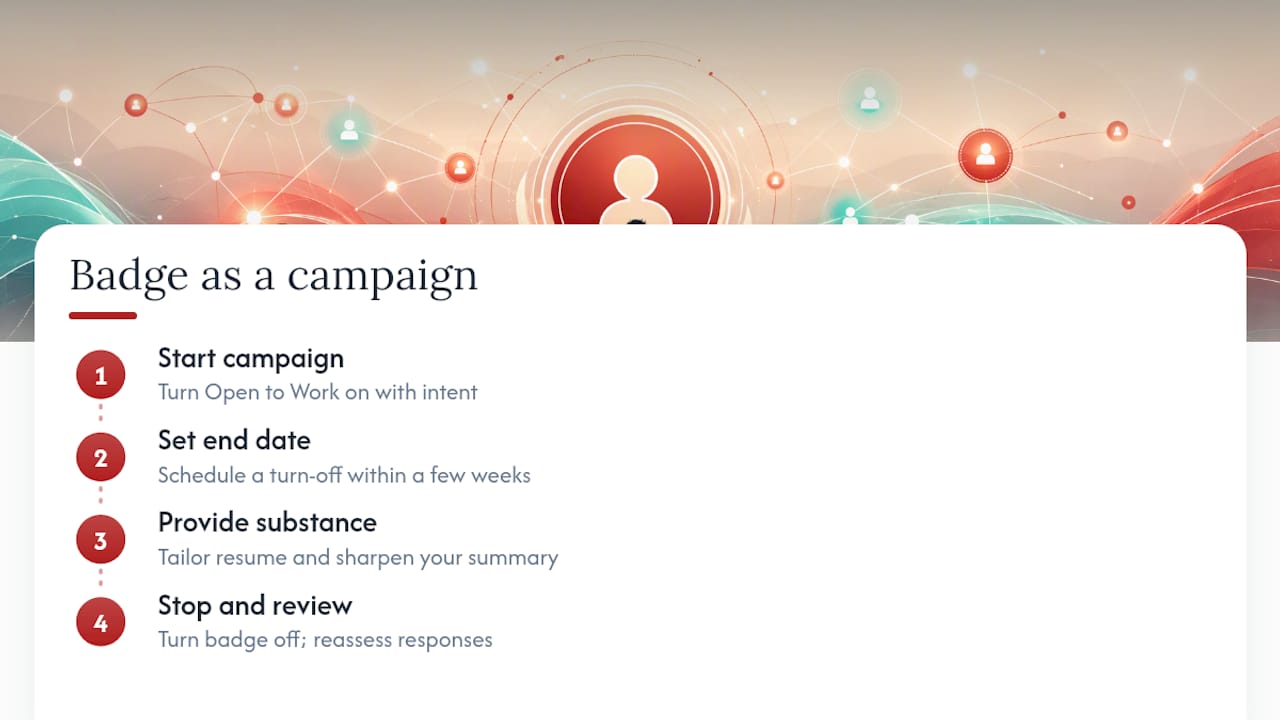
The more overlooked issue is timing discipline. Most guidance focuses on whether to turn the badge on, and almost none of it addresses when to turn it off. A badge left running for three months signals something uncomfortable: either the market has rejected you repeatedly, or you’ve stopped paying attention to your own job search. Neither is true for most people who leave it up that long. They simply forgot. Treat the badge like an active campaign with a start and end date, not a permanent fixture, and it keeps working the way it’s supposed to.
For candidates weighing recruiter-only against public visibility, the honest answer is that the choice matters less than what happens after a recruiter opens the profile. A tailored resume and a sharp summary will outperform a badge every time reputation or negotiating leverage is on the line.
— Professional
Turn recruiter attention into interview offers
Open to Work gets recruiters looking. Whether they stop scrolling depends on the resume and profile behind that green frame.
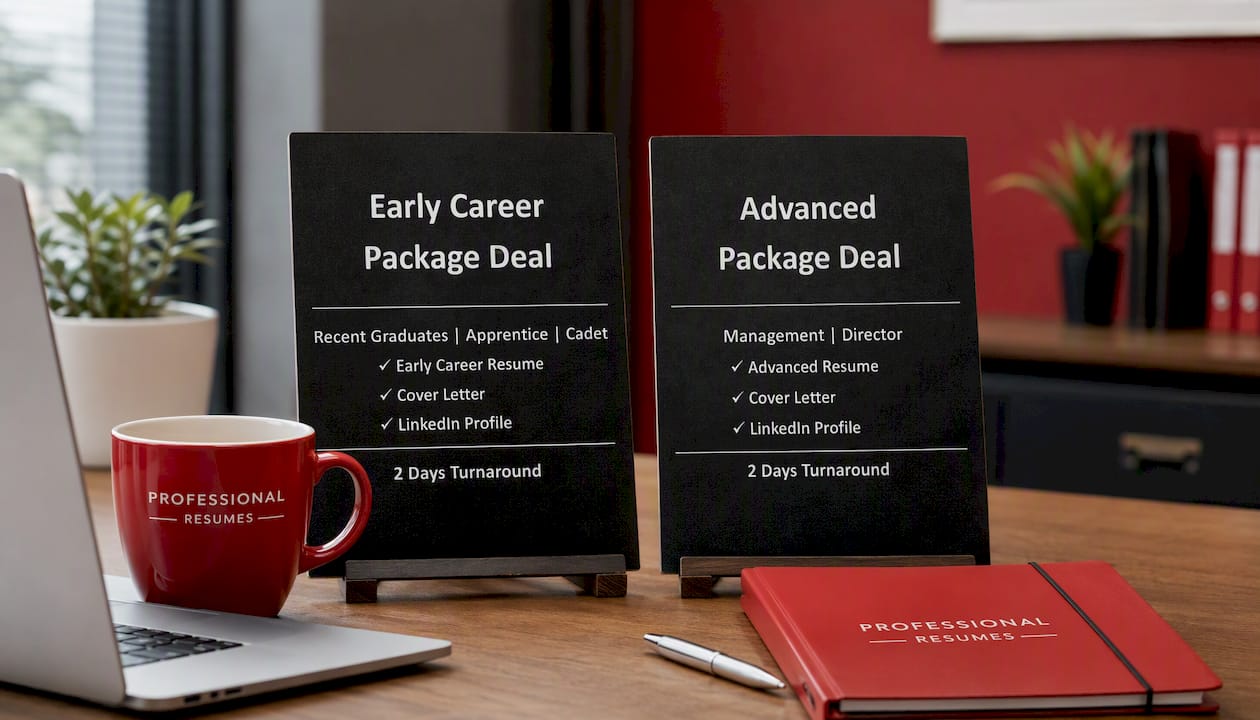
If you’re early in your career and just activated the badge, the Early Career Package Deal pairs a polished resume with LinkedIn profile work built for first and second job moves. Mid-career candidates fielding recruiter messages but getting silence after the first reply often need a sharper resume paired with a stronger LinkedIn presence, which is exactly what the Advanced Resume and the Next Step Package Deal are built to solve, combining resume and profile optimisation into one coordinated package. Executives navigating a confidential search, where the public badge is rarely the right call, tend to get more value from a rewritten resume and personal branding strategy than from any visibility setting. If professional development and networking are part of your broader search strategy, resources like Formation PNC can complement the LinkedIn work.
Book a consultation through the Advanced Package Deal and get your resume and profile working together before your next recruiter message lands.
Sources
- Recruiters weigh in if LinkedIn’s ‘open to work’ feature helps or hurts
- Let recruiters know you’re Open to Work
- How to Let Recruiters Know You’re Open to Work on LinkedIn
- How to actually use LinkedIn’s ‘Open to Work’ feature