
Reverse-chronological remains the default choice for most job seekers, and recruiters generally expect it. A functional, skills-first format earns its place only in specific situations: career changes, employment gaps, or scattered experience that a timeline undersells. For many candidates, a hybrid resume solves the underlying presentation problem better than either pure format, provided it stays readable to both applicant tracking systems and the person doing the screening.
TL;DR:
- A hybrid resume often offers the best balance for job seekers with relevant experience and the need for both skills highlighting and timeline transparency.
- Keeping dates, titles, and employers visible in a skills-based resume prevents it from appearing to hide gaps or unrelated experience.
- For ATS compatibility, avoid using tables, columns, images, or creative section headers, and use straightforward terminology matching the job posting.
- Candidates with a consistent, linear career mainly benefit from a chronological format, while career changers or those with scattered experience should consider a hybrid or functional approach.
- Defaulting to a hybrid resume provides flexibility and mitigates the main weaknesses of purely functional or purely chronological formats.
Table of Contents
- What a chronological resume is and how it’s structured
- What a functional (skills-based) resume is and how it’s structured
- Quick decision guide: which format to choose and when to prefer a hybrid
- ATS and recruiter readability: format features that matter more than labels
- Short examples and templates: what each format looks like on the page
- Practical resume-writing tips that apply to any format
- How Professional Resumes applies these formats in real client work
- Getting started: matching your situation to the right resume service
- Sources
- FAQ
What a chronological resume is and how it’s structured
A reverse-chronological resume lists your most recent job first, with responsibilities and accomplishments organized under each dated role. It’s the format most employers prefer when your recent experience lines up closely with the job you want, and it’s built to answer the questions a recruiter asks first: what did you do, where, and how recently.
This structure works because it lets a recruiter validate scope and recency in seconds. Titles, employers, and dates sit exactly where a trained eye expects them, which builds a kind of quiet confidence before a single accomplishment is even read.
Build one with this checklist:
- Contact details and a short targeted summary at the top.
- Work history in reverse order, each entry showing employer, title, and dates.
- Two to four accomplishment bullets per role, quantified where possible.
- Education and certifications below the experience section.
What a functional (skills-based) resume is and how it’s structured
A functional resume leads with grouped skills and supporting examples rather than a job-by-job timeline. UC Davis recommends organizing around three to four skill areas, each backed by concrete proof, followed by a condensed employment history.
This layout suits career changers whose most relevant experience sits outside their most recent title, people returning after a gap, and applicants whose transferable skills are scattered across several roles or freelance work. It lets you put the strongest evidence first instead of burying it under an unrelated job title.
The trade-off is real: separating skills from the timeline can look like something is being hidden, even when nothing is. Guard against that with a few habits:
- Keep a clearly labelled Experience section with employers, titles, and month or year dates.
- Place a proof bullet directly under each skill heading, not just a claim.
- Avoid vague headings like “Miscellaneous Skills” that read as filler.
- Never omit dates entirely: that’s the detail that turns a skills-first resume into a red flag.
If you’re weighing this option because of a career pivot, our guide to refreshing a resume for a mid-career transition walks through the same decision in more detail. Recent graduates facing a similar structural question will find more specific direction in our early career resume tips.
Quick decision guide: which format to choose and when to prefer a hybrid
Three questions settle most format decisions:
- Does your most recent job match the role you want? If yes, chronological is almost always the stronger choice.
- Would a strict timeline bury your strongest, most relevant evidence? If yes, a skills-first section near the top starts solving the problem.
- Do you still need a recruiter to trust your dates and titles? If yes, and it’s almost always yes, keep a full Experience section visible.
That third question is why combination formats are so often the practical answer: they foreground targeted skills while preserving the reverse-chronological record recruiters rely on to verify your history.
A few situation-to-format mappings: a steady same-field applicant fits chronological; a career changer with strong transferable skills fits functional or, better, hybrid; someone with a short gap and otherwise strong tenure fits hybrid with a brief summary addressing the gap directly.
Pro Tip: When in doubt, default to hybrid: it costs you little and protects you from the main weakness of a pure functional layout.
ATS and recruiter readability: format features that matter more than labels
Applicant tracking systems parse headings, dates, job titles, and keywords to build a structured profile of your resume before a person sees it. What breaks that process is rarely the format label itself and almost always the layout: tables, headers and footers, images, and unusual section titles all interfere with parsing, according to UW’s guidance on ATS behaviour.

Recruiters and hiring managers may spend under 10 seconds on an initial scan of a resume, and ATS use is near-universal among large employers, according to UCI’s ATS career guide. That narrow window means your top third has to carry your strongest, most relevant evidence, regardless of which format you choose.
A short checklist keeps any resume friendly to both audiences:
- Use standard section headings like “Experience” and “Skills,” not creative substitutes.
- Save as a clean .docx or PDF, and skip tables, columns, and text boxes.
- Match the job posting’s exact terminology; small differences in wording affect keyword matching.
- Keep fonts simple and left-aligned, with consistent, real dates rather than vague ranges.
For a deeper look at formatting choices and screening mechanics, see our guide to ATS-friendly resumes.
Short examples and templates: what each format looks like on the page
Seeing the skeleton makes the choice concrete faster than any description does.
- Chronological: Summary, then “Marketing Manager, Company X, 2022 to present,” followed by a bullet such as “Grew organic traffic 40% in 12 months by rebuilding the content calendar around search intent.”
- Functional: A “Project Leadership” heading followed by a proof bullet like “Coordinated a five-person team across three departments to launch a product two weeks ahead of schedule,” then a condensed Experience list with employers and dates underneath.
- Hybrid: Summary, a short “Core Skills” block with two or three proof-backed strengths, then a full reverse-chronological Experience section identical in structure to the pure chronological version.
The hybrid skeleton is the one most readers underestimate. It doesn’t require inventing new sections, it just moves the strongest two or three points above the timeline instead of asking a recruiter to find them.
Practical resume-writing tips that apply to any format
Format aside, certain habits raise interview odds on their own. Write accomplishment bullets in a Challenge-Action-Result pattern, and quantify wherever the number exists: percentage, dollar figure, headcount, timeline. Match your language to the job posting’s own terms rather than a synonym you prefer.
Trim anything that doesn’t serve the specific role you’re applying to. A resume that tries to represent your entire career usually undersells the parts that matter for this job.
- Cut outdated jobs and skills unless they’re directly relevant.
- Avoid decorative fonts, icons, or graphics that ATS software can’t parse.
- Proofread for consistent verb tense, and read bullets aloud to catch missing words.
- Check that every date range is accurate and consistent in format.
Pro Tip: Ask someone unfamiliar with your work to read your resume for 10 seconds and tell you what they remember. That’s close to what a recruiter actually retains.
How Professional Resumes applies these formats in real client work
When a background is assessed, the format decision comes from the same three questions any job seeker should ask: does the timeline help or hurt, is the strongest evidence buried, and can a hybrid structure preserve both. Someone changing industries after a decade in one field rarely benefits from a purely chronological layout, and a person with a clean, linear history rarely benefits from a skills-first one.
Working directly with a writer through consultation and revision means the format isn’t a guess. It’s matched to the individual’s specific history, and for many, that matched format, paired with ATS-aware formatting, is the fastest realistic path to more interview requests.
— Professional
Getting started: matching your situation to the right resume service
Format decisions matter, but execution is where most resumes fall short under real scrutiny. Early-career candidates weighing a functional layout often get more from our Early Career Resume, while candidates managing a career change or a complex history typically fit the Advanced Resume. Senior candidates facing board-level scrutiny should look at the Executive Resume, and those who also need a LinkedIn profile aligned to the same story can bundle both through the Advanced Package Deal.
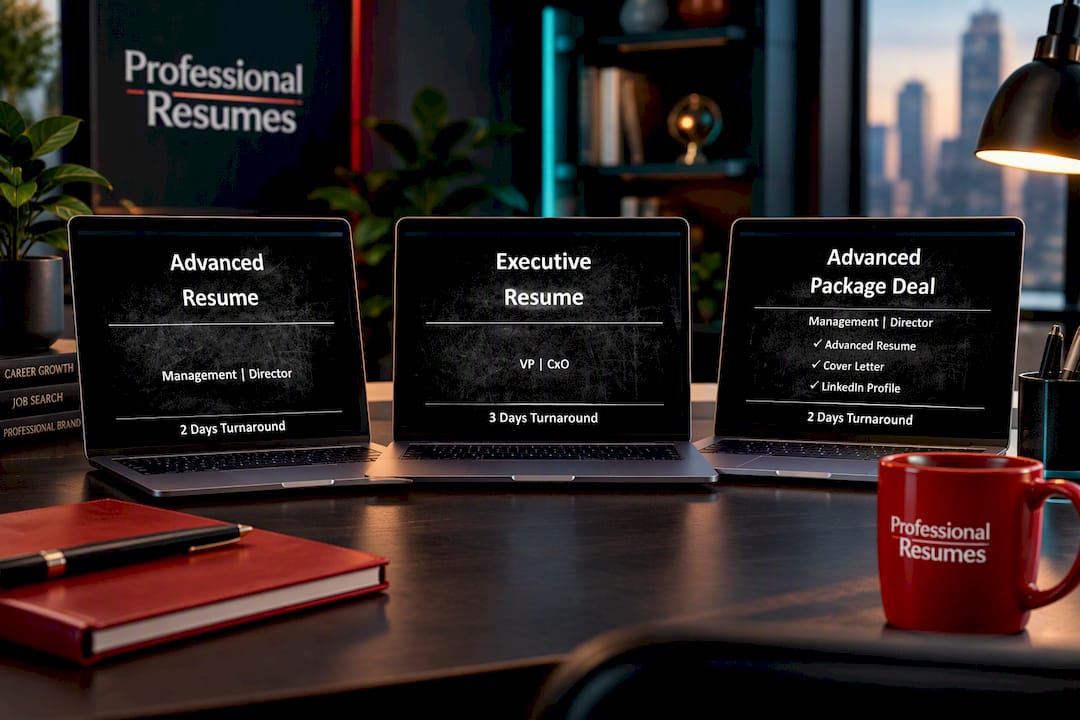
Each option includes direct consultation with your writer, so the format applied to your resume is the one that fits your actual history, not a generic template. Browse the full lineup and start with the package that matches your stage.
Sources
The GW career services guide and UC Davis resume toolkit explain format fundamentals from a university career-centre perspective, while UCI’s ATS guide covers how screening software actually reads a resume. If a new role means a bigger financial decision on the horizon, Haven Mark Advisers’ guide to mortgages after a new job is worth a look too.
- Chronological vs. Functional | GSEHD | GW
- Resume formats | UC Davis Human Resources
- Combination resume guidance | La Trobe employability hub
- 2025 Mastering ATS Career Guide | UCI
FAQ
What counts as a red flag on a resume?
Unexplained gaps with no context, missing dates, inconsistent job titles, and generic skill claims without proof all read as red flags to a recruiter. A functional resume that hides its Experience section entirely is a common version of this problem, since it can look like something is being concealed even when it isn’t.
Are functional resumes still used today?
Yes, functional resumes are still used, mainly by career changers, people returning after a gap, or applicants whose relevant experience spans freelance and varied roles. UC Davis recommends them specifically for these situations rather than as a general default.
What’s the difference between chronological, functional, and hybrid resumes?
A chronological resume lists jobs in reverse date order, a functional resume groups skills first with a condensed history below, and a hybrid or combination resume puts targeted skills near the top while keeping a full reverse-chronological Experience section intact. The hybrid is often the practical middle ground for readers who need both skills emphasis and timeline transparency.
What are the three main types of resumes?
The three main types are chronological, functional, and combination (or hybrid), each organizing the same underlying content in a different order and emphasis. Most career centres, including UC Davis, treat these as the standard categories job seekers choose between.