
An effective LinkedIn about section leads with a hook, states who you help, backs it with one specific proof point, and closes with a call to action, all inside the platform’s 2,600-character limit. The first roughly 300 characters on desktop sit above LinkedIn’s “see more” fold, so that opening line decides whether anyone reads the rest. Templates and annotated examples follow so you can draft yours in the next twenty minutes.
TL;DR:
- A compelling LinkedIn about section starts with a clear hook that states your target role and outcome, focusing on the first 300 characters that appear above the fold.
- Include two to three sentences that specify the industry, role, and problem you solve using relevant keywords for search optimization.
- Provide one or two specific proof points, such as a measurable result or achievement, to demonstrate competence rather than relying on adjectives.
- End with a concise call to action, guiding readers to message you, connect, or visit your portfolio for next steps.
- Keep sections short, use bullet points for proof, and update regularly to maintain relevance and visibility to recruiters.
Table of Contents
- How to write a LinkedIn about section that gets read
- How long should your LinkedIn about section be?
- LinkedIn about section examples you can adapt today
- The mistakes that quietly kill your about section
- How Professional Resumes applies this in practice
- What most LinkedIn advice gets backwards
- Get your LinkedIn about section written for you
- Sources
- FAQ
How to write a LinkedIn about section that gets read
Recruiters scanning a profile are answering three questions in under thirty seconds: what do you do, are you any good, and would they be interested in talking to you. A four-part formula answers all three in order, which is why InsideTrack’s recruiter-focused framework and Forbes’ own step-by-step approach both converge on the same shape.
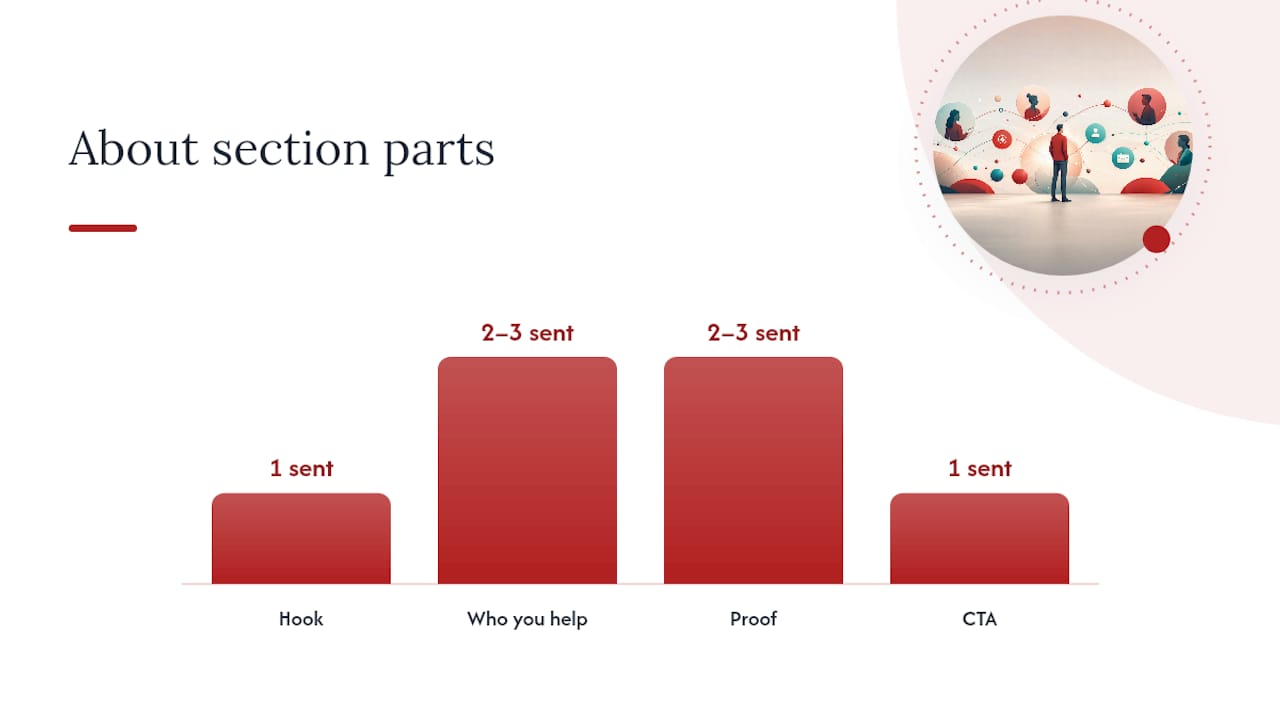
- Hook (1 sentence, front-loaded). Open with your target title and your outcome, not your job history. “I help mid-sized manufacturers cut warehouse shrinkage” beats “Experienced operations professional with a passion for excellence.”
- What you do and who you help (2 to 3 sentences). Name the industry, the role, and the problem you solve. This is where you plant keywords a hiring manager would actually type into search.
- Proof (2 to 3 sentences or a short bullet list). One concrete number or outcome does more work than five adjectives. “Reduced onboarding time by 30%” is proof. “Results-driven” is not.
- Call to action (1 sentence). Tell the reader what to do next: message you, check your portfolio link, or connect if they’re hiring for a specific role.
Give the hook and the “who you help” line roughly the first 300 to 400 characters, since that’s what shows before the fold. Spend the bulk of your remaining space on proof, and keep the CTA to one short line at the end.
Four opener types cover most situations. A story opener works when your career path itself is the differentiator, such as a self-taught developer or a career changer. A problem-solution opener suits consultants and salespeople who want to lead with the pain point they fix. A credential-stack opener fits executives and specialists whose titles and certifications carry weight on their own. A mission opener works for people in nonprofit, education, or purpose-driven sectors where “why” matters as much as “what.”
Pro Tip: Write the hook last. Draft the proof and CTA first, then mine those sentences for the single strongest phrase to lead with.
How long should your LinkedIn about section be?
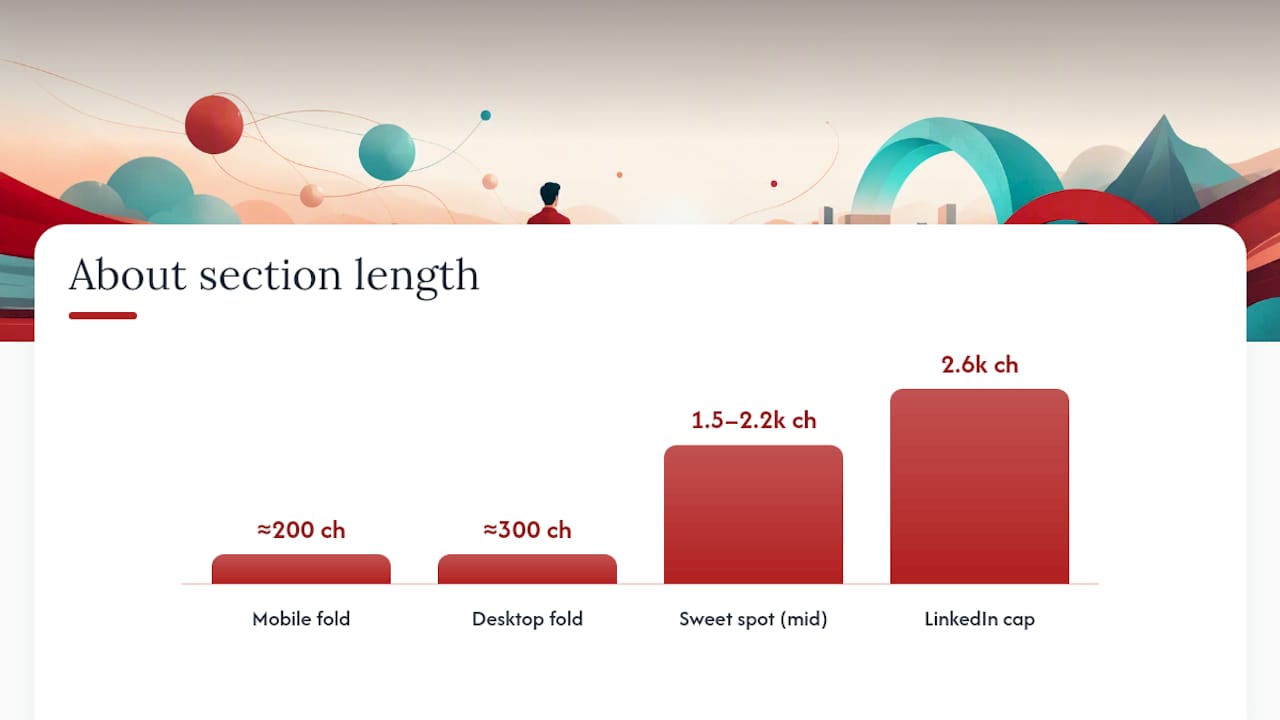
LinkedIn caps the about section at 2,600 characters, but the practical sweet spot sits closer to 150 to 300 words, or roughly 1,500 to 2,200 characters. Anything shorter reads as thin; anything longer risks losing the reader before the CTA.
The fold matters more than the ceiling. On desktop, LinkedIn shows about 300 characters before truncating to “see more.” On mobile, it’s closer to 200. Whatever you put in that space needs to work as a standalone pitch, because a large share of visitors never click through.
- Write paragraphs of one to three sentences. A wall of text gets skipped, even a well-written one.
- Use bullet points for three to five proof facts or skill highlights, since scannable bullets outperform buried claims.
- Bold sparingly if you use Unicode formatting, and check it on mobile first. Unicode bold text can render oddly for screen readers, so reserve it for your name or one key phrase, not full sentences.
- Pull five to eight keywords from three to five job postings in your target role, then place the most important two or three in your headline, the opening line of your about section, and your skills list.
Completed about sections aren’t optional extras. LinkedIn talent data cited by InsideTrack shows profiles with a finished about section receive up to 40% more InMail from recruiters than those that leave it blank or copy the headline verbatim.
LinkedIn about section examples you can adapt today
Templates work best as scaffolding, not scripture. Swap the bracketed details for your own title, industry, and numbers, and keep the keyword from your target job posting in the first line.
- Early career: “I’m a [recent graduate/junior marketer] focused on [specific skill, e.g., content strategy] for [industry]. During my internship at [company], I [specific result, e.g., grew organic traffic by 20%]. Looking to bring that same energy to a [target role] team. Open to connecting with recruiters in [industry].”
- Mid-career pivot: “After [X years] in [old field], I moved into [new field] because [one honest reason]. I’ve since [proof point, e.g., led three product launches]. I bring [old-field skill] into [new-field problem] in a way most newcomers can’t. Let’s talk if you’re hiring for [target title].”
- Senior executive: “I lead [function] for [industry] companies through [type of change, e.g., post-merger integration]. Over [X years], I’ve [quantified outcome, e.g., managed a $40M P&L across three regions]. My focus is [specific specialty]. Reach out if your board is weighing a [type of hire] search.”
- Consultant or freelancer: “I help [client type] solve [specific problem] without [common pain point]. Recent work includes [one client outcome, kept generic if under NDA]. Available for [engagement type, e.g., 3 to 6 month contracts]. Message me to see if there’s a fit.”
- Creative professional: “I design [specific output, e.g., brand identities] for [client type]. My work has appeared in [placement, if real] and helped [client] achieve [outcome]. Portfolio link below. Always open to conversations about [type of project].”
Before: “Results-driven professional with excellent communication skills seeking new opportunities in a dynamic environment.”
After: “I help early-stage SaaS companies cut customer churn through onboarding redesign. At my last role, that meant a 15-point retention lift in six months. Open to product marketing roles where retention is the mandate.”
Both templates and the sample rewrite draw on the before/after approach that specialist guides consistently recommend: specifics beat adjectives every time.
The mistakes that quietly kill your about section
Third-person bios (“Jane is a marketing leader…”) feel like a press release, not a person. Switch to first person immediately. Buzzword openings (“Passionate, driven, results-oriented professional…”) tell a reader nothing; replace the adjective with the outcome it’s supposed to imply.
A wall of unbroken text loses readers before line three. Break it into short paragraphs or bullets. No call to action leaves an engaged reader with nowhere to go. Pasting your resume summary verbatim wastes a space meant for voice and context, and keyword stuffing a list of job titles reads as spam to both recruiters and LinkedIn’s own search algorithm. Sounding desperate (“Please consider me…”) undercuts the confidence your proof point just built.
Before publishing, run through a short checklist: first person throughout, hook in the first line, one number or named outcome, one clear CTA, no paragraph over three sentences.
Pro Tip: Copy your opening 300 characters into a blank text box and read only that portion. If it doesn’t make you want to click “see more,” rewrite the hook before touching anything else.
How Professional Resumes applies this in practice
Professional Resumes builds LinkedIn about sections around the same hook, proof, and call-to-action structure covered here, adapted to each client’s industry and career stage through direct consultation rather than a generic template. The goal on every project is the same: a profile that reads like the person, not a resume pasted into a new format.
Updating the about section every six months, or after notable career changes, helps keep proof points current since old information can lose impact on a platform recruiters check daily.
What most LinkedIn advice gets backwards
Most guidance on this topic treats the about section like a mini-essay: three flowing paragraphs about “who I am” and “what drives me.” That advice was written for a platform where people read profiles top to bottom. Nobody does that anymore. Recruiters scan the first two lines, decide in seconds, and click away if nothing lands.
The bigger error is prioritizing tone over specifics. If your draft could apply to five other people in your field, it’s not doing its job yet.
Start with the templates, not the theory. Pick the opener type closest to your situation, fill in your actual numbers, and read it back against the three-question test: what do you do, are you good at it, would someone want to talk to you. Fix whichever question your draft fails first, then move to the next. That order matters more than getting every sentence perfect on the first pass.
— Professional
Get your LinkedIn about section written for you
Professional Resumes’ LinkedIn profile optimization service turns the framework above into a done-for-you process, without the back-and-forth of freelance marketplaces or the flat fees of DIY template packs that leave you rewriting alone.
Such services typically start with a consultation to identify key proof points, then deliver a draft about section, headline, and skills recommendations optimized for search visibility, with revisions until the copy reflects the individual’s voice. They serve a range of candidates from early-career to executives.
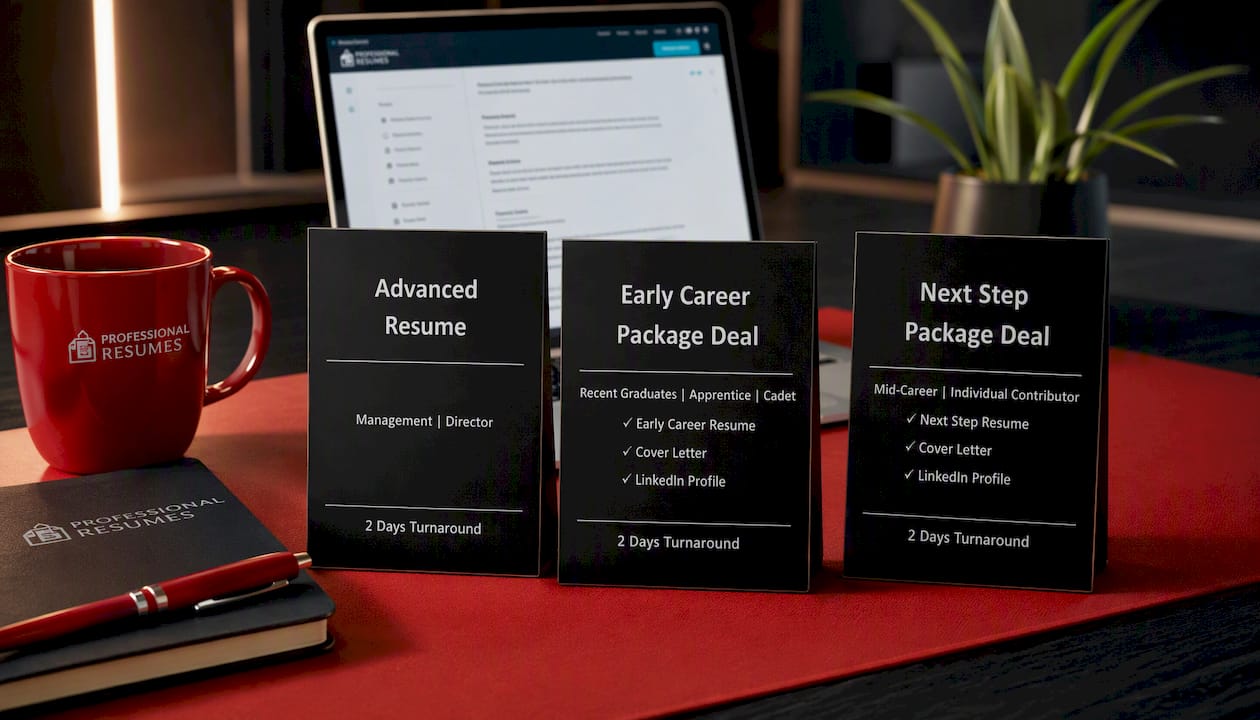
Pair it with a resume refresh through the Early Career Package Deal, the Next Step Package Deal, or the Advanced Resume for a matched set of career documents, or browse the full resume shop to see current options. Book your consultation to get a first draft back within days.
Sources
- Edit the About section on your profile | LinkedIn Help
- Write a LinkedIn About Section That Gets Messages | InsideTrack
- 4 steps to crafting the perfect LinkedIn About (With examples) — Forbes
FAQ
What is a good example of “about me” on LinkedIn?
A strong example leads with your target role and outcome, not your title history: “I help early-stage SaaS companies cut customer churn through onboarding redesign.” It then adds one proof point and a clear next step, following the hook, proof, CTA structure most career experts recommend.
What is the 3/2/1 rule on LinkedIn?
There’s no single agreed-upon “3/2/1 rule” tied to the about section in established LinkedIn guidance, and definitions vary depending on the source. If you’ve seen it referenced for posting frequency or content mix, treat it as informal advice rather than a platform standard, and focus instead on the hook, proof, and CTA structure this article covers.
Is the summary and the about section the same thing on LinkedIn?
Yes. LinkedIn renamed the “Summary” field to “About” several years ago, but many guides and job seekers still use the terms interchangeably. Whichever term you see, it refers to the same 2,600-character field near the top of your profile.
How much does Professional Resumes charge for LinkedIn help?
Pricing for the LinkedIn profile optimization service is available on the site. Resume packages like the Early Career Resume, Next Step Resume, and Advanced Resume are listed with fixed one-time pricing if you want to pair your LinkedIn update with a resume refresh.
How often should I update my LinkedIn about section?
Update it roughly every six months, or immediately after a promotion, certification, or major project outcome. Stale proof points, like a number from three roles ago, undercut the credibility the rest of the section is trying to build.