
The About section tells a recruiter who you are, and the Featured section shows them proof. About is your written argument: a short professional introduction in your own voice. Featured is a gallery of up to a handful of pinned items, such as a project summary, an article, a presentation or a link, that back that argument up. Used together, About makes the claim and Featured supplies the evidence. Used separately or made to repeat each other, they waste the two most visible places on your profile.
This guide explains what each section does, what to put in each, how to divide the work between them, and how to adapt them if you are an executive, returning after a gap, a newcomer to Canada, or working in healthcare or the public service.
TL;DR
- About is a first-person narrative of 1 to 2 paragraphs that explains who you are, what you deliver and what you want next. Only the opening lines show before “see more”, so the first sentences carry the weight.
- Featured is a visual shelf of pinned posts, articles, links and media. It appears below About and stays hidden until you add your first item.
- Do not duplicate content. Put the claim in About and the evidence, with a short explanation, in Featured.
- Never pin confidential employer or client documents. Summarize the challenge, your role and the outcome instead.
- Newcomers, returners and executives each need a different emphasis in the same two sections, covered below.
Table of Contents
- What the About section is for
- What the Featured section is for
- Featured vs About: the differences at a glance
- How to use both without repeating yourself
- Adapting both sections to your situation
- Common mistakes
- A practical order of work
- Where professional help fits
- Our perspective
- FAQ
- Sources
What the About section is for
About is the written introduction to your profile. LinkedIn describes it as the place to express your mission, motivation and skills to the people who view your profile, and it is separate from your headline, which is the line under your name. To find it, use the Me icon, open View Profile, scroll to About and click the edit icon.
The University of Waterloo’s career guide describes About as an open-ended space to share your story, professional goals and interests, and recommends writing in the first person with descriptive words and action verbs. It suggests covering why your work matters, the results or impact you have led or want to lead, and what motivates or sets you apart.
There is also a search consideration. UBC Student Services notes that About carries heavy weight in LinkedIn’s algorithm, so the wording affects whether recruiters find you when they search. That is the reason to write the section in the vocabulary of the roles you are targeting, rather than in general terms.
How much of About gets read
Only the first lines are visible before the “see more” link. A Canadian newcomer guide puts the desktop cutoff at roughly 300 characters, and less on mobile. Treat those opening two or three sentences as a standalone pitch: your professional identity, one accomplishment, and the direction you are heading. A recruiter who stops there should still know what to do with you.
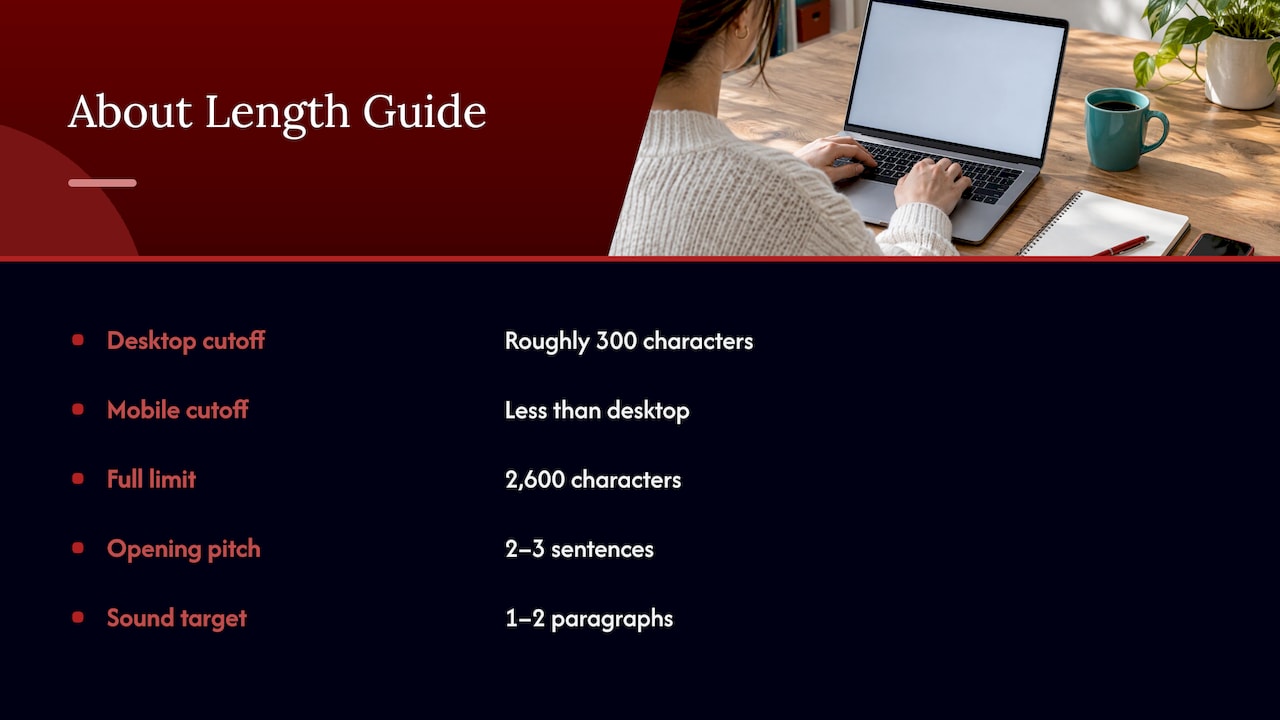
The full limit is 2,600 characters. Forbes career-branding writer William Arruda advises using as much of that space as you need while cutting fluff. Most strong profiles use far less than the maximum. One to two paragraphs is a sound target, and UConn’s career centre describes About the same way: a short narrative for readers who have never met you, built around information not found elsewhere on the profile.
A structure that works
- Opening hook (2 to 3 sentences). Who you are professionally and one accomplishment that proves it.
- Track record. Two or three quantified highlights: revenue grown, patients served, budget managed, teams led.
- What you are looking for. The kind of role, sector or challenge, stated plainly.
- Invitation. How to reach you or what to message you about.
Write it the way you would speak in an introductory conversation. Altis, a Canadian staffing firm, recommends avoiding stock phrases such as “results-oriented professional” or “strategic team player”, which tell a reader nothing. Replace each one with a figure or a fact. Our own LinkedIn About section templates show how this looks for different career stages.
What the Featured section is for
Featured is a showcase. The University of Waterloo guide separates it from Activity: Activity records your engagement (posts, comments, reactions, reposts), while Featured holds the highlights you choose, such as portfolio pieces, projects, articles, videos, PDFs and links.
UConn explains that Featured lets you pin content so it stays accessible to profile visitors beyond its initial circulation in the news feed. That matters because a post you wrote in March is buried by June, but a pinned item is still the first thing a visitor sees.
Why it is the most visible space you control
Arruda calculates that Featured offers about three times the visible real estate of About, because About collapses after a few lines while Featured shows its items up front. On desktop, about three items are visible without scrolling, and on mobile one at a time. He also suggests a 30 to 90 second video introduction as a way to present yourself more directly than text can.
Two practical points follow from that layout:
- Order matters. Put the item you most want a hiring manager to open first.
- Titles and descriptions matter. A pinned PDF named “Final_v3” says nothing. A pinned item titled with the result it demonstrates invites a click.
Where Featured appears and how to add to it
Featured sits below About and above your recent activity and Experience. LinkedIn hides it until it holds at least one item, which is why many people think they do not have it. On desktop, open your profile, choose Add profile section, expand Recommended and select Add featured. Then use the plus icon to add a post, article, link or media file. Once it exists, you manage items from the same panel, and you can reorder or remove them as your search changes. Menu labels shift as LinkedIn updates its design, so if a button has moved, look for the pencil or plus icon beside the section.
What to pin
Altis suggests using Featured for selected projects or content: portfolios, writing samples, presentations, published articles, project summaries, certifications and recommendations. Add a brief explanation with each item so the visitor understands your contribution and the result.
The same source gives a warning that applies to every job seeker: never post confidential employer or client documents. When you cannot share the work, write a short summary of the challenge, your role and the outcome. A rollout of a new system that took 200 or more employees through onboarding is the kind of result a summary can state without exposing anything private.
Featured vs About: the differences at a glance
| About | Featured | |
|---|---|---|
| Purpose | Tells your professional story and direction | Shows evidence of your work |
| Format | Text, 1 to 2 paragraphs, first person | Posts, articles, links, media, documents |
| Visibility | First few lines before “see more” | Items displayed up front, about three on desktop |
| Search weight | Heavy in recruiter search, per UBC | Visual impact rather than keyword matching |
| Appears | Near the top, under your introduction | Below About, hidden until you add an item |
| Best for | Positioning, keywords, career goals | Proof, samples, next steps |
| Main risk | Buzzwords and unquantified claims | Outdated or confidential items |
How to use both without repeating yourself
The simplest rule is to let each section do one job. About states what you do and the value you bring. Featured proves it and tells the visitor where to go next.
Suppose you are a finance director. Your About says you led a finance function through an acquisition and cut the monthly close from ten days to six. Featured then pins a one-page summary of how the integration was run, a published article on forecasting, and your booking or contact link. The reader meets the claim first and checks it second. Nothing is said twice.
A few habits keep the two aligned:
- Mirror the theme, not the sentences. If About leads with turnaround leadership, your first Featured item should relate to turnaround work.
- Do not paste your resume into either one. Your resume lists every role, and About should select the story behind them.
- Link from the evidence. Web addresses typed into About are not reliably clickable, whereas Featured items open as links with a preview. Put the link where visitors can click it.
- Review quarterly. Remove items that no longer represent the work you want next.
Attaching media to individual Experience entries is another option, and it works best when you want a sample tied to the exact role where you produced it. Featured is the better place for the two or three items that define your candidacy overall.
Adapting both sections to your situation
The same two sections do different work depending on where you are in your career. Here is what to emphasize.
Executives preparing for a C-suite search
At this level, a recruiter reading About is deciding whether you belong in a retained search shortlist. Lead with scope: P&L ownership, headcount, geography and the transformation you led. State outcomes at the organizational level, not task level. Keep the tone measured, because board-level readers are put off by self-promotion.
For Featured, choose items that withstand scrutiny: a published perspective on your sector, a board or conference presentation, a media appearance or a recommendation from a former chair or CEO. Do not pin anything covered by a confidentiality agreement. Our guide to a high-impact executive LinkedIn profile covers how these pieces fit with your executive resume.
Returning to work after a gap
About is where you control how the gap is read. State what you did well before it, name what you have done since (courses, volunteering, caregiving, consulting, certifications if relevant) in a single plain sentence, and then turn straight to what you want next. Do not apologize or over-explain, and do not leave the section empty, because silence invites assumptions.
Featured can carry current evidence: a recent certificate, a project completed during the break, or a short article showing your knowledge is up to date. That shifts the recruiter’s attention from the date range to your present capability.
Newcomers adapting to Canadian employers
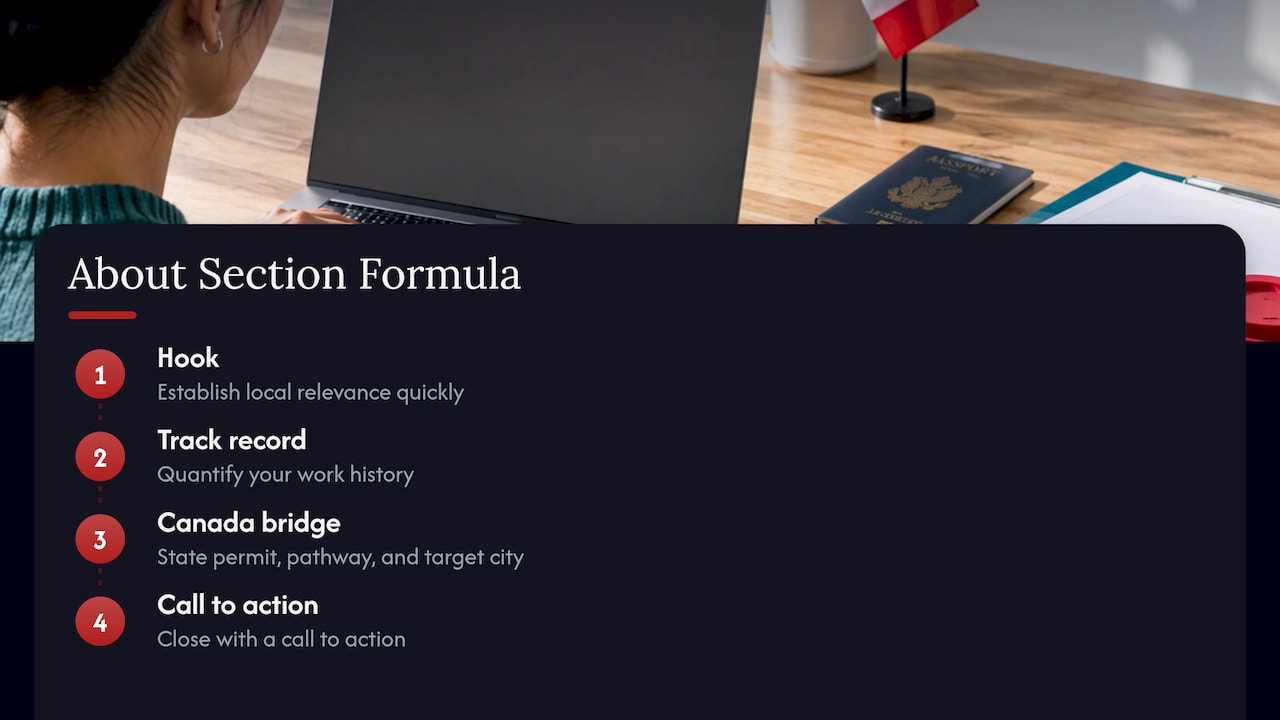
Canadian employers want to see local relevance quickly. One newcomer guide recommends a four-part About: a hook, a quantified track record, a single “bridge to Canada” paragraph that states your work-permit status, any regulator or bridging program you are working through, and your target city, and then a call to action. Address the move once and move on.
For Featured, the same guide suggests newcomers without a Canadian portfolio consider a translated version of their strongest overseas project, a credential evaluation report, or a short personal essay about their move to Canada. These give a Canadian recruiter something concrete to assess in place of a local employer name. If you are building the rest of your application, see our guides to the immigrant resume for Canada and resume writing for newcomers.
Healthcare professionals and federal government candidates
Healthcare candidates should state licensure and registration in About (for example, the regulatory college you are registered with), the settings and patient populations you have worked with, and measurable contributions such as quality or throughput improvements. Never pin anything containing patient information. Featured can hold a published poster, a teaching presentation or a continuing-education certificate.
Federal public service applicants face a different constraint: screening there is typically done against the stated criteria of a posting, so your About should use the language of the roles you apply for and name the competencies you can demonstrate. Treat LinkedIn as a supporting profile that matches your application, with the full detail in the application itself.
Common mistakes
- Writing About in the third person. Waterloo and Forbes both recommend first person, which reads as a direct introduction.
- Burying the point. If your best accomplishment is in the fourth sentence, most visitors never see it.
- Leaving Featured empty. Because the section is hidden when empty, you lose the most visible place on your profile without noticing.
- Pinning without context. An item with no description forces the visitor to guess why it is there.
- Using personal detail in place of professional substance. Some advice suggests including a little personal information to appear likable. A line or two about your interests can help, but the section should stay anchored in your professional value.
- Letting the profile drift from the resume. Dates, titles and figures that differ between the two raise questions. Our LinkedIn profile checklist for Canadian job seekers helps you check each section against your resume.
A practical order of work
- Rewrite your headline and the first 300 characters of About together, so the two lines tell one story.
- Finish the rest of About in one to two paragraphs, with figures.
- Choose two or three proof items and write a one-sentence explanation for each.
- Pin them in Featured, ordered by how directly they support your target role.
- Read the profile on your phone, where less is visible, and adjust.
- Make sure your resume and profile agree. Our guide to writing a career summary for Canadian recruiters applies to both documents.
Where professional help fits
The hardest part of both sections is deciding what to leave out, and that is difficult to do for your own career. Our LinkedIn profile optimization service covers the profile as a whole, so About, Featured and your headline are written to support one another and your resume. You work through the details with a writer in a consultation, and the document is revised until it reflects your goals. See the LinkedIn profile optimization service for how it works.
If your resume needs the same attention, our resume packages are priced as one-off fees: Early Career Resume at $139, Next Step Resume at $189, Advanced Resume at $239 and Executive Resume at $289. You can compare them in our resume shop.
Our perspective
Most job seekers treat LinkedIn as a copy of their resume, and the profile suffers for it. A resume is read by someone who already has your application. A profile is read by someone who has not yet decided to look for you.
That is why we treat About and Featured as two different documents. About has a single task: to position you clearly in the first few lines, in language that matches the roles you want. Featured has a different task: to give a recruiter or a board-level reader a reason to believe what About says.
Our approach starts with a consultation, because the right choice of story and evidence depends on your goals, your industry and your stage. An executive needs scope and organizational outcomes, a newcomer needs local relevance, and someone returning after a gap needs a clear forward direction. We write for those situations, and we revise until the result reads as yours.
When the profile, the resume and the cover letter tell the same story, the reader has fewer reasons to hesitate.
Professional
FAQ
Should I fill in Featured if I have no posts?
Yes. Featured is not limited to posts, and you can pin links, documents, presentations or media. A project summary, a certificate or a published piece is enough to start. Add a short explanation to each so visitors understand its relevance.
Can I put links in the About section?
You can paste a web address into About, but it may not display as a clickable link, and you cannot attach a link to ordinary words in the text. For anything you want people to open, use Featured, where links appear with a preview, title and description.
Why can’t I see a Featured section on my profile?
LinkedIn hides Featured until it contains an item. Choose Add profile section, open Recommended and select Add featured. If you have added items before, the option no longer appears there, so scroll down to the existing Featured block and edit it from that panel.
How long should my About section be?
One to two paragraphs is a practical length, with the most important information in the first 300 characters or so, because the rest sits behind “see more”. The platform allows up to 2,600 characters, though you do not need to use them all.
Should About and Featured contain the same information?
No. About states your positioning and goals. Featured shows the evidence for them. If an accomplishment appears in About, pin the project, article or presentation behind it in Featured rather than repeating the sentence.
Sources
- Edit the About section on your profile, LinkedIn Help
- Building your LinkedIn profile, University of Waterloo
- How to make the most of LinkedIn, UBC Student Services
- Building a Strong LinkedIn Profile, UConn Center for Career Readiness and Life Skills
- The LinkedIn Featured Section: Your Untapped Advantage, Forbes
- 5 Changes To Make To Your LinkedIn Profile Right Now, Forbes
- How to use LinkedIn to find a job and build your network, Altis
- How to Create a Successful LinkedIn Profile (2026 Guide for Newcomers), OnTheMoveCanada