
Send your resume as a .docx file unless the job posting says otherwise. Word format parses more reliably into applicant tracking systems, and most portals expect it. The one rule that overrides everything else: follow the employer’s instructions to the letter. When there are no instructions at all, a clean PDF works fine for email or a hiring manager, but Word remains the safer default for anything routed through software first.
TL;DR:
- Sending a PDF is preferable when emailing a hiring manager directly to ensure layout preservation and prevent accidental edits.
- Use a Word (.docx) file for ATS portals because it generally parses more reliably across different applicant tracking systems.
- Always follow the employer’s instructions precisely; ignoring specific format requests risks immediate disqualification.
- Verify text-based PDF exports by attempting to select and copy the text, ensuring it is not an image-based file that ATS cannot read.
- Build both a clean Word document and a presentation-ready PDF from the start to avoid reformatting delays during application submissions.
Table of Contents
- PDF vs Word resume: the trade-offs you need to know
- Should you send a PDF or Word file for this application?
- Why does my resume fail ATS parsing?
- How do I create and test an ATS-friendly resume file?
- What do recruiters actually want to receive?
- How we advise clients when the format is unclear
- Get both file formats done right, the first time
- Where to verify and convert your resume files
- Sources
- FAQ
PDF vs Word resume: the trade-offs you need to know
Every format decision comes down to who reads the file first: a machine or a person. That single distinction explains almost every pro and con on both sides.
PDF advantages show up most clearly when a human opens the file. Recruiters and hiring managers often prefer PDFs for direct viewing because the layout stays exactly as designed, and it strips out the distracting underlines and formatting artifacts that Word sometimes adds automatically. A PDF also can’t be accidentally edited by whoever opens it next, which matters more than most job seekers realize when a resume gets forwarded through three inboxes before landing on a hiring manager’s desk.
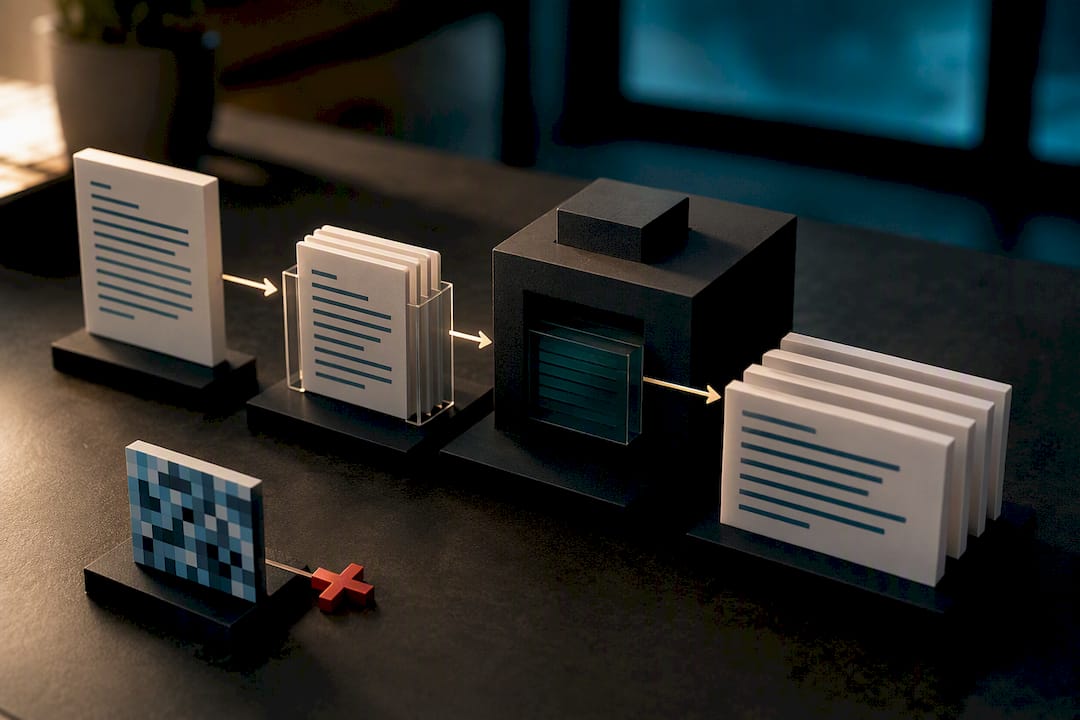
PDF risks live almost entirely on the technical side. An image-based PDF, the kind you get from scanning a printed page or exporting from certain design tools, contains no selectable text at all. Applicant tracking systems can’t read pixels. Custom fonts and multi-column layouts compound the problem: even a text-based PDF can scramble word order or drop entire sections if the underlying file structure confuses the parsing engine.
Word (.docx) advantages centre on compatibility. A simple, cleanly formatted .docx tends to parse more consistently across ATS platforms than PDF does, because most tracking systems were built to read Word’s file structure natively. Word files are also fully editable, which matters when a recruiter needs to adjust formatting or redact personal details before forwarding your application internally.
Word risks are mostly cosmetic but still costly. Formatting can shift when a file opens on a different device, version, or operating system than the one it was created on. Leftover tracked changes or reviewer comments look unprofessional and, worse, can confuse a parser. The older .doc format is worth avoiding entirely at this point.
The short version:
- PDF protects your design and prevents edits, but only works for ATS purposes when properly exported as true text.
- Word maximizes machine readability but sacrifices some control over how the file looks on the receiving end.
- Neither format is “better” in the abstract. The right choice depends entirely on where the file is going next.
Should you send a PDF or Word file for this application?
The decision tree is shorter than most job seekers expect, and it starts with one question: did the employer tell you what to send?
- Check the job posting first. If it specifies PDF, Word, or a particular file size limit, follow that instruction exactly, even if you personally prefer the other format. Ignoring stated instructions is one of the fastest ways to get filtered out before a human ever sees your application.
- No instructions, and you’re uploading to an ATS portal? Default to a simple .docx file. Portals from workday-style systems to smaller applicant trackers tend to handle Word more predictably, particularly when your layout is straightforward.
- Emailing a hiring manager directly, or sending a copy meant to be read, not scanned? Choose PDF. It travels well across devices, resists accidental edits, and carries a lower risk of triggering email security flags than some attachment types.
- Working with a recruiter or third-party staffing agency? Send Word. Recruiters frequently need to edit, reformat, or anonymize your contact details before forwarding your resume to their client, and a locked PDF makes that harder for everyone involved.
- Applying for a design, marketing, or other visually driven role? Keep two versions on hand: a polished presentation PDF that shows off your layout skills, and a simplified .docx stripped of graphics for any portal that needs plain text.
Pro Tip: Save both files with clear, professional names, like “Jordan_Smith_Resume.docx” and “Jordan_Smith_Resume.pdf”, so you’re never scrambling to find or rename the right version five minutes before a deadline.
Career-advice guides converge on the same practical rule: keep both a presentation-ready PDF and a simple ATS-friendly Word file on hand, and choose between them based on the application path rather than personal preference.
Why does my resume fail ATS parsing?
Parsing failures almost always trace back to how the file was built, not which format you chose. Modern ATS engines tend to read .docx more reliably on average, but a properly exported text-based PDF can parse just as well; performance varies meaningfully by which ATS engine is doing the reading, which is why no single format guarantees success.
PDF failure modes cluster around three culprits:
- Image-only PDFs created by scanning, screenshotting, or exporting from certain design software, none of which contain readable text.
- Embedded font encoding issues, where unusual or decorative fonts confuse the extraction process even when the text looks fine to a human eye.
- Multi-column layouts and text-as-graphics elements, like text boxes or design-heavy templates, which can scramble reading order or get skipped entirely.
Word files fail for different reasons. The outdated .doc format is inconsistently supported by newer parsers. Leftover Track Changes markup or unresolved comments can inject extra characters into the extracted text. And exports from Google Docs or other non-Word applications sometimes introduce subtle formatting quirks during the .docx conversion that only show up once the file hits an ATS.
Verification is simple and takes under two minutes. Open your exported file and try to highlight and copy the text. If you can select it cleanly and paste it into a plain text editor in the correct order, name, dates, and job titles intact, your file is text-based and likely to parse well. If the text doesn’t select at all, you’re almost certainly looking at an image-based PDF that needs to be rebuilt. Beyond that manual check, running your resume through an ATS preview or parser tool before submitting shows you exactly what a hiring system extracts, which lets you catch missing sections before a real employer ever sees the gap.
If you’re building your resume in Google Docs or Apple Pages, export as .docx first and open that file in Microsoft Word to confirm nothing shifted during translation, before you generate a final PDF from it. That extra step catches the formatting drift that non-Word exports occasionally introduce, and it takes less time than reformatting a resume after a recruiter tells you something looked off.
How do I create and test an ATS-friendly resume file?
Getting from a rough draft to two clean, submission-ready files takes about fifteen minutes once you know the sequence.
- Build your master document in Word, using a single-column layout and a standard font like Calibri, Arial, or Georgia. Avoid text boxes, tables for layout purposes, and decorative graphics that parsers tend to misread.
- Keep critical information out of headers and footers. Some ATS parsers skip those areas entirely, so your name, phone number, and email belong in the main body of the document, not in a header banner.
- Export your PDF using Word’s “Save As → PDF” function, not “Print to PDF” and not a screenshot or design-tool export. This method preserves selectable text and layout fidelity far more reliably than alternatives.
- Strip out Track Changes and comments before exporting either version. Accept all changes, delete every comment, and confirm the document looks the same with markup turned off as it does with it on.
- Test the exported PDF by selecting and copying its text. If the words paste cleanly and in the right order, the file is genuinely text-based rather than an image pretending to be one.
- Run both files through an ATS preview tool if one is available to you, checking that section headers, job titles, and dates all extract in the correct sequence.
- Name and store both versions clearly, using a consistent naming convention so you always attach the right file to the right application.
Pro Tip: If you’re compressing a PDF to meet an upload size limit, use a straightforward tool like FlowPDF’s compression utility rather than a lower-quality export setting, which can sometimes flatten text into an image and undo all your parsing work.
What do recruiters actually want to receive?
Recruiters have their own reasons for preferring one format over the other, and it rarely has anything to do with which file “looks nicer.”
Third-party recruiters and staffing agencies frequently ask candidates for a Word file specifically because they need to edit or anonymize contact details before forwarding a resume to their client. A locked PDF makes that basic workflow step impossible without asking you to resend a different version, which slows everything down and creates friction at exactly the moment you want to look effortless.
That’s the gap our service is built to close. Every client resume comes out the door as both an ATS-optimised .docx and a presentation-ready PDF, so you’re never caught without the version a recruiter needs. When you send Word, recruiters generally expect:
- Fully editable text fields, with nothing locked or converted to an image.
- No leftover tracked changes, comments, or reviewer markup cluttering the file.
- Standard, widely supported fonts that render the same way on their system as they do on yours.
- Clean section headers that a human, and an ATS, can both scan quickly.
A professionally formatted file reduces the odds of a parsing failure precisely because it’s built to satisfy both audiences at once, rather than optimized for one and hoped-for on the other.
How we advise clients when the format is unclear
Most of the format confusion job seekers run into isn’t really about PDF versus Word. It’s about not knowing which audience will see the file first, a recruiter’s inbox, an ATS portal, or a hiring manager reading on a phone during a commute. Once you know that, the format choice mostly makes itself.
That’s why every client engagement produces both a clean .docx and a polished PDF by default, rather than forcing a single-format decision. When timing matters, and it usually does, we recommend a simple naming convention and a short note flagging which version is editable, so a recruiter never has to ask twice. The one habit worth building for life: check the job posting’s stated format before you do anything else, and test your exported file by trying to select its text before you hit send.
— Professional
Get both file formats done right, the first time
Reformatting a resume after a parsing failure costs you time you don’t get back, sometimes an interview you never hear about. We build every client document as a matched pair from the start: an ATS-optimised .docx tuned for portal submissions, and a presentation-ready PDF built for the moment a hiring manager actually opens the file.
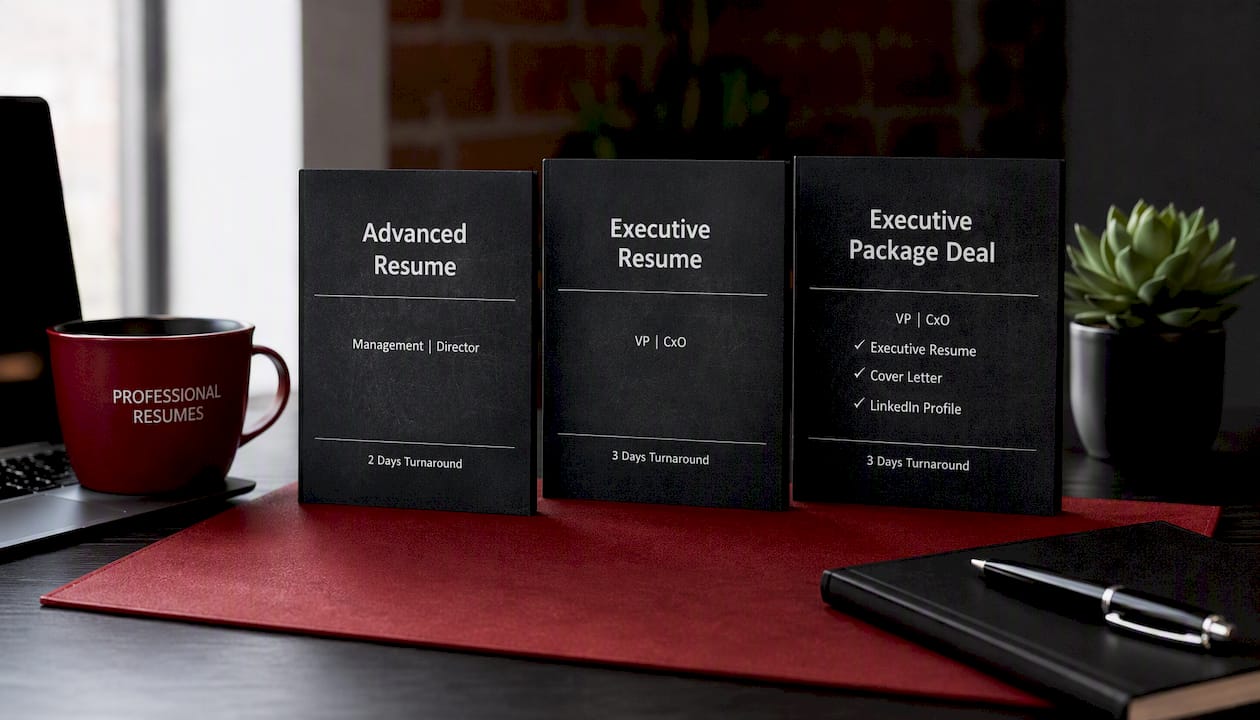
The Advanced Resume service covers a full consultation, ATS-friendly formatting, and revisions, with both file formats included in delivery. For senior-level candidates, the Executive Resume package tailors formatting to leadership-level expectations while keeping both a printable PDF and an editable Word version on hand for recruiters. If you want the complete picture, cover letter and LinkedIn profile included, the Executive Package Deal bundles every deliverable in both formats so you’re never scrambling to convert a file at the last minute. Every engagement includes the industry-informed approach that goes into making sure your resume reads well and parses correctly. Book a consultation and get both versions built right the first time.
Where to verify and convert your resume files
A handful of resources cover the technical side better than any single article can. ATS Verification’s parsing tests walk through how different engines actually read PDF and Word files. Indeed Canada’s format guide covers when recruiters ask for one format over the other. For hands-on formatting help, our guide to ATS-friendly resumes breaks down compatible layouts, and FlowPDF’s compression tool handles file-size limits without degrading text quality.
Sources
- Submitting Your Resume as a PDF or Word Document (Indeed Canada)
- PDF vs Word Resume for ATS, Which Passes More? (2026) | ATS Verification
- Should a resume be PDF or Word? | Adobe Acrobat
FAQ
Do employers prefer PDF or Word for resumes?
It depends on who’s opening the file. Recruiters and hiring managers often prefer PDF for direct viewing because it preserves layout, but many ATS portals parse .docx files more consistently, so the honest answer is: check the application path before deciding.
What is the 30 second rule for resumes?
It refers to the widely cited idea that recruiters spend roughly half a minute scanning a resume before deciding whether to keep reading, which is why clear formatting and a scannable structure matter as much as file format itself.
Which file format do most job application portals prefer?
Most ATS portals handle .docx more predictably than PDF, particularly with simple, single-column layouts, though a well-exported text-based PDF can also parse correctly depending on the specific system.
Should I use a PDF for my resume?
Use a PDF when emailing a hiring manager directly or providing a copy meant purely for human reading, since it locks your formatting in place and reduces the risk of accidental edits. Switch to Word when uploading to a portal or working with a recruiter who may need to edit the file.