
Tailor your resume to the exact OPS job ad, follow OPS formatting and page limits, and you substantially improve your chance of passing screening. A combined cover letter and résumé should not exceed five pages, and every mandatory qualification needs clear, written evidence. Before you submit, confirm the Job ID appears on your application and that your file matches the posting’s accepted format.
TL;DR:
- Keep the résumé at two to three pages and the cover letter plus résumé under five pages; use font size 11 or larger and avoid graphics.
- List every mandatory qualification separately, echo the posting’s wording, and answer it with a specific example; asset qualifications do not determine initial screening.
- Use past tense for previous roles and present tense for current work; build accomplishment bullets around actions, context, results, and available metrics.
- Match the Job ID in the cover letter and application, use the required file format, and request disability accommodations at least a week before closing.
Table of Contents
- Resume essentials: OPS length, formatting and ATS-friendly rules
- Tailor to the job ad: map mandatory qualifications and match wording
- STAR-based accomplishment bullets: templates and OPS-specific examples
- Cover letter and submission technicals: Job ID, file names, formats and accommodations
- Publisher examples, templates and proof points
- Pre-submit checklist and top red flags to fix now
- How we approach OPS-targeted applications
- How Professional Resumes can help you apply
- FAQ
- Sources
- Official OPS pages and PDFs to consult
Resume essentials: OPS length, formatting and ATS-friendly rules
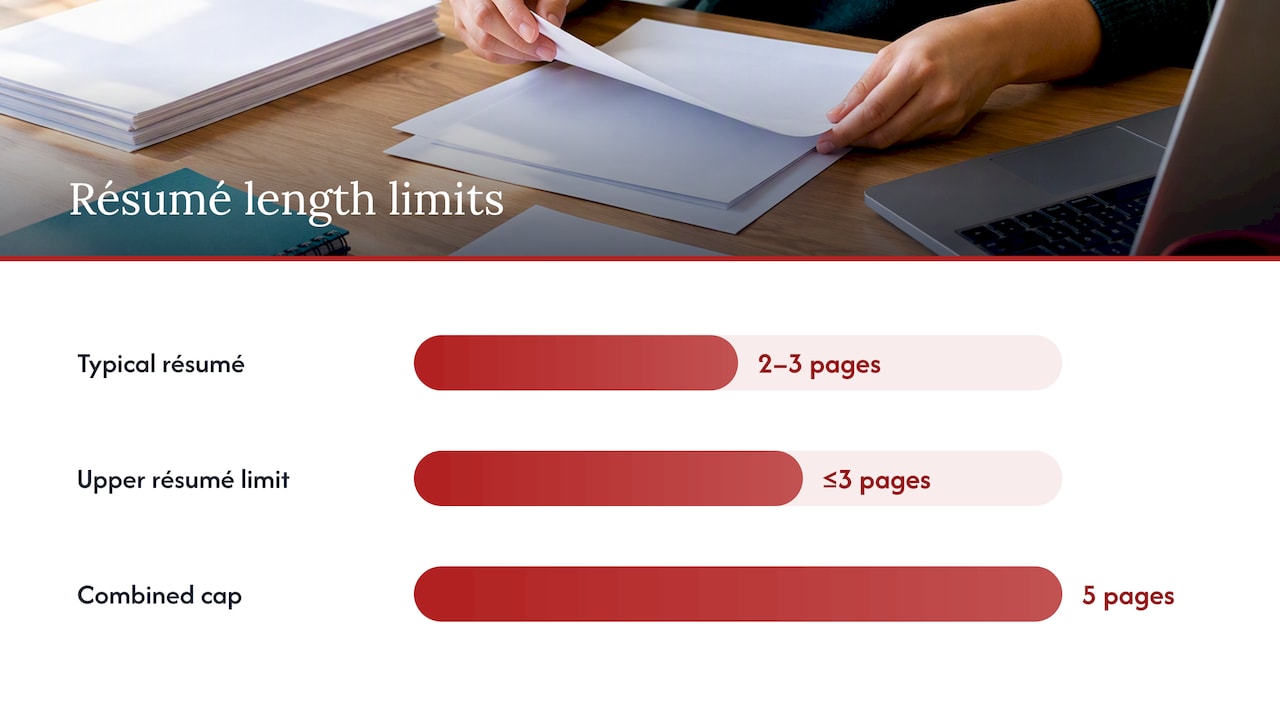
The Ontario Public Service screens applications against a fixed rubric, and formatting errors cost points before a reviewer even reaches your experience. Hiring guidance sets a combined cover letter and résumé limit of five pages, with a résumé typically running two to three pages on its own. Go longer and a screener may stop reading before reaching your strongest qualification.
Font choice matters more than most applicants expect. The OPS cover letter and résumé guide recommends standard fonts such as Arial, Times New Roman or Calibri, set at a minimum size of 11. Graphics, text boxes, shading, italics and underlining are discouraged because they interfere with both human readability and automated parsing.
Before you submit, run through this check:
- Confirm your résumé sits within two to three pages and the combined package stays under five.
- Use a plain font at size 11 or larger, with no text boxes, tables of contents or decorative elements.
- Save in the file type the specific job posting requests, since requirements vary by competition.
- Remove headers, footers and embedded images that could break on upload.
A clean, text-based file gives both the automated system and the human reviewer the same clear read.
Tailor to the job ad: map mandatory qualifications and match wording
Every OPS posting separates mandatory qualifications from asset qualifications, and only the mandatory list determines whether you pass initial screening. Treat the job ad as an answer key rather than a general description. According to OPS hiring guidance, applications are screened directly against the qualifications listed in the advertisement, and candidates must show clearly how they meet each one.
Work through the ad methodically:
- Copy each mandatory qualification into a separate line and treat it as a heading you must answer.
- Identify the exact phrasing used, since OPS hiring is procedural and score-based: screeners credit what is written, not what is implied.
- Mirror that language in your summary, your accomplishment bullets and a skills section, without inventing experience you do not have.
- Place your strongest match in the first third of the résumé, where a scanning reviewer looks first.
A posting asking for “experience coordinating multi-stakeholder consultations” should not be answered with “worked with various teams.” Write instead: “Coordinated consultations across three ministry branches and two external stakeholder groups, compiling input into a single policy recommendation.” The phrase repeats the ad’s language and gives a reviewer something concrete to score. Talent acquisition guidance within the OPS notes that one-size-fits-all resumes underperform, and that top applicants research the ministry before tailoring every line.
STAR-based accomplishment bullets: templates and OPS-specific examples
A resume bullet does not need the full STAR structure spelled out. Compress it into action, context and result, with a metric wherever one exists. OPS interview guidance recommends STAR-style evidence for interviews, and building that same evidence into your resume means your written claims and your spoken answers will already line up.
A few adaptable examples across common OPS work types:
- Administrative support: “Managed scheduling and correspondence for a 12-person branch, reducing meeting-booking turnaround from three days to one.”
- Policy and analysis: “Analyzed program data across four regions to recommend a funding adjustment, which informed a ministry-wide policy update.”
- Program delivery: “Delivered a client intake process redesign that cut average processing time and improved file accuracy for a provincial program.”
- IT and support: “Resolved an average of 25 help desk tickets per shift while maintaining compliance with service-level targets.”
Write bullets in past tense for prior roles and present tense only for your current position. Open with a strong action verb, not a noun phrase, and favour quantification over adjectives: a number of years does more work than “significant improvement” ever will.
Pro Tip: When a bullet has a strong number, lead with it rather than burying it at the end: a reviewer scanning quickly catches the figure first.
Cover letter and submission technicals: Job ID, file names, formats and accommodations
Your cover letter carries weight beyond introduction. OPS guidance recommends one to two pages, used to connect your background directly to the posting rather than repeating the résumé.
A few submission details that affect whether your application is even considered:
- State your fit plainly: “I am applying for [Job Title], Job ID [number], and bring three years of experience directly matching the mandatory qualifications listed.”
- Include the Job ID and competition reference exactly as written in the posting; mismatched or missing IDs can delay or disqualify processing.
- Save files in the format the posting specifies. Accepted formats commonly include .pdf, .doc, .docx, .rtf and .txt, but the student application tip sheet notes that technical constraints vary by posting, so always confirm before submitting.
- If you require a disability-related accommodation, contact the representative listed on the posting at least one week before the closing date.
Publisher examples, templates and proof points
We build every OPS-targeted resume around the same screening logic covered above: a consultation to identify your strongest mandatory-qualification matches, followed by ATS-friendly formatting and accomplishment rewrites that mirror the job ad’s own language.
Two summary statements you can adapt directly:
- “Program coordinator with five years in provincial service delivery, experienced in stakeholder consultation and policy implementation across multi-branch teams.”
- “Analyst with a track record of translating program data into funding and policy recommendations adopted at the ministry level.”
Two bullet templates built on the same structure:
- “[Action verb] [specific task] for [scope/team size], resulting in [quantified outcome].”
- “[Action verb] [process or program] by [method], improving [measurable result] by [amount or percentage].”
For a deeper walkthrough of structuring a full application inside the five-page limit, our guide to beating OPS screening covers additional examples, and our Government & Public Sector Resumes page outlines how this approach applies across ministries.
Pre-submit checklist and top red flags to fix now
Run this list before you click submit:
- Confirm page limits: résumé at two to three pages, combined package under five.
- Check the Job ID appears correctly in both the cover letter and the application form.
- Verify the file format matches what the specific posting requests.
- Reread for consistent tense and at least one quantified result per role.
- Have references ready to provide, since some competitions request them on short notice.
The most common red flags are embedded images or text boxes that break parsing, a Job ID that does not match the posting, a mandatory qualification left unaddressed, and a résumé that runs past the recommended length. Each one is fixable in minutes: strip formatting, recheck the ID, and cut any paragraph that does not map to a listed qualification.
How we approach OPS-targeted applications
Applicants benefit from mapping every mandatory qualification to a specific, evidence-based bullet and formatting for both automated and human screening. Those who tailor their resumes line by line to the job ad tend to feel more prepared for screening. Tailoring is a central part of the application process here.
— Professional
How Professional Resumes can help you apply
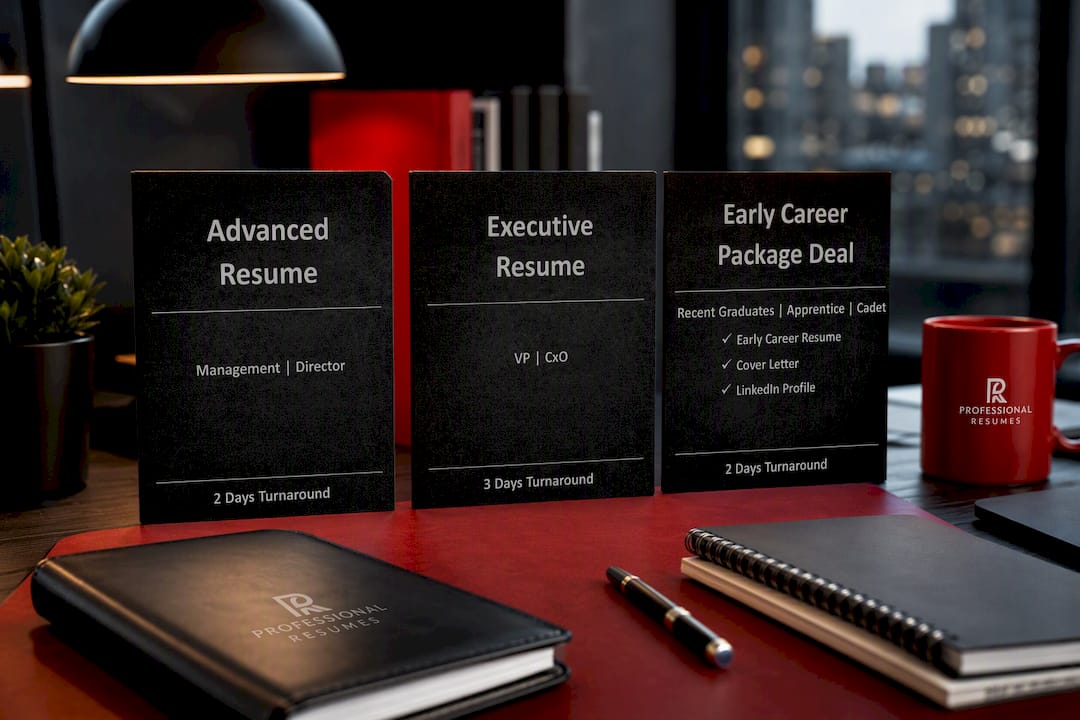
A tailored OPS application takes real time to build correctly, and we shorten that process without cutting the tailoring that scoring depends on. Our Early Career Package Deal suits candidates applying to entry-level or student OPS postings, our Advanced Resume fits mid-career applicants with several qualifications to map, and our Executive Resume is built for senior and leadership-level competitions.
Each service includes a consultation to identify your strongest matches against the job ad, rewritten accomplishment bullets built on quantified results, and formatting checked against ATS parsing rules. Browse the full resume product lineup or pair your resume with our LinkedIn profile optimization service to keep your professional profile consistent with your application.
- Early Career Package Deal: for students and entry-level OPS postings.
- Advanced Resume: for mid-career candidates with multiple qualifications to evidence.
- Executive Resume: for senior and leadership competitions requiring board-level framing.
FAQ
How do I write a resume that lands a job?
Map every mandatory qualification from the job ad to a specific, quantified bullet in your resume, and format it according to the posting’s guidance on length and file type. A resume that mirrors the ad’s own language scores more clearly than one written in general terms.
What is the recommended resume format for Ontario Government jobs?
The OPS recommends a two to three page résumé using a standard font such as Arial, Times New Roman or Calibri at size 11 or larger, according to the OPS guide. Avoid graphics, text boxes and decorative formatting, since they can interfere with automated screening.
What are three mistakes to avoid in resume writing?
Avoid exceeding the page limit, since a combined cover letter and résumé should stay under five pages per OPS guidance. Avoid leaving a mandatory qualification unaddressed, and avoid embedding images or graphics that can break formatting during screening.
How do I build a resume for a government job?
Start from the job ad itself: list each mandatory qualification, then write a bullet that directly answers it using specific, quantified evidence. Confirm your Job ID, file format and page count match what the specific posting requests before you submit, since technical requirements vary by competition.
Sources
Official OPS pages and PDFs to consult
- Ontario
- Gojobs
- Gojobs
- Gojobs
- Consulting Resume Format: The One-Page Rules Screeners Check First | Cut to the Case