
The right LinkedIn keywords are the job titles, skills, tools and credentials that appear repeatedly in postings for the role you want. Place them in your headline, About section, experience entries and skills list, in wording that is accurate and reads naturally. Recruiters search by these terms, so a profile that uses the vocabulary of your target role is easier to find and easier to assess. This guide shows how to identify those terms in Canadian postings, where each one belongs, and how to avoid the overstatement that undermines an otherwise strong profile.
TL;DR
- Build your keyword list from 5 to 10 postings for the exact role you want, and record the titles, skills, tools and credentials that repeat.
- Put your strongest terms in the headline first, then the About section, experience descriptions and skills list.
- Name a city in your location and list languages and credentials, because recruiters narrow searches on those details.
- Use each term where it is true and in context. Keyword stuffing and claims you cannot support work against you.
- Newcomers and returning professionals should translate prior titles into Canadian equivalents and state their situation briefly.
Table of Contents
- What counts as a LinkedIn keyword
- How to find the right keywords in Canadian job postings
- Where to put keywords on your profile
- Using keywords without stuffing
- Optimizing for recruiter searches
- Newcomers and professionals returning after a gap
- Searching LinkedIn for jobs with keywords
- Let us handle the keyword work
- Our perspective
- Frequently asked questions
- Sources
What counts as a LinkedIn keyword
A keyword is a word or short phrase connected with the qualifications for a particular job or industry. Humber College’s career resource lists job-specific skills, industry terminology and action verbs as examples. On LinkedIn the same idea applies to a search box: a recruiter types a title, a skill or a tool, and the platform returns profiles that contain those terms.
In practice, the terms that matter fall into five groups:
- Job-title language: the title employers actually post, such as Project Manager, Registered Nurse or Financial Analyst, rather than an internal title that only your last employer used.
- Hard skills: capabilities you can demonstrate, such as budgeting, stakeholder management, patient assessment or cloud migration.
- Tools and technologies: software, platforms and systems named in the posting.
- Credentials: degrees, licences, certifications and designations. Some roles require them, so they need to be visible.
- Soft skills and leadership terms: useful in context, but weaker as search terms than the first four groups.
Build your list around the first four groups. Recruiters rarely search for “team player”; they search for the title, the tool and the credential.
How to find the right keywords in Canadian job postings
Your own opinion of your skills is a poor guide. The postings for the role you want are a better one, because they show how Canadian employers describe the work.
A five-step method
- Pick one target role. A profile aimed at three different roles ends up matching none of them well. Choose the title you want next.
- Collect 5 to 10 postings. Use current postings from LinkedIn Jobs, Indeed and the Government of Canada Job Bank. RBC’s career guide recommends reviewing these three sources to see which roles and requirements appear in your field.
- Read the qualifications and responsibilities sections. Humber College advises noting the keywords and action verbs there and tailoring your documents to the role, industry and organization.
- Tally what repeats. A term that appears in seven of ten postings belongs in your profile. A term that appears once may be employer-specific.
- Sort the list by truth. Keep only the terms that describe skills and experience you genuinely have. Humber’s guidance is explicit that keywords belong in an application only if they represent your skills and experience.
A quick way to see frequency
If you prefer a visual check, paste the text of several postings into a word cloud generator. Humber notes that this highlights the most frequently used terms, which signals what the employer treats as important. Ignore generic words and look at the nouns: tools, methods, credentials.
Sector vocabulary can be specific
Public sector hiring has its own language. The Government of Canada’s own recruitment page for Shared Services Canada names in-demand skill areas such as IT security, cloud computing, artificial intelligence and project management. For federal roles, the posting’s statement of merit criteria sets the vocabulary hiring panels use, and your profile should echo it where it is accurate. Healthcare, engineering, finance and education postings each lean on licensing bodies, regulated titles and named systems, so read those closely and copy the exact form of the designation.
Where to put keywords on your profile
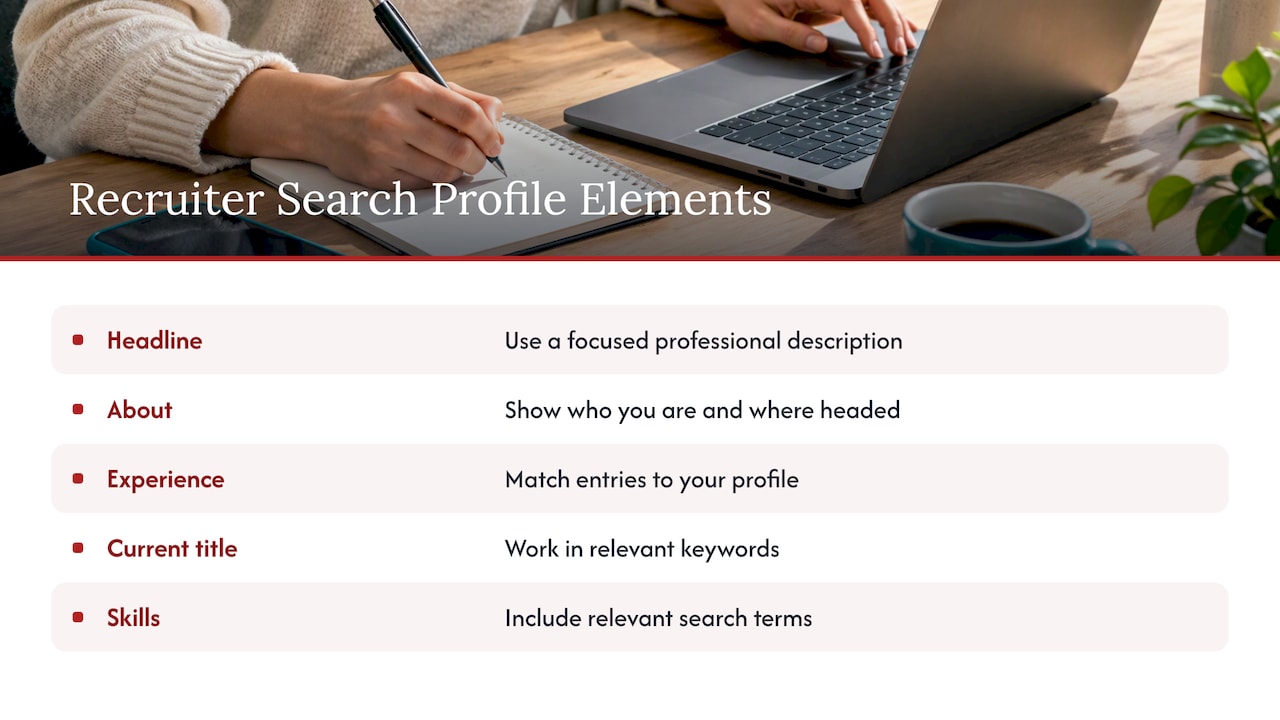
Search looks across the whole profile, but not every field carries equal weight with a human reader. SHRM’s guidance on SEO-enhanced profiles places keywords in the headline, About section, Experience section and Skills section, and recommends achievement-focused wording in Experience. Use that order as your priority.
| Profile section | What to place there | Practical note |
|---|---|---|
| Headline | Target title, two or three core skills, one credential or sector | Lead with the terms recruiters type first |
| About | Your top 5 to 8 keywords in sentences that describe your work | Write in full sentences with outcomes |
| Experience | Posting-style titles, tools and methods with results | Each role should reflect the role you want next |
| Skills | The hard skills and tools from your tally | Order them so the most relevant appear first |
| Location | City and province | Recruiters filter by city |
| Featured | Keywords in titles and descriptions of linked work | Adds context for portfolios and publications |
Headline
Your headline follows your name in every search result, comment and message. Rather than repeating your current title alone, state the role you target and the capabilities that qualify you. A senior operations leader might use a structure such as: Director of Operations | Supply Chain | Process Optimization | Scaling Teams. Each phrase is a term a recruiter could plausibly search. Our guide to LinkedIn headline examples with quick tests gives editable formats you can check your draft against.
About section
The About section is where keywords turn into evidence. Open with the role you hold or want, name your sector, and then describe two or three outcomes using the terms from your list. Two short paragraphs usually suffice. If you want a structure, our LinkedIn About section templates show how to build one, and our guide to a career summary that Canadian recruiters respond to covers the same logic for your resume.
Experience
Each role should read as proof of the skills in your headline. Use the title format employers post, and describe the work through scope, tools and results. Where an internal title is unusual, you can write the standard equivalent alongside it, provided it describes the same level of responsibility. Do not promote yourself in title to make a keyword fit.
Skills
The skills list is the easiest place to add terms, which is why it should be the most disciplined. Include the hard skills and tools that repeated across your postings, and put the ones most relevant to your target role first. A list of 40 loosely related skills dilutes the signal.
Location, languages and credentials
Deloitte Canada’s guidance on building your LinkedIn presence advises naming a city rather than only “Canada”, because recruiters may narrow searches by city. It also recommends listing languages with proficiency levels, stating relocation intentions in your introduction, and including education, certifications and designations, since some roles require them. Dates for each position also help recruiters assess your progression. These are small changes, but they affect whether you appear in a filtered search at all.
Using keywords without stuffing
Stuffing a profile with repeated terms produces text that reads badly and invites doubt from the person who matters most, the recruiter reading it. Aim for the opposite: each keyword should appear in a sentence that says something about what you did. Mention a term once or twice in a section, in context, and let variations (for example, both the full term and its common abbreviation) carry the rest.
There is also an integrity test. If an interviewer asked you to describe your experience with a listed tool or method, you should be able to answer in detail. Keywords you cannot support create problems in the interview, not just on the page.
A useful self-check before publishing:
- Does each keyword appear next to evidence such as a project, figure or outcome?
- Does the headline read as a sensible professional description when spoken aloud?
- Would your current manager or a former colleague agree with every claim?
Optimizing for recruiter searches
Keywords get you found, but recruiters also respond to completeness and clarity. The Toronto Metropolitan University career team describes your LinkedIn profile as a digital first impression that should consistently show who you are, what you do and where you are headed. A profile with a focused headline, a clear About section and matching experience entries meets that standard.
A Canadian recruitment firm, Audensiel, also notes that recruiters use specific keywords to refine candidate searches and suggests working relevant terms into your current job title, About section and skills list.
For a fast pass through the rest of your profile, use our LinkedIn profile checklist for Canadian job seekers, or the five quick fixes you can complete in 60 minutes.
Keep your resume and profile aligned
Many employers use keyword searches in applicant tracking systems to reduce large piles of resumes, as Auburn University’s career centre explains. The same terms that help on LinkedIn help in a resume, so your keyword list should serve both documents. A recruiter who finds your profile will often compare it with your resume, and inconsistent titles or dates raise questions. Our guide on writing a resume that stands out in Canada’s job market covers the resume side.
Newcomers and professionals returning after a gap
Two groups need to adapt their keywords more deliberately.
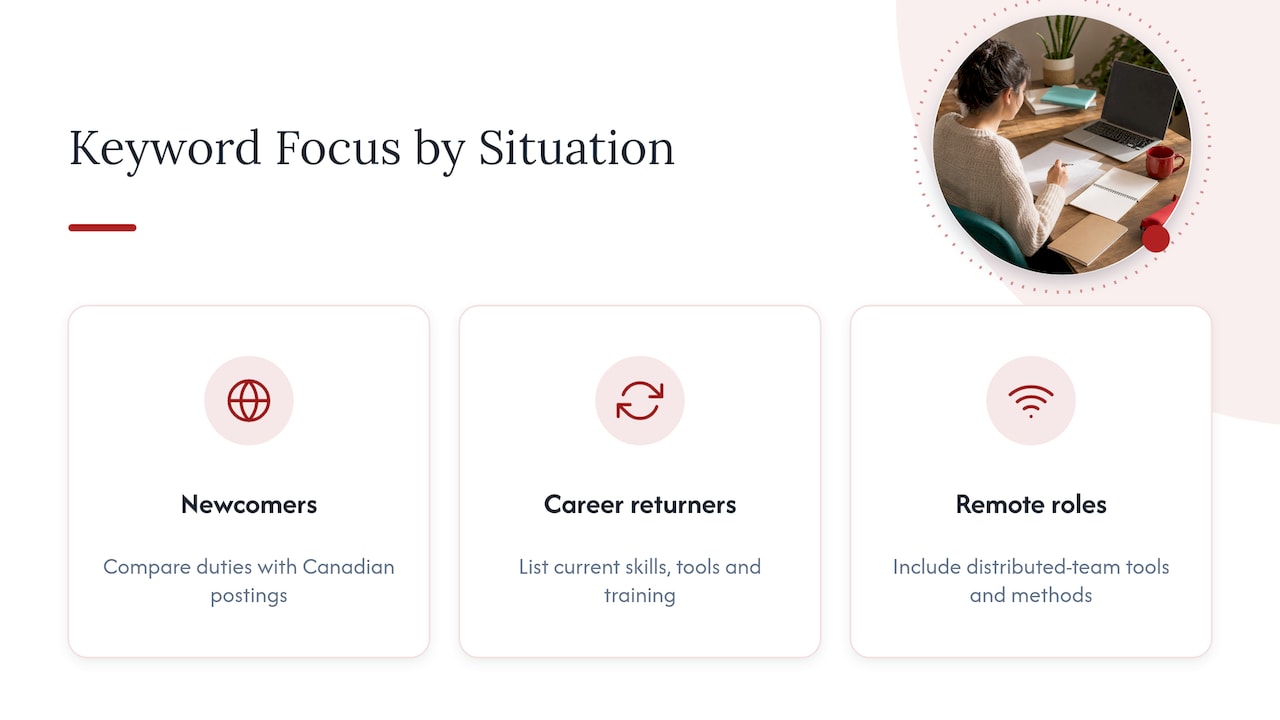
Newcomers to Canada. Titles and credentials from abroad may not match what Canadian employers search for. Compare your past duties with Canadian postings for the same work and use the Canadian title where it accurately reflects your responsibilities. Name your credentials as they are written in postings, and state any recognition or equivalency process you have completed or begun. The Toronto Metropolitan University career team suggests that newcomers briefly mention their move to Canada and their openness to opportunities in the About section. Our guide to an immigrant resume for Canada walks through the same translation for your resume, and we also offer resume writing services for newcomers to Canada.
Returning after a gap. Keep your keywords anchored in what you can still do. Use the About section to state your target role plainly, and list current skills and tools, including any training or certifications you completed during the gap. Experience entries need dates, as Deloitte advises, so the timeline is clear rather than something a recruiter has to guess at.
Remote roles. If you are targeting remote work, terms for the tools and collaboration methods used in distributed teams belong in your keyword list. See our guide to a resume for remote jobs in Canada for examples.
Searching LinkedIn for jobs with keywords
Keywords work in both directions. The same list that makes you findable also drives your own search. The University of Toronto Mississauga Career Centre explains that you can search jobs by title, keyword or company and filter by location, company, job type and experience level. The Toronto Metropolitan University team adds that you can save searches and set alerts for targeted roles or companies.
A workable routine:
- Search your target title in quotation marks, then add one skill or tool as a second term.
- Filter by city and experience level.
- Save the search and turn on alerts.
- Each week, note any new recurring terms in the postings you open and update your list.
This last step keeps your keywords current. Employers change tool names and role titles over time, and your profile should keep pace.
Let us handle the keyword work
Identifying the terms is one task; writing them into a profile that reads as credible and specific is another. We work directly with you through a consultation to establish your target role, then write a LinkedIn profile whose headline, About section and experience entries reflect how Canadian employers describe that role. Our LinkedIn profile optimization service can be paired with a matching resume, so both documents use the same vocabulary. Our resume packages start at $139 for Early Career, $189 for Next Step, $239 for Advanced and $289 for the Executive Resume, and you can see them all in our shop.

For senior candidates, the Executive Resume is built around the scope, outcomes and leadership terminology that boards and search firms read for.
Our perspective
Most keyword advice stops at the list. In our experience, the list is the easy part. The harder part is deciding which terms honestly belong to you, and then expressing them as outcomes a recruiter can verify.
We approach every profile as a consultation first. Before a word is written, we establish the role you are targeting, the evidence that supports it and the vocabulary used in current Canadian postings for that role. We then build your resume and LinkedIn profile from the same source material, so the two documents agree on titles, dates and terminology.
For executives, the discipline matters more, not less. A headline stuffed with generic leadership terms signals nothing. Specific language on P&L ownership, transformation led and organizational outcomes tells a search firm that your profile will hold up to board-level scrutiny. We also treat the engagement with discretion, since many of our clients are searching confidentially.
Your writer works directly with you and revises until the documents represent you accurately and competitively.
Professional
Frequently asked questions
How many keywords should I use on LinkedIn?
There is no fixed number that guarantees results. A practical target is a core list of 8 to 12 terms drawn from your postings, with your top three or four in the headline. Repeat them naturally across About, experience and skills rather than forcing each one into every section.
Do I need different keywords for different industries?
Yes. Each field has its own titles, tools and credentials, and the postings for your target role are the best guide. A healthcare professional will rely on regulated titles and licences, while a finance candidate will lean on designations and systems. Build your list from postings in the field you are entering, not the one you are leaving.
Should I copy keywords directly from a job description?
Use the employer’s terms where they accurately describe your experience, and leave out anything that does not. Copying whole phrases produces a generic profile, and including skills you do not have creates risk at interview. Select the recurring terms and write them in your own sentences.
Where do keywords matter most on a LinkedIn profile?
Start with the headline, then the About section, experience entries and the skills list. This is the order used in SHRM’s profile guidance. Also set a specific city as your location and include credentials and languages, since recruiters can filter on them.
How often should I update my keywords?
Review them whenever you change your target role, and otherwise every few months. Reading a handful of fresh postings is enough to show whether the titles and tools in your field have shifted.
Sources
- Finding and using industry keywords to tailor applications, Humber College
- Your guide to finding an entry-level job, RBC Royal Bank
- Help shape the Government of Canada’s digital future, Shared Services Canada
- How to write an SEO-enhanced LinkedIn profile, SHRM
- Build your LinkedIn presence, Deloitte Canada
- Strive to Thrive: LinkedIn, Toronto Metropolitan University
- Attracting recruiters to your LinkedIn profile, Audensiel Canada
- How to use keywords in your job search, Auburn University Career Center
- Using LinkedIn, University of Toronto Mississauga Career Centre