
Put your LinkedIn link in the contact line of your resume’s header, next to your phone number, email and city. Use a custom address in the form linkedin.com/in/yourname, show it as readable text, and attach the full hyperlink behind it. Before you do, make sure the profile it opens matches the resume, because a recruiter who clicks will compare the two.
This guide covers how to find your link, how to shorten it, where it belongs on a Canadian resume, and how to keep it working when a file is printed or processed by software.
TL;DR
- Find your link under Me, View profile, then the public profile and URL settings, and replace the default string of random characters with a custom address.
- Show a short, readable address such as linkedin.com/in/yourname in the header and hyperlink it to your full profile.
- Treat the link as supporting evidence: your core skills and achievements must be complete on the resume itself.
- Align job titles, dates and key achievements across both documents before you add the link.
- Do not rely on the link opening inside an employer’s applicant tracking system.
Table of Contents
- What a LinkedIn URL is and how to find it
- How to shorten and customize your LinkedIn URL
- Should the link be on your resume at all?
- Where to place the link on your resume
- Hyperlink it, and show the address
- What recruiters see when they click
- Do not let the link carry your resume
- Common mistakes to avoid
- Our perspective
- Support from a writer, if you want it
- A short routine before you apply
- FAQ
- Sources
What a LinkedIn URL is and how to find it
Your LinkedIn URL is the unique web address of your profile. It begins with https://www.linkedin.com/in/ and ends with a profile name, according to Skylead’s explanation of LinkedIn URLs. On a desktop browser you can read it in the address bar while viewing your own profile, or in the Contact info panel.
The official route is just as short. LinkedIn’s own guidance, reproduced by an Indiana state agency’s help sheet, tells you to select Me, then View profile, then Edit public profile and URL. The public address starts with www.linkedin.com/in.
On a phone, the profile screen offers a share option that copies the link. That version can contain tracking text after the profile name, so paste it somewhere you can read it and delete everything after your name before using it on a resume.
What the default link looks like
When you create an account, LinkedIn builds the address from your name and appends a string of letters and numbers. A default link typically resembles linkedin.com/in/jane-smith-4a8b21c3. It works, but it is long, hard to read aloud and visibly unedited. On a resume, where every line of the header carries weight, a cleaner version signals attention to detail.
How to shorten and customize your LinkedIn URL
Shortening a LinkedIn address does not require a third-party link shortener. It means replacing the random string with a custom name inside LinkedIn itself. That keeps the link on the linkedin.com domain, which recruiters recognize, and it never expires.
The steps on desktop:
- Open your profile and select the public profile and URL option (via Me, then View profile).
- On the right-hand panel, choose the edit icon beside your current address.
- Type the ending you want, for example your first and last name.
- Save the change.
The format rules are straightforward. According to a step-by-step walkthrough from SalesRobot, a custom address can run from 3 to 100 characters and use letters, numbers and hyphens only, with no spaces or special characters. Capitalization does not change the destination.
RRC Polytech’s guidance for the Canadian job market also recommends customizing the URL and gives linkedin.com/in/yourname as the model for a professional, shareable format.
Choosing the custom name
- Use your professional name. Match the name on your resume, not a nickname.
- Keep it short. Your first and last name is ideal. Hyphens separate words if needed.
- Add a distinguishing word only when the name is taken. A middle initial or a field word, such as a profession, is cleaner than a run of digits.
- Avoid dates of birth and personal numbers. They add nothing and can expose information you did not intend to share.
If your preferred name is already taken, LinkedIn will say so, and you can try another variation. Once you change the address, links you posted earlier that used the old one may stop working, so update your email signature and any older applications you plan to reuse.
Should the link be on your resume at all?
In Canada the LinkedIn link is generally optional, but it is common and expected for professional roles. The University of Toronto Mississauga Career Centre treats it as an optional web link and recommends hyperlinking it when it is relevant to the industry. Mount Royal University’s resume guide likewise lists a LinkedIn address or portfolio link as optional header information beside name, phone number, email and location.
Our view is that the link is worth including whenever your profile is current and adds something the resume cannot hold. That is the case for most mid-career and executive candidates, whose profiles carry recommendations, publications, board roles or project detail that would crowd a two-page resume.
Leave it off, or fix the profile first, in these situations:
- The profile is still a skeleton with a photo and a job title.
- Job titles or dates on LinkedIn contradict the resume.
- You are applying anonymously or through a channel where identifying links are discouraged.
Where to place the link on your resume
The header is the standard location. Put it on the same contact line as your email and phone number, or on a second line beneath it if space is tight.
A clean header for a Canadian resume looks like this:
Jane Smith
Toronto, ON | 416-555-0100 | jane.smith@email.com | linkedin.com/in/janesmith
A few placement rules hold up across industries:
- Header, not footer. Footers are often ignored by parsing software and skipped by readers.
- One link only. If you also have a portfolio or personal site, list it second and keep the header to a single line where possible.
- No label clutter. You do not need the words “LinkedIn profile:” before the address, because the domain identifies it. A short label is acceptable if your layout reads better with one.
- No icons alone. A small LinkedIn logo with no visible address leaves a printed copy with nothing to read.
Hyperlink it, and show the address
The most reliable method combines two things: visible text that reads linkedin.com/in/yourname, and an embedded hyperlink to the full address behind that text. In Word or Google Docs, select the text, open the link dialog (Ctrl+K or Cmd+K) and paste your full profile address.
This matters for three reasons.
- Screens. A recruiter reading the PDF can click straight through.
- Paper. If the resume is printed for an interview panel, the visible address still lets someone type it in.
- Software. If the link is stripped when the document is processed, the text survives.
The last point deserves emphasis. The University of Toronto Mississauga Career Centre warns that a link may not work inside an employer’s applicant tracking system, so you should not assume anyone can open it. Plain text that spells the address out is therefore the safer choice, with the hyperlink as an added convenience. Avoid wording such as “click here” or a bare icon for the same reason.
Check the link before every submission
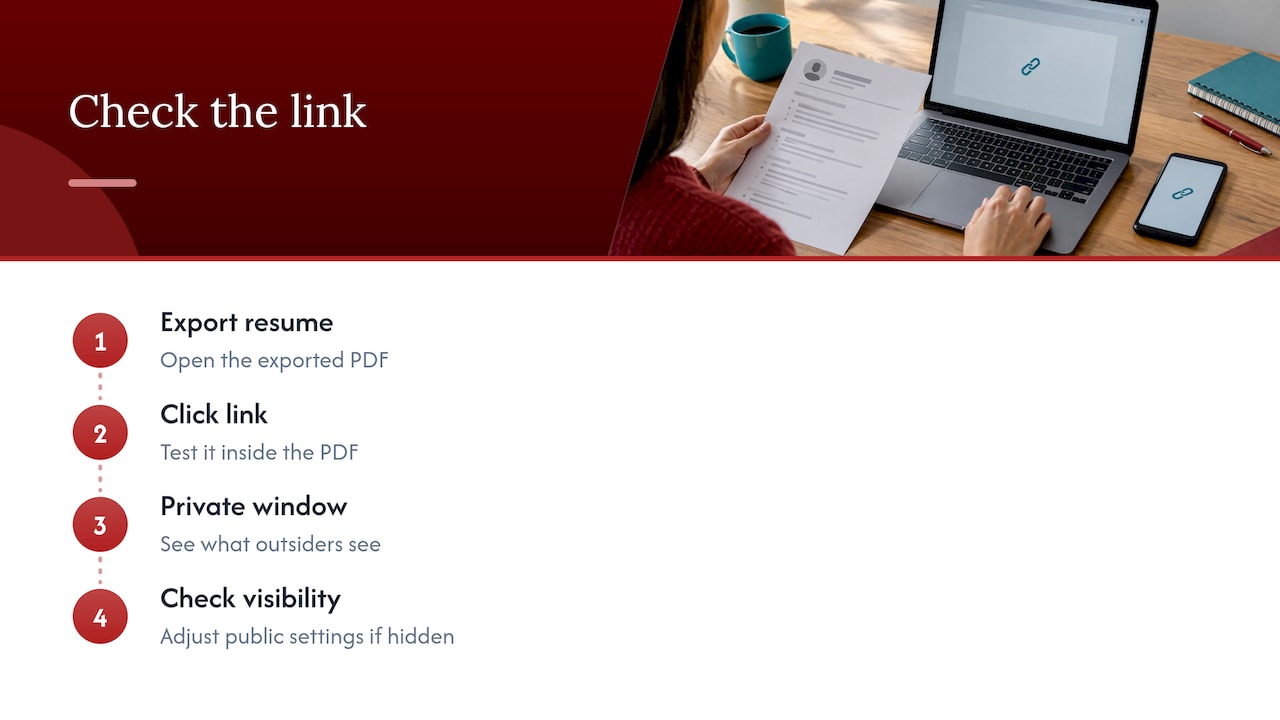
Export your resume to PDF, open the PDF itself and click the link. Then open it in a private browser window, which shows what an outsider sees. If you cannot view your own profile there, your public visibility settings may be hiding it from employers. Adjust the public profile settings so the sections you want recruiters to see are visible.
If you plan to apply for roles abroad, keep the same discipline with the address and add the local contact conventions of that country. For example, readers weighing positions in Portugal can browse Lisbon jobs with written contracts to see how employers there frame employment terms, and the same clickable, readable link works on any version of your resume.
What recruiters see when they click
A link invites a comparison. The recruiter has your resume open in one window and your profile in another, and any mismatch becomes a question. The University of Toronto Mississauga Career Centre’s advice on using LinkedIn says an effective profile has an up-to-date profile, professional picture, strong headline and summary, and a personalized URL suitable for a resume. It also advises keeping content positive and professional, because employers frequently review applicants’ social-media accounts.
RRC Polytech recommends that the two documents agree on job titles, employment dates and key achievements, with LinkedIn supplying additional detail. In practice, that means:
- The same employers, titles and date ranges on both.
- Your resume’s headline achievements echoed in the first lines of your About section.
- A profile photo and headline that suit the roles you are targeting.
- No unexplained gaps that the resume addresses and the profile contradicts.
If you want to tighten the profile before sending the link out, these pages cover the main areas: the LinkedIn profile checklist for Canadian job seekers, headline examples with quick tests, About section templates and guidance on placing LinkedIn keywords.
Do not let the link carry your resume
The University of Toronto advises using links as supplementary evidence. Your core skills should be demonstrated on the resume itself, not left for the reader to find by clicking. A hiring manager who spends seconds on a first pass, or an ATS that scores the document text, will never reach the profile if the resume does not earn the click.
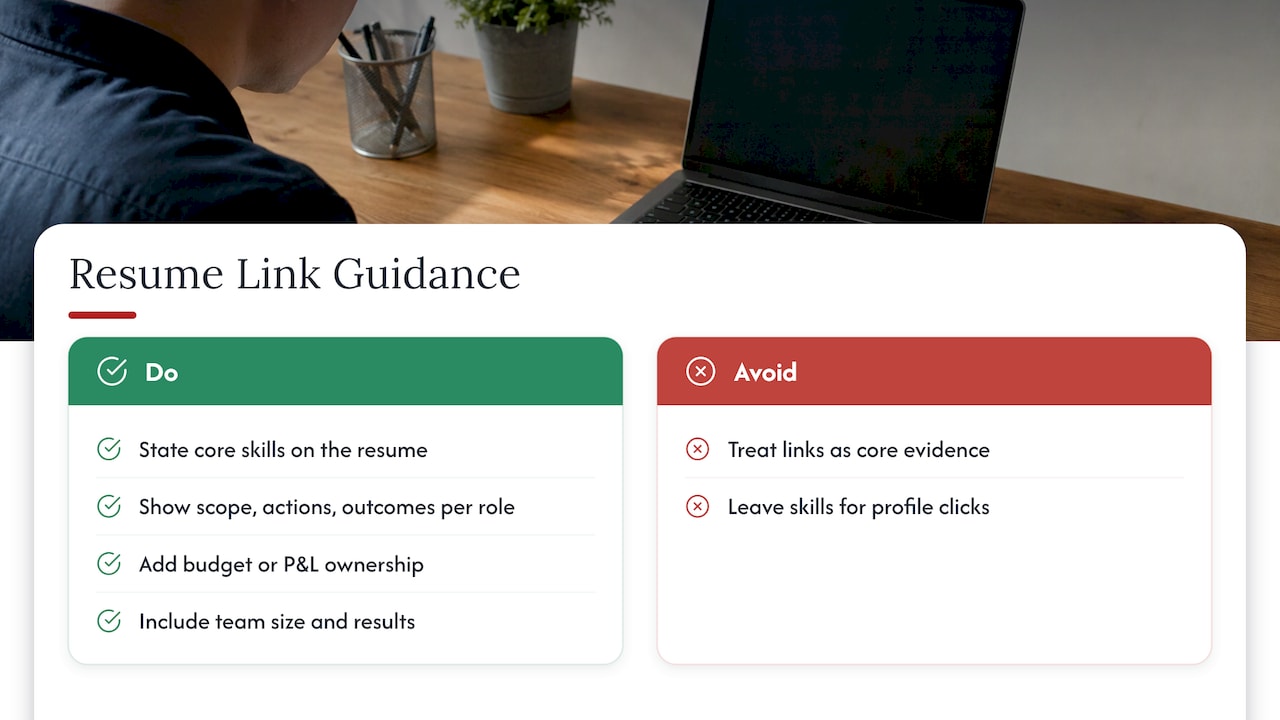
That has a practical consequence for how you write. Each role on the resume should state scope, actions and measurable outcomes in its own bullets. For senior candidates, that means budget or P&L ownership, team size, transformations led and results delivered, stated directly. The profile then adds depth: recommendations, media features, board appointments and a fuller narrative. Our resume keywords by industry guide shows how to phrase these for Canadian employers, and the executive resume writing tips apply the same principle at leadership level.
Common mistakes to avoid
| Mistake | Why it hurts | Better approach |
|---|---|---|
| Pasting the default link with random characters | Looks unedited and is hard to read aloud | Set a custom address based on your name |
| Using a link shortener service | Hides the domain and can break later | Shorten inside LinkedIn |
| Icon with no visible address | Unreadable on paper and in plain-text systems | Show the address and hyperlink it |
| Link only in the footer | Often skipped by software and readers | Place it in the header |
| Outdated profile | Mismatch with the resume invites doubt | Align titles, dates and achievements first |
| Underlined blue text in a design-heavy header | Can clash with the layout | Keep the text in your resume’s body colour, with the hyperlink embedded |
| Link to a private or restricted profile | Recruiters see a sign-in wall | Review public visibility settings |
Our perspective
We read a LinkedIn link as a small statement about how a candidate manages their professional record. A short custom address, a profile that agrees with the resume and a header that is clean and legible tell an employer that the candidate pays attention to detail before the first interview.
In our work with executives, career changers and professionals returning after a break, the pattern is consistent. The resume has to stand on its own, built to be read by a person and parsed by software, while the profile extends the story for the reader who wants more. When both are written together, with the same titles, dates and headline achievements, each strengthens the other.
That is why we approach the two as one project. Working directly with your writer, you define the positioning, then apply it to the resume, the cover letter and the profile, so that the link in your header leads to a page that confirms what the document claims.
Professional
Support from a writer, if you want it
If your resume and profile do not yet tell the same story, we can write them to match. Our resume packages are priced as published: Early Career Resume at $139, Next Step Resume at $189, Advanced Resume at $239 and Executive Resume at $289, each built around a consultation and revisions, with ATS-friendly formatting. For the profile itself, our LinkedIn profile optimization service covers the headline, About section and keywords, and executives can start with the LinkedIn for executives guide.
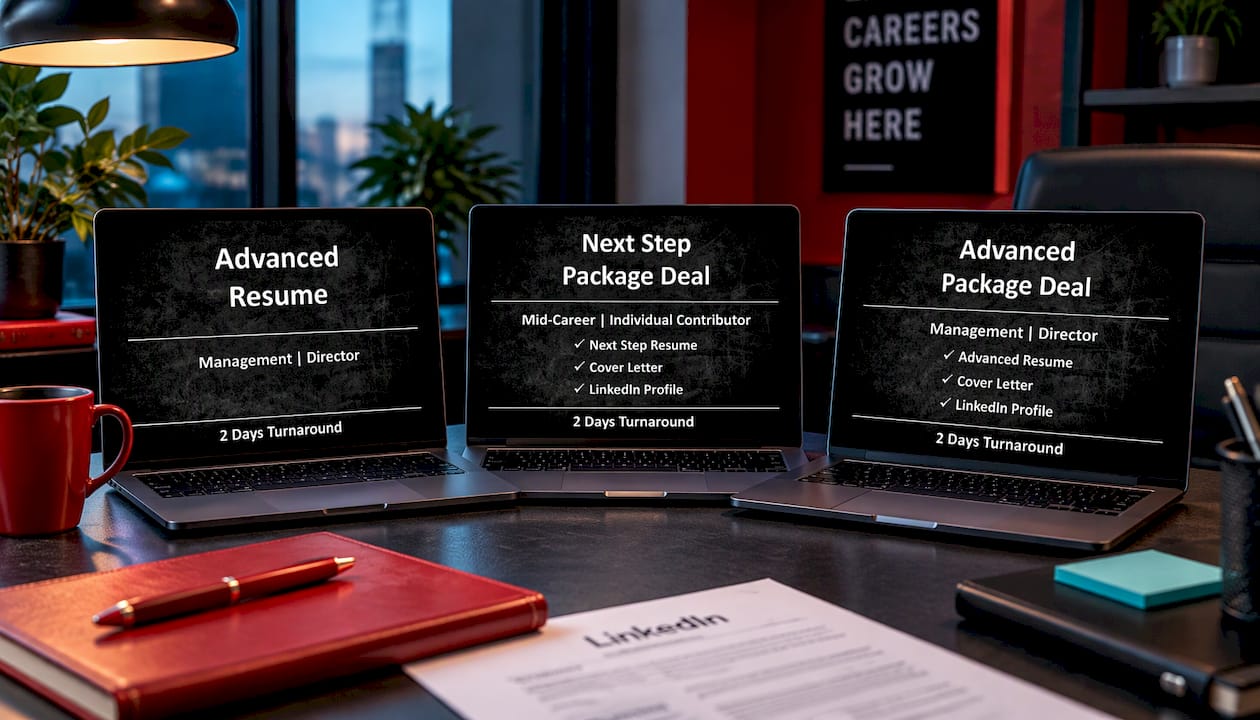
If you are comparing packages, the Advanced Resume suits experienced professionals who need depth across several roles, and our LinkedIn profile writing services page explains how we work in Toronto and across Canada.
A short routine before you apply
- Customize your LinkedIn address inside LinkedIn.
- Update titles, dates and headline achievements so they match the resume.
- Add the address to the header as readable text.
- Embed the full hyperlink behind it.
- Export to PDF and click the link in the exported file.
- Open the link in a private browser window to confirm the public view.
- Re-check before each application, since a new role or edited profile can create a mismatch.
This takes about ten minutes and removes the most common avoidable friction between a resume and the profile behind it.
FAQ
How do I shorten my LinkedIn URL for my resume?
Edit the custom address in your public profile settings and replace the random string with your name. The ending can be 3 to 100 characters, using letters, numbers and hyphens. On the resume, display it as linkedin.com/in/yourname without the https://www prefix, and hyperlink the full address behind it.
Should I hyperlink my LinkedIn URL or write it out?
Do both. Write the readable address in the header so it survives printing and plain-text systems, and embed the hyperlink so digital readers can click. Applicant tracking systems may not open links, so the visible text is the dependable part.
Is a LinkedIn link required on a Canadian resume?
No. Canadian university career centres describe it as optional contact information, and recommend including it when it is relevant to your industry. For professional and senior roles it is widely expected, provided your profile is current and consistent with the resume.
Where do I find my LinkedIn URL on my phone?
Open your profile and use the share option to copy the link, then paste it into a notes app and delete any text after your profile name. If the address still has random characters, customize it on a desktop browser, where the settings are easier to reach.
What should my profile include before I add the link?
A current photo, a clear headline, a written About section, and job titles, dates and key achievements that match your resume. Review the tone as well, since employers often look at candidates’ public accounts.
Sources
- What Is My LinkedIn URL?, Skylead
- Finding Your LinkedIn Public Profile URL, Indiana FSSA
- Customize Your LinkedIn URL, SalesRobot
- How to Write a Standout Resume and LinkedIn Profile for the Canadian Job Market, RRC Polytech
- What’s in a Resume, University of Toronto Mississauga Career Centre
- Tips: Using LinkedIn, University of Toronto Mississauga Career Centre
- Career and Employment Tips: Resumes, Mount Royal University