
Pull the exact keywords from the job posting, prioritise the repeated must-haves, and map them honestly into your summary and accomplishment bullets with ATS-safe formatting. Career-centre guidance is consistent that tailoring each resume matters, because one generic resume sent everywhere is a leading reason qualified people get overlooked. If you want it done for you, we do exactly this.
TL;DR:
- Spend 10 to 20 minutes per role comparing 6 to 10 similar postings, then prioritize repeated titles, skills, tools, and required credentials you can substantiate.
- Place required, repeated terms in your target title, summary, and accomplishment bullets; reserve preferred terms for skills or supporting experience, and omit unsupported claims.
- Use the posting’s exact phrases, spell out critical terms beside acronyms, and show each skill through an accomplishment with truthful scope or results.
- Use standard headings and a single column, avoid tables and text boxes, and test whether a .docx or .doc file reads cleanly as plain text.
- Keep a master resume, tailor each version for the role, reorder relevant achievements, and match job titles and dates across resume and application fields.
Table of Contents
- What resume keywords are and why ATS looks for them
- How to find the right keywords in a job description
- How to prioritise and map primary vs secondary keywords
- Where to place keywords so ATS and humans both see proof
- Writing accomplishment bullets that embed keywords convincingly
- ATS-safe formatting and file-type checklist
- Quick pre-submit checklist and short role-based keyword examples
- How to tailor keywords to different ATS algorithms and company systems
- Why synonyms and related keywords widen your ATS matches
- Why tailored, ATS-aware documents are worth outsourcing
- Which Professional Resumes package fits your ATS needs
- FAQ
- Sources
What resume keywords are and why ATS looks for them
Resume keywords are the words an employer’s system and recruiter search for: job titles, hard skills, tools, qualifications and measurable outcomes. Think of these categories: the title you target, the skills the role demands, the software you use, the certifications or degrees required, and the results you have delivered.
An applicant tracking system works like a searchable database. According to a 2026 career toolkit, it indexes and ranks resumes, and a resume lacking the exact terms recruiters search for stays invisible even if it is never deleted. The University at Buffalo adds that these systems sort resumes into categories and rank candidates by keyword matches, so specific phrasing such as “Microsoft Excel” works better than a vague “Microsoft Office”.
How to find the right keywords in a job description
You can do this in 10 to 20 minutes per role. Read the whole posting, not only the bullet list of requirements. The U.S. Department of Labor suggests highlighting keywords in the qualifications, skills and experience sections, then comparing them against your own background in a two-column T-chart.
- Read the title, responsibilities, qualifications and any “what success looks like” language.
- Highlight repeated exact phrases, named tools, required credentials and the verbs the posting leans on.
- Collect 6 to 10 similar postings and note which terms recur across them, as the practitioner toolkit above recommends.
- Check LinkedIn profiles and company pages for the same role to confirm the vocabulary, a step Grammarly’s keyword guide also suggests.
- Write a master list, sorted by how often each term appears.
How to prioritise and map primary vs secondary keywords
Primary keywords are the required, repeated terms: the job title, core skills and must-have credentials. Secondary keywords are the nice-to-haves that appear once or in a “preferred” list.
- Primary keywords go in your target title line, professional summary and experience bullets, worded exactly as the posting words them.
- Secondary keywords go in the skills section and in supporting bullets.
- Anything you cannot honestly claim stays off the page.
Pro Tip: If your past title differs from the standard one, keep your real title and add the common equivalent in parentheses, such as “Client Success Lead (Account Manager)”. It stays truthful and gives the system the phrase it searches for.
Where to place keywords so ATS and humans both see proof
Place your strongest terms where both audiences look first. Your header or target title line, the professional summary, a core competencies list, your work experience bullets, and the certifications and education sections all count.
Use the exact phrasing from the posting, then back it with concise evidence, such as scope or a result. A keyword in a skills list proves nothing, while the same keyword inside a bullet that shows what you achieved gives a recruiter a reason to keep reading.
For critical terms, include both the long form and the acronym. Write “Search Engine Optimization (SEO)” once, and the system can match either search. Grammarly’s guide recommends this because most systems match exact strings and do not reliably interpret equivalents.
Writing accomplishment bullets that embed keywords convincingly
Use a simple pattern: action, keyword, context, result. The skills list is where a keyword is mentioned. The experience section is where it is demonstrated, and that placement tends to carry more weight with recruiters reading the page.
- Before: “Project management.” After: “Led project management for a 12-person product launch, delivering two weeks ahead of schedule.”
- Before: “Salesforce.” After: “Configured Salesforce dashboards that reduced weekly reporting time.”
- Before: “Python.” After: “Automated invoice reconciliation in Python, reducing manual work each week.”
Those figures are illustrative. Use your own real numbers. For developers, our guide to a one page software developer resume shows how three quantified bullets can carry the whole page.
ATS-safe formatting and file-type checklist
Keywords only count if the system can read them. The University at Buffalo guidance points to standard headings so content lands in the right category.
- Use plain headings: Summary, Skills, Experience, Education, Certifications.
- Avoid tables, text boxes, images, and contact details tucked into headers or footers.
- Send .docx or .doc unless the posting says otherwise; see our note on PDF vs Word resumes.
- Keep fonts clean, as covered in our resume fonts guide.
- Run a plain-text test: paste the resume into a text editor and confirm nothing scrambles. Our post on fixing parsing errors lists the usual culprits.
Layout also matters: chronological, functional or hybrid formats parse differently.
Quick pre-submit checklist and short role-based keyword examples
Before you hit send, confirm the following:
- Your top keywords match the posting’s wording.
- Each one is tied to proof in a bullet.
- The plain-text copy test reads cleanly.
- The file type is acceptable to the employer.
- Your headings are standard.
Then adapt these editable examples, and write only what is true for you:
- Marketing: “Email marketing” and “A/B testing” become “Ran A/B testing on email marketing campaigns, lifting click-through rates.”
- IT: “Network security” and “firewall configuration” become “Hardened network security by redesigning firewall configuration across multiple locations.”
- Healthcare: “Patient assessment” and “EHR documentation” become “Completed patient assessment and EHR documentation in a healthcare unit.”
Never copy a job description wholesale. Mirror its vocabulary, but write your own evidence.
How to tailor keywords to different ATS algorithms and company systems
No single ATS rulebook applies everywhere. Career-centre experts note that configurations vary by employer, so one setup may weigh titles heavily while another leans on skills or recency. Since you rarely know which system a company runs, build a resume that performs reasonably in all of them.
Start with the posting itself, which is the best clue to that employer’s vocabulary. If it repeatedly says “customer success manager,” use that phrase rather than your preferred variant. Smaller employers may run simpler systems that rely on plain keyword matching, while larger ones may rank candidates by match percentage, so exact phrasing is the safest common denominator.
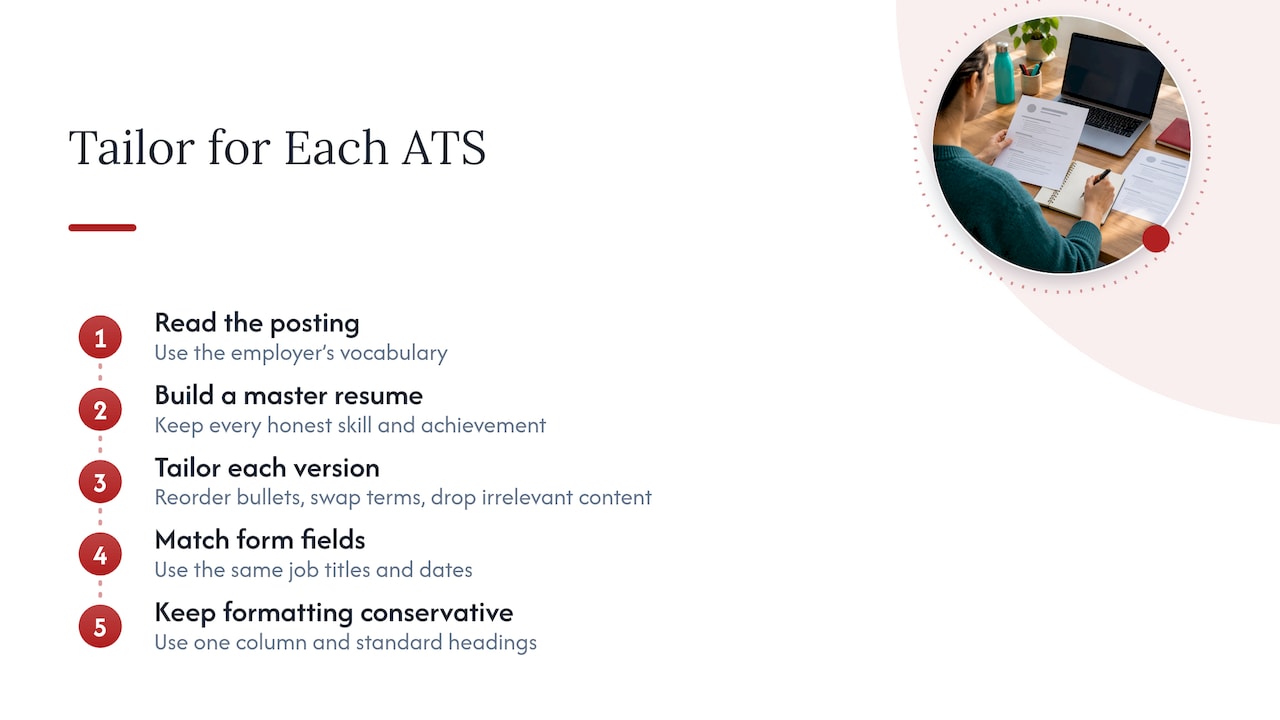
Keep a master resume with every skill and achievement you can honestly claim, then create a trimmed version for each application. Each version should reorder bullets so the most relevant ones come first, swap in the posting’s terms, and drop what does not apply. Many online forms also re-ask for your details in separate fields, so match job titles and dates there to your resume exactly.
Finally, keep your formatting conservative. A clean, single-column layout with standard headings parses well across nearly every system, which means your tailoring effort goes into the keywords, not into fighting the software. For role-specific vocabulary in specialised fields, this sustainable finance skills guide shows how terms cluster by discipline, which helps when a posting uses niche language.
Why synonyms and related keywords widen your ATS matches
Exact phrasing comes first, but it should not be your only layer. Grammarly’s guide notes that most systems do not interpret synonyms, which is why you mirror the posting’s wording. Recruiters, however, search with their own terms, and they may type “business development” while the posting says “sales growth”.
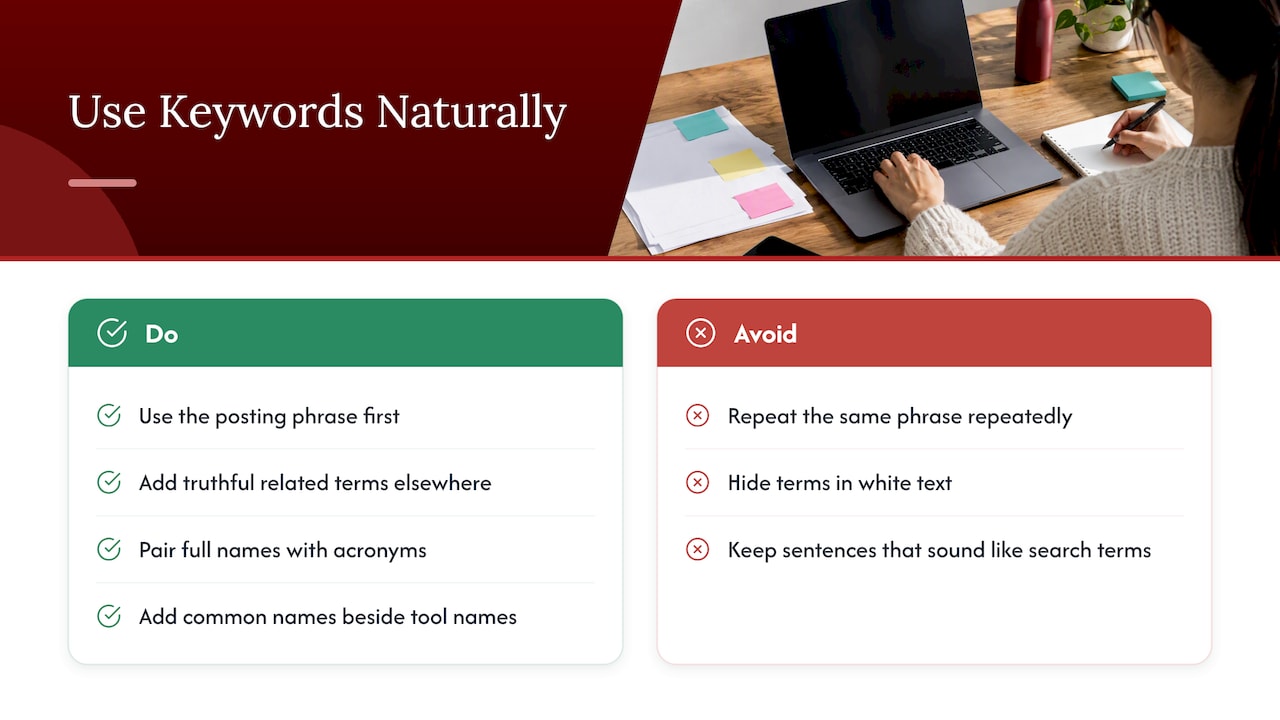
The answer is controlled variety. When the posting uses one phrase, use it first and prominently. Then, where truthful, include a closely related term elsewhere: “client onboarding” in your summary and “customer implementation” in a supporting bullet. Pair full names with acronyms, as with “Certified Public Accountant (CPA)”, and add the common name of a tool beside a product’s formal name.
Do this with restraint. Stuffing the same phrase repeatedly, or hiding white text full of terms, reads badly to humans and can get an application discarded. A good test: read your resume aloud. If a sentence sounds like a list of search terms instead of something you would say to a hiring manager, rewrite it around a real accomplishment.
Related keywords also help you find gaps. Review your master list and ask which neighbouring skills the role implies. A posting for “data analyst” that names SQL and Tableau probably also values data cleaning and stakeholder reporting. If you have that experience, say so, and you cover searches the posting never spelled out.
Why tailored, ATS-aware documents are worth outsourcing
We built our process around the way you actually get hired: a consultation, a close read of the target posting, keyword mapping to your real experience, and ATS-safe formatting from the first draft. If you would rather not spend evenings on this, our writers do it with you, and our site carries guidance on fonts, parsing checks and targeted packages.
— Professional
Which Professional Resumes package fits your ATS needs
We match the package to where you are in your career, and every one includes ATS-conscious formatting.
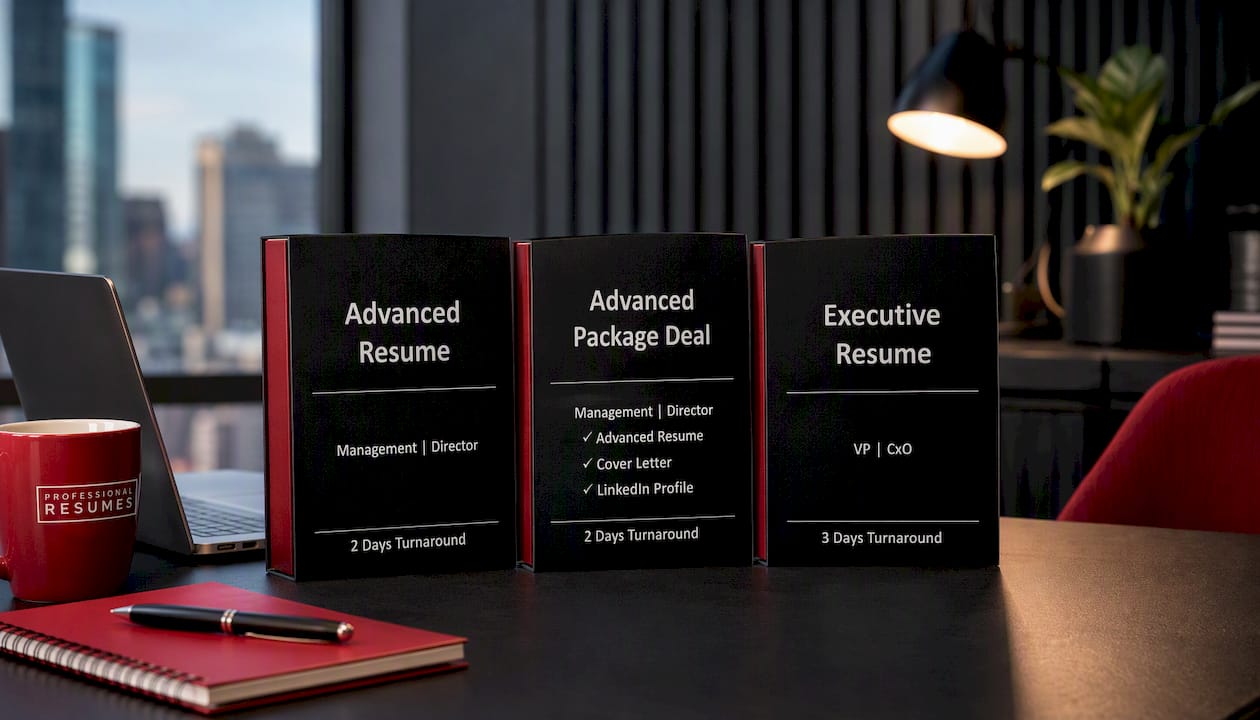
- Advanced Resume: $239, for experienced professionals targeting a specific role.
- Advanced Package Deal: for those who also want supporting application materials.
- Executive Resume: $289, for senior leaders.
After you order, you work directly with your writer, share the postings you are targeting, and review revisions until it reads right. Compare every option in our shop, then choose your package and send us your first target posting today.
FAQ
How do you pass an ATS resume screen?
Mirror the job posting’s exact keywords, use standard headings, and keep the layout simple. Send an accepted file type, usually .docx, and run a plain-text paste test to confirm everything reads in order.
What are good words for a resume?
Strong resumes pair specific action verbs with the role’s own terms: led, built, reduced, negotiated, plus the tools and skills named in the posting. Pick words you can back with evidence.
Is 72 a good ATS score?
There is no universal ATS score. Scoring varies by system and employer, and third-party checkers use their own methods. A better benchmark is whether your top keywords appear in context and your document parses cleanly.
What is a good resume summary?
A good summary briefly names your target title, your strongest relevant skills and any measurable results. Use the posting’s primary keywords and keep every claim true.
Sources
- Application Materials | University of Wisconsin – River Falls
- YOUR AI CO-PILOT CAREER TOOLKIT
- ATS-Friendly Résumés – School of Management – University at Buffalo
- A Guide to Using Résumé Keywords in Your Job Search | Grammarly