Project manager resume title card illustration

Project manager resume: Use Outcome Action Method to win interviews

The fastest way to improve a project manager resume is to abandon task lists in favour of reverse-chronological experience with outcome-focused, quantified bullets, paired with a role-specific two to three sentence summary. Every bullet should name budget, team size, or timeline. Add applicant tracking system (ATS)-friendly formatting and keywords lifted directly from the job posting, and the rest, templates, certifications, cover letters, become execution detail layered on top of that single structural decision.


TL;DR:

  • Use quantified, outcome-focused bullets that specify budget, team size, or timeline to demonstrate real project impact.
  • Tailor keywords and tools from the job posting into your skills and experience sections for ATS compatibility.
  • Keep the resume reverse-chronological, concise, and formatted with a simple, single-column PDF to avoid ATS parsing issues.
  • Highlight leadership, stakeholder management, and budget control with measurable results at each career level.
  • Incorporate relevant certifications near the top and customize your summary to clearly state your role, environment, and proven outcome.

Professionalresumes
Make Your Project Impact Clear
Professional Resumes creates customized, ATS-friendly resumes that present your skills and experience for the roles you want.

Explore resume services

Table of Contents

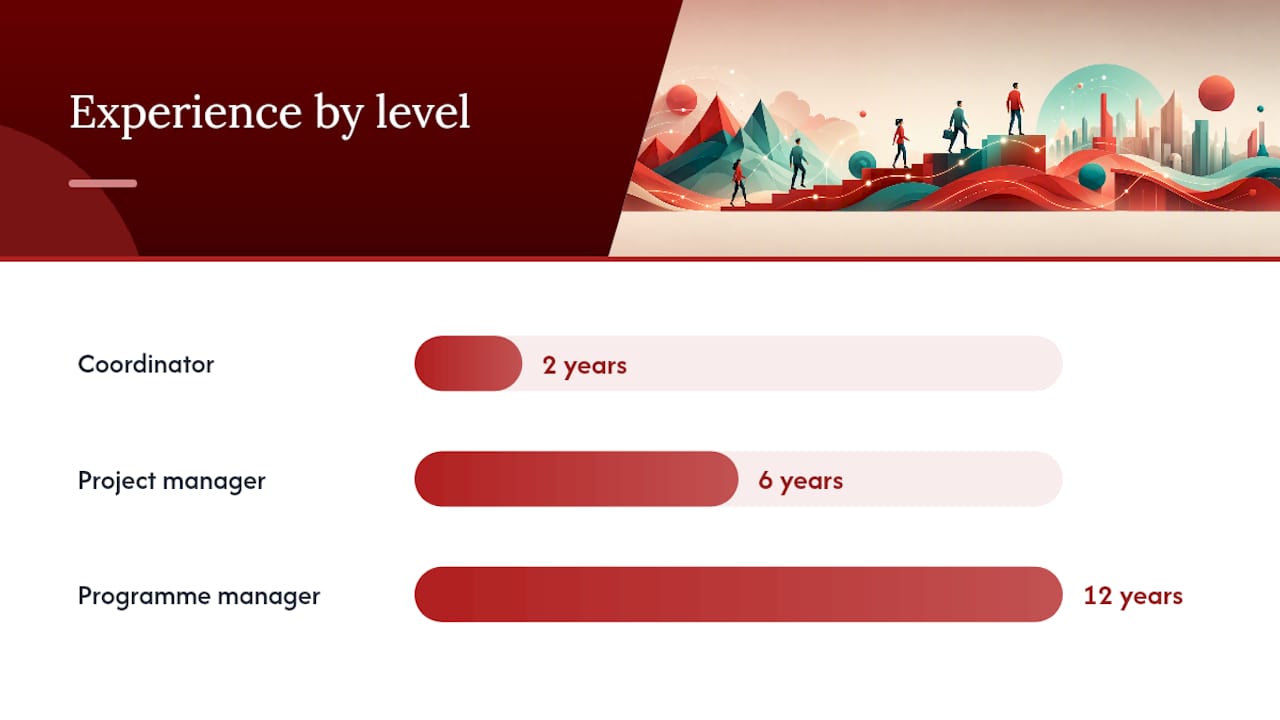
Project manager resume templates and examples by career level

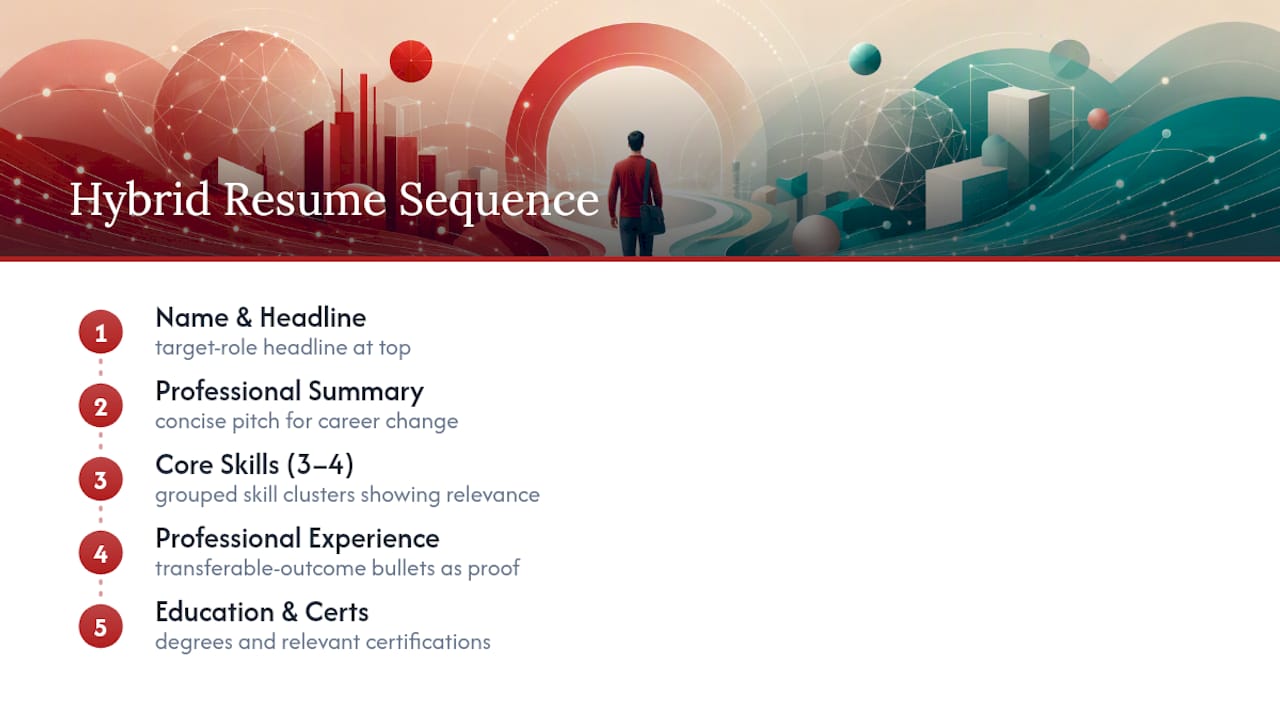
A template only earns its place if it forces you to show scope and outcome on every line, not just duties. Well-built templates organise five things in order: contact information, a role-specific summary, reverse-chronological experience, a skills block, and certifications, with a project portfolio link for candidates who have one worth sharing.

Here’s how that structure plays out at three career stages.

1. Entry-level project coordinator

A coordinator moving into a first PM title should lean on committee work, internships, or coordinator-title projects rather than invented scope.

  • Coordinated a $180,000 office relocation across two departments, sequencing vendor deliveries and staff moves to finish six days ahead of a 12-week deadline.
  • Built a shared tracking sheet in Asana that cut status-meeting time by half for a 9-person cross-functional team.
  • Supported a senior PM on a 14-week software rollout, managing user acceptance testing schedules for 40 end users.

2. Mid-level project manager

At this stage, employers expect full ownership of a workstream or a mid-sized project end to end.

  • Delivered a mid-million-dollar ERP migration for a mid-sized operations team, recovering a slipping schedule by renegotiating two vendor contracts and compressing testing by several weeks.
  • Managed stakeholder alignment across four business units during a facility consolidation, reducing change-request volume by restructuring the weekly steering committee.
  • Ran Agile sprints (Jira) for a product team of 11, improving release predictability over two consecutive quarters.

3. Senior project manager or programme manager

Senior resumes need to show portfolio-level thinking: multiple projects, budget authority, and executive-facing communication.

  • Owned a large multi-site construction programme spanning multiple regions, aligning numerous stakeholders including external regulators and a board sponsor.
  • Directed a portfolio of multiple concurrent IT projects with a multi-million dollar budget, reallocating resources mid-year to protect the highest-priority deliverables.
  • Mentored four project managers while overseeing programme governance, cutting average project overrun across the portfolio.

On format: export as PDF unless the job posting specifically requests Word, since PDF preserves formatting across devices and most modern ATS platforms parse it cleanly. Name the file firstname_lastname_pm_resume.pdf, not “resume_final_v3.pdf”. Keep coordinator and mid-level resumes to one page; senior and programme-level resumes can run to two pages if every line earns its space. Certifications belong near the top, directly under the summary, not buried at the bottom where a recruiter skimming for six seconds might miss them.

How do you write outcome-focused resume bullets?

Recruiters routinely discard resumes that read like task lists, “managed schedule,” “coordinated vendors,” “led meetings”, because none of it answers the question a hiring manager actually has: what happened as a result? The fix is a formula called Outcome-Action-Method: state the result first where you can, then the action you took, then the method or tool you used to get there.

Here’s the same experience, before and after:

  • Before: “Responsible for managing project budget and vendor contracts.”
    After: “Recovered $95,000 in budget overrun by renegotiating two vendor contracts and restructuring payment milestones (Waterfall, MS Project).”
  • Before: “Led weekly status meetings with stakeholders.”
    After: “Cut stakeholder escalations by half by restructuring weekly steering committee reporting into a single-page dashboard.”
  • Before: “Coordinated software implementation across departments.”
    After: “Compressed a 16-week software rollout to 12 weeks by parallelizing user acceptance testing across three departments.”
  • Before: “Managed a team of project staff.”
    After: “Grew a 4-person coordinator team into an 11-person delivery unit while maintaining on-time delivery across nine concurrent projects.”

Pro Tip: If your exact numbers are confidential, don’t skip them entirely. Use a range or relative phrase, “mid-six-figure budget,” “a team of roughly a dozen”, so the scale still lands without breaching a non-disclosure agreement.

To build your own, ask three questions for every bullet you write: What changed because I was involved? What specific action did I take? What method or tool did I use to take it? If you can’t answer all three, the bullet probably still reads as a task, and it needs another pass before it goes anywhere near your resume.

What should a project manager professional summary say?
What should a project manager professional summary say? — overview diagram

Treat your summary as a compressed project charter: it should tell a recruiter your role, the environment you operate in, and the outcome you reliably produce, all in two to three sentences and under fifteen seconds of reading time.

The structure that works across levels:

  • Role and years of experience
  • Sector or specialty (construction, healthcare IT, SaaS delivery)
  • A delivery strength or working style
  • One concrete metric that proves it

Here’s how that plays out at three levels:

  • Coordinator: “Project coordinator with two years supporting technology rollouts in mid-sized healthcare organizations, known for meticulous scheduling and stakeholder follow-through. Kept a 14-week EHR rollout on track through 40 user acceptance tests with zero missed milestones.”
  • Project manager: “Project manager with six years delivering ERP and operations projects for mid-market manufacturers. Recovers strained timelines through vendor renegotiation and phased testing, most recently compressing a 20-week migration by three weeks while holding budget flat.”
  • Programme manager: “Programme manager with twelve years directing multi-site construction and infrastructure portfolios worth $10 million or more. Aligns executive sponsors, regulators, and site leads into a single governance structure, cutting average portfolio overrun year over year.”

If you’re mid-way through a certification, list it as “PMP® (in progress, exam scheduled)” rather than leaving it off. Recruiters read this as initiative, not incompleteness, as long as you’re honest about the status.

Which skills, tools and certifications belong on a PM resume?

ATS software and human recruiters are both looking for the same pairing, and most resumes get it wrong by separating the two. ATS systems expect methodology and tool phrased together, “Agile (Jira),” “Waterfall (MS Project),” “Lean Six Sigma (Minitab)”, rather than a methodologies list in one column and a software list in another. A resume that lists “Agile” under skills and “Jira” three lines down under tools loses that context entirely.

Structure your skills block around three tiers:

  • Methodology + tool pairs: Agile (Jira, Azure DevOps), Waterfall (MS Project, Smartsheet), Lean Six Sigma (Minitab)
  • Certifications: PMP®, CAPM®, PMI-ACP®, or Certified ScrumMaster (CSM), listed by full name with the registered symbol where applicable
  • Soft skills, kept verifiable: instead of “strong communicator,” write “presented monthly portfolio updates to a 12-person executive steering committee”

Certification placement matters more than most candidates assume. A PMP® or PMI-ACP® functions as an instant credibility signal, so it should sit near the top of the resume, under the summary or beside your name, not buried in a skills section at the bottom where a six-second scan will miss it entirely.

Avoid vague soft-skill claims with nothing behind them. “Excellent leadership skills” tells a recruiter nothing; “Mentored four junior PMs while managing a six-project portfolio” tells them exactly what leadership looked like in practice.

How do you get past ATS screening for PM roles?

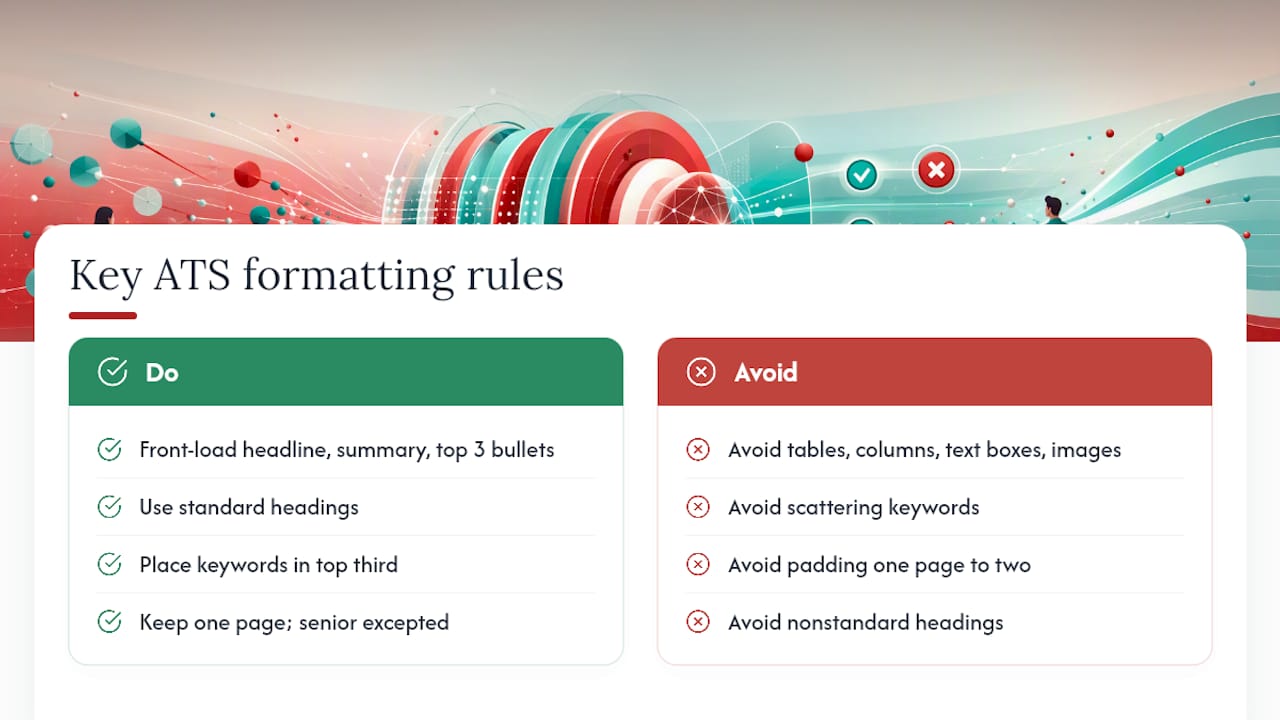
ATS software and hiring managers both scan resumes in seconds, which means formatting choices that look creative can actively cost you the interview. Text boxes, tables used for layout, columns, and headers or footers containing contact information often fail to parse correctly, leaving an ATS with a garbled or incomplete read of your resume. Stick to a single-column layout, standard section headings (“Experience,” “Skills,” “Certifications”), and a common font like Calibri, Arial, or Georgia at 10 to 11 points.

Tailoring to a specific job posting takes about ten minutes if you follow a consistent method:

  1. Paste the job posting into a document and highlight every recurring noun, tool, and methodology (Agile, stakeholder management, Jira, risk mitigation).
  2. Rank those terms by how often they appear and how prominently they’re placed in the posting.
  3. Match your existing bullets to the top eight to ten terms, adjusting phrasing so your language mirrors theirs without misrepresenting your actual work.
  4. Add any missing but true skill or tool into your skills block, using the exact phrasing the posting uses.

AI tools can speed up this matching process, pulling keywords from a job posting or rewording a bullet for tone. Verify every AI-assisted rewrite manually, though. AI models can overstate an achievement or invent a specific that never happened, and a fabricated metric in an interview is far worse than a modest one. For a broader keyword-matching approach, Arvo’s ATS keyword guidance walks through prioritizing terms by frequency and placement, a method that transfers directly to project management postings.

Statistic Callout: Hiring managers and ATS platforms alike scan a resume in a matter of seconds, which is why the PMI recommends leading with your strongest, most quantified project rather than burying it under a wall of duties.

What layout mistakes cost project managers interviews?

Reverse-chronological format wins for project managers because it puts your most recent, most relevant delivery work first, exactly where a recruiter’s eye lands first and where ATS parsing logic expects it. A functional or skills-based layout only makes sense if you’re pivoting industries entirely and need to foreground transferable skills over a thin project history, and even then, pair it with a brief chronological summary underneath.

Layout rules that hold across levels:

  • Keep margins between 0.5 and 1 inch; anything tighter looks cramped, anything wider wastes page space.
  • Limit each role to three to five bullets. Ten bullets under one job title buries your strongest achievement in noise.
  • Use one font throughout, no mixing a serif header with a sans-serif body.
  • Export as PDF unless a posting specifies otherwise, and never submit a Google Doc link as your resume file.

Elements that reliably break ATS parsing: text boxes, embedded tables, graphics or icons standing in for section headers, headers/footers holding your contact details, and multi-column layouts that scramble reading order. If your resume software has a “creative” or “designer” template option, treat it as a warning label, not a feature, for this application.

10-step tailoring checklist before you hit submit

Set a timer for 30 minutes and work through this list in order. Skipping steps is how a strong resume goes out with a weak keyword match.

  1. Copy the full job posting into a document.
  2. Highlight every recurring skill, tool, and methodology term.
  3. Compare those terms against your current skills block and note gaps.
  4. Add true, missing skills using the posting’s exact phrasing.
  5. Rewrite your summary’s second sentence to mirror the posting’s top priority (budget ownership, stakeholder management, digital transformation).
  6. Adjust two or three bullets per role to surface the metric most relevant to this specific posting.
  7. Confirm certifications match anything explicitly required (PMP®, Scrum Master, PRINCE2).
  8. Check page count: one page for early-career, up to two for senior or programme-level roles.
  9. Export as PDF and rename the file to firstname_lastname_pm_resume.pdf.
  10. Open the PDF on a phone and a desktop to confirm formatting held across devices before you submit.

A quick example of step six in action: if a posting emphasizes “vendor negotiation,” swap a generic budget bullet for one that names a specific renegotiation and its dollar outcome. That single substitution can move you from a borderline match to a clear one in an ATS keyword scan.

Guidance on cover letters and integrating the resume with LinkedIn profiles

A project manager cover letter should do one job your resume can’t: connect your background to this specific opportunity in narrative form. Open with the role and one metric that proves fit, spend the middle paragraph on a single relevant project story told in three or four sentences, and close by naming the company specifically, not “a company like yours.” Three to four paragraphs is the ceiling; anything longer competes with your resume for attention instead of supporting it.

Your LinkedIn profile and resume need to tell the same story without duplicating it word for word. Match your headline to your target title (“Senior Project Manager, IT Infrastructure” rather than a vague “Experienced Professional”), and let your LinkedIn “About” section expand on the summary your resume compresses, more context on your delivery style, less rigid formatting. Keep your most recent role’s dates, title, and scope consistent across both documents; recruiters cross-check this more often than candidates expect, and a mismatch raises questions before you’ve even had the interview. Request two or three recommendations from people who can speak to specific projects, ideally ones that echo the metrics on your resume, since a recommendation that corroborates a resume claim carries more weight than a generic endorsement.

Why most project manager resumes fail, and where a second set of eyes helps

The single most common failure seen in project manager resumes isn’t bad grammar or poor design. It’s a resume that reads like a job description instead of a results record. Take a real pattern: “Responsible for managing a $500,000 project budget and leading a team of eight.” That sentence tells a recruiter what the job was, not what happened. Rewritten as “Delivered a $500,000 facility upgrade on budget by restructuring vendor payment terms, leading a team of eight to finish nine days early,” it becomes evidence instead of description.

Candidates rarely see their own resumes this way because they lived the day-to-day and the metric feels obvious to them. It isn’t obvious to a stranger scanning forty resumes in an afternoon. That gap, between what you know you accomplished and what you’ve actually written down, is where a professional edit tends to add the most value: not by inventing achievements, but by asking the questions that surface the ones already there.

If there’s a contrarian point worth making, it’s this: templates and formulas get you most of the way, but they can’t ask you the follow-up question that turns “coordinated vendor contracts” into a $95,000 recovery story. That’s usually a conversation, not a checklist.

— Professional

How our resume packages solve these problems for you

Everything above works if you have the time to rewrite, re-quantify, and re-tailor every bullet yourself. If you’d rather have a specialist do that work with you, some resume services build project manager resumes around the same principles: quantified outcomes, ATS-safe formatting, and language pulled directly from your target roles, without you having to reverse-engineer the formula on your own.
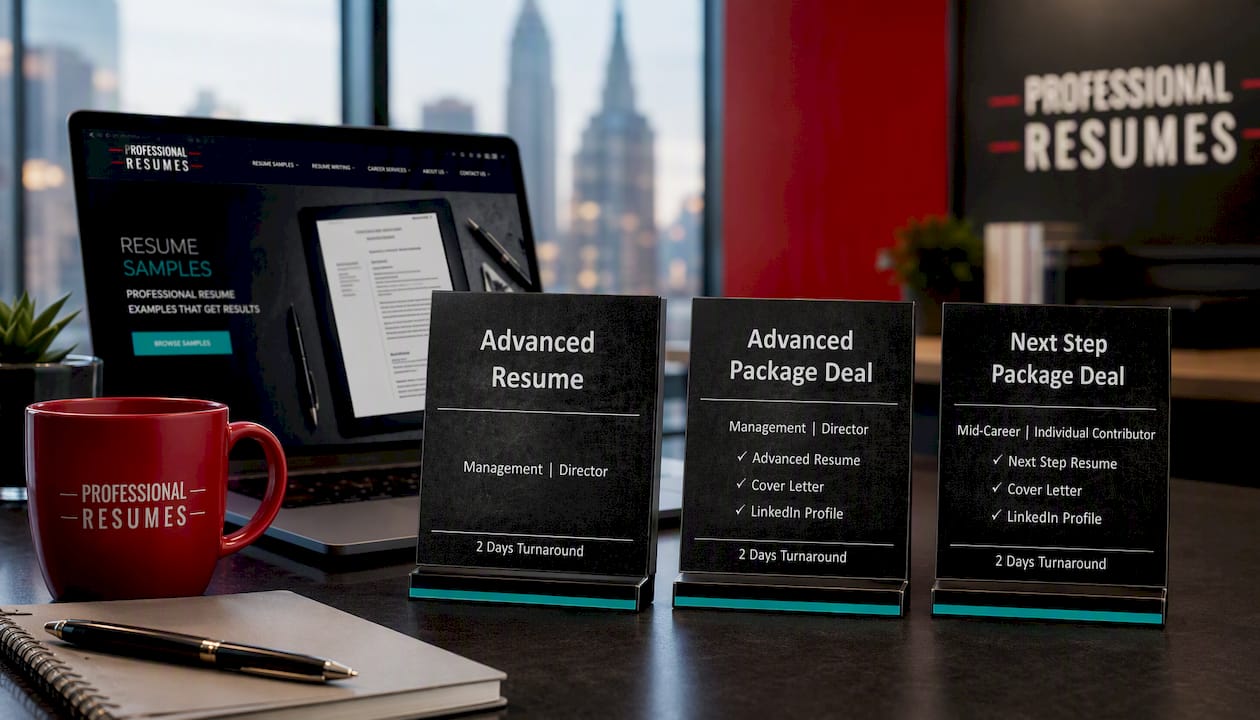
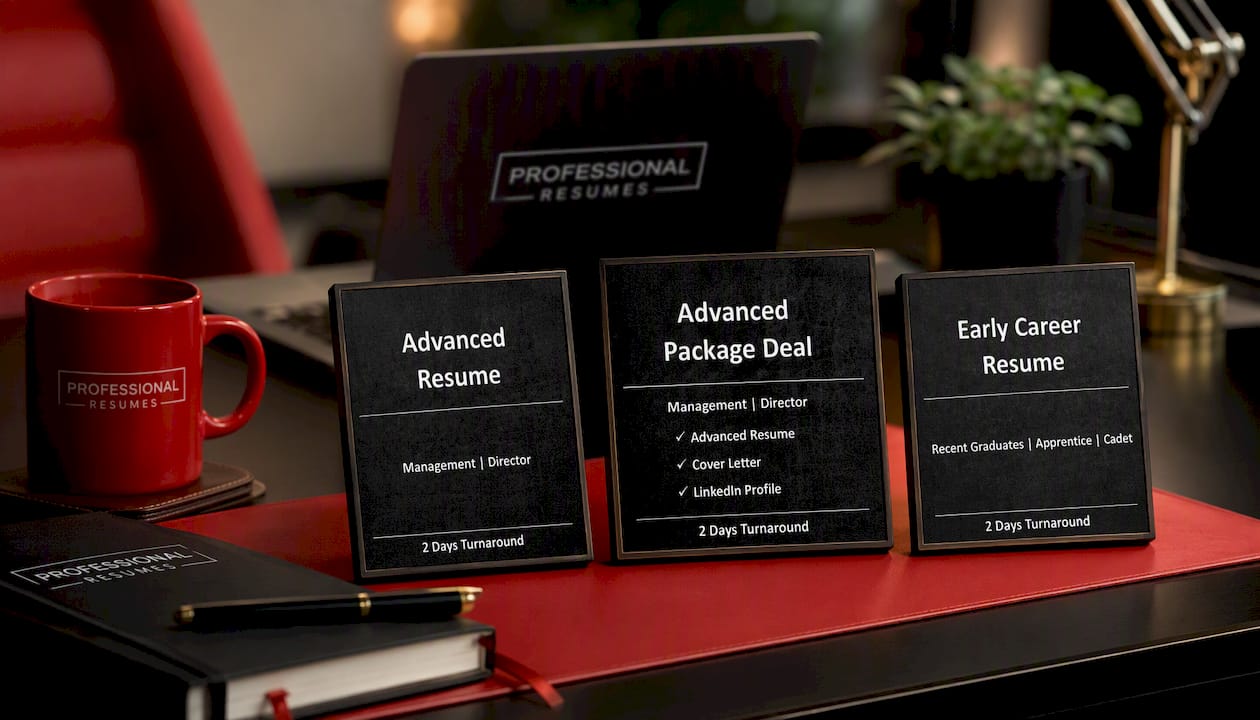
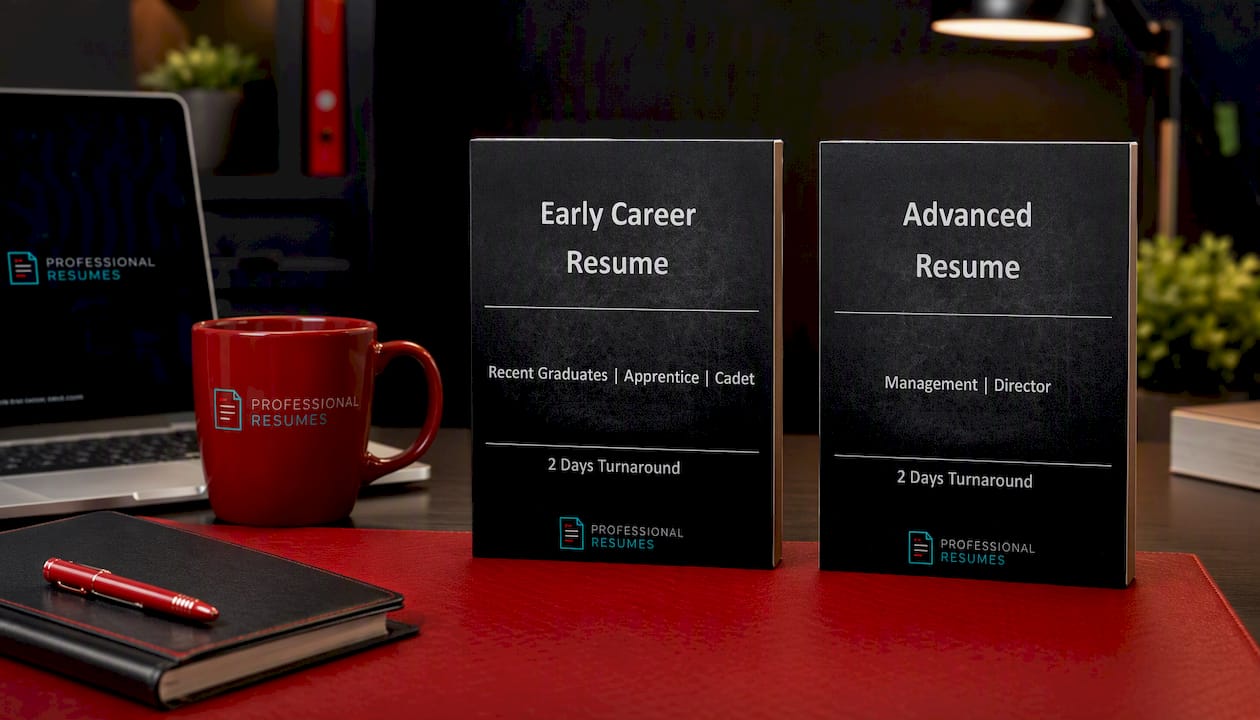
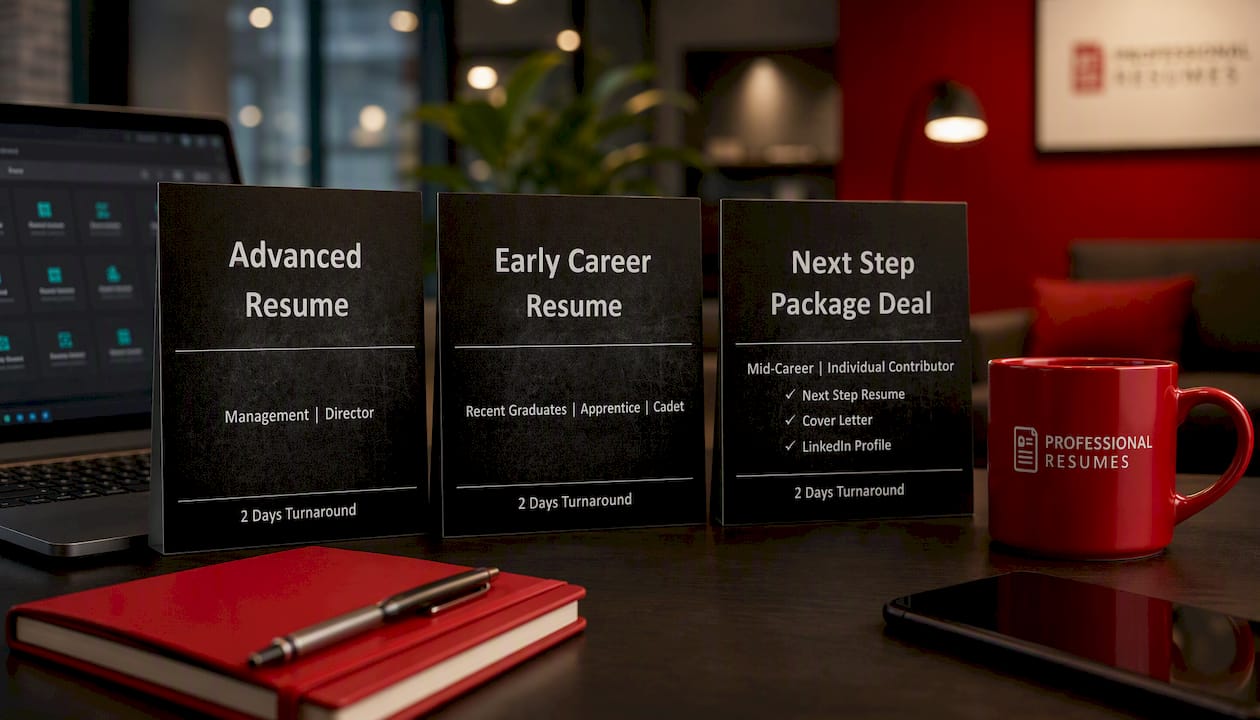
Advanced Resume

The Advanced Resume package suits a mid-level or senior PM who already has a resume but needs it rebuilt around measurable outcomes and current ATS standards. The Advanced Package Deal adds a matching cover letter and LinkedIn optimization, useful if you’re actively applying across multiple postings and need your resume, letter, and profile telling one consistent story. The Next Step Package Deal is built for entry to mid-level candidates or career-changers who want structured coaching alongside the document itself, not just a rewrite. Every package includes direct consultation with your writer and multiple revision rounds, so the language matches how you actually work, not a generic template. Browse project management resume services to see which package fits your career stage, or start with a consultation to find out.

Sources

The guidance above draws on structural and ATS recommendations from the Project Management Institute, which covers reverse-chronological formatting, quantified outcomes, and keyword strategy in detail. University of San Diego’s project management skills guide breaks down the core responsibilities recruiters expect to see demonstrated. For template structure and section ordering, ProjectManager’s resume template collection offers additional annotated examples worth comparing against your own draft.

FAQ

What is a good resume format for a project manager?

Reverse-chronological format works best because it surfaces your most recent, most relevant projects first, which is exactly what ATS software and hiring managers scan for in the first few seconds. Reserve a functional or hybrid format only for a full industry pivot with limited direct PM history.

What are the top three responsibilities of a project manager?

The three responsibilities recruiters look for most are full project lifecycle management, budget and resource ownership, and stakeholder alignment and communication. Your resume should show measurable evidence of all three, not just claim them.

What are the five skills for a project manager?

Core skills to demonstrate include budget management, risk mitigation, stakeholder communication, scheduling or timeline management, and methodology fluency (Agile, Waterfall, or hybrid approaches). Pair each with the specific tool you used, such as Jira or MS Project, so both ATS and recruiters see verifiable proof.

What are the seven essential skills for project managers?

Beyond the core five, add team leadership and vendor or contract negotiation to round out a seven-skill set that covers technical delivery and people management equally. A resume that shows only technical skills without leadership evidence reads as incomplete for mid-level and senior roles.

How do I write a project manager resume with no direct experience?

Lean on coordinator roles, internships, or committee leadership, and quantify whatever scope you had, budget size, team size, or timeline, using the Outcome-Action-Method formula even at a smaller scale. A service like Professionalresumes’ Next Step Package Deal is built specifically for this early-career gap.

Developer resume impact bullets title card

One Page Software Developer Resume: 3 Quantified Impact Bullets That Pass ATS

Use a reverse-chronological, one-page, ATS-friendly resume built around three quantified impact bullets for your most recent role. Skip the objective statement, skip the skills-only wall of text, and lead with results a recruiter can verify in seconds. Choose your template first, then write those three bullets before touching anything else. If you want a second opinion, Professionalresumes reviews developer resumes for exactly this kind of gap.


TL;DR:

  • Listing only recent impact-driven bullets with measurable outcomes is essential; avoid using generic duty descriptions or irrelevant frameworks.
  • Keep your resume to one page unless you have extensive leadership or cross-team responsibilities, focusing on the most recent roles first.
  • Use a simple, ATS-friendly format with clear section order, no headers or footers, and well-placed keywords directly from the job posting.
  • Tailor each application by mirroring the job’s language in your skills and top bullet points, and reorder achievements to align with employer priorities.
  • Focus on impact and scope in your bullets, shifting from task lists at lower levels to system-scale decisions and outcomes at senior levels.

Professionalresumes
Make Your Developer Resume Stand Out
Professional Resumes creates customized, ATS-friendly resumes tailored to your experience, aspirations, and the employers you want to reach.

Review your resume

Table of Contents

How long should a software developer resume be?

One page is standard unless you have extensive experience or substantial technical leadership responsibilities across multiple teams or systems. That’s the standard guidance for developer resumes, and it holds up because recruiters and applicant tracking systems both reward density over volume. A crowded two-page resume from a three-year developer signals padding, not experience.

The section order matters as much as the length. Recruiters expect a predictable sequence, and so does ATS parsing logic:

  • Header with name, title, and contact links
  • Professional summary (three lines, no more)
  • Technical skills, grouped by category
  • Work experience with quantified bullets
  • Projects (especially valuable if experience is thin)
  • Education and certifications

Build the file in Word or Google Docs, then export to PDF. Keep the final file under 2MB, and confirm the text stays selectable rather than flattened into an image. That combination of section order and file size is what separates a resume that parses cleanly from one that lands in a rejection queue before a human ever opens it.

What goes in each section of a software engineer CV?

Every section on a software engineer CV has a job to do, and vague content in any of them costs you screen time. Here’s what each one needs:

  1. Header: full name, phone, email, city and province (no full street address), plus links to LinkedIn and GitHub. Skip the “objective” line entirely.
  2. Professional summary: two to three lines matched to seniority. An entry-level version might read, “Computer science graduate with three shipped side projects in Python and React, seeking backend roles.” A senior version reads more like, “Backend engineer with seven years leading distributed systems teams, specializing in payment infrastructure at scale.”
  3. Technical skills: grouped by category, not alphabetized alone. Separate languages, frameworks, cloud/DevOps tools, and databases so a recruiter scanning for “Kubernetes” or “TypeScript” finds it in two seconds.
  4. Work experience: company, title, dates, then three to five bullets per role, newest job first.
  5. Projects: for early-career candidates, this section often carries more weight than work history. Name the project, the stack, your specific role, and the outcome.
  6. Education/certifications: degree, institution, grad year. Certifications only if relevant to the target role.

How do you write resume bullets that actually show impact?

The formula is short: action verb, plus the task, plus the technology, plus a measurable result or scope. Skip anything that reads like a job description and start writing what actually changed because you did the work.

Compare these across levels:

  • Intern: “Built a REST API endpoint in Node.js that reduced manual data entry for the support team by 40%.”
  • Mid-level: “Migrated a monolithic billing service to microservices using Docker and Kubernetes, cutting deployment time from 45 minutes to 6.”
  • Senior: “Led architectural redesign of a payments platform processing 2 million transactions daily, reducing p99 latency by 35% and mentoring a team of six engineers.”

Notice the shift: junior bullets emphasize a task completed, senior bullets emphasize scope and decisions owned. Recruiters and hiring managers scan for exactly this progression, and the metrics that matter change with seniority, from efficiency percentages early on to system-scale and deployment frequency later.

Run every bullet through one test: does it name a technology, and does it end in a number or a concrete outcome? If not, rewrite it.

Pro Tip: *If you’re five or more years in, stop listing frameworks and start naming decisions.

What ATS formatting rules should you never break?

Applicant tracking systems reject clean resumes constantly, usually over formatting choices that look fine to a human eye but confuse a parser. The fix list is short and mechanical:

  • Draft in Word or Google Docs, then export to PDF with selectable text, never a scanned image.
  • Keep the file under 2MB, a practical threshold most portals expect.
  • Never put your name, contact details, or job titles inside a header or footer; many ATS parsers skip those fields entirely.
  • Use a single-column layout with standard fonts (Calibri, Arial, Georgia) rather than multi-column templates with graphics or tables.
  • Place keywords from the job posting directly in your skills and experience sections, not just in a hidden list.

Before you send anything, run two quick tests. Copy your resume text into a plain notepad file. If the words come out scrambled or out of order, an ATS will read it the same way. Then run it through a free ATS preview tool to confirm your skills section is actually machine-readable. For a deeper formatting walkthrough specific to Canadian applicant systems, see how ATS parsing affects Canadian job seekers.

Which resume template fits your experience level?

Templates should scale with your career stage, not just your taste in fonts. A junior developer resume needs a projects section to carry weight that work history can’t yet provide; a senior resume needs less summary and more scope.

  • Entry level: Header → Summary → Skills → Projects (2 to 3, with GitHub links) → Education → any internships.
  • Mid-level: Header → Summary → Skills → Work Experience (2 to 3 roles) → Projects (optional) → Education.
  • Senior/full stack developer resume: Header → Summary → Skills → Work Experience (leadership and ownership framing) → Education/certifications.

An annotated example bullet for a full stack role: “Redesigned checkout flow across React frontend and Node.js backend, increasing conversion rate by 12% over two quarters.” That single line names both ends of the stack and closes with a number, which is exactly what distinguishes senior framing from a task list. Host code samples on GitHub with clear READMEs, and link only the two or three repositories that best represent your strongest work, not your entire commit history.

How do you tailor a resume to each job posting?

Skip the instinct to send one resume everywhere.

  1. Paste the job posting into a document and highlight every technical skill, tool, and soft skill mentioned more than once.
  2. Mirror that exact phrasing in your skills section and at least one bullet, since matching a posting’s language directly improves ATS pass rates.
  3. Reorder your top three bullets per role so the achievement closest to the posting’s priorities sits first, not buried third.
  4. Rewrite only your summary line for each application. Everything else usually needs no more than a word swap.

Keep two or three pre-written bullet variations for your biggest project or role, one framed around scale, one around speed, one around cost savings. Swap in whichever matches the posting instead of rewriting from scratch every time. This same instinct, matching what the employer already asked for, is why tailored resumes for the software industry consistently outperform generic ones in response rates.

What mistakes get a developer resume rejected fast?

The most common failure isn’t a typo. It’s a resume that lists technologies without ever showing what you did with them, or one that buries your best line at the bottom of a second page nobody reaches.

  • Listing every framework you’ve touched instead of the ones relevant to the role.
  • Writing duty-based bullets (“Responsible for backend development”) instead of outcome-based ones.
  • Career gaps left unexplained; a one-line note (“Career break for caregiving, 2024 to 2025”) reads better than silence.
  • Career changers burying transferable skills instead of leading with them.
  • Soft skills asserted rather than shown (“strong communicator” with no example of leading a standup or writing documentation others relied on).

Run this checklist before you send anything: contact links work, file opens correctly on a second device, top three bullets contain numbers, summary matches the target job title, and the resume passes a plain-text paste test.

Recruiters often scan a resume in under 10 seconds. Whatever sits in the top half of the page, your most recent role and its strongest metric, is very likely all that gets read before a decision is made.

That’s the entire argument for front-loading impact. Nothing below the fold does much work.

When does it make sense to get professional help with your resume?

DIY works fine when you’re applying within the same track you’ve already held, and your biggest problem is just wording. It stops working when you’re pivoting from, say, backend development into engineering management, or aiming at a senior architecture role where the story needs restructuring, not line edits.

That’s the gap some professional resume services exist to close. The approach centres on extensive consultation, understanding your actual scope of ownership before a single bullet is written, followed by multiple rounds of revision until the document reflects decisions you made, not tasks you completed. For developers making a real pivot or targeting leadership roles, that kind of structural rework tends to matter more than polish. A guide like crafting a standout IT resume walks through the same thinking in more depth.

Resume restructuring process illustration

Get a resume that matches where your career is actually headed

If you’re a mid-to-senior developer whose resume still reads like a junior task list, the Advanced Resume service rebuilds it around ATS-ready formatting and impact bullets tied to your actual scope of ownership.

Advanced Resume

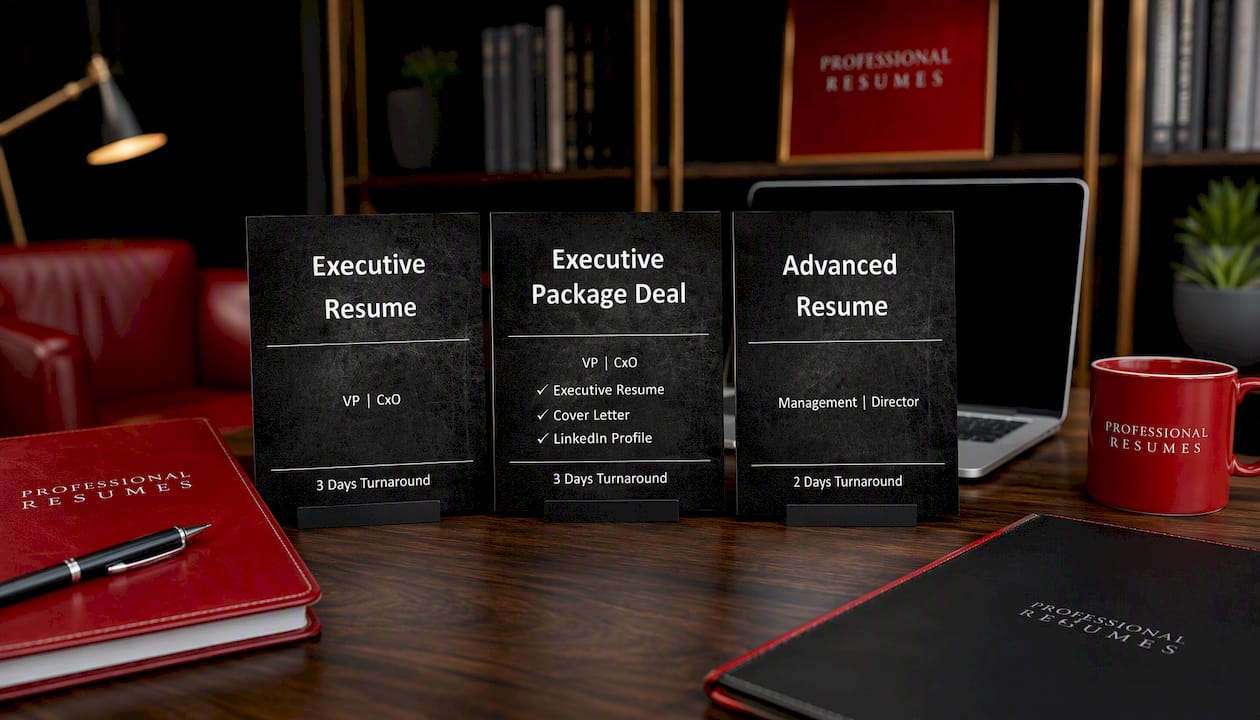
For candidates targeting director, VP, or CTO-level roles, the Executive Resume package adds the editorial strategy that leadership hiring committees expect, framing that goes beyond metrics into organizational outcomes and board-level positioning. And if you need the full package, resume, cover letter, and a LinkedIn profile that actually matches the story your resume tells, the Next Step Package Deal bundles all three with revisions included.

These packages typically include a tailored, ATS-ready PDF export, quantified bullets built from consultation about your actual work, and revision rounds until the document is right. If your resume hasn’t changed since your last job search and your target role has, that’s the signal to book a consultation and start the rebuild now.

Sources

FAQ

How do you write a resume for a software developer?

Lead with a reverse-chronological, one-page layout, then build three to five quantified bullets per role using the formula: action verb, task, technology, measurable result.

What are the 5 P’s of a resume?

Definitions vary across career coaches, and no single version is standard for technical resumes; the more reliable framework for developers is the structure covered above: header, summary, skills, experience, and projects.

How should you write a software engineering resume in 2026?

The core format hasn’t shifted: one page, ATS-friendly formatting, quantified impact bullets. What’s changed is the expectation that your skills section reflect current tools, cloud platforms, AI-assisted development workflows, and modern data stacks, rather than only legacy languages.

How do you write a resume with two years of experience?

Lead with your strongest project or role, use two to three bullets per position with concrete metrics, and add a projects section with GitHub links if your work history alone feels thin. An entry-level resume with strong projects often outperforms a padded work history.

Should an entry-level software resume include a summary line?

Yes, but keep it to two lines naming your specialization and strongest technical strength, not a generic statement about being a “hard worker” or “team player.”

Decorative PDF and Word resume title card

Send .docx by Default: PDF vs Word Resume for Email, ATS, Recruiters

Send your resume as a .docx file unless the job posting says otherwise. Word format parses more reliably into applicant tracking systems, and most portals expect it. The one rule that overrides everything else: follow the employer’s instructions to the letter. When there are no instructions at all, a clean PDF works fine for email or a hiring manager, but Word remains the safer default for anything routed through software first.


TL;DR:

  • Sending a PDF is preferable when emailing a hiring manager directly to ensure layout preservation and prevent accidental edits.
  • Use a Word (.docx) file for ATS portals because it generally parses more reliably across different applicant tracking systems.
  • Always follow the employer’s instructions precisely; ignoring specific format requests risks immediate disqualification.
  • Verify text-based PDF exports by attempting to select and copy the text, ensuring it is not an image-based file that ATS cannot read.
  • Build both a clean Word document and a presentation-ready PDF from the start to avoid reformatting delays during application submissions.

Professionalresumes
Make Every Resume Format Count
Professional Resumes creates customized, ATS-friendly resumes, cover letters, and LinkedIn profiles tailored to your career goals.

Table of Contents

PDF vs Word resume: the trade-offs you need to know

Every format decision comes down to who reads the file first: a machine or a person. That single distinction explains almost every pro and con on both sides.

PDF advantages show up most clearly when a human opens the file. Recruiters and hiring managers often prefer PDFs for direct viewing because the layout stays exactly as designed, and it strips out the distracting underlines and formatting artifacts that Word sometimes adds automatically. A PDF also can’t be accidentally edited by whoever opens it next, which matters more than most job seekers realize when a resume gets forwarded through three inboxes before landing on a hiring manager’s desk.

PDF risks live almost entirely on the technical side. An image-based PDF, the kind you get from scanning a printed page or exporting from certain design tools, contains no selectable text at all. Applicant tracking systems can’t read pixels. Custom fonts and multi-column layouts compound the problem: even a text-based PDF can scramble word order or drop entire sections if the underlying file structure confuses the parsing engine.

Word (.docx) advantages centre on compatibility. A simple, cleanly formatted .docx tends to parse more consistently across ATS platforms than PDF does, because most tracking systems were built to read Word’s file structure natively. Word files are also fully editable, which matters when a recruiter needs to adjust formatting or redact personal details before forwarding your application internally.

Word risks are mostly cosmetic but still costly. Formatting can shift when a file opens on a different device, version, or operating system than the one it was created on. Leftover tracked changes or reviewer comments look unprofessional and, worse, can confuse a parser. The older .doc format is worth avoiding entirely at this point.

The short version:

  • PDF protects your design and prevents edits, but only works for ATS purposes when properly exported as true text.
  • Word maximizes machine readability but sacrifices some control over how the file looks on the receiving end.
  • Neither format is “better” in the abstract. The right choice depends entirely on where the file is going next.

Should you send a PDF or Word file for this application?

The decision tree is shorter than most job seekers expect, and it starts with one question: did the employer tell you what to send?

  1. Check the job posting first. If it specifies PDF, Word, or a particular file size limit, follow that instruction exactly, even if you personally prefer the other format. Ignoring stated instructions is one of the fastest ways to get filtered out before a human ever sees your application.
  2. No instructions, and you’re uploading to an ATS portal? Default to a simple .docx file. Portals from workday-style systems to smaller applicant trackers tend to handle Word more predictably, particularly when your layout is straightforward.
  3. Emailing a hiring manager directly, or sending a copy meant to be read, not scanned? Choose PDF. It travels well across devices, resists accidental edits, and carries a lower risk of triggering email security flags than some attachment types.
  4. Working with a recruiter or third-party staffing agency? Send Word. Recruiters frequently need to edit, reformat, or anonymize your contact details before forwarding your resume to their client, and a locked PDF makes that harder for everyone involved.
  5. Applying for a design, marketing, or other visually driven role? Keep two versions on hand: a polished presentation PDF that shows off your layout skills, and a simplified .docx stripped of graphics for any portal that needs plain text.

Pro Tip: Save both files with clear, professional names, like “Jordan_Smith_Resume.docx” and “Jordan_Smith_Resume.pdf”, so you’re never scrambling to find or rename the right version five minutes before a deadline.

Career-advice guides converge on the same practical rule: keep both a presentation-ready PDF and a simple ATS-friendly Word file on hand, and choose between them based on the application path rather than personal preference.

Why does my resume fail ATS parsing?

Parsing failures almost always trace back to how the file was built, not which format you chose. Modern ATS engines tend to read .docx more reliably on average, but a properly exported text-based PDF can parse just as well; performance varies meaningfully by which ATS engine is doing the reading, which is why no single format guarantees success.

PDF failure modes cluster around three culprits:

  • Image-only PDFs created by scanning, screenshotting, or exporting from certain design software, none of which contain readable text.
  • Embedded font encoding issues, where unusual or decorative fonts confuse the extraction process even when the text looks fine to a human eye.
  • Multi-column layouts and text-as-graphics elements, like text boxes or design-heavy templates, which can scramble reading order or get skipped entirely.

Word files fail for different reasons. The outdated .doc format is inconsistently supported by newer parsers. Leftover Track Changes markup or unresolved comments can inject extra characters into the extracted text. And exports from Google Docs or other non-Word applications sometimes introduce subtle formatting quirks during the .docx conversion that only show up once the file hits an ATS.

Verification is simple and takes under two minutes. Open your exported file and try to highlight and copy the text. If you can select it cleanly and paste it into a plain text editor in the correct order, name, dates, and job titles intact, your file is text-based and likely to parse well. If the text doesn’t select at all, you’re almost certainly looking at an image-based PDF that needs to be rebuilt. Beyond that manual check, running your resume through an ATS preview or parser tool before submitting shows you exactly what a hiring system extracts, which lets you catch missing sections before a real employer ever sees the gap.

Illustration of resume text passing through ATS parsing

If you’re building your resume in Google Docs or Apple Pages, export as .docx first and open that file in Microsoft Word to confirm nothing shifted during translation, before you generate a final PDF from it. That extra step catches the formatting drift that non-Word exports occasionally introduce, and it takes less time than reformatting a resume after a recruiter tells you something looked off.

How do I create and test an ATS-friendly resume file?

Getting from a rough draft to two clean, submission-ready files takes about fifteen minutes once you know the sequence.

  1. Build your master document in Word, using a single-column layout and a standard font like Calibri, Arial, or Georgia. Avoid text boxes, tables for layout purposes, and decorative graphics that parsers tend to misread.
  2. Keep critical information out of headers and footers. Some ATS parsers skip those areas entirely, so your name, phone number, and email belong in the main body of the document, not in a header banner.
  3. Export your PDF using Word’s “Save As → PDF” function, not “Print to PDF” and not a screenshot or design-tool export. This method preserves selectable text and layout fidelity far more reliably than alternatives.
  4. Strip out Track Changes and comments before exporting either version. Accept all changes, delete every comment, and confirm the document looks the same with markup turned off as it does with it on.
  5. Test the exported PDF by selecting and copying its text. If the words paste cleanly and in the right order, the file is genuinely text-based rather than an image pretending to be one.
  6. Run both files through an ATS preview tool if one is available to you, checking that section headers, job titles, and dates all extract in the correct sequence.
  7. Name and store both versions clearly, using a consistent naming convention so you always attach the right file to the right application.

Pro Tip: If you’re compressing a PDF to meet an upload size limit, use a straightforward tool like FlowPDF’s compression utility rather than a lower-quality export setting, which can sometimes flatten text into an image and undo all your parsing work.

What do recruiters actually want to receive?

Recruiters have their own reasons for preferring one format over the other, and it rarely has anything to do with which file “looks nicer.”

Third-party recruiters and staffing agencies frequently ask candidates for a Word file specifically because they need to edit or anonymize contact details before forwarding a resume to their client. A locked PDF makes that basic workflow step impossible without asking you to resend a different version, which slows everything down and creates friction at exactly the moment you want to look effortless.

That’s the gap our service is built to close. Every client resume comes out the door as both an ATS-optimised .docx and a presentation-ready PDF, so you’re never caught without the version a recruiter needs. When you send Word, recruiters generally expect:

  • Fully editable text fields, with nothing locked or converted to an image.
  • No leftover tracked changes, comments, or reviewer markup cluttering the file.
  • Standard, widely supported fonts that render the same way on their system as they do on yours.
  • Clean section headers that a human, and an ATS, can both scan quickly.

A professionally formatted file reduces the odds of a parsing failure precisely because it’s built to satisfy both audiences at once, rather than optimized for one and hoped-for on the other.

How we advise clients when the format is unclear

Most of the format confusion job seekers run into isn’t really about PDF versus Word. It’s about not knowing which audience will see the file first, a recruiter’s inbox, an ATS portal, or a hiring manager reading on a phone during a commute. Once you know that, the format choice mostly makes itself.

That’s why every client engagement produces both a clean .docx and a polished PDF by default, rather than forcing a single-format decision. When timing matters, and it usually does, we recommend a simple naming convention and a short note flagging which version is editable, so a recruiter never has to ask twice. The one habit worth building for life: check the job posting’s stated format before you do anything else, and test your exported file by trying to select its text before you hit send.

— Professional

Get both file formats done right, the first time

Reformatting a resume after a parsing failure costs you time you don’t get back, sometimes an interview you never hear about. We build every client document as a matched pair from the start: an ATS-optimised .docx tuned for portal submissions, and a presentation-ready PDF built for the moment a hiring manager actually opens the file.

Advanced Resume

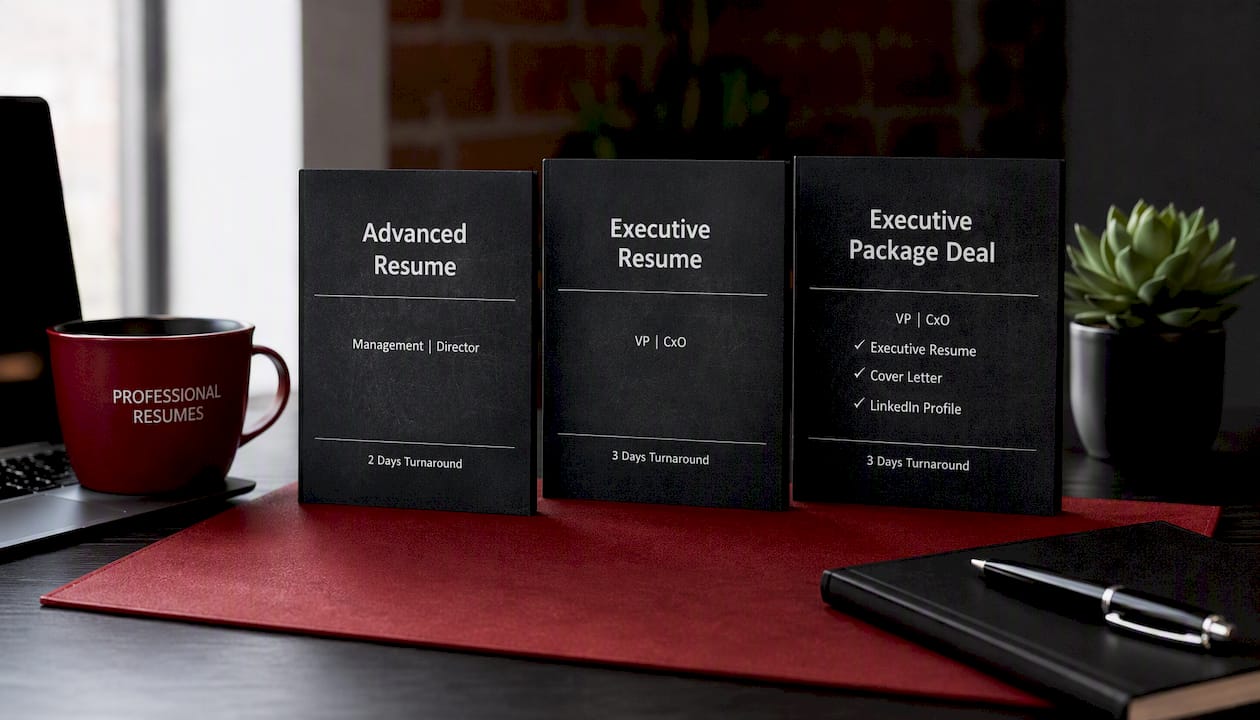
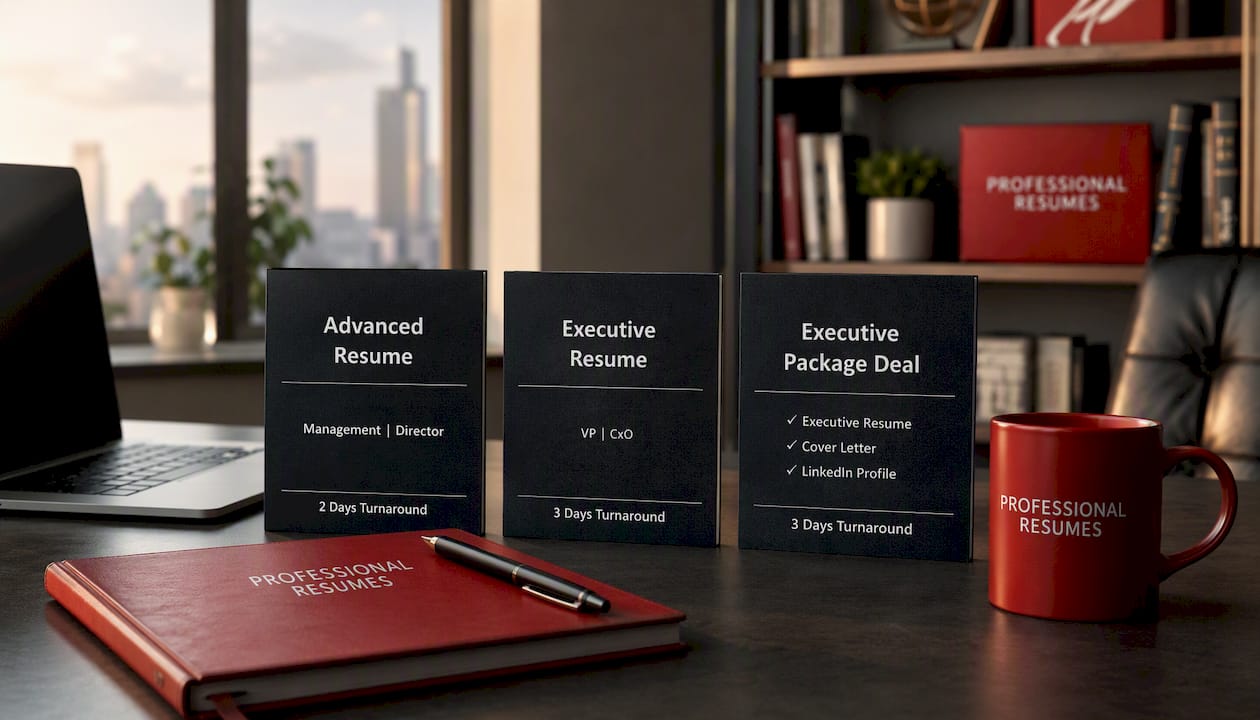
The Advanced Resume service covers a full consultation, ATS-friendly formatting, and revisions, with both file formats included in delivery. For senior-level candidates, the Executive Resume package tailors formatting to leadership-level expectations while keeping both a printable PDF and an editable Word version on hand for recruiters. If you want the complete picture, cover letter and LinkedIn profile included, the Executive Package Deal bundles every deliverable in both formats so you’re never scrambling to convert a file at the last minute. Every engagement includes the industry-informed approach that goes into making sure your resume reads well and parses correctly. Book a consultation and get both versions built right the first time.

Where to verify and convert your resume files

A handful of resources cover the technical side better than any single article can. ATS Verification’s parsing tests walk through how different engines actually read PDF and Word files. Indeed Canada’s format guide covers when recruiters ask for one format over the other. For hands-on formatting help, our guide to ATS-friendly resumes breaks down compatible layouts, and FlowPDF’s compression tool handles file-size limits without degrading text quality.

Sources

FAQ

Do employers prefer PDF or Word for resumes?

It depends on who’s opening the file. Recruiters and hiring managers often prefer PDF for direct viewing because it preserves layout, but many ATS portals parse .docx files more consistently, so the honest answer is: check the application path before deciding.

What is the 30 second rule for resumes?

It refers to the widely cited idea that recruiters spend roughly half a minute scanning a resume before deciding whether to keep reading, which is why clear formatting and a scannable structure matter as much as file format itself.

Which file format do most job application portals prefer?

Most ATS portals handle .docx more predictably than PDF, particularly with simple, single-column layouts, though a well-exported text-based PDF can also parse correctly depending on the specific system.

Should I use a PDF for my resume?

Use a PDF when emailing a hiring manager directly or providing a copy meant purely for human reading, since it locks your formatting in place and reduces the risk of accidental edits. Switch to Word when uploading to a portal or working with a recruiter who may need to edit the file.

ATS resume parsing errors title card

Fix 5 Parsing Errors to Pass an ATS Resume Screen

To pass an ATS resume screen, use a single-column layout, standard section headings, and a text-based .docx or PDF file, then match your language to the job description with keywords placed in context rather than listed in a block. Run two tests before you submit anything: paste your resume into a plain-text editor to see what survives, then run it through at least one ATS scanner. Fix anything the scanner flags before you touch tone or design.


TL;DR:

  • Proper formatting with a single-column layout, standard fonts, and linear date formats ensures your resume is parsed correctly by ATS systems.
  • Placing contact details in the main body and avoiding tables, images, or headers prevents key information from being skipped during parsing.
  • Embedding relevant keywords in achievement bullets and using both full phrases and acronyms increases the likelihood of matching the job description accurately.
  • Testing your resume in plain text and with ATS scanners helps identify formatting and keyword issues before submission, saving time and increasing interview chances.
  • When formatting fixes fail to produce results, professional resume services can help with personalized, targeted optimization for difficult career pivots or executive roles.

Professionalresumes
Make Your Resume ATS Ready
Professional Resumes creates customized resumes tailored to your aspirations, with consultations and revisions to strengthen your job search documents.

Explore resume services

Table of Contents

What does it take to pass an ATS resume screen? Quick checklist

An applicant tracking system does three things with your document: it parses the text, scores it against the job requisition, and stores it for a recruiter to search later. Every formatting decision below exists to protect that first step, because if parsing fails, nothing downstream matters.

Run through this before you submit:

  • Layout: single-column, standard headings (“Experience,” “Education,” “Skills”), no tables or text boxes.
  • Contact info: name, email, phone, and LinkedIn URL in the body, never in a header or footer.
  • Font: 10 to 12 point, standard typeface, no decorative styles.
  • File type: .docx by default; use a text-based PDF only if the employer specifically requests it.
  • File name: something professional like “JaneSmith_Resume.docx,” not “Resume_final_v3.”
  • Dates: written inline as “Jan 2023 to Mar 2026,” consistent across every entry.
  • Bullets: plain round bullets (•), three to five per recent role, fewer for older ones.
  • Testing: copy-paste your resume into a plain-text editor, then run it through at least one ATS scanner.

Each item on that list solves a specific parsing failure. The next two sections explain why, and how to catch the ones that slip past a quick glance.

Formatting rules that make or break parsing

Reading order is the single biggest variable in how an ATS interprets your resume, and it is entirely within your control. Parsers read documents the way a scanner reads a page: left to right, top to bottom, one column at a time. A resume built in a single column preserves that order perfectly. A resume built in a two-column layout, with your skills sidebar on the left and your work history on the right, often gets read out of sequence, jumbling a director-level job title with an unrelated bullet from your skills list. Controlled two-column templates can work if the underlying structure enforces reading order, but a single column remains the safer default for anyone who isn’t certain how their template behaves under the hood.

Advanced Resume

Tables, text boxes, embedded images, and headers or footers cause the same kind of damage. Many parsers skip header and footer regions entirely, which means a resume with your name and phone number sitting in the header can get scored as anonymous. Keep every piece of contact information in the main body of the document, and avoid decorative graphics, icons, or skill-rating bars that carry no machine-readable text.

Three practical rules cover most of what trips people up:

  1. Use Arial, Calibri, or Helvetica at 10 to 12 point for body text, since these render consistently across parsing engines, according to MIT’s Career Advising and Professional Development office.
  2. Keep margins between 0.5 and 1 inch. Tighter margins can cause text to wrap unpredictably when a parser reflows the document.
  3. Confirm your PDF is text-based, not a scanned image, by opening the file and trying to highlight and copy a line of text. If you can’t select it, re-export from Word or submit the .docx version instead.

Pro Tip: Bold and spacing still work in your favour. An ATS-safe resume doesn’t have to look bare. Bold your job titles and company names, use consistent spacing between sections, and keep the visual hierarchy clear for the human who eventually opens the file.

Keywords and content strategy: match the job without keyword stuffing

The fastest way to raise your match score is to mine the job posting itself, not a generic list of industry buzzwords. Read the description twice: once for the required qualifications, once for the exact phrasing the employer uses. Pull out job titles, named tools, methodologies, and required credentials, then sort them into a short mental list before you touch your resume.

Place those terms where they carry weight: your summary, your skills section, and your achievement bullets. A skills section that just lists “Project Management, Budgeting, Client Relations” tells an ATS you know the words. A bullet that reads “Managed a $2.1 million project budget across six client accounts” tells it, and the recruiter who reads it later, that you can prove it. UIC Career Services recommends embedding keywords directly into achievement statements rather than dropping them into an isolated block, and modern ATS scoring logic increasingly rewards that context over a raw keyword count.

A few habits protect you from both under-matching and over-matching:

  • Use full phrases and their acronyms together at least once, such as “Search Engine Optimization (SEO),” so the resume matches however the parser is configured to search.
  • Include both singular and plural forms where relevant. “Stakeholder” and “stakeholders” sometimes score differently depending on the system.
  • Mirror the job posting’s job title language somewhere in your summary or most recent role, even if your actual title differs slightly.
  • Quantify wherever you can. Numbers, percentages, and dollar figures make a bullet more credible to a human reader without changing its keyword value to a machine.

Never invent a skill or credential to chase a match score. The goal is small, honest edits tailored to each posting, not a rewrite that claims experience you don’t have. For software and technical roles especially, tool names and version numbers matter more than general descriptors, so specificity pays off twice: once with the parser, once with the hiring manager.

How do I test if my resume passes ATS?

Testing takes ten minutes and catches most of the damage before it costs you an interview.

  1. Copy everything and paste it into a plain-text editor like Notepad or a blank Google Doc with formatting stripped. Look for jumbled section order, missing contact details, merged words with no spaces, or entire blocks of text that vanished. This is the same rough approximation of what an ATS parser sees, and it’s free.
  2. Run your resume through at least one ATS scanner. Tools like Kickresume’s ATS checker simulate parsing behaviour and typically report back in three categories: parsing accuracy (did it extract your sections correctly), keyword match (how closely your language mirrors the job posting), and formatting flags (fonts, columns, graphics).
  3. Prioritize by severity, not by score. Fix parsing errors first, because a missing section or scrambled date range causes real information loss. Address keyword gaps second. Save tone and visual polish for last, since those only matter once a human actually opens the file.

Applicant tracking systems aren’t a niche concern anymore. About 99% of Fortune 500 companies use some form of ATS, and roughly 20% of smaller businesses do too, which means almost every application you send passes through a parser before a person sees it.

One caveat worth remembering: scanner scores vary by tool, and no scanner perfectly replicates every employer’s system. Chasing a 100% score on one checker can waste hours you’d spend better tailoring keywords to the next job posting. Treat scanners as diagnostic instruments, not final verdicts.

Common parsing errors and concrete fixes with before/after guidance

Most parsing failures trace back to a handful of repeat offenders, and each one has a fast fix.

  • Tables and multi-column layouts: Flatten any table into single-column bullets. A three-column skills table becomes a simple bulleted list under one “Skills” heading.
  • Header or footer contact information: Move your name, phone, email, and LinkedIn URL into the top of the document body. Delete the header and footer entirely if your template auto-generates one.
  • Images, icons, and rating bars: Replace a five-star graphic showing “Excel proficiency” with the word “Advanced” or “Expert” next to the skill name in plain text.
  • Inconsistent date formats: Standardize every date range to the same inline format, such as “Jan 2023 to Mar 2026,” rather than mixing “01/2023,” “January 2023,” and “Winter 2023” across different roles.
  • Fancy or symbol-based bullets: Swap arrows, checkmarks, or custom glyphs for a plain round bullet (•). Some parsers render unusual symbols as broken characters or skip the line entirely.

Pro Tip: If you inherited a resume template with a sidebar or a two-column design, don’t just delete the sidebar content. Copy every line into the main body first, then remove the column structure, so nothing gets lost in the transition.

Run through this five-item list before every new application. It takes less time than tailoring your keywords, and it catches the errors that cause outright data loss rather than a lower match score.

Why these steps work: evidence and expert notes

None of this is guesswork stacked on convention. Career services offices and workplace-technology research have converged on the same conclusions for years, largely because the mechanics of text parsing haven’t changed much even as the systems around them have gotten more sophisticated.

“Ensure your resume is read by ATS” is the literal title of UIC Career Services’ guidance, and its central argument is direct: headers, footers, tables, and images are common failure points because parsers are built to read structured text rather than visual layout.

Columbia University’s Career Education office confirms how widespread these systems have become, with adoption near-universal among large employers and rising steadily among smaller ones. That scale is exactly why format discipline matters as much as content. A brilliant resume that a parser reads incorrectly never reaches the recruiter’s eyes in a form anyone can evaluate fairly. Meanwhile, the evidence on keyword strategy points the same direction: context beats density, and achievement bullets with real metrics tend to hold a recruiter’s attention longer once your resume clears the parsing stage.

Professional Resumes’ perspective: when to DIY and when to get professional help

Most of what breaks a resume in an ATS is fixable in an afternoon with the checklist above. Tables, header placement, font choice, date formatting. None of that requires outside help, and we’d rather see you fix it yourself than pay someone to change your font.

Where a paid rewrite earns its cost is different: a career pivot where your old titles don’t map to the new target role, an executive search where board-level language and P&L framing need precision you can’t easily self-edit, or a pattern of rejections despite a clean, ATS-tested resume that suggests the positioning itself, not the formatting, is the problem. Professional Resumes builds customized, ATS-compliant documents through direct consultation and multiple revision rounds, specifically for those harder cases where a template and a checklist aren’t enough.

— Professional

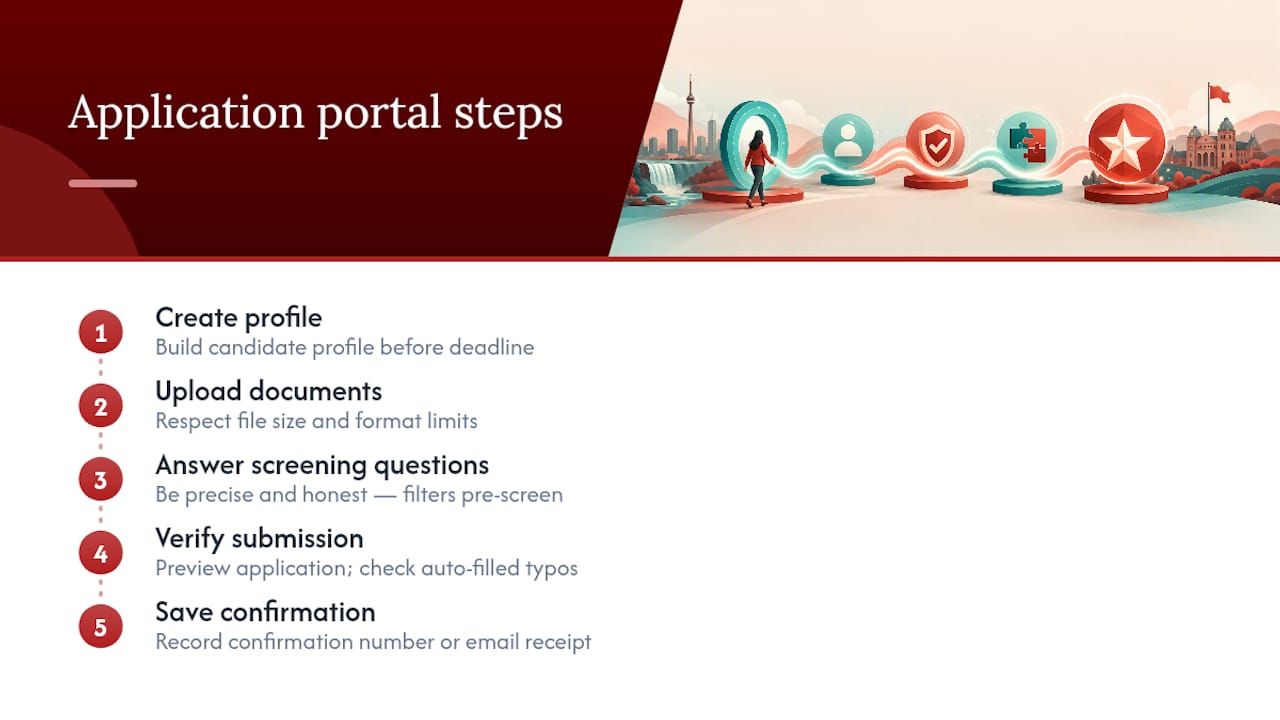
Services: Advanced Resume and Advanced Package Deal

If you’ve run the checklist, fixed the parsing errors, tailored your keywords, and you’re still not landing interviews, the problem usually isn’t formatting anymore. It’s positioning, and that’s where a second set of trained eyes changes the outcome. Resume writing services build every document around ATS-compliance rules, then go further with language and structure tuned to specific target roles.

Advanced Resume

The Advanced Resume service is built for job seekers who need a fully customized, ATS-friendly resume with direct consultation and revision rounds, useful for career changers, professionals re-entering the workforce, or anyone whose current resume simply isn’t converting into interviews. The Advanced Package Deal bundles that resume work with a matching cover letter and LinkedIn profile optimization, giving you consistent, keyword-aligned language across every touchpoint a recruiter or hiring manager might check. Both are built through consultation, not a one-size template, which means the keyword strategy from earlier in this article gets applied to your actual career history rather than a generic example. If your resume keeps clearing the scanner but not the interview list, book a consultation and get a document built for your specific target roles.

Sources

FAQ

How do I make a resume that passes ATS?

Use a single-column layout with standard headings, keep contact details in the body rather than a header, choose a common font at 10 to 12 point, and match your keywords to the job description in context. Then run the copy-paste test and at least one scanner before submitting.

Where can I find a free ATS test for my resume?

Free options include Kickresume’s ATS resume checker, which simulates parsing and flags formatting and keyword issues, though results vary between tools, so treat any single score as a diagnostic signal rather than a final verdict.

How do I know if my resume is readable by ATS?

Copy your entire resume and paste it into a plain-text editor with no formatting. If the text stays in the right order, your contact details appear, and nothing merges into unreadable strings, your layout is likely parsing correctly.

What is an ATS score, and what counts as good?

An ATS score, as reported by most scanning tools, typically reflects how well your resume’s structure and keywords match a specific job posting, usually broken into parsing accuracy, keyword match, and formatting flags. There’s no single universal threshold, since scoring methods differ by tool, so prioritize fixing flagged parsing errors and keyword gaps over chasing a specific number.

Decorative OPS resume screening title card

Beat OPS Screening: Ontario Government Resume Within 5 Page Limit

Winning a screening review for an Ontario public-sector role comes down to one discipline: tailor every line of your résumé and cover letter to the qualifications named in the job ad, back each one with a measurable accomplishment, and keep the whole package inside the Ontario Public Service’s recommended page limit. Skip any one of those three and a screener has no reason to move your application forward. If you’re short on time or want a second set of eyes, professionalresumes.ca’s Government & Public Sector resume service builds these documents for you against the exact criteria hiring panels use.


TL;DR:

  • Tailor each résumé and cover letter to the specific qualifications in the job ad, using exact language and measurable accomplishments for each requirement.
  • Applications are screened against a checklist, and failure to address “must-have” qualifications clearly results in automatic disqualification.
  • Keep your combined application within five pages, using plain formatting, standard fonts, and no personal identifiers like your Social Insurance Number or photo.
  • Use a chronological résumé format for clarity, starting with your most recent roles, and prioritize relevance by reordering bullets to highlight key achievements first.
  • Prepare for written assessments and structured interviews by practicing results-based examples grounded in the STAR or PAR framework, addressing qualifications with concrete metrics.

Professionalresumes
Present Your Experience Clearly
Professional Resumes creates customized resumes and cover letters tailored to your aspirations, with consultations and revisions included.

Explore resume services

Table of Contents

How hiring panels and screening work in Ontario public-sector competitions

Every résumé and cover letter submitted before the closing date gets read against a checklist, not a first impression. Ontario’s own hiring process page confirms that all applications received by the deadline are screened and rated against the qualifications outlined in the job ad, and only the applicants whose documents demonstrate those qualifications clearly enough move on to interviews, tests, or presentations.

This matters more in government hiring than almost anywhere else in the private sector, because the process is built for defensibility. A hiring panel at a ministry, a municipality, or an agency like the TTC has to justify why one candidate advanced and another didn’t, often against a formal grievance or audit process. That means screeners aren’t looking for a general impression of competence. They’re looking for specific phrases from the job posting reflected back at them in your bullet points.

Here’s what typically happens after you hit submit:

  • Your application lands in a tracking system alongside every other submission received by the deadline.
  • A screener (sometimes HR, sometimes the hiring manager, often both) checks your résumé and cover letter against each listed qualification.
  • Applications that don’t clearly address a “must have” qualification are usually screened out at this stage, regardless of overall experience.
  • Shortlisted candidates move to assessments, which can include written tests, skills demonstrations, or panel interviews.
  • Unsuccessful applicants are frequently told only that “regrets” will follow if they’re not selected, which is why you rarely get feedback on why you were screened out.

Timelines vary by ministry and by competition, but municipal and provincial postings often take several weeks between the closing date and first interviews, longer for high-volume competitions like intake postings at large agencies. Patience is part of the process. So is precision, since the screener reviewing your file may spend less than a minute deciding whether to advance you.

OPS length, structure and plain-format rules you must follow

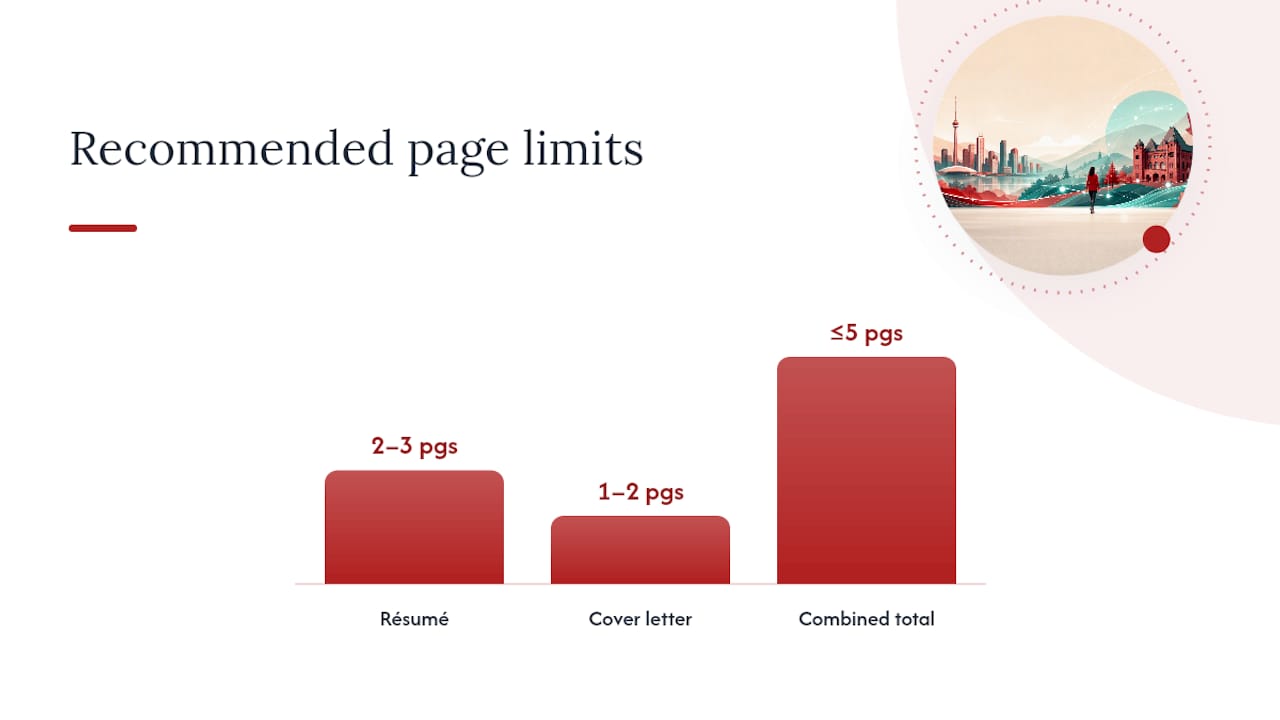
Ontario Public Service guidance recommends specific length limits, and ignoring it is one of the fastest ways to get filtered out before anyone reads your accomplishments. The OPS Cover Letter and Résumé Writing Guide recommends keeping your combined application, cover letter plus résumé, within the recommended five pages total.

Format rules that matter:

  • Use a standard, readable font (Calibri, Arial, or a similar sans serif) at 11-point or larger.
  • Skip graphics, tables with shading, headshots, and decorative borders. Screening software and human reviewers both prefer plain text blocks.
  • Never include a photo, your Social Insurance Number, birthdate, or marital status. Government identity guidance is explicit that your SIN has no place on a job application, and including one is a red flag, not a credential.
  • Left-align text, avoid columns, and use consistent bullet styling throughout.

On page counts, the guide’s benchmark breaks down like this:

Document Recommended length
Résumé 2 to 3 pages
Cover letter 1 to 2 pages
Combined total 5 pages or less

Student and early-career applicants get a slightly tighter standard: the OPS student tip sheet recommends résumés run no longer than three pages, with clear, action-verb-driven bullets rather than dense paragraphs.

Chronological format, listing roles in reverse date order, works for most government applicants because panels want to see career progression and recent relevance at a glance. A functional format, organized by skill category instead of job history, only makes sense if you’re changing careers entirely or have gaps that a strict timeline would highlight unfavourably. When in doubt, chronological is the safer, more scannable choice for both a human reviewer and an applicant tracking system.

OPS length, structure and plain-format rules you must follow — overview diagram

Step-by-step method to tailor your résumé to any government job ad

Tailoring isn’t a vague suggestion here. It’s the entire screening mechanism, and Ontario’s guidance treats using the job ad as a checklist as close to mandatory for anyone who wants to advance past the first cut.

  1. Print or copy the full job ad, including the “Qualifications” and “What can I bring to this role” sections. These sections contain the exact language screeners will search for.
  2. Extract every qualification phrase verbatim. If the ad says “demonstrated experience in stakeholder consultation,” write that phrase down exactly. Don’t paraphrase it to “worked with community groups.”
  3. Build a two-column mapping table with the qualification in one column and your matching résumé bullet in the other. If you can’t fill a row, that’s a gap you need to address or accept before applying.
  4. Rewrite each résumé bullet to mirror the ad’s language, as long as it’s true. If the posting asks for “budget management experience,” and you managed a $40,000 program budget, say so using that phrasing rather than a synonym.
  5. Cut anything that doesn’t map to a qualification. A decade-old retail job with no relevance to a policy analyst posting is taking up space that a matched accomplishment could fill.
  6. Reorder bullets within each role so the most relevant achievement appears first, since screeners often stop reading a bullet block after the first two or three lines.

Here’s what that rewrite looks like in practice:

Before: “Responsible for various administrative duties and supporting the team.”

After: “Coordinated scheduling and correspondence for a 12-person program team, reducing meeting-booking turnaround from three days to one.”

Before: “Worked on community programs.”

After: “Delivered community engagement sessions for a municipal recreation program, reaching over 300 residents across four wards.”

The difference isn’t length. It’s specificity tied directly to something a screener can check off. Municipal postings, TTC operations and administrative roles, and provincial ministry competitions all use some version of this qualifications-first review, so the mapping exercise is worth repeating for every application rather than reusing one generic résumé.

Write accomplishment statements that score: STAR and PAR explained with examples

Government panels consistently favour results-based writing over duty-based writing, and the reason is simple: a duty tells a screener what you were assigned, while a result tells them what you actually changed. The STAR framework, Situation, Task, Action, Result, and its close cousin PAR (Problem, Action, Result) both force you to end every bullet with a measurable outcome rather than a job description.

Three quick examples, one per common role type:

  • Administrative: “Processed an average of 45 procurement requests per month for a municipal facilities division, cutting average approval time from 9 days to 4 by introducing a standardized intake form.”
  • Program delivery: “Led onboarding for a new youth employment program serving 120 participants annually, achieving an 87% program completion rate in its first year.”
  • Data and analyst roles: “Built a monthly reporting dashboard tracking service request volumes across 6 departments, reducing manual reporting time by roughly 6 hours per week.”

Notice each one includes a number: people served, hours saved, percentage improved, dollars managed. That’s not decoration. A quantified claim is easier for a screener to score against a “demonstrated results” qualification than a qualitative one.

A few practical rules for scope and framing:

  • Keep the timeframe specific (“over 18 months,” “in Q3 2025”) rather than vague (“recently” or “over time”).
  • Choose metrics the screener can actually picture: dollars, hours, people served, percentage change, or volume processed all work well.
  • Don’t inflate scope. If you contributed to a team project, say “contributed to” or “supported,” not “led,” unless you genuinely ran it.
  • One strong, verified number beats three soft claims. If you don’t have a hard figure, describe scale honestly (team size, budget range, duration) instead of inventing precision.

Cover letter strategy that supports, not repeats, the résumé

A government cover letter has one job the résumé can’t do on its own: connect your background to the role in plain narrative language, in one to two pages, without repeating bullet points verbatim.

Opening paragraph: Name the exact position title and job ID, and state briefly why you’re applying. Skip the generic “I am writing to express interest” line; a screener reads dozens of those a day, and it wastes your first sentence.

Middle section: Choose two or three of the posting’s top qualifications, the ones that appear first or are repeated, and explain in narrative form how your experience meets them. This is where you connect dots the résumé can only list: why a project mattered, what pressure you were under, why the result was hard to achieve.

Closing paragraph: Confirm your availability, thank the reader for their consideration, and close professionally. Keep it short. This section does not need new evidence.

A few tone and structure notes specific to government readers:

  • Address the letter to the named contact if one is given; otherwise use “Hiring Committee” rather than a guessed name.
  • Keep sentences direct and avoid overly casual language. Government readers expect a formal, professional register, not corporate marketing tone.
  • Never copy résumé bullets word for word into the letter. If a bullet says “reduced report turnaround by 50%,” the letter should explain why that mattered to the team or the public, not restate the number alone.
  • One page is often enough for entry to mid-level roles. Reserve two pages for senior or specialized competitions where you have several qualifications to address in depth.

ATS, file formats and a final submission checklist

Most Ontario government job portals accept a narrow set of file types, and getting this wrong can knock your application out before a human ever opens it. PDF is generally the safest choice because it preserves formatting across devices, but many postings also accept .doc, .docx, .txt, or .rtf files. Always check the specific posting instructions, since some municipal and agency portals (including TTC postings) have their own upload rules distinct from the provincial ontario.ca careers portal.

For most OPS postings, you’ll combine your cover letter and résumé into a single document rather than uploading them separately. Check the posting for this requirement before you format your files.

  1. Name your file clearly, using a convention like JobID_LastName_FirstName.pdf, and include the competition or Job ID number if the posting mentions one.
  2. Confirm your page count is within the five-page combined limit before saving your final version.
  3. Check contact information at the top of your résumé: current phone number and email, no mailing address required in most cases.
  4. Proofread out loud, since reading silently lets your eyes skip errors your ears will catch.
  5. Remove any SIN, birthdate, or photo if you added placeholder fields from an old template.
  6. Confirm language requirements listed in the posting; some roles specify English, French, or bilingual proficiency testing.
  7. Save your confirmation email or portal receipt once submitted. Portals don’t always send a second reminder, and you’ll want proof of the submission date if a competition timeline is disputed later.

An ATS-friendly formatting approach also helps when a municipality or agency runs your application through automated keyword screening before a human ever sees it, which is increasingly common for high-volume postings.

Common application mistakes and quick fixes

Most screened-out applications share the same handful of problems, and nearly all of them are fixable in an afternoon.

  • Generic résumé, no tailoring. The single biggest cause of failed screening is submitting one résumé to every posting instead of mapping it to each job ad’s specific qualifications.
  • Missing keyword phrases. If the ad says “risk assessment” and your résumé says “identified potential issues,” a screener or an automated system may not connect the two.
  • Irrelevant history taking up space. A page of unrelated retail or hospitality experience from a decade ago pushes your strongest, most relevant accomplishment off the first page.
  • Personal identifiers included by habit. SIN, birthdate, marital status, or a photo left over from an old template. None of these belong on a Canadian government application.
  • Poor formatting choices. Columns, graphics, and inconsistent fonts can break when uploaded to a portal or scanned by tracking software.

Fast fixes:

  • Rewrite your résumé’s summary or headline to name the exact job title you’re applying for.
  • Add one or two accomplishment bullets with a specific metric, even a rough one, to each recent role.
  • Trim any role older than 10 to 15 years unless it’s directly relevant to the qualifications listed.
  • Reformat in plain text style and re-save as a PDF before uploading.

Pro Tip: Before you submit, hand your résumé to someone who has never worked with you and ask them to summarize what you’re good at in one sentence, based only on what’s written. If their summary doesn’t match the qualifications in the job ad, a screener won’t make that connection either.

A simple peer-review pass, even a five-minute read by a colleague or friend, catches typos and unclear phrasing that you’ve read past a dozen times already.

How professionalresumes.ca helps applicants win government competitions

Building a résumé that maps cleanly to OPS qualification language, stays inside a five-page limit, and reads well to both a screener and an ATS is a specific skill, and it’s the one professionalresumes.ca’s Government & Public Sector resume service is built around. The service works from the actual job posting you’re applying to, not a generic template, and structures your résumé and cover letter around the exact qualifications a hiring panel will be scoring.

Three product paths cover most reader situations:

  • Advanced Resume suits applicants who already have a working draft but need a professional rewrite focused on accomplishment language, keyword alignment, and page-limit compliance.
  • Advanced Package Deal combines a résumé rewrite with a cover letter and LinkedIn profile overhaul, built for anyone applying to multiple competitions or making a career pivot into the public sector.
  • Early Career Resume is designed for recent graduates and first-time public-sector applicants who need a concise, tailored document without years of work history to draw from.

Each option is built through direct consultation, working from your background and the specific postings you’re targeting, with revisions included so the final draft reflects real qualification language rather than boilerplate phrasing. For readers weighing whether to write this themselves or bring in help, the honest answer depends on how many competitions you’re applying to and how much time you have before each closing date.

Guidance on preparing for possible written tests or assessments

Many OPS, municipal, and agency competitions include a written test between the résumé screen and the interview stage, especially for policy, administrative, and analyst roles. These tests typically assess writing clarity, situational judgment, or technical knowledge specific to the role rather than general aptitude.

If the posting mentions a written component, prepare the way you would for the résumé itself: reread the qualifications and think through how you’d demonstrate each one in a timed writing scenario. Situational judgment tests often present a workplace scenario and ask you to choose or write the most appropriate response, so practising concise, professional writing under time pressure helps more than memorizing facts.

For technical or policy-writing assessments, review any public reports, briefing notes, or similar documents from the hiring ministry or municipality if they’re publicly available. This gives you a sense of the tone and structure they expect. Time management matters as much as content: many candidates lose marks by spending too long on the first section and rushing the rest.

If you’re unsure whether a posting includes a written test, it’s reasonable to ask the contact listed in the job ad once you’re shortlisted. Knowing the format in advance, whether it’s a timed essay, a multiple-choice policy quiz, or a scenario response, lets you prepare accordingly instead of walking in cold.

Interview preparation specific to Ontario government interviews

Government interviews are almost always structured and behavioural, meaning every panellist asks the same questions in the same order and scores your answers against a rubric tied to the job’s qualifications. This is different from a private-sector conversational interview, and treating it that way is a common mistake.

Prepare a STAR or PAR example for every qualification listed in the job ad, not just the ones you feel confident about. Panels frequently ask “Tell me about a time when…” questions that map directly to the posting’s requirements, so the accomplishment statements you wrote for your résumé are a strong starting point for interview answers.

Expect multiple panellists, sometimes three or four, taking notes throughout. This is standard practice for fairness and documentation purposes, not a sign the interview is going poorly.

Some roles, particularly those in policing-adjacent agencies, finance, or infrastructure security, require a security clearance or background check after a conditional offer. If a posting mentions this, be prepared for reference checks, and in some cases a credit or criminal record check, before your start date is confirmed. Municipal transit agencies like the TTC and provincial ministries handling sensitive data both use this step for relevant positions, so don’t be surprised if it’s part of your specific process.

Explanation of eligibility criteria and priority groups for Ontario government hiring

Most Ontario public-sector postings are open to any qualified applicant who meets the education, experience, and legal requirements listed in the ad, including being legally entitled to work in Canada. Some competitions are restricted, meaning only current employees of that ministry, agency, or municipality can apply, so always check whether a posting says “open” or “internal only” before investing time in an application.

Certain groups receive priority consideration under specific circumstances. Employees on a workforce adjustment list, laid off through restructuring, are often given first consideration for matching vacancies before a competition opens to external applicants. Some postings also note accommodation-related priority hiring under provincial employment equity frameworks, and Indigenous-specific hiring initiatives exist at several ministries and municipalities.

If a posting lists specific education or certification requirements, such as a professional designation or a degree in a named field, these are typically firm requirements rather than “nice to have” preferences. Government job ads distinguish between “required” qualifications and “asset” qualifications, and it’s worth reading that distinction carefully. Meeting every required qualification matters more for screening than exceeding an asset qualification while missing a required one.

Tips for navigating the online application portal specific to Ontario government jobs

Provincial postings run through the ontario.ca careers portal, while municipalities and agencies like the TTC typically run their own separate application systems. Each has its own login, its own upload limits, and its own quirks, so budget extra time the first time you apply to a new employer’s system rather than assuming it works like the last one.

Create your portal profile well before a deadline, since some systems require you to build a candidate profile, upload documents, and answer screening questions in separate steps that can take longer than expected. Screening questions, often yes/no or short-answer fields asking about specific qualifications, sometimes act as an automatic filter before a human even sees your résumé. Answer them precisely and honestly; vague answers here can screen you out before your documents are reviewed.

Ontario government application portal steps

Double-check file upload confirmations. Some portals silently fail to attach a document if the file is too large or in an unsupported format, and you won’t always get an error message. After submitting, look for a confirmation number or email, and save it. If a portal allows you to preview your submitted application, do so, since typos in auto-filled fields are common and easy to miss.

Information on required supporting documents beyond your résumé and cover letter

Depending on the role, you may need more than a résumé and cover letter to complete your application. Roles requiring a specific degree, diploma, or professional designation sometimes ask for unofficial transcripts at the application stage, though many competitions only request official transcripts after a conditional offer.

Some Ontario government job ads include an optional diversity self-identification form, used for statistical and equity-reporting purposes rather than for screening decisions. Completing it is voluntary and doesn’t affect your competitiveness for the role.

If the posting requires a specific certification, a first aid certificate, a professional licence, a security clearance eligibility, gather proof of that credential before you apply so you’re not scrambling to locate it once you’re shortlisted. Some municipal and transit-agency postings, including certain TTC operational roles, also require a valid driver’s licence abstract or a criminal background check consent form as part of the conditional offer stage. Read the “how to apply” section of every posting closely, since requirements vary meaningfully between a provincial ministry role, a municipal position, and an agency posting even when the job titles look similar.

Writer’s perspective: practical reassurance and final tips

The applicants who succeed at this aren’t necessarily the most qualified people in the pool. They’re the ones who took the job ad seriously enough to rewrite their résumé line by line against it, instead of sending the same document to every posting and hoping volume would work in their favour. That’s the pattern worth trusting: small, specific changes, a mirrored phrase here, a quantified result there, move you further than a complete overhaul with no real tailoring behind it.

Municipalities, agencies like the TTC, and provincial ministries all run some version of the same qualifications-first screening, so the discipline you build for one application carries into the next. Expect the process to take time, and don’t read a slow timeline as a rejection. If you’d rather have someone build that tailored document with you than do it alone at midnight before a deadline, that’s exactly what our Government & Public Sector resume service is there for.

— Professional

Get a government-ready resume built for the job you actually want

Writing five pages that satisfy OPS format rules, mirror a job ad’s exact qualification language, and still read like a real person wrote them takes hours most job seekers don’t have between work, applications, and everything else. A professional resume service can build that document with you, working from the specific posting you’re targeting instead of a recycled template, so every bullet maps to something a screener is actually scoring.

Advanced Resume

Three paths cover most situations. The Advanced Resume rebuilds an existing résumé around accomplishment language and keyword alignment. The Advanced Package Deal adds a matching cover letter and LinkedIn profile for applicants juggling multiple competitions. The Early Career Resume is built for recent graduates and first-time public-sector applicants with a shorter work history to draw from. Whichever fits your situation, start by booking a consultation through the Government & Public Sector resumes page and bring the job posting you’re targeting to that first conversation.

FAQ

How do you format a résumé for a government job?

Use a plain, single-column layout with a standard font at 11-point or larger, keep your résumé to 2 to 3 pages, and remove personal identifiers like your SIN or birthdate before submitting.

How do you write a resume that actually lands a job?

Extract the exact qualification phrases from the job ad, map each one to a quantified accomplishment on your résumé, and cut anything that doesn’t connect to the posting’s requirements.

What is the seven second rule in résumé writing?

It refers to the idea that a reviewer forms an initial impression of your résumé within the first few seconds of scanning it, which is why your strongest, most relevant accomplishment needs to appear near the top of the page rather than buried further down.

What are three don’ts in résumé writing?

Don’t submit the same generic résumé to every posting, don’t include personal identifiers like your Social Insurance Number or birthdate, and don’t list duties without measurable results attached to them.

How long should an Ontario government application be?

Ontario Public Service guidance recommends a combined cover letter and résumé of five pages or less, with the résumé running 2 to 3 pages and the cover letter 1 to 2 pages.

Decorative education resume audit title card

30 Second Audit: Education Section on Your Resume That Gets Read

The education section on a resume needs just four elements: degree and field of study, institution name, location, and graduation date (or expected date). List it above your work experience only if you’re a recent graduate or the job demands a specific credential; otherwise, place it after your professional history. Add honours or coursework only when they actively strengthen your candidacy for that specific role.


TL;DR:

  • Listing a relevant degree or credential prominently can be crucial for career pivots or recent graduates, even with extensive work experience.
  • Keep education entries simple and consistent, focusing on the most recent, relevant, and distinctive details, and avoid cluttering with unrelated coursework.
  • Placement of the education section depends on your career stage; prioritize it for new graduates or credential-dependent roles, but place it after experience for seasoned professionals.
  • Only include GPA if it is 3.5 or higher, and tailor optional details like honors or coursework to match the specific job requirements.
  • Use a straightforward, linear format without tables or columns; ensure every detail directly supports your fit for the role and enhances your credibility.

Professionalresumes
Make Every Resume Section Count
Professional Resumes creates customized resumes, cover letters, and LinkedIn profiles through personalized consultations and revisions.

Explore resume services

Table of Contents

What belongs in your education section

Four fields are non-negotiable. Every entry should include your most recent degree or ongoing education, the school name and location, field of study, and a graduation year or expected date. Miss one of these, and a recruiter has to guess. Guessing costs you seconds you don’t have on a 20-second resume scan.

Beyond the essentials, a handful of optional additions can work in your favour, but only when they’re doing actual work:

  • Honours and awards — Dean’s List, scholarships, academic distinctions. Include these if they’re recent and relevant to the field you’re entering.
  • GPA — worth listing only when it strengthens your application, which generally means 3.5 or higher. Below that, leave it off entirely. A missing GPA reads as neutral; a low one may be a liability.
  • Relevant coursework — two or three courses, named specifically, that map directly to the job posting’s requirements.
  • Projects or thesis titles — particularly valuable for recent graduates with limited work history, since a capstone project can double as proof of applied skill.
  • Language of instruction — worth noting when you studied outside your target country and the hiring manager might otherwise wonder about your English or French fluency.

If you’re still in school, label the entry honestly. Include an expected graduation date rather than leaving the date field blank or vague. If your program stalled or you left before finishing, list completed credits or relevant coursework instead of writing “incomplete” or “unfinished”. “Unfinished” reads as a red flag; “87 credits completed toward a B.Comm” reads as a fact.

Where to place the education section on a resume

Placement comes down to one question: where does this section best answer the recruiter’s first question about your qualification? Work through it in this order:

  1. Recent graduate with limited work history — put education above your experience section. It’s your strongest asset right now, so lead with it.
  2. Role requiring a specific credential — nursing licence, professional engineering designation, CPA. Place education first even if you have years of experience, because the credential is the gate, not a bonus.
  3. Career pivot into a new field — if you’ve completed a relevant certificate or diploma, move it up near the top to signal your new direction before a recruiter assumes you’re the same professional you were three years ago.
  4. Mid-career or senior professional in a stable field — list education after your experience. Your track record is doing the persuading now, not your transcript.

Keep every entry visually consistent and simple for applicant tracking systems: no tables, no columns, no unusual date formats. A clean, linear layout parses correctly whether a human or a bot reads it first.

How to list education on your resume by career stage

The format holds steady across career stages: degree and field first, then institution, location, date, and any optional detail worth including. What changes is how much you include and how prominently you place it.

Recent graduate:

  • Bachelor of Arts in Psychology, University of Waterloo, Waterloo, ON. Expected graduation: June 2026. GPA: 3.8. Relevant coursework: Cognitive Behavioural Interventions, Research Methods in Psychology. Capstone project: designed a peer support intervention piloted with 40 first-year students.

This entry earns its length. Every line points toward employability, not just academic completion.

Experienced professional:

  • Bachelor of Commerce, McGill University, Montréal, QC, 2011.

That’s it. If you graduated more than 10 to 15 years ago and space is tight, drop the graduation year altogether or list just the decade. Nobody hiring a director of operations needs to know you finished school in 2009.

In-progress education:

  • Master of Business Administration, York University, Toronto, ON. Expected graduation: December 2026. Relevant coursework: Strategic Financial Management, Organizational Leadership.

Naming the expected date and one or two relevant courses shows momentum without overselling an unfinished credential.

Incomplete education:

  • Bachelor of Science in Computer Science, University of Alberta, Edmonton, AB. Completed 90 credits (2019–2021). Relevant coursework: Data Structures, Web Application Development.

If the coursework connects more to your target job than to a formal degree, consider moving some of it into a separate “professional development” section instead, alongside certifications and online courses. That reframes an unfinished degree as a set of applied skills rather than an unmet goal.

Practical tips and mistakes to avoid

A practical rule of thumb keeps each entry to roughly 15 to 30 words, tailoring the optional details to the specific job posting rather than repeating the same block on every application.

Do this:

  • Use the institution’s official name (Toronto Metropolitan University, not “TMU,” on a first reference).
  • Format every date the same way across the whole resume — month and year, or year only, never a mix.
  • Tailor coursework and projects to match keywords in the job description.
  • List degrees in reverse chronological order, most recent first.
  • Keep each entry short enough to scan in under five seconds.

Avoid this:

  • Listing a GPA under 3.5 out of habit rather than strategy.
  • Cramming in every course you ever took, relevant or not.
  • Writing vague labels like “various courses” or “general studies” with no specifics.
  • Mixing abbreviations inconsistently (B.A. in one line, “Bachelor of Arts” in the next).

Pro Tip: Run a 30-second audit before you submit any resume: read only your education section out loud. If nothing in it directly supports the job you’re applying for, cut it back to the four essentials and stop there.

How Professionalresumes approaches the education section

Professional resume services build education entries around the same principle: match the depth of detail to what the job actually needs, whether that’s a first resume for a new graduate or a senior document for someone with extensive experience. The approach adjusts formatting, phrasing, and placement based on career stage and industry, from entry-level resumes for construction and trades roles where certifications need to be front and centre, to finance sector resumes where regulated credentials carry real weight with recruiters.

A professional editor typically catches things you won’t spot on your own:

  • ATS formatting errors that make a perfectly good degree invisible to scanning software.
  • Coursework or project descriptions phrased generically instead of tied to the target job.
  • International credentials that need translation or context for a Canadian hiring manager.

DIY education sections tend to underperform most in three narrow cases: career pivots where old coursework needs reframing, international degrees that require equivalency context, and executive resumes where credential placement affects perceived seniority. In those situations, a second set of trained eyes is worth more than another hour of self-editing.

A fast litmus test for what to keep

Placement should track signal strength, not a rigid formula based on years of experience — a credential that directly answers a job requirement earns top billing even for a 20-year veteran. For anything optional, run three questions: does it prove fit for this specific job? Is it recent enough to matter? Is it distinctive rather than generic? If an item fails all three, cut it. Then read your education section as if you were the hiring manager, not the graduate who earned it.

— Professional

Get your education section built right the first time

Formatting rules only get you so far. Deciding what to include, how much detail to add, and where to place it for your specific industry takes judgment that’s hard to apply to your own resume objectively. Professionalresumes builds that judgment into every project instead of leaving you to guess.

Early Career Resume

The Early Career Resume service is built for recent graduates and early-career job seekers who need to make a thin work history look substantial. It’s the right fit if your degree, projects, and coursework are still your strongest selling points. The Advanced Resume service is built for mid-career and senior professionals, including those navigating a career transition, and it includes ATS-friendly formatting plus a full consultation to decide exactly how much education detail belongs on the page. Whichever stage you’re at, the next step is the same: get a resume that puts your education exactly where it earns you the most credibility, and not a line further.

Sources

FAQ

How do I write an education section on a resume?

Lead with your degree and field of study, then list the institution name, location, and graduation date (or expected date). Add GPA, honours, or coursework only if they strengthen your fit for the specific job.

What counts as a red flag in a resume’s education section?

Vague labels like “various courses,” inconsistent date formats, and unexplained gaps without context all read as red flags to recruiters. Listing a weak GPA out of habit, rather than leaving it off, is another common one.

What are common mistakes people make in their education section?

The most frequent ones are overloading the section with irrelevant coursework, mixing degree abbreviations inconsistently, using non-official institution names, and failing to tailor coursework to the job posting.

What should I avoid putting in my resume’s education section?

Avoid a GPA below 3.5, coursework with no connection to the target role, and vague terms like “incomplete” for education still in progress. List completed credits or relevant coursework instead.

Should I include my GPA on a resume?

Only if it’s 3.5 or higher. Below that threshold, omitting it entirely is the safer, more strategic choice.

Decorative board resume title card illustration

Senior Execs: One Board Resume Shift That Gets You Shortlisted

A board resume is a strategic biography, not an operational CV. It signals governance judgment, committee readiness, and fiduciary discernment rather than P&L wins. The single highest-impact edit: open with a board-focused summary, then list board and advisory service before executive history, so a nominating chair sees governance fit in the first ten seconds.


TL;DR:

  • Emphasize governance experience over operational roles by listing board service first, highlighting specific committee roles, and using governance language in all bullets.
  • Keep the résumé within one page, with board and advisory service at the top, and focus on skills, credentials, and evidence of fiduciary and risk oversight.
  • Reframe operational achievements into advising or oversight language, especially around risk, succession, and ESG, to better fit board expectations.
  • Highlight diversity and governance credentials strategically, tying them directly to oversight value, and include endorsements from recognized governance figures.
  • Maintain strict confidentiality, avoid excessive detail, and tailor each résumé version to targeted committees or skill gaps to maximize impact.

Professionalresumes
Position Your Resume for Board Roles
Professional Resumes creates customized resumes, cover letters, and LinkedIn profiles tailored to your career aspirations and industry expectations.

Explore resume services

Table of Contents

Crafting a professional summary that positions you for a board seat

Search firms and nominating chairs typically scan a résumé for fifteen seconds before deciding whether to keep reading. Your summary either earns the next look or costs you the interview, which is why it has to work harder than any paragraph in your executive résumé ever did.

A board-ready summary answers three questions immediately: what governance value do you bring, which committee(s) can you serve on today, and what sector or credential backs that up. It reads in third person or neutral voice, avoids “I,” and states scope rather than duties.

A workable structure looks like this: [Governance identity] with [X years] in [sector], bringing expertise in [core competency] and [core competency]. Serves on the [type] board committee, contributing [specific value].

  • State organization type and scale (public company, private equity backed, $500 million revenue) rather than your job title’s full duty list.
  • Name one or two committees you’re qualified for, not every function you’ve ever touched.
  • Cut anything that reads as operational: “managed a team of 200” belongs on an executive résumé, not here.
  • Keep it to two to four lines, full stop.

Pro Tip: Write the summary last. Draft your board-service bullets and governance achievements first, then pull the strongest thread of value into a two-line opening. Trying to write the summary cold almost always produces vague filler.

The NACD’s guidance on building a board résumé frames this correctly: the résumé is read as a strategic biography, and the summary is where that framing either lands or fails.

Order and structure: presenting board service before executive history

Nominating committee members and retained search consultants often read board résumés out of order on purpose. They jump straight to governance experience because that’s the qualifying signal, and if it’s buried on page two under fifteen years of operating roles, they may never get there.

That’s the case for restructuring the whole document:

  1. Name, contact, and summary at the top, unchanged from any strong résumé.
  2. Board and advisory service, listed immediately after the summary: organization name and type (public, private, nonprofit), your role, years served (not months), committee assignments, and one governance-oriented bullet per entry.
  3. Executive history, condensed to titles, companies, and dates, with one or two lines per role focused on scope and outcomes rather than day-to-day duties.
  4. Education and governance credentials, followed by any appendix material.

If you have an extensive publication list, speaking history, or academic credentials, move that to a one-page addendum rather than letting it crowd the main document. The AICD’s guidance on creating the perfect CV is explicit on this point: keep the core résumé to one page where possible, two at most, with board and committee service listed first so it can be scanned in seconds.

What boards look for: skills, committee experience, and proof you can govern

Boards recruit for a specific set of competencies, and your résumé needs to map to them directly rather than implying them through job titles. The NACD identifies financial literacy, risk oversight, strategic planning, succession planning, and committee experience as the recurring priorities, with nonprofit boards also weighing fundraising capacity and community engagement.

Committee fit matters as much as general governance credibility. Audit committees want financial statement literacy and internal controls exposure. Compensation committees want experience designing incentive structures at scale. Governance and nominating committees want succession planning and board evaluation experience. Risk committees increasingly want cybersecurity or ESG familiarity layered on top of traditional risk oversight.

Translate operational history into governance language:

  • Instead of “led enterprise risk function,” write “advised the audit committee on enterprise risk framework redesign.”
  • Instead of “oversaw succession planning for VP roles,” write “guided board-level CEO succession planning and evaluation criteria.”
  • Instead of “built the ESG program,” write “provided strategic input on ESG disclosure and stakeholder risk exposure.”

The verb shift, from doing to advising, is the entire exercise.

Governance education and certifications: showing board-readiness

Formal governance credentials are one of the fastest ways to signal seriousness to a nominating committee that doesn’t know you personally. A designation like ICD.D in Canada or completion of NACD director education tells a chair you’ve studied board dynamics, not just assumed you understand them from the C-suite side of the table.

Where to place it depends on how central it is to your candidacy:

  • If it’s your strongest credential, work it into the summary line directly (“ICD.D-certified director with 20 years in financial services”).
  • Otherwise, give it its own line under a “Governance Credentials” or “Certifications” heading near education.
  • A short “Governance Training” subsection works well if you’ve completed multiple programs worth listing together.

If you lack formal certification, don’t leave the space blank. Volunteer board service, committee internships with nonprofit organizations, or targeted executive education in governance topics are legitimate substitutes. The NACD notes that pairing governance training with even unpaid board experience is a credible path for first-time directors, and search firms understand that everyone’s first board seat has to come from somewhere.

Sample summary lines and board-service bullets you can adapt

Sample summary lines and board-service bullets you can adapt — overview diagram

A résumé built on the right structure can still fail on wording. Governance language is a specific register, and most executives default back to operational phrasing without noticing.

Three summary lines to adapt by background:

  • Finance: “Finance executive with 18 years in capital markets, bringing audit committee expertise and deep familiarity with SEC reporting and internal controls.”
  • Technology: “Technology leader with two decades scaling SaaS platforms, offering board-level insight on cybersecurity risk, digital transformation, and product governance.”
  • Nonprofit: “Nonprofit executive with 15 years in community health, contributing fundraising strategy and stakeholder governance experience to mission-driven boards.”

Board-service bullets that show oversight rather than operation:

  • “Provided oversight during a cross-border acquisition, evaluating integration risk and reporting findings to the full board.”
  • “Chaired the compensation committee’s review of executive incentive structure, aligning pay with long-term shareholder value.”
  • “Advised on a divestiture that protected shareholder value amid a contracting market segment,” which is the kind of high-level framing Robert Half recommends over granular operational metrics.

Aim for a résumé length around one page, with a slightly longer document acceptable for candidates with extensive multi-board histories. Use a clean, single-column layout with generous white space; a governance résumé crowded with small type undercuts the very discretion it’s meant to project.

Common mistakes and a quick readiness checklist

The most frequent error is repurposing an executive résumé wholesale and calling it a board document. Operational verbs (“managed,” “directed,” “built”) signal you’re still thinking like an operator, not a director. A close second: résumés that run three or four pages because every job function from the last twenty years made the cut.

Before sending your résumé to a nominating committee, confirm:

  • Board and committee service appears before executive history, not after.
  • Every bullet uses governance language: oversaw, advised, guided, evaluated.
  • Length sits at one page, two at the absolute maximum.
  • Dates use years only, never months.
  • LinkedIn matches the résumé’s framing exactly, headline included.

Pro Tip: Keep two or three versions of your summary paragraph on file, each weighted toward a different committee strength (audit, risk, ESG). Swap in the version that matches the specific board’s stated gap before you submit.

When professional help speeds up board readiness

Some candidates can make this shift alone. Many can’t, particularly executives with no formal board seat yet who need help translating a strong operating record into governance language a nominating committee will recognize on sight.

Signs it’s worth bringing in expert help: you have zero board experience to draw from, you’re struggling to reframe your career narrative, or you’re facing a submission deadline with no time to iterate. A resume writer working specifically on board documents should deliver a tailored board summary, committee-focused bullets, a LinkedIn profile aligned to the same messaging, and at least one round of revisions once you see how it reads.

Highlighting diversity attributes that add value to a board

Boards increasingly evaluate candidates against gaps in perspective, not just gaps in skill. If you bring a different professional path, geography, gender, ethnicity, age cohort, or lived experience than the board’s current composition, that’s a legitimate credential and belongs in your résumé, not left as an unstated fact about you.

Frame it as a governance contribution rather than a personal detail. Instead of a generic diversity statement, tie the perspective to a specific oversight value: “Brings a consumer-market perspective underrepresented on the current board, informing risk assessment in emerging demographic segments.” That’s concrete enough for a nominating chair to see exactly what gap you close.

This works particularly well for candidates moving from operating roles in sectors the board wants exposure to, immigrants with international market experience the board lacks, or professionals whose functional background (technology, legal, ESG) fills a stated skills gap on the board’s own recruiting brief. If the board has published a skills matrix or stated priorities, mirror that language directly rather than making the committee infer the connection.

Understate rather than overstate. One clear sentence in the summary, reinforced by a bullet or two in your board-service section, carries more weight than a paragraph that reads as a checklist.

Showing fiduciary responsibility and risk oversight experience

Every director carries a fiduciary duty of care and loyalty, and boards want proof you understand what that means in practice, not just in theory. That proof comes from specific language, not a general claim of integrity.

Show fiduciary judgment through examples of independent decision-making: instances where you challenged management’s recommendation, flagged a risk before it became material, or voted against a proposal on governance grounds. These are the moments that separate a genuine director from someone who simply attended meetings.

For risk oversight specifically, reference the categories boards care about most right now: cybersecurity, regulatory compliance, ESG-related liability, and enterprise risk frameworks. A bullet like “Evaluated cybersecurity risk posture ahead of a planned acquisition, informing the board’s go/no-go recommendation” does more work than any general statement about being “risk aware.”

If you’ve served on an audit or risk committee, name it explicitly and describe one substantive contribution rather than listing the committee as a bare credential. Nominating committees read committee names quickly, but they remember specific examples of judgment exercised under real stakes.

Including recommendations and endorsements relevant to board roles

A résumé makes a claim; an endorsement corroborates it. Where you can, use recommendations strategically rather than treating them as an afterthought bolted onto the bottom of the page.

LinkedIn recommendations from board chairs, fellow directors, or senior executives who’ve watched you exercise governance judgment carry more weight than generic praise from a former direct report. Request one or two specifically focused on governance qualities: independent judgment, financial literacy, committee contribution, rather than operational leadership.

A brief reference line naming a sitting board chair or CEO willing to speak to your candidacy, with their permission, can be included discreetly at the bottom of a résumé or in a cover note rather than the résumé body itself. Some candidates prepare a short reference sheet as a separate document, available on request, which keeps the résumé itself clean while still signalling that credible endorsement exists.

Avoid vague testimonial language (“a trusted advisor”) in favour of specific attributions (“recommended by [board chair] for audit committee expertise”), and always confirm permission before naming anyone.

Addressing gaps in board experience or transitioning from operations

Most first-time board candidates have zero prior board seats, and that gap doesn’t need to be hidden. It needs to be reframed around adjacent evidence: committee-level exposure, advisory board work, or governance training that demonstrates you already think in board terms.

If you’ve never held a formal board seat, lean on advisory roles, nonprofit board service, or committee work within a professional association. These count as legitimate governance experience, particularly when paired with a credential like ICD.D or completed NACD coursework, which signals you’ve deliberately studied the discipline rather than assumed it transfers automatically from operating experience.

For executives transitioning directly from a C-suite role, the challenge is different: you have plenty of leadership experience but it’s phrased entirely in operational terms. The fix is the reframing exercise covered earlier in this piece, converting “led” and “managed” into “advised” and “provided oversight.” A related resource on C-level resume writing covers the mechanics of that translation in more depth for readers still building the underlying document.

Be candid about the gap in your cover note or during interviews rather than overselling committee work as full board tenure. Nominating chairs respect a clear account of readiness far more than an inflated one that unravels under a reference check.

Addressing gaps in board experience or transitioning from operations — overview diagram

Confidentiality and discretion in board resumes

Board searches run quietly, often through retained search firms who explicitly ask candidates not to distribute their materials broadly. The Women Get on Board FAQ on building a board résumé notes that search firms and chairs favour concise, tailored documents precisely because they’re circulated within a small, controlled group rather than posted publicly.

That discretion should show up in how you handle your own résumé. Avoid naming specific confidential deal details, unreleased financial figures, or proprietary strategic initiatives your current employer hasn’t disclosed publicly. Frame prior board discussions in general governance terms rather than describing specific board debates or votes that were meant to stay in the room.

If you’re currently serving on a board undergoing a sensitive process (a pending merger, a leadership change), it’s reasonable to note your role without detailing the situation itself. A nominating committee reading your résumé understands that discretion around live matters is itself a signal of trustworthiness, not a gap in transparency.

Keep your résumé distribution list tight, and if a search firm is managing your candidacy, let them control where the document goes rather than sending it broadly yourself.

A short note on the operator to director mindset

The hardest part of this exercise isn’t formatting. It’s genuinely believing that oversight, not execution, is now your value. Most executives write their first board resume draft in the voice of the job they’re leaving, not the seat they’re trying to earn.

Try this now: take one bullet from your current résumé and rewrite it using “advised,” “evaluated,” or “provided oversight” instead of “led” or “managed.” Notice how differently it reads.

— Professional

How one professional service builds board-ready documents

Reframing a career narrative from operator to director is exacting work, and most executives are too close to their own history to see where the operational language is still showing through. That’s where a second, trained eye earns its cost back quickly.

Advanced Resume

For candidates targeting a specific board seat, the Advanced Resume service builds a tailored summary and committee-focused bullets around the exact governance gap a target board has stated. Senior leaders who need the full executive-to-director translation, not just a targeted rewrite, are better served by the Executive Resume package, which handles the language shift at the level of an entire career history. For executives pursuing board seats while also managing a broader job search, the Executive Package Deal bundles the résumé with a matching cover letter and LinkedIn profile, so every document a search firm or chair reviews tells the same governance story. Each package includes direct consultation with your writer and multiple revision rounds, so the final draft reflects your actual governance voice, not a template. Book a consultation to find out which package fits your timeline.

Sources

Decorative resume summary title card illustration

Copy and adapt resume summary examples by level: why pros draft them last

A strong resume summary is 2 to 4 lines placed at the top of your resume that names your professional title or level, lists 2 to 3 top skills, and quantifies one achievement that shows an employer what you deliver. The single rule that governs everything else: write it last, after the rest of the resume is finished, so it reflects real accomplishments instead of aspirations. Every example that follows builds on that formula.


TL;DR:

  • Tailor your resume summary to include the exact job title and keywords from the posting to improve ATS ranking and recruiter recognition.
  • Limit the summary to 40 to 60 words, focusing on a relevant title, two to three top skills, and a measurable achievement that demonstrates your value.
  • Write the summary after completing the rest of your resume to ensure it is based on actual accomplishments rather than aspirations or vague claims.
  • Highlight quantifiable results, such as percentages or dollar figures, to provide concrete evidence of your effectiveness and stand out among candidates.
  • Focus on achievement-based language rather than duties, ensuring your summary clearly communicates what you deliver on day one for the employer.

Professionalresumes
Make Your Resume Show Your Value
Professional Resumes crafts customized resumes, cover letters, and LinkedIn profiles around your skills, experience, and career aspirations.

Explore resume services

Table of Contents

What is a resume summary?

A resume summary sits directly beneath your contact information and gives a hiring manager the case for reading further. It states your title or years of experience, names two or three areas of expertise, and closes with one measurable result or clear statement of value to the employer.

Length matters more than most job seekers assume. Aim for roughly 40 to 60 words, or 2 to 4 lines. Longer than that, and recruiters skim past it. Shorter, and it reads as filler rather than a pitch.

When should you use a resume summary?

A summary earns its place on the page for mid-career professionals, senior candidates, and anyone tailoring an application to a specific job posting. If you have relevant achievements to cite, lead with them.

Long resumes packed with certifications or technical qualifications sometimes do better with a bulleted “summary of qualifications” instead of prose. Very early-career applicants with little paid experience, or anyone shifting into a structured training program, may still find an objective statement more honest than an inflated summary.

Why bother with a summary statement at all?

Recruiters scanning a stack of resumes decide fit in seconds. A summary puts your strongest match right where their eyes land first, instead of buried on page two.

It also does double duty for applicant tracking systems. Placing your target job title and 2 to 3 keywords near the top helps automated screens and human readers agree on the same conclusion. For career changers or people with gaps and pivots in their work history, a summary reframes a non-linear path around transferable skills rather than a chronological list that raises questions before you’ve had a chance to answer them.

Resume summary vs. objective: a quick rule

A summary is employer-focused. It tells the reader what you bring, backed by evidence, so use it whenever you have a track record worth citing. An objective is candidate-focused. It states what you want, and it fits a narrow set of cases: students, career-switchers with no relevant history yet, or workers entering their first structured role.

When your background is heavy on certifications or technical qualifications rather than narrative achievements, a bulleted “summary of qualifications” often communicates faster than a paragraph.

Comparison of resume summary formats

How to write a resume summary: a 5-step process

Follow this sequence and you’ll never stare at a blank line under your name again.

  1. Finish the resume first. Draft your work history, achievements, and skills sections before touching the summary. You can’t summarize accomplishments you haven’t written down yet, and experts consistently recommend this order because it keeps the summary anchored in real results.
  2. Identify the target title and keywords. Read the job posting and pull the exact job title and 2 to 3 recurring terms. These become the language your summary echoes.
  3. Draft your 2 to 4 lines. Cover who you are (title, years or level), what you do best (2 to 3 skills), and one quantified result that shows employer value.
  4. Tailor it per application. Swap the keywords and, where possible, the quantified result to match what each posting actually asks for. Robert Half’s guidance is blunt on this point: generic summaries get skimmed past.
  5. Edit for concision and active verbs. Cut adjectives that don’t carry information. Replace “responsible for” with what you actually did and what happened as a result.

Pro Tip: Ask a colleague or mentor to read your finished resume and tell you, in one sentence, what stood out. That sentence is often the strongest raw material for your summary, since outside readers catch achievements you’ve stopped noticing yourself.

Resume summary examples by experience level and format

Here are professional summary examples organized by career stage, plus three format options worth testing against your own resume.

Entry-level (paragraph format):
Strong writer with working knowledge of Canva and basic analytics tools.
Personalize the internship detail, the percentage, and the named tools.

Early career, 2 to 4 years (bulleted summary):

  • Project Coordinator with 3 years supporting cross-functional teams in the software sector.
  • Skilled in Asana, stakeholder communication, and timeline management.
  • Reduced average project delivery time by 15% through improved intake processes.

Mid-career (paragraph format):
"Customer Service Manager with 8 years leading teams of up to 12 representatives in high-volume retail environments. Expertise in conflict resolution, CRM systems, and staff training.
Swap the team size, tools, and satisfaction figures for your own.

Senior/executive (transferable-skills summary):
“Operations leader with 15+ years spanning manufacturing and logistics. Areas of expertise include supply chain optimization, P&L ownership, and vendor negotiation. Led a plant consolidation that cut annual overhead by $1.2 million.”
Readers moving toward this level often benefit from understanding how an executive summary differs from a standard professional one before drafting theirs.

Each format works. The paragraph style reads naturally, the bulleted version scans faster on mobile, and the transferable-skills approach helps when your history spans more than one industry.

Common mistakes and a six-item self-edit checklist

The same errors show up across thousands of resumes: vague adjectives with nothing to back them up, duty lists instead of results, missing job-specific keywords, summaries stretching past 4 lines, and zero quantified achievements anywhere in the statement.

Quick checklist:

  • Does it name your title or experience level in the first line?
  • Does it list 2 to 3 specific, relevant skills?
  • Does it include at least one number, percentage, or dollar figure?
  • Does it echo language from the job posting?
  • Is it under 60 words?
  • Would a stranger know what you’d deliver on day one?

Before: “Hardworking professional responsible for managing a team and handling customer issues.”

Quantifying results turns a vague claim into evidence a hiring manager can act on. Formatting matters too. Unusual symbols or dense paragraphs can confuse ATS parsers, which is one more reason ATS-friendly formatting belongs on your pre-submission checklist.

Why professional writers draft the summary last

Writing the summary after the rest of the resume isn’t a stylistic preference. It’s a sequencing decision that produces sharper, more evidence-backed statements, because you’re synthesizing what you actually accomplished rather than guessing at what sounds impressive.

Professional resume writers spend most of a project extracting the achievements clients undervalue: the process fix nobody asked them to make, the retention number they never thought to mention, the dollar figure buried in a performance review. That extraction work, paired with knowledge of how applicant tracking systems parse keywords, is what separates a generic summary from one that survives both the algorithm and the recruiter’s six-second scan.

What the research gets right, and where advice falls short

Most guides agree on the mechanics: keep it short, quantify something, tailor it per posting. Where the advice consistently falls short is timing. Writers are told to draft a summary early, as a kind of warmup, when the opposite order produces better results almost every time.

What the research gets right, and where advice falls short — overview diagram

The other gap is specificity. Generic templates tell you to “highlight your strengths,” which is advice so broad it’s nearly useless. The better instruction is narrower: find the one metric, dollar figure, or percentage that proves your strongest claim, and build the summary around that single data point rather than a list of adjectives.

If you take one thing from this, prioritize the quantified result over polish. A summary with one hard number and average phrasing will outperform elegant prose with nothing to measure, every time a recruiter has to choose between two candidates in the same stack.

— Professional

Get hands-on help with your resume summary

Writing a summary that survives both an ATS scan and a six-second human read is harder alone than it looks on paper. Professional resume writing services build that top-of-page statement around achievements that move hiring decisions, tailored to your target role rather than a generic template.

Advanced Resume

For senior professionals with a track record to distill into three sharp lines, the Advanced Resume service pairs in-depth consultation with multiple revisions to get the summary and full document right. Recent graduates and early-career applicants without a long work history to draw from get a different kind of support through Early Career Resume, which focuses on turning internships, coursework, and volunteer work into employer-facing value statements. If you need your resume, cover letter, and LinkedIn profile aligned around the same summary language, the Next Step Package Deal bundles all three into one coordinated project. Starting with a consultation can help tailor services to the role you’re targeting.

Sources

Career change resume title card illustration

Pass ATS and the 6 Second Scan: Resume for a Career Change

Use a hybrid resume that leads with a target-role headline, a 2 to 3 sentence professional summary, and a skills-first section, so a hiring manager can identify your intended pivot within seconds. This structure outperforms a chronological or purely functional layout because it satisfies applicant tracking systems while still telling recruiters exactly where you’re headed. Everything below explains how to build it, section by section.


TL;DR:

  • Highlight your top two skill clusters at the beginning of the resume to emphasize relevance for both ATS and recruiters.
  • Use measurable, outcome-focused bullet points that start with action verbs to demonstrate your transferable achievements.
  • Place completed certifications and relevant projects immediately after the skills section to bridge experience gaps effectively.
  • Keep the resume to one page unless applying for a senior role, and tailor each version with a master resume system to save time.
  • Clearly state your target role in the headline and summarize your background, transferable skills, and value in three concise sentences.

Professionalresumes
professionalresumes.ca
Make Your Career Pivot Clear
Professional Resumes creates customized resumes, cover letters, and LinkedIn profiles tailored to your career goals and industry expectations.

Explore Professional Resumes

Table of Contents

Why the hybrid resume format works for a career change

A chronological resume lists jobs in reverse date order and assumes your last title predicts your next one. That assumption breaks the moment you’re pivoting industries, which is exactly why a combination format, often called hybrid, performs better for career changers. It opens with a skills and summary block, then supports that pitch with a condensed work history underneath.

Purely functional resumes, the kind that hide dates and bury job titles under skill headings, tend to backfire. They can fail ATS parsing and make recruiters suspicious about what you’re not saying. A combination resume format keeps your history visible while still leading with relevance.

For a career change resume, structure the page in this order: name and target-role headline, professional summary, core skills grouped into 3 or 4 clusters, professional experience with transferable-outcome bullets, then education and certifications. That sequence gives a recruiter the pitch first and the proof second, which is the opposite of what a standard chronological resume does.

Hybrid resume structure from pitch to proof

How do you write a resume summary for a career change?

Keep it to 2 or 3 sentences that connect your background, your strongest transferable skill, and the value you bring to the new role. That’s the formula Wharton recommends for career-change resumes, and it works because it does the interpretive labour a recruiter shouldn’t have to do themselves.

Choose a summary over an objective statement once you have at least some relevant experience, paid or not, to point to. Reserve a short objective for situations with almost no bridging experience, where you need one sentence to state the goal before pivoting straight into skills.

Example, mid-career pivot (operations manager to project coordinator):
“Operations manager with 8 years leading cross-functional teams and vendor relationships. Skilled in scheduling, budget tracking, and stakeholder communication. Bringing that discipline to project coordination roles in construction and infrastructure.”

Example, early-career pivot (retail supervisor to UX research):
“Retail supervisor with 3 years translating customer feedback into operational changes. Trained in user interview methods and usability testing through a recent certificate program. Ready to apply that customer-first instinct to UX research.”

Both examples name the past role, the transferable strength, and the destination. Neither apologizes for the pivot.

How do you identify and group transferable skills?

Hard skills are teachable and specific, things like financial modelling, SQL, or CAD software. Transferable soft skills, like stakeholder management, conflict resolution, or process improvement, travel across industries because they describe how you work, not what tool you used. A career change resume needs both, but transferable skills carry the argument.

Pull the job posting for your target role and highlight every recurring competency. Then group your own experience into 3 or 4 clusters that mirror that language rather than listing scattered single words. Excelsior OWL’s career-change guidance recommends this clustering approach specifically because it mirrors how recruiters and ATS software scan for keyword matches.

A rewrite might look like this: instead of listing “communication” as a bare skill, cluster it as Client Relations & Communication, then list bullet evidence underneath, such as “Managed 40+ client accounts, resolving escalations within 24 hours.” That’s a rewrite that shows the same competency the new industry’s job posts describe, using the target role’s own vocabulary.

  • Leadership & Team Management: supervising, mentoring, delegating
  • Data & Analysis: reporting, forecasting, process auditing
  • Client Relations & Communication: negotiation, presentations, conflict resolution
  • Project Delivery: scheduling, budget tracking, vendor coordination

Pro Tip: Place your top 2 skill clusters directly under your summary, not lower on the page. ATS software and human recruiters both weight the top third of a resume more heavily, so bury nothing important below the fold.

How do you reframe past experience for a new industry?

Filter your work history down to responsibilities that demonstrate relevance, not everything you’ve ever done. A resume for a career change isn’t a full job history. It’s a curated argument, and Harvard Business Review’s guidance on career switching is blunt about this: the resume should show where you’ve been and where you’re going, not hide the gap between them.

Use a short outcome-focused micro-formula for each bullet: what you did, using a strong verb, and what resulted, ideally with a number. Monster’s career-change resume guidance points to exactly this pattern, action plus measurable result, as what separates a forgettable bullet from a convincing one.

Before: “Responsible for team meetings and reporting.”

Before: “Handled customer complaints.”

  1. Cut any bullet that doesn’t demonstrate a skill your target role needs.
  2. Start every bullet with an action verb, never a noun phrase.
  3. Add a number or measurable outcome wherever you can defend it honestly.
  4. Replace industry jargon from your old field with language from the new one.
  5. Limit older, unrelated roles to a line or two under an “Earlier Career” heading.

Where do certifications, courses, and projects belong?

Completed certifications and credentials belong right after your skills section, not buried at the bottom of the page. In-progress courses can go in the same block, labelled clearly as “in progress” or with an expected completion date, so nothing reads as misrepresented.

Projects deserve their own short entries when you lack direct paid experience. Use a three-part format: one line of context, one bullet describing the task with a strong verb, and one line stating the result. That structure reads cleanly in both ATS scans and human reviews, and Forbes’ career-change resume guide confirms that clearly presented credentials and projects are one of the most effective ways to bridge a direct-experience gap.

  • Completed certifications: list under a dedicated “Certifications” header, most recent first.
  • In-progress coursework: label with expected completion date.
  • Freelance or volunteer projects: format as context, action, result, exactly like a paid role.
  • Portfolio links: include a single URL if your target field values visible work samples.

What formatting rules actually matter for ATS and recruiters?

Recruiters spend about 6 seconds on an initial resume scan, which means your headline, summary, and top 3 bullets carry most of the weight. Everything below that needs to earn a second look, not carry the entire pitch.

Stick to standard section headings (“Professional Experience,” “Skills,” “Education”) because ATS software is built to recognize them, and avoid tables, columns, text boxes, or embedded images that scramble parsing. Place your most important keywords in the top third of the page rather than scattering them evenly, since some ATS platforms weight positional relevance. For an outside perspective on how parsing engines behave, JobsZA’s breakdown of ATS mechanics covers the keyword and formatting logic in more technical detail.

One page is standard for most career changers. Two pages become acceptable only when you’re pivoting from a senior or executive-level role with a genuinely long relevant history to summarize. Never pad a one-page resume to two just to look thorough.

What formatting rules actually matter for ATS and recruiters? — overview diagram

How do you manage multiple resume versions without losing your mind?

Build one master resume containing every bullet, skill cluster, and credential you might ever use, then branch a targeted version for each application rather than editing from scratch every time. A labelled master-resume system saves time and keeps your formatting consistent across versions.

  1. Keep the master document in one file with every possible bullet and skill cluster included.
  2. For each application, swap the headline to match the exact target role title.
  3. Reorder or swap your top 6 skills to mirror that job posting’s language.
  4. Rewrite 2 to 3 bullets per relevant role to echo the posting’s specific priorities.
  5. Save each version with a clear filename, such as “LastName_ProjectCoordinator_v2.”

This approach also makes it easier to reposition experience for a mid-career transition without rebuilding your whole document every time a new posting appears.

A copy-ready checklist before you hit send

Headline example: “Project Coordinator | Former Operations Manager, Cross-Functional Team Leadership”

Two-sentence summary example: “Operations professional with 6 years managing vendor logistics and budget tracking. Pivoting that coordination experience into project management roles in construction.”

Bullet rewrite 1, before: “Worked with clients on service issues.”

Bullet rewrite 2, before: “In charge of scheduling for the department.”

Before submitting, confirm your headline states the target role by name, your summary is 3 sentences or fewer, your top skill cluster matches the job posting’s own wording, every bullet leads with a verb and ends with a result, and your file is saved as a standard, non-image PDF or Word document that any ATS-friendly formatting system can parse cleanly.

What we’ve learned from working with career changers

Career changers tend to underestimate how much interpretive work a hiring manager has to do when a resume doesn’t explain itself. The strongest resumes we see don’t apologize for a pivot or hide it behind vague titles. They state the target role plainly and let the skills clusters do the convincing.

Where professional support tends to accelerate a pivot is in the reframing itself, translating a decade of operations language into project-management vocabulary, for instance, without losing the substance of what actually happened. Professional support builds that translation through direct consultation and multiple revision rounds, tailoring each document to the specific industry a client is entering rather than issuing a generic rewrite. DIY works well for a first draft. A second, expert pass tends to matter most when the pivot is significant, the stakes are high, or the writer is too close to their own history to see what a stranger will find confusing.

— Professional

Which Professionalresumes package fits your pivot

The right resume package depends on where you’re starting from, not just where you’re headed. If you’re early in your career or shifting into a field with limited direct experience, the Early Career Resume package is built around exactly that gap, helping you present coursework, projects, and transferable skills as legitimate proof of capability rather than filler. If you’ve built a solid work history and are making a lateral or upward pivot into a new industry, the Advanced Resume package focuses on translating your existing achievements into the language your target field actually uses. And if you’re pivoting at the senior or C-suite level, where the stakes and scrutiny are highest, the Executive Resume package is built for that scale of transition.

Advanced Resume

Packages often include consultation, revision rounds, and ATS-friendly formatting tailored to the target industry, so the document reflects the individual’s actual trajectory instead of a generic template. Book a consultation through the package page that matches your career stage and start the conversation about your pivot today.

Sources

Executive resume format title card illustration

Pass ATS, Win Interviews: Executive Resume Format for Senior Leaders

The strongest executive resume format right now is a clean, single-column, chronological layout led by a tight executive summary and a core-competencies grid, backed by an ATS-friendly plain-text version for online applications. Before anything else, rebuild the top third of page one: your headline, a three-to-five-line summary, and 6 to 12 core competencies, so they mirror the language of the role you want. Everything else follows from that.


TL;DR:

  • The top third of an executive resume should feature a clear headline, a concise summary, and core competencies aligned with the target role’s language.
  • Achievements should be written using the Challenge-Action-Result model, quantifying impacts like revenue growth, cost savings, or efficiency improvements.
  • A two-page length is standard, with older roles condensed into a summary or included as minimal bullets, and multiple versions prepared for different application formats.
  • ATS-friendly formatting requires simple fonts, standard section headers, and avoidance of complex tables or graphics that can be misread by applicant tracking systems.
  • Tailoring the top third for each role—including keywords, achievement highlights, and scope adjustments—can be done effectively in under an hour.

Professionalresumes
Make Your Executive Resume Stand Out
Professional Resumes creates customized resumes tailored to your aspirations, with consultations and revisions to showcase your skills and experience.

Explore resume services

Table of Contents

Executive resume format: anatomy and section-by-section structure

A modern executive resume format works the way a well-run board meeting works: the most important information comes first, and everything else supports it. Recruiters and retained search consultants spend seconds, not minutes, deciding whether to keep reading, and the sections below need to earn their placement in that order.

Headline and executive summary

Your headline is a positioning statement, not a job title. “Chief Operating Officer, Manufacturing & Supply Chain” tells a reader more in five words than “Experienced Executive” ever will. Below it, a three-to-five-line executive summary should state your scope (P&L size, team size, industry), your signature strength, and one or two headline outcomes.

A workable micro-template: "COO with P&L ownership up to $180M across three business units. Known for turning around underperforming operations and rebuilding executive teams during private equity ownership transitions.

Core competencies matrix

List 6 to 12 competencies in a compact grid, three or four per row, directly beneath the summary. These should read as leadership domains, not soft skills. Think “Post-Merger Integration,” “Board & Investor Relations,” “Global Supply Chain Redesign,” rather than “Communication” or “Leadership.” Pull the exact phrasing from the job description wherever it’s accurate. This section does double duty: it gives human readers a fast scan and gives ATS keyword matching something concrete to find.

Professional experience

Each role should open with a single context sentence, company size or revenue, industry, and your mandate, before the achievement bullets begin. A reader who doesn’t know that “Company X” was a $400 million industrial distributor with 1,200 employees has no way to judge whether your results were impressive or modest. Follow that sentence with four to six achievement bullets per recent role, tapering to two or three bullets for roles more than ten years old.

  • Most recent role: context sentence plus 4 to 6 bullets
  • Second and third most recent: context sentence plus 3 to 4 bullets
  • Older roles (10+ years back): title, company, dates, and 1 to 2 bullets only
  • Roles beyond 15 years: often collapsed into a single “Early Career” line

Board, advisory, publications, and education

These belong near the bottom of page one or the top of page two, sized to their relevance. A sitting board seat or advisory role for a candidate targeting board work deserves its own labelled section near the top. For most operating executives, education and certifications sit last, listed simply: degree, institution, year optional. Publications and speaking engagements only earn space if they reinforce your positioning, thought leadership for a CMO candidate, technical authority for a CTO. Reviewing executive resume writing tips built around this section order helps confirm you’re not burying a strong differentiator on page two.

Executive Resume

Which executive resume layout should you actually use?

Layout choice signals experience level before a recruiter reads a single word, so it deserves as much thought as the content itself.

Single-column is the safest default. It parses reliably across every applicant tracking system, reads cleanly on any device, and gives recruiters a familiar top-to-bottom scanning path. For the majority of executive searches, especially anything routed through a corporate careers portal or a retained search firm’s database, single-column is the right call.

Two-column or sidebar layouts have a narrower use case. A sidebar can work well for board candidates or executives with a long list of certifications, affiliations, and technical credentials that would otherwise crowd the narrative sections. Two-column formats are common at senior levels specifically because they let you show breadth without cluttering the main achievement story. The trade-off is real: sidebar content is frequently misread or skipped entirely by ATS parsers, which means anything essential to passing a keyword screen, your title, your core competencies, your industry, should never live in the sidebar alone.

Functional and hybrid formats are a niche tool, not a default. They make sense in one specific situation: an executive pivoting industries or functions, where a strict chronological history would bury transferable leadership skills under an unfamiliar job title. Outside that scenario, a functional format tends to read as evasive to experienced recruiters, who are trained to wonder what a chronology-averse resume is hiding.

For layout specs that preserve executive presence without sacrificing parseability:

  • Fonts: Calibri, Garamond, or Georgia at 10.5 to 11.5 points for body text
  • Name and headline: 16 to 20 points, bold, no decorative fonts
  • Margins: 0.6 to 0.8 inches on all sides, never below 0.5 inches
  • Line spacing: single or 1.08, with a clear blank line between roles
  • Section headers: bold, slightly larger than body text, consistent capitalization throughout

Pro Tip: If you’re torn between single-column and sidebar, build the single-column version first. It’s easier to add a compact skills sidebar later than to strip parsing-risky elements out of a design you’ve already grown attached to.

Conservative, ATS-friendly layouts with clear hierarchies consistently outperform visually elaborate designs at the executive screening stage, where the reader is scanning for substance, not admiring your design software skills.

How long should an executive resume be?

Two pages is the standard length for a senior leader with significant experience, and an executive resume functions as a strategic marketing document rather than an exhaustive career record, so every line has to earn its place. Extending to three pages is justifiable in specific circumstances such as a very long career with multiple distinct chapters, a candidate targeting a board seat where governance experience needs its own section, or a technical executive whose patents, publications, or clinical trial leadership require an addendum.

If you’re pushing past two pages without one of those justifications, the fix isn’t a smaller font. It’s moving older roles into a condensed “Early Career” summary and cutting bullets that describe responsibilities rather than results.

You need three distinct versions of your resume, not one file doing three jobs:

  1. A Word or PDF version for human readers. Word remains the most universally compatible format for systems that ingest and forward resumes, while PDF preserves your formatting exactly when a document is being forwarded to a hiring committee or board.
  2. An ASCII or plain-text version for online application forms. Many corporate portals and ATS platforms ask candidates to paste resume content directly into a text box, and a document full of tables, columns, or special characters will paste in as a garbled mess. Keep a stripped-down version, plain paragraph breaks, simple bullet dashes, no tables, ready for exactly this purpose.
  3. A short networking summary. One tight paragraph, roughly 100 words, that you can drop into an email introduction or a LinkedIn message to a connector. This isn’t a fourth resume format so much as a distilled version of your executive summary.

On file naming and sending: use a clear, professional file name (“JaneSmith_COO_Resume.pdf”), never “Resume_Final_v3.docx.” Strip personal metadata from document properties before sending. When a job posting doesn’t specify a format, send PDF by default to preserve formatting, but always keep the Word version ready, some corporate systems reject PDFs outright or fail to parse them correctly.

Writing achievement bullets that actually get executives hired

The Challenge-Action-Result model, CAR, is the single most useful bullet-writing habit for a senior leader to adopt: name the business challenge you inherited, describe the action you took, and quantify the result. Executive resumes need to demonstrate strategic impact rather than list duties, and CAR forces that discipline because it’s structurally impossible to write a CAR bullet that only describes a responsibility.

Map every outcome to a business metric your reader already cares about: revenue growth, EBIT or margin improvement, market share, headcount efficiency, customer retention, or time-to-market. Here are conversions from duty-based language to CAR-based, quantified language:

  • Before: “Responsible for P&L management of the western division.” → After: “Owned $85M P&L for western division; grew regional margin from 11% to 16% over two fiscal years through vendor renegotiation and SKU rationalization.”
  • Before: “Led the sales team.” → After: “Rebuilt underperforming 40-person sales organization after 30% attrition; restored quota attainment from 62% to 94% within three quarters.”
  • Before: “Managed the company’s digital transformation.” → After: “Directed enterprise ERP migration across 6 business units; cut order-to-cash cycle time by 35% and eliminated $2.1M in annual reconciliation labour.”
  • Before: “Oversaw manufacturing operations.” → After: “Turned around underperforming plant with 18% scrap rate; implemented lean protocols that cut scrap to 6% and avoided a planned $4M capital expansion.”
  • Before: “Responsible for hiring and team development.” → After: “Rebuilt executive bench after 4 C-suite departures in 14 months; all 4 replacement hires remained past the two-year mark.”
  • Before: “Handled vendor relationships.” → After: “Renegotiated top-5 supplier contracts, reducing input costs by 12% and securing preferential terms during a market-wide shortage.”
  • Before: “Improved customer satisfaction.” → After: “Redesigned client escalation process; cut churn among top-20 accounts from 18% to 4% in one year.”
  • Before: “Led a merger integration.” → After: “Directed post-merger integration of $220M acquisition; achieved planned synergies six months ahead of schedule.”

Use absolute numbers when you’re allowed to and the number is genuinely impressive; use percentages, ranges, or relative comparisons when confidentiality requires it.

On prioritization: for a career spanning 20-plus years, keep the strongest 3 to 4 bullets per role for anything in the last decade, and be ruthless about cutting bullets that describe process rather than outcome. A bullet that starts with “Participated in” or “Assisted with” rarely survives a serious edit.

Writing achievement bullets that actually get executives hired — overview diagram

What to show in the top third of your resume

If strategic fit isn’t obvious in the top third of page one, much of the rest of the resume goes unread. That single fact should govern how you spend your editing time. Recruiters and retained search consultants scan for a handful of signals almost immediately: your functional title, your industry, the rough size of the P&L or budget you’ve managed, and one or two signature achievements that prove you can do the job being advertised.

Before submitting to a specific role, run through this tailoring checklist:

  • Rewrite your headline to echo the exact title or function named in the posting
  • Swap in 2 to 3 core competencies that match language pulled directly from the job description
  • Move your most relevant achievement bullet to the top of your most recent role
  • Adjust your summary’s scope language (P&L size, team size, geography) to match the scale of the target role
  • Cut or shrink any competency or bullet irrelevant to this specific search
  • Confirm your industry and functional keywords appear at least once in the top third

For a rapid tailoring workflow that fits into a busy executive’s calendar: spend the first 10 minutes reading the job description twice, once for function, once for language. Spend the next 20 minutes editing your headline, summary, and competencies grid. Spend a final 15 to 20 minutes reordering or lightly rewriting your top two role bullets. That’s a complete, credible tailoring pass in under an hour, done from a strong baseline resume rather than a rebuild from scratch.

Pro Tip: Keep a “master” version of your resume with every achievement bullet you’ve ever written, then build each tailored version by selecting from that master document rather than writing new content under deadline pressure.

ATS formatting rules that actually matter for executives

Applicant tracking systems reward structural simplicity, and most of the formatting choices that damage parsing are also the choices that hurt human readability, so getting this right serves both audiences at once.

Keep contact information (name, phone, email, city) in the main body of the document, never in a header or footer. Many ATS platforms simply don’t read header and footer fields, which means a resume with contact details tucked into a document header can arrive at a recruiter’s desk with no way to reach the candidate. Use standard date formats throughout (“January 2021 to March 2026,” not “01/21 to 03/26” or creative alternatives), and keep section headers as plain, conventional labels: “Professional Experience,” not “My Journey” or “Where I’ve Made an Impact.”

Avoid complex tables, text boxes, and multi-column text blocks for anything essential, your title, your competencies, your achievement bullets. These elements frequently get scrambled or dropped entirely during parsing. If you want a sidebar for visual balance, reserve it for genuinely non-essential extras: a list of board memberships, professional association names, or language proficiencies, content that doesn’t need to survive a keyword scan intact.

  • Use standard fonts (Calibri, Garamond, Georgia, Arial) rather than decorative or condensed typefaces
  • Keep font size at 10.5 points minimum for body text, even under length pressure
  • Leave genuine white space between sections rather than compressing margins to fit more content
  • Save and submit as Word (.docx) unless the posting specifically requests PDF
  • Never embed critical content inside an image, logo, or graphic element

After you build your plain-text version, validate it before submitting: paste the content into a basic text editor (Notepad, TextEdit) and check that section breaks, bullets, and spacing still make sense without any formatting. If sentences run together or bullets vanish, the formatting in your source document is too complex for a clean paste-in. Reviewing ATS-friendly resume practices before your next application round is a fast way to catch these issues before a recruiter does.

Executive resume templates you can adapt right now

Modern templates from sources like Canva or Word’s built-in library can be a reasonable starting point for layout and spacing, but almost none of them are built with executive-level content in mind out of the box. They need adaptation, more white space, a competencies grid, and room for a real executive summary, before they’re ready for a senior search.

Three executive-summary templates for common situations:

Growth-stage leader: “Revenue-focused [title] with a track record of scaling teams and systems through periods of rapid growth. Grew [Company]’s revenue from $40M to $110M over four years while building the commercial infrastructure to support continued expansion. Known for translating ambitious growth targets into operational plans that hold up under scrutiny.”

Turnaround leader: “Operating executive specializing in underperforming business units and organizations facing structural decline. Took over a division with three consecutive years of margin erosion and restored profitability within 14 months through cost discipline, portfolio rationalization, and leadership team reconstruction. Comfortable operating under board-level scrutiny and tight timelines.”

Scale-stage leader: “Experienced [title] focused on building the systems, teams, and governance structures that let a growing company operate like a mature one. Led the infrastructure buildout that supported [Company]’s transition from founder-led operations to institutional-grade reporting ahead of a successful Series C raise.”

A copyable competencies grid example, formatted as three columns:

P&L Ownership M&A Integration Board Reporting
Organizational Design Change Management Capital Allocation
Global Operations Talent Development Investor Relations

Three short experience snippets showing the context-sentence-plus-bullets structure:

COO, mid-market industrial company ($260M revenue, 900 employees): Directed operations across four manufacturing sites during a private equity ownership transition. Led a 22-person leadership restructuring that reduced management layers from six to four. Delivered $6.8M in annual cost savings within the first 18 months.

CFO, technology services firm ($90M revenue, venture-backed): Built the finance function from the ground up ahead of a planned Series C raise. Reduced monthly close time from 18 days to 5. Secured $35M in growth financing on favourable terms by rebuilding investor reporting credibility.

VP Engineering, SaaS platform (200-person engineering organization): Rebuilt engineering leadership after the departure of three directors in one year. Reduced average feature delivery time from 11 weeks to 6.

Keep language market-neutral throughout, avoid country-specific legal claims about employment status, work authorization, or credential equivalency, since those vary by jurisdiction and don’t belong in a resume document itself.

Why trust this guidance: Professional Resumes’ approach to executive formatting

This guidance reflects formatting principles applied for senior-level and C-suite resume preparations. As an author with specialized focus on executive resume strategy, Professional’s approach centres on the same discipline outlined throughout this piece: a scan-first top third, quantified achievement bullets, and a resume built to survive both a retained search consultant’s read and an ATS parse.

The approach emphasizes personalized, consultation-driven resume writing rather than template-filling, with client testimonials highlighting increased interview requests and stronger positioning in executive searches. That approach shows up in how each engagement runs: an in-depth consultation to surface the achievements a busy executive rarely remembers to mention, a working draft built around the section structure covered above, and a revision process that keeps the client’s voice intact while sharpening the strategic framing.

In practice, every executive client often leaves with more than a single static file. The multi-version workflow, including Word or PDF for human readers and a plain-text version for ATS submission, is an important part of delivering finished work.

A writer’s checklist for updating an executive resume fast

When I sit down to refresh a senior leader’s resume under time pressure, I run the same seven-step pass every time, because it catches the errors that actually cost interviews.

  1. Rewrite the headline and summary to match the target role’s exact language.
  2. Rebuild the competencies grid with 2 to 3 keywords pulled straight from the posting.
  3. Identify the single strongest achievement bullet and move it to the top of the most recent role.
  4. Write or revise three bullets using the CAR structure with a real metric in each.
  5. Strip out any duty-based language that survived from an earlier draft.
  6. Generate the plain-text version and paste-test it in a basic text editor.
  7. Proof every number twice, a wrong metric on an executive resume undermines credibility fast.

The most common mistake I see is an executive resume that reads like a job description of the role they already have, rather than a case for the role they want next.

— Professional

How Professional Resumes can help with your executive resume

The format matters, but execution under deadline pressure is where most executives lose momentum, particularly when a strong opportunity surfaces with a two-week application window. Professional Resumes builds each document around the multi-version workflow covered throughout this guide, so you’re never scrambling to convert a design-heavy resume into something an ATS can actually read.

Executive Resume

The Executive Resume service fits a leader who needs a single, sharply positioned document, built through direct consultation, for an active search. The Executive Package Deal bundles that resume writing with a matching cover letter and LinkedIn profile optimization, a fit for anyone running a full search rather than responding to one posting. For candidates with complex, multi-chapter careers, board roles, multiple industries, or a long list of credentials to organize, the Advanced Resume package is built to handle that density without losing scan-friendliness.

Every engagement starts with a consultation to surface the achievements and context a resume alone won’t capture, followed by a working draft and a revision process built around your feedback. If your current resume was built for a role three job titles ago, that consultation is the fastest way to find out what needs to change.